Best Web 3D Viewer Workflows in 2027: GLB and Splat
Compare real GLB and Gaussian PLY assets in model-viewer and Spark. See desktop and narrow-layout screenshots, 45° orbit checks and missing-file fallback.
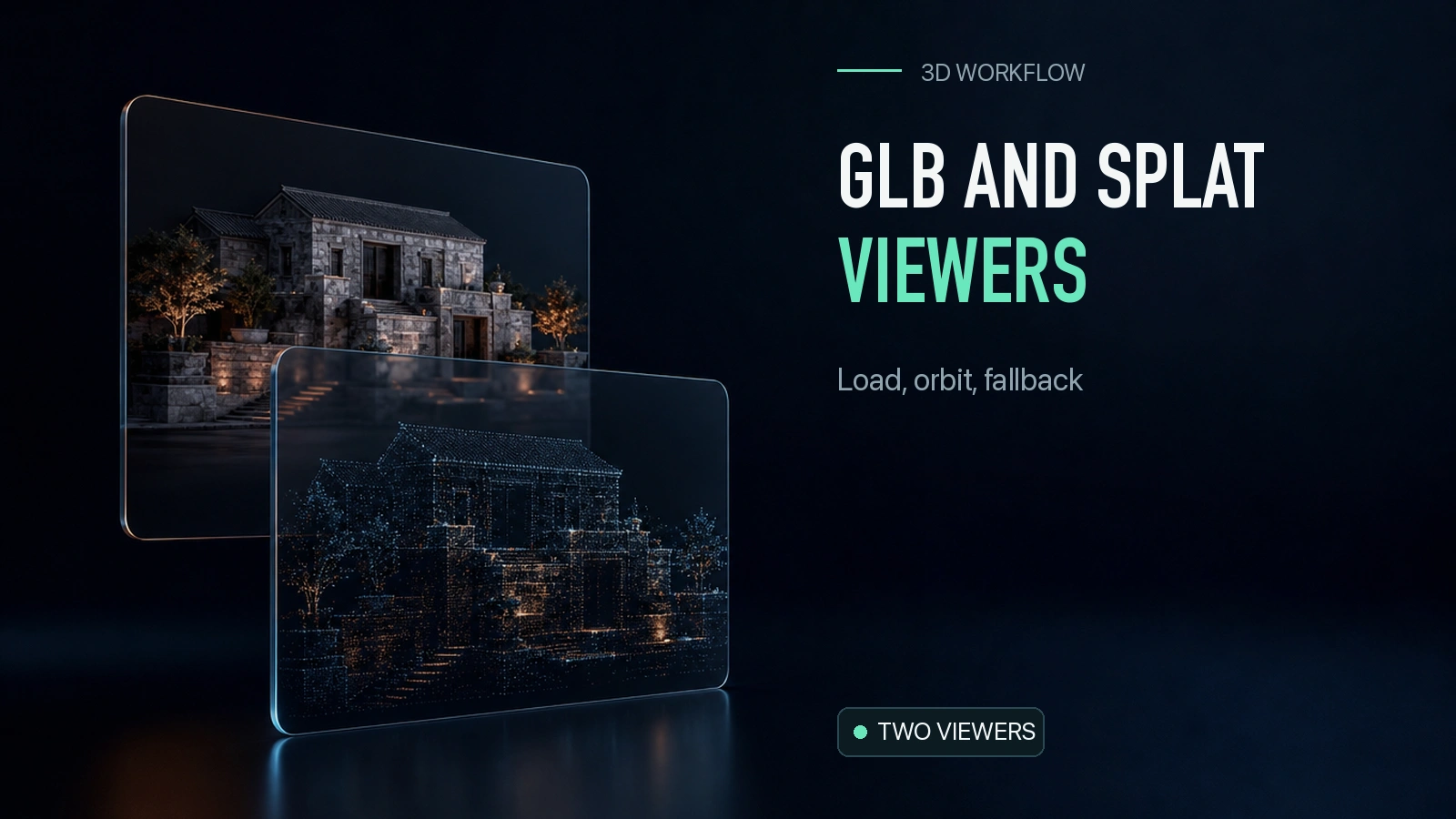
The same stone house can arrive as a GLB mesh or a Gaussian PLY. Both are about 4.4 MB in this example, but the website needs a viewer that understands the actual file. We loaded the mesh in Google’s model-viewer and the splat in Spark, rotated both in Chromium, and broke both asset URLs to test the fallback. This 2027 guide compares the two workflows by format, controls, and failure behavior so you can decide what to put behind a product preview.
Key takeaway
- model-viewer 4.4.0 loaded the 4,312,248-byte GLB. Spark 2.0.0 parsed and rendered the 4,456,863-byte PLY. The GLB has 18,459 triangles and the PLY has 65,536 Gaussians.
- At both 1,380 and 430 CSS pixels of viewport width, each viewer loaded and accepted a 45° camera change. The narrow result is a desktop browser layout check.
- When both model URLs were set to missing files, each viewer switched to the original image and disabled the corresponding rotation button.
- The readiness signals differ. The GLB component emits a load event. The Spark loader resolves initialization before the app’s rendering loop draws the scene. Treat those events separately when instrumenting a page.
What each viewer needs from the asset
The GLB is the Tripo H3.1 mesh from the same-input splat and mesh comparison. The PLY is the original binary splat from the TripoSplat project’s public demo. We reused those exact bytes for the viewer test. The two formats depict the same input subject. They carry different information and have separate loading paths.
| Requirement | model-viewer with GLB | Spark with Gaussian PLY |
|---|---|---|
| Tested package | model-viewer 4.4.0 | Spark 2.0.0 with Three.js |
| Asset bytes | 4,312,248 | 4,456,863 |
| Stored primitives | 18,459 triangles | 65,536 Gaussians |
| How it becomes visible | A component loads and renders the GLB | A splat mesh joins a Three.js scene with a Spark renderer |
| Camera in this test | Component camera orbit | Application-managed perspective camera |
| Failure branch | Component error event | HTTP response check and caught initialization errors |
| Fallback | Original image and disabled control | Original image and disabled control |
Use model-viewer when the delivery contract is a GLB and a component provides the orbit and presentation controls you need. Use Spark when the delivery contract contains a Gaussian splat and you already have or want to build a Three.js scene. The Spark path needs its own renderer, camera, layout and error behavior. A package being able to parse a container does not imply that it understands every extension or every encoding that can be stored in it. Test the exact exported file on the same loading path you plan to ship. model-viewer documentation · Spark overview
Verify first render and camera movement
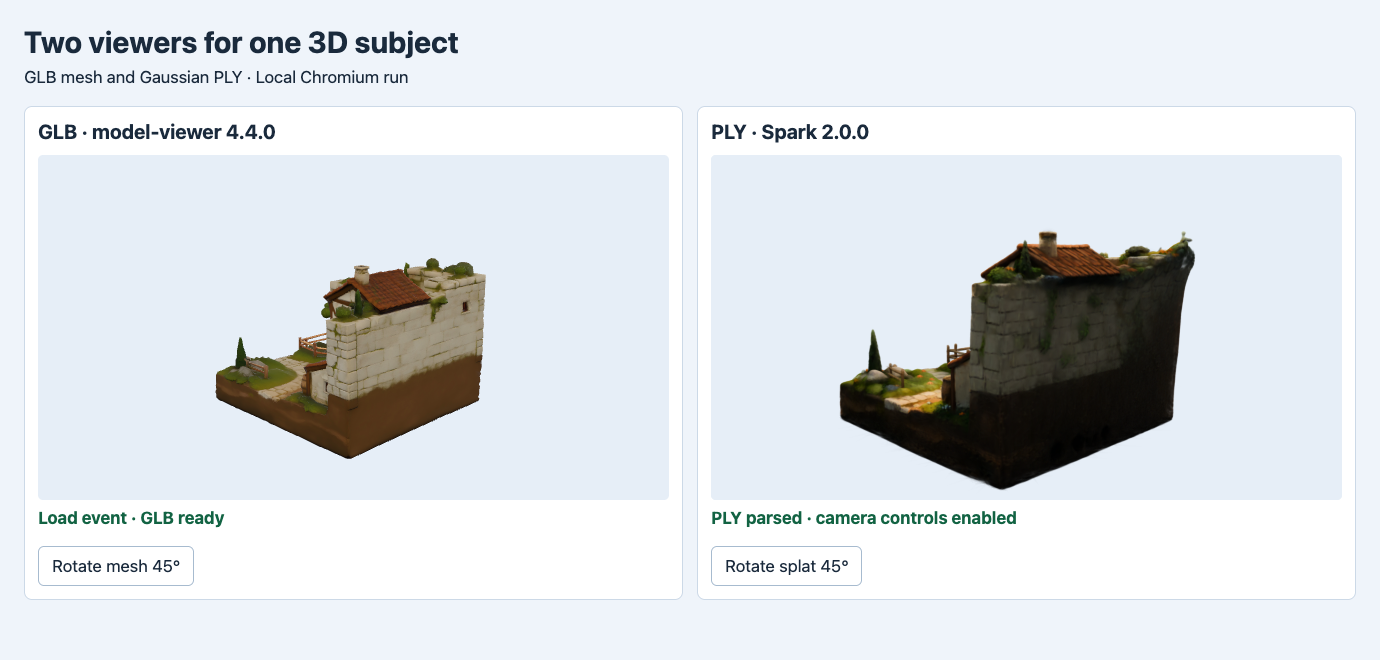
The GLB component and Spark viewer render the actual files. Both camera buttons were exercised. The framing and appearance differ between the two implementations.
The GLB side sets camera-controls and waits for the component’s load event. For a deliberate camera test, the harness reads the current theta, sets a new orbit target 45° away, calls jumpCameraToGoal(), then waits before reading the actual camera angle. The final delta is π/4 in both viewports. Reading immediately after setting the target returned the earlier state in our initial harness, so the final test waits for the update before asserting the delta. That distinction matters if you log actions automatically.
The PLY side fetches the binary file and checks the response, then initializes a SplatMesh from the bytes. Its camera comes from the application. The button adds π/4 to the stored orbit angle, recalculates the camera position and points it at the subject center. In the tested page the model had to be oriented and centered before the camera behavior made sense. An exported splat can use a different up direction than your scene. Store the import transform with the asset or with its route configuration, and keep a screenshot from the expected starting angle. Spark SplatMesh documentation
| Check | 1,380 px viewport | 430 px viewport |
|---|---|---|
| GLB load event | Received | Received |
| PLY initialization | Resolved | Resolved |
| GLB camera theta delta after update | 0.7854 rad | 0.7854 rad |
| PLY orbit command applied | 0.7854 rad | 0.7854 rad |
| Cards in the test layout | Two columns | Stacked |
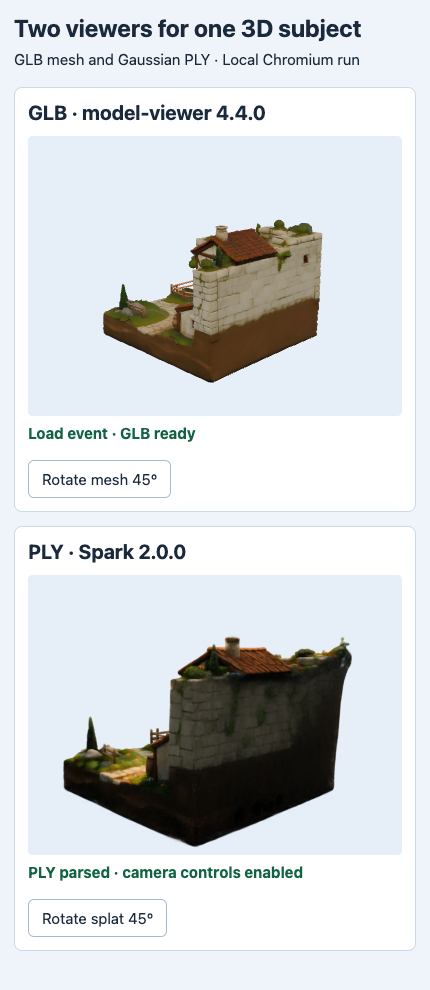
This is a responsive layout capture on desktop Chromium. It verifies that both controls and render areas remain visible in the narrower page.
A narrow layout can pass while a real phone still struggles. In this test both assets were served locally and Chrome used a software graphics path. We recorded event readiness, camera behavior and visual results. We did not use device hardware or a mobile network. For a device test, time the first useful rendered frame on your phone, record memory and control responsiveness, and measure network transfer separately. A component event and a promise resolution refer to different stages, so neither is a direct cross-viewer speed benchmark.
Keep a visible fallback when the 3D file is unavailable
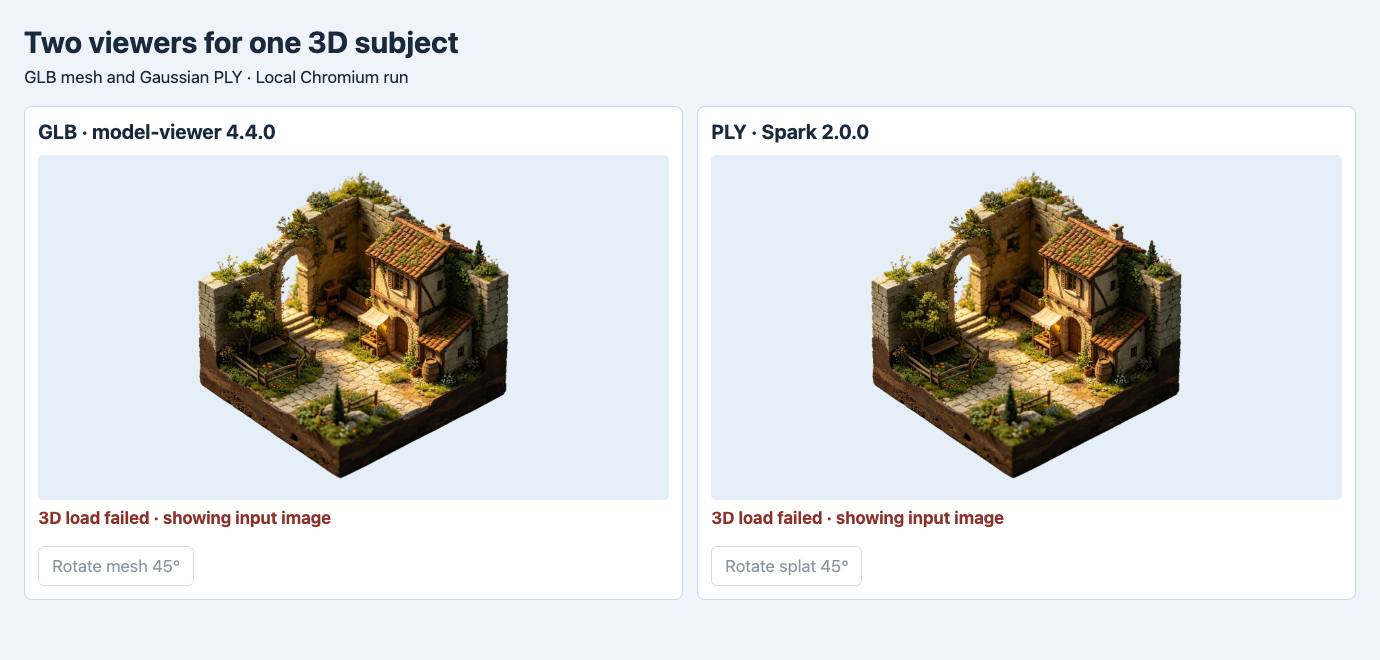
The two file URLs were set to nonexistent local paths. The original input replaced both failed 3D stages and the camera controls were disabled.
The failure test changed only the file URLs. The GLB component emitted an error, and the PLY request returned a real HTTP 404. The page used the same fallback handler to replace the render area with the input image and disable its rotation button. The status text distinguishes the fallback from a live model. This is especially important when the fallback image is the same shape and angle as the expected render.
In a product, make the retry decision based on what failed. If a required local or published URL is wrong, fix the asset reference or let the user continue with the preview. If the network request was interrupted, you can offer a retry that reloads the same asset. A failed viewer load does not automatically justify another generation job. For jobs that hand off a temporary provider URL, first move the verified bytes to the delivery location and update the application only after you can retrieve them there. Async generation backend walkthrough
The test used a missing asset for both branches. You can build another failure case from a corrupt copy or an unsupported extension and confirm that your fallback also works there. In the Spark branch, capture both failed HTTP responses and parser errors. In the GLB branch, handle the component’s error event and ensure that the previous model is removed when switching to a new asset. Keep the poster source independent of the failed 3D request. That gives the fallback a chance to load even if the original path is unavailable.
Choose a viewer by the file and product controls
For a catalog of textured meshes, start with a component that loads your actual GLB, can set a predictable orbit, and exposes an error state. Before scaling up, try a typical asset and a larger one that uses your intended texture and geometry budget. Use the mobile GLB budget experiment to see how texture and mesh sizes can be measured independently. For a splat-led experience, start with the PLY in a viewer that understands Gaussian properties. Check orientation, camera limits and the appearance at edge angles.
If both formats are possible, store the format beside the asset ID and choose the loader from that field. Record the file bytes, renderer version, camera defaults, preview image and outcome in the same intake record. Check a successful load, a camera interaction and a missing asset on each release candidate. A viewer can show a file that still misses a geometry or materials requirement. Keep those checks tied to the exact binary using the GLB intake workflow.
For a first mesh, generate a GLB with Tripo H3.1 image-to-3D. The PLY in this test came from the official TripoSplat demo after the SandBase TripoSplat route returned an upstream 404 in the earlier generation test. The viewer evidence concerns the two saved files. If you have a different splat export, check whether Spark supports that encoding and repeat the controls and fallback tests with it.
FAQ
Can I pass a Gaussian PLY to model-viewer as its source?
This workflow uses model-viewer for GLB. For the Gaussian PLY, use a renderer that parses its Gaussian attributes, such as the Spark path tested here.
Is 430 CSS pixels equivalent to testing an actual phone?
It tests how a narrow viewport lays out the same content. Use a real target device to measure network behavior, rendering performance and touch controls.
What should the fallback image show?
Use a product image or a previously rendered still with a clear status that 3D is unavailable. Keep the still usable on its own, and make interactive controls inactive until a 3D scene is ready.
Found this useful? Share it