Seedream 5.5 Ecommerce Workflow: On-Image Text + Transparent PNG
Seedream 5.5 ecommerce workflow for on-image text and transparent PNG. No 5.5 API yet. Run the check on Seedream 5.0 Pro and Flash on SandBase.
A sticker that still has a background is not a sticker. Seedream 5.5 says it can skip the cutout. The request you can send today cannot.
Seedream 5.5’s e-commerce pitch is two jobs merchandisers already have: small type that survives a poster, and a transparent asset you can drop on a product page. ByteDance described both on 9 November 2026. Neither is a parameter you can set this week. This is the workflow to run on Seedream 5.0 until a 5.5 model ID exists, and the checks to add on the day it does.
If the catalog has to update before that day, start on Seedream 5.0 Pro. Do not point the pipeline at a 5.5 name.
Key takeaway
- Seed says Seedream 5.5 can keep unedited pixels still across a 100-edit demo, emit native RGBA including partial transparency, and render dense small text more clearly. Those are launch claims, dated 9 November 2026.
- No 5.5 API ID or price was on the Seed post or on Volcano Ark’s November release and price pages. SandBase returned “Model Not Found.”
- On 3 October 2026, Seedream 5.0 Pro passed 10 of 10 exact-text e-commerce posters in our published test. That is not a 5.5 score, and the SandBase list price is now $0.09 per image, not the $0.0675 billed that day.
- The 5.0 Pro text-to-image card offers jpeg or png and no alpha switch. The edit card fuses up to 10 reference images at $0.09 per output plus $0.003 per extra input. It does not document pixel-lock or RGBA.
- Build posters on Pro, drafts on Flash ($0.018), keep a cutout step for stickers, and store the outputs as the baseline a future 5.5 card has to beat.
Where Seedream is today
- Seedream 5.0 Pro introduction and Fast versus Pro: the two tiers this workflow actually calls.
- Seedream versus Qwen Image versus Nano Banana: older framing of the 5.0 family. Not a sticker test.
- The measurement behind the text step: e-commerce text benchmark. Wider menus: image generation APIs and image editing APIs.
- Cards: Seedream 5.0 Pro, Seedream 5.0 Flash, and Seedream 5.0 Pro Fast (HTTP 200; price not quoted here). ByteDance’s catalog home is the vendor page. Do not invent a 5.5 model URL. The edit ID is
bytedance/seedream/5.0/pro/edit. Calls use the run API.
A white background hides a bad edge. Preview stickers on a checkerboard, including after you think the cutout worked.
What is confirmed, and what is not
| Item | Confirmed on 9 Nov 2026 | Unknown |
|---|---|---|
| 5.5 native RGBA, full and partial | Claimed on the Seed launch post, with owl, sticker, and lettering demos on the product page | File format, premultiplication, request field |
| 5.5 dense small text | Claimed, with an English newspaper-style page and a Chinese butterfly infographic in the post | Pass rate on your SKUs |
| 5.5 text corruption | Vendor figures: 0.4% severe, 1.7% minor, Chinese and English, dense small text included | Other models’ rates, prompt list |
| 5.5 API | Absent from the Seed post, Ark’s November release table, and the Ark price table | ID, price, rollout on Jimeng, Doubao, or Ark consoles |
| SandBase 5.5 | HTTP 404, “Model Not Found” | When a card will appear |
| SandBase 5.0 Pro text-to-image | bytedance/seedream/5.0/pro, $0.09 per image, one image, jpeg or png, 2K aspects | An alpha switch. There isn’t one on this card |
| SandBase 5.0 Flash | bytedance/seedream/5.0/flash, $0.018 per image. The card says roughly 15 to 20 seconds | That timing is catalog copy, not a new measurement |
| SandBase 5.0 Pro edit | Up to 10 reference images. $0.09 per output plus $0.003 for each input after the first | Pixel-identical unedited regions. Not a documented switch |
Ark’s 5.0 docs describe a layer split (one base plus up to 16 layers). That is not the same feature as 5.5’s claimed native RGBA, and it is not a control on the SandBase text-to-image card we opened. Do not wire a sticker pipeline to a layer-split flag you have not seen on the route you call.
The poster path that already has a score
On 3 October 2026 we gave 11 SandBase image models five poster prompts, two images each, and scored exact strings. Seedream 5.0 Pro passed all 10 posters: English headline and price, Chinese headline and price, a mixed line, an SKU, and a two-price flash sale. Billed price that day was $0.0675 per image. Median latency was 30.3 seconds. Output was 2048 pixels on a side. Seven models tied at 10/10, so the result is “no miss in this set,” not a ranking. The prompts were in English. Two images cannot separate 90% from 100%. A vision grader missed a malformed Chinese character that a person caught. Details and the strings are in the benchmark.
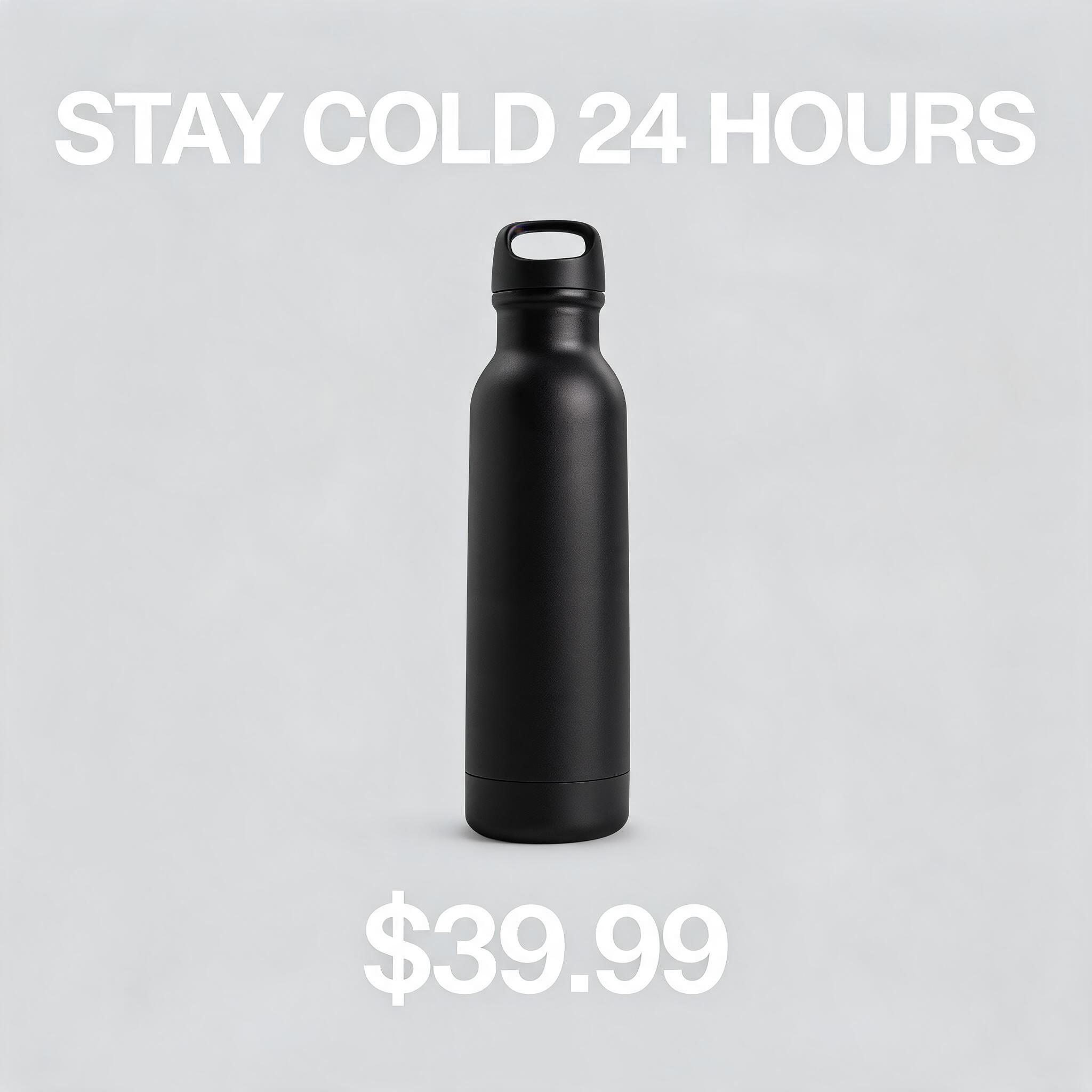
Seedream 5.0 Pro poster (bytedance/seedream/5.0/pro). Exact strings STAY COLD 24 HOURS / $39.99. Not generated by 5.5.
Use that method, not the vendor’s 0.4% figure, for anything you ship this month:
- Put every required string in quotes in the prompt. One headline, one price, one SKU. Say “no other text” if stray labels have burned you.
- Generate the master on Pro. Spend Flash on extra crops. At the 9 November list prices, 100 Pro frames are $9.00 and 100 Flash frames are $1.80.
- Read the image. For Chinese, a person reads it. Do not let a vision model “correct” a glyph and then call that a pass.
- Keep the file next to the prompt. When a 5.5 card appears, rerun the same five prompts before you change the default.
The 5.5 corruption rates are not comparable to that 10/10. Different prompts, different grader, different model, and no public set. Quote them as ByteDance’s number. Grade your catalog yourself.
The sticker path 5.5 described, and the one you have
Seed’s RGBA claim is specific enough to design a test around, and not specific enough to delete your cutout tool.
What they showed: an alpha channel with full and partial transparency, feather gaps, sticker sheets whose outside is empty, lettering on a transparent field, characters reused across scenes. What a production sticker still needs: a checkerboard preview, a halo check on a dark ground and a light ground, and a file your layout tool treats as having alpha. None of that is a field on bytedance/seedream/5.0/pro.
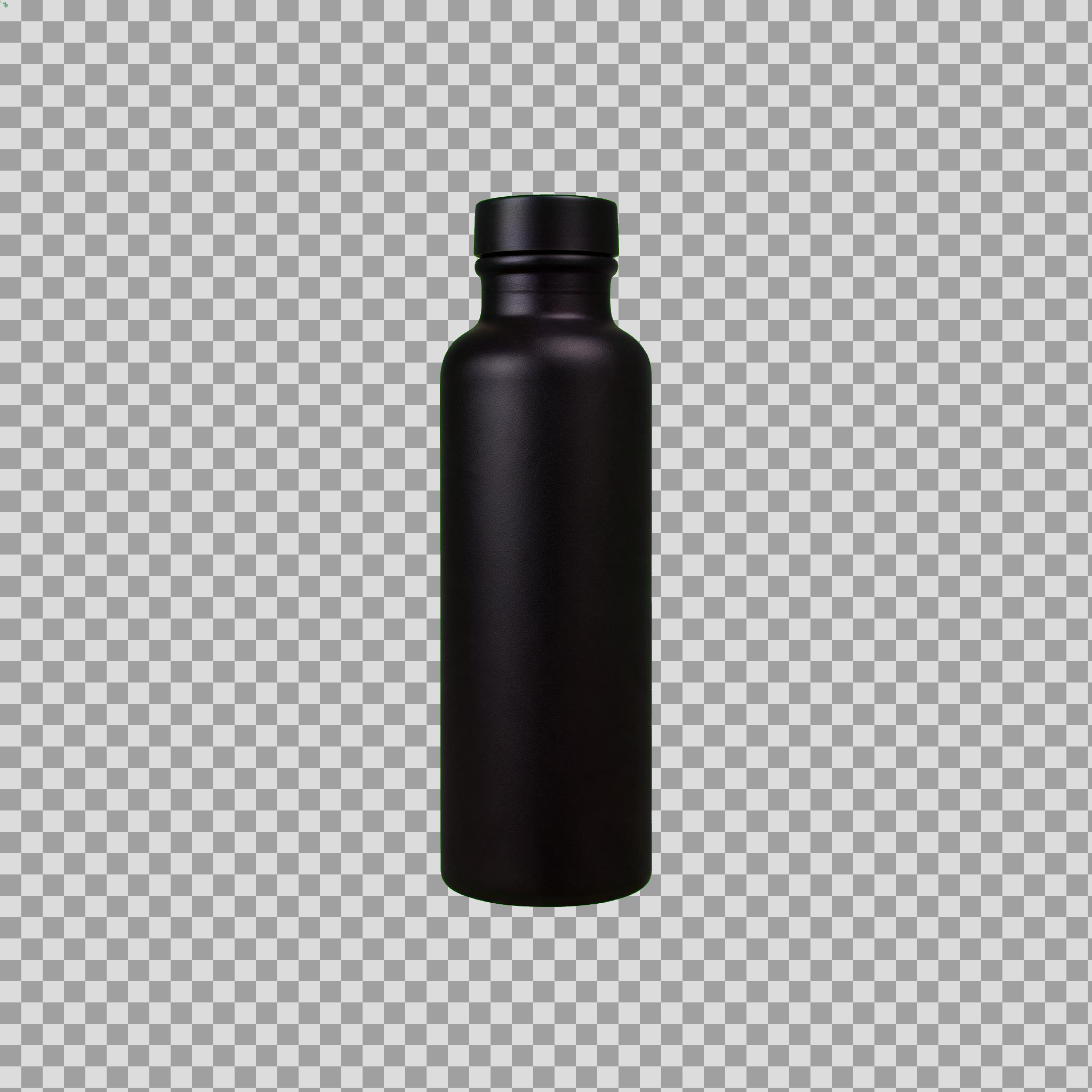
Checkerboard preview after a manual chroma key on a Seedream 5.0 Pro green-screen render. This is not native 5.5 RGBA — 5.0 has no alpha switch on the text-to-image card.
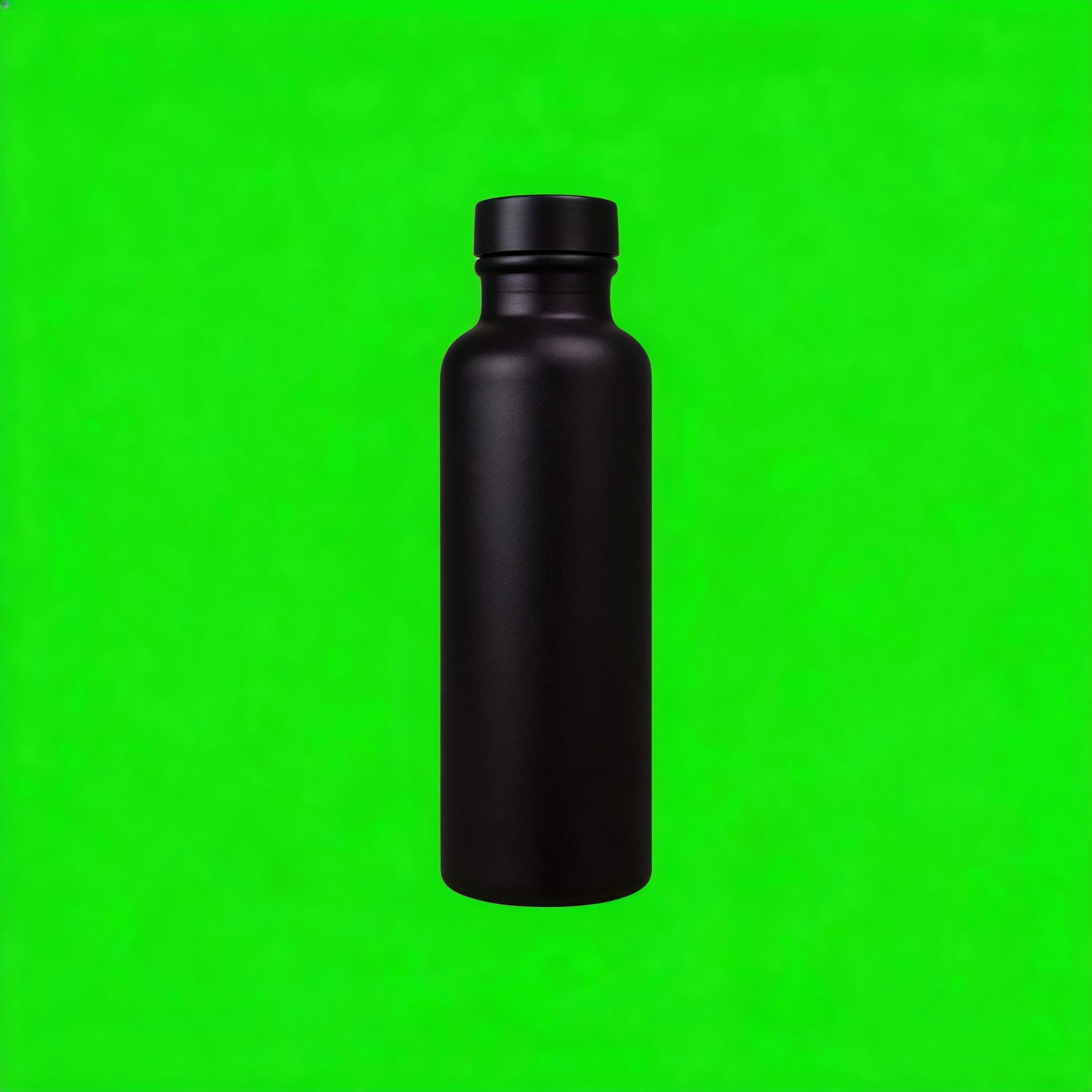
Source frame from Seedream 5.0 Pro on a chroma-green background before keying.
Until a 5.5 response proves otherwise, do this:
- Generate the subject on Pro or Flash on a flat color you can key, or photograph the real SKU.
- Cut it out with the tool you already trust. Do not tell the pipeline that 5.5 made the alpha.
- Preview on a checkerboard, then on the real product-page background. White-on-white hides a fringe.
- If the job is “put this logo on that pack,” use the edit card instead of hoping a text-to-image png is transparent. Pass publicly reachable image URLs. The card allows up to 10. More than that and only the last 10 are used. One output image. Price is $0.09 plus $0.003 for each input after the first, so three inputs are $0.09 + $0.006 = $0.096 at the listed rates.
- After an edit, diff the region you did not mean to change. The 100-round pixel claim is a 5.5 demo, not a guarantee of this edit route.
I would not ship a sticker from a jpeg. The Pro card’s default output format is jpeg. Ask for png when you still have to cut the subject out. Png here means a file type, not an alpha channel.
Quick routing
| Job today | Call | Do not |
|---|---|---|
| Poster you will ship | Seedream 5.0 Pro, $0.09 as of 9 Nov 2026 | A guessed 5.5 ID |
| Extra crops | Seedream 5.0 Flash, $0.018 as of that date, or the Pro Fast card after you read its price | Treat Flash’s catalog “15 to 20 seconds” as your SLA |
| Logo onto a pack | bytedance/seedream/5.0/pro/edit | Assume the output has alpha |
| Transparent sticker | Png from 5.0, then your own cutout, checkerboard preview | Delete the cutout because 5.5’s demo looked transparent |
Try today on SandBase
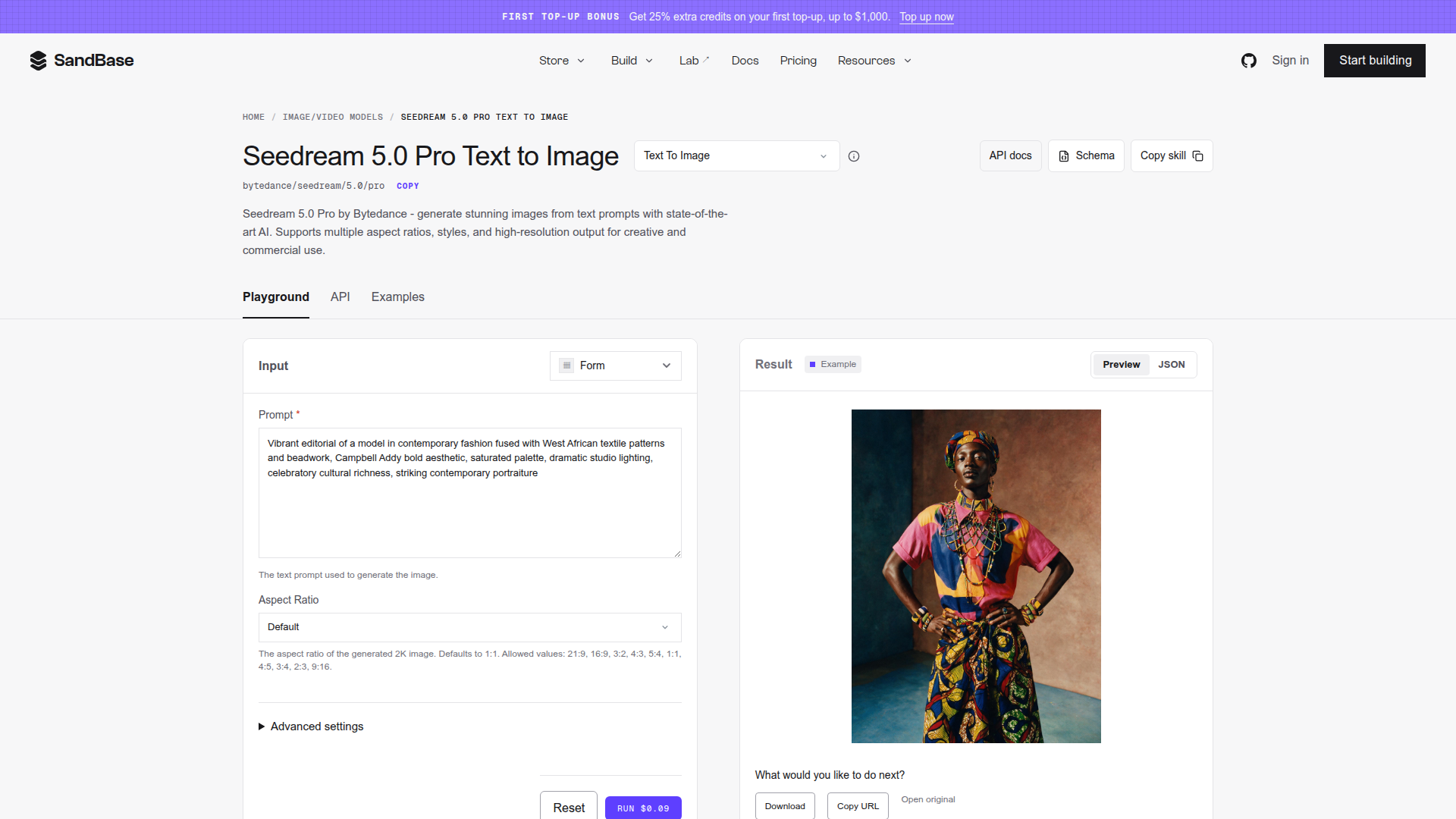
SandBase Seedream 5.0 Pro card — the interim route this workflow calls.
API status, 9 November 2026: no Seedream 5.5 ID, no price, no RGBA parameter. The request bodies call 5.0 Pro and 5.0 Pro edit. The poster and the keyed product above are 5.0 Pro outputs, not 5.5.
Text-to-image follows the Pro card: POST /v1/run, then poll GET /v1/run/{id} until completed, failed, or timeout. Read outputs[0].url only after completed. num_images maxes at 1.
import os
import time
import requests

API_KEY = os.environ["SANDBASE_API_KEY"]
HEADERS = {
    "Authorization": f"Bearer {API_KEY}",
    "Content-Type": "application/json",
}

def run_model(body: dict) -> str:
    submit = requests.post(
        "https://api.sandbase.ai/v1/run",
        headers=HEADERS,
        json=body,
        timeout=60,
    )
    submit.raise_for_status()
    payload = submit.json()
    status = payload.get("status")
    run_id = payload["id"]
    for _ in range(120):
        if status in ("completed", "failed", "timeout"):
            break
        time.sleep(2)
        polled = requests.get(
            f"https://api.sandbase.ai/v1/run/{run_id}",
            headers={"Authorization": f"Bearer {API_KEY}"},
            timeout=60,
        )
        polled.raise_for_status()
        payload = polled.json()
        status = payload.get("status")
    if status != "completed":
        raise RuntimeError(f"Generation ended: {status}")
    return payload["outputs"][0]["url"]

poster = run_model({
    "model": "bytedance/seedream/5.0/pro",
    "prompt": (
        "Square e-commerce poster, matte black bottle, light gray background. "
        'Headline exactly: "STAY COLD 24 HOURS". '
        'Price exactly: "$39.99". No other text.'
    ),
    "aspect_ratio": "1:1",
    "num_images": 1,
    "output_format": "png",
})
print(poster)
Drafts: set model to bytedance/seedream/5.0/flash. Same fields.
For a pack shot plus a logo, the edit card wants images as an array of URLs and a prompt. Supply your own hosted files through the environment. Three inputs match the $0.096 example above.
edited = run_model({
    "model": "bytedance/seedream/5.0/pro/edit",
    "images": [
        os.environ["PACK_IMAGE_URL"],
        os.environ["PRODUCT_IMAGE_URL"],
        os.environ["LOGO_IMAGE_URL"],
    ],
    "prompt": (
        "Replace the product in image 1 with the product in image 2. "
        "Place the logo from image 3 on the front of the pack. "
        "Do not change the background, the lighting, or the headline text."
    ),
    "num_images": 1,
    "output_format": "png",
})
print(edited)
Leave aspect_ratio unset on an edit when you want the card’s behavior: follow the reference. Chinese strings belong in the prompt as exact quoted text. Put them in the prompt you store with the image, and have a person read the result. The October Chinese poster is the pattern, in the benchmark post, not a 5.5 sample.
When a 5.5 ID shows up
Do not flip the default on the announcement. Run this acceptance set first:
| Check | Pass looks like | Fail looks like |
|---|---|---|
| Same five poster prompts as October | Strings match, including CJK, on two seeds | You cite 0.4% instead of looking |
| Sticker on a checkerboard | Empty regions are actually empty, edges are clean on light and dark | A white box, or a fringe |
| Edit diff outside the mask | Unedited pixels match the input | A color shift the demo promised would not happen |
| Price | A primary page states it | A secondary writeup about 0.28 yuan |
| Model string | The card’s ID, copied | A guessed seedream-5.5 |
Secondary outlets said Jimeng, Doubao, and Ark were rolling 5.5 out, and one quoted about 0.28 yuan. Ark’s price page has no 5.5 row. Ignore that yuan figure. The launch note records the absence. The comparison explains why the MagicArena chart is not this acceptance set.
FAQ
Can I generate a transparent PNG with Seedream 5.5 today?
Not through an API we could find on 9 November 2026. Seed says the model emits an alpha channel. SandBase has no 5.5 card. Use a cutout on a 5.0 png until a response file shows alpha on a checkerboard.
Does Seedream 5.0 Pro already do RGBA?
The text-to-image card lists jpeg and png. It does not list an alpha control. Png is not a promise of transparency. The edit card fuses reference images. It also does not document an alpha output.
Will 5.5 fix Chinese type on posters?
Seed shows a Chinese infographic and reports 0.4% severe corruption in their test. Our October test already passed Seedream 5.0 Pro on a short Chinese poster set, with a human check. Rerun your own strings. Do not treat either number as a guarantee for the next SKU.
How much does the interim path cost?
On the SandBase cards checked 9 November 2026: Pro $0.09 per image, Flash $0.018, Pro edit $0.09 per output plus $0.003 per input image after the first. Failed Pro text-to-image runs are not charged, per that card. 5.5 has no price to quote.
What should the pipeline call this week?
bytedance/seedream/5.0/pro for the frame you ship, bytedance/seedream/5.0/flash for drafts, bytedance/seedream/5.0/pro/edit when you are compositing references you already have. Not a 5.5 ID.
Stay in the Seedream cluster: the 5.0 Pro introduction, the Fast versus Pro note, and Seedream versus Qwen Image versus Nano Banana.
Related reading
- Seedream 5.5 launch note: the three claims and the missing ID.
- Seedream 5.5 versus Sunburst and Nano Banana 2.1: vendor scores versus routes that exist.
- E-commerce text benchmark: the October method this workflow reuses.
Sign in or open the model catalog and run one real poster through Seedream 5.0 Pro. Save the png. That file is the baseline. A 5.5 sticker is not in the catalog until the card is.