How to Check Fake Views on a TikTok Video (2026)
How to check a TikTok video for fake views: turn a link into a video id, run one free API call, then read fake_score, estimated_fake_views and the red flags.
I ran a fake-view detector on TikTok’s own official account, on a video with 162 million views. It came back clean: fake_score 4.34, is_suspicious false. The same report also said estimated_fake_views: 8102335, and it flagged TikTok’s account for gaining followers too fast. Both lines are in one response, and they read very differently.
“8.1 million fake views” sounds like evidence. Here it’s a 5% baseline times the view count. This tutorial shows how to check a TikTok video for fake views with SandBase’s tiktok/analytics/detect-fake-views endpoint: get the video id from any link, make one call, and read each block of the report for what it measures. It’s for marketers vetting creators before a paid deal and for developers building that check. I tested it on 8 public videos from verified brand and media accounts on 2026-10-04.
Key takeaway
- One public TikTok link becomes a verdict in two calls:
tiktok/web/aweme-idturns the URL (short/t/links included) into a video id, thendetect-fake-viewsreturns the report. Both were Free in the catalog on 2026-10-04, and both billed $0.estimated_fake_viewsistotal_viewstimesfake_view_percentage, and that percentage took only three values in my tests: 5, about 20 and about 30. It’s a bucket, not a count of detected fake views.- On 8 videos from verified brand and media accounts,
is_suspiciouswas false andconfidence_levelwas “Minimal” every time.fake_scoreranged from 4.34 to 31.12. The detector attached follower-growth warnings (infan_growthorcreator_credibility) to 4 of the 8 accounts, TikTok’s own included.content_categorychanged nothing on two accounts with over 18 million followers. On a 62.8K-follower account it movedfake_scorebetween 24.51 and 31.71, andentertainmentpushed the estimate bucket from 20% to 30%.- It’s a third-party heuristic, not TikTok data and not proof. Use it to decide which creators to ask for their TikTok analytics.
What the endpoint is, and what it isn’t
The endpoint scores a public video’s counts (views, likes, comments, shares, favorites) and the creator’s follower history across 8 components. Its description cites “TikTok’s Traffic Pool theory”, the vendor’s model of how TikTok distributes views, not something TikTok publishes. SandBase passes the call through to a third-party provider; it doesn’t run its own detector.
Most people searching “fake views tiktok video” want a quick sign of whether a creator’s numbers are inflated. This endpoint gives risk signals for that. It can’t say whether any view was fake, because it sees public counters, not TikTok’s view logs. I have no labeled set of known-fake videos, so nothing below measures accuracy, only behavior.
Data boundary
This reads public, read-only data with a SandBase API key. SandBase isn’t an official TikTok partner. There’s no access to private accounts, DMs, a creator’s own analytics, or any account actions. I tested only verified brand, media and TikTok accounts, and this article doesn’t call any account fake.
| Need | Use |
|---|---|
| A quick risk screen on any public video | detect-fake-views (this tutorial) |
| A creator’s real audience, retention and traffic sources | Ask the creator for screenshots or an export of their TikTok Studio analytics |
| Your own account’s analytics | TikTok Studio |
Step 1: get the video id from a link
The detector takes item_id, the long number in a video URL like https://www.tiktok.com/@tiktok/video/7460937381265411370. If you have a full URL, you can parse that number yourself. Share links like https://www.tiktok.com/t/... don’t contain it, so use tiktok/web/aweme-id. tiktok/app-v3/one-video-by-share-url looks like the obvious choice, but it was disabled on SandBase on 2026-10-04. I didn’t test other short-link domains.
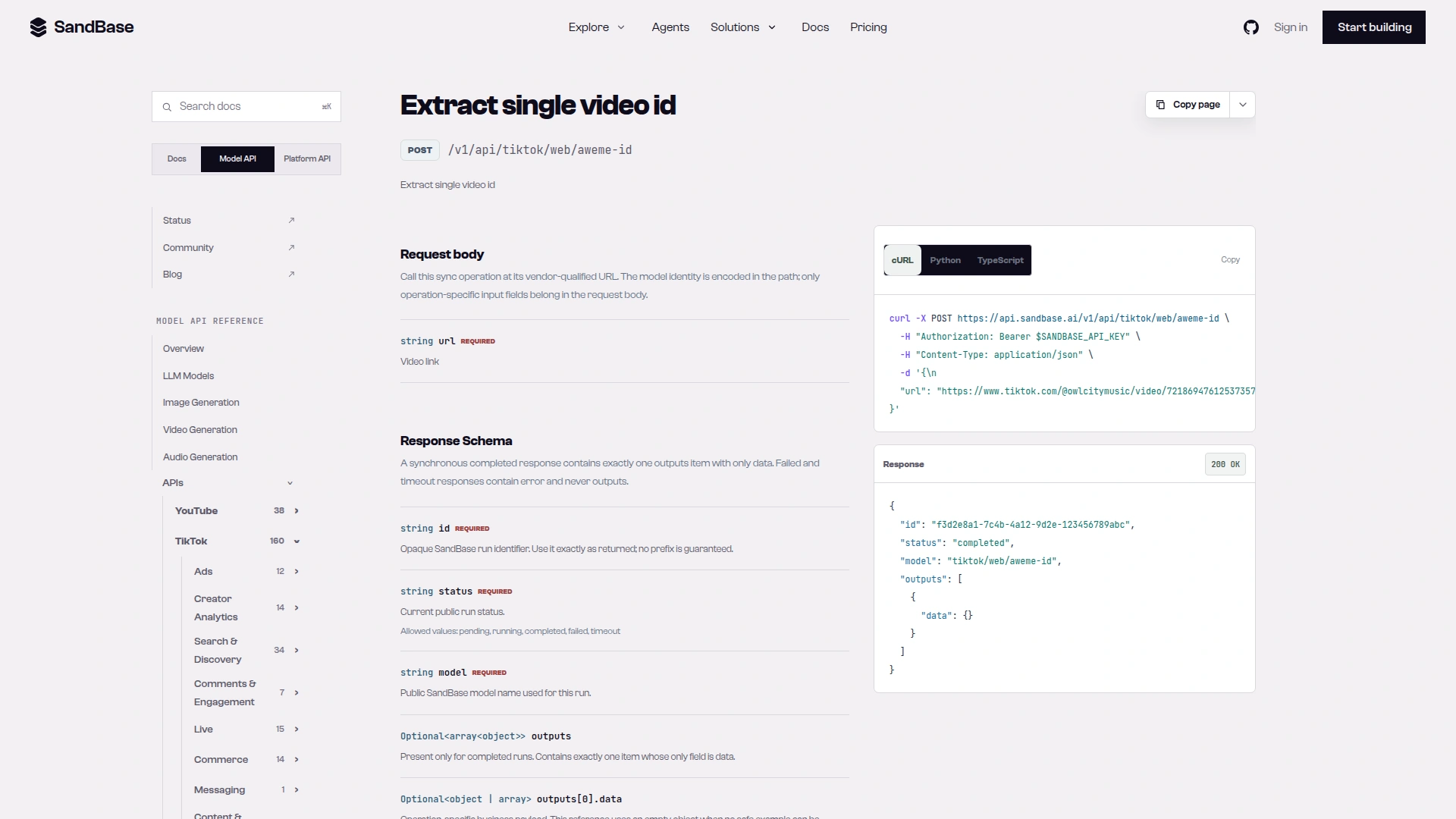
Caption: The aweme-id reference lists one required field, url, on the POST /v1/api route the script calls; its example payload is an empty object, while the live call returned a bare id string (captured 2026-10-04).
curl -s https://api.sandbase.ai/v1/api/tiktok/web/aweme-id \
  -H "Authorization: Bearer $SANDBASE_API_KEY" \
  -H "Content-Type: application/json" \
  -d '{"url": "https://www.tiktok.com/t/ZP9DAsd5x3xtR-37cuu/"}'
I generated that short link for TikTok’s video with tiktok/app-v3/share-short-link. The call (run fade1bb3-3d8e-4c0e-bd8a-39686c18aab7) returned outputs[0].data as the string "7460937381265411370" in 1.8 seconds. The full URL, with and without ?is_from_webapp=1&sender_device=pc, gave the same id in under a second. A profile URL failed with HTTP 503 (“upstream error 400”, not charged).
Step 2: run one detection call
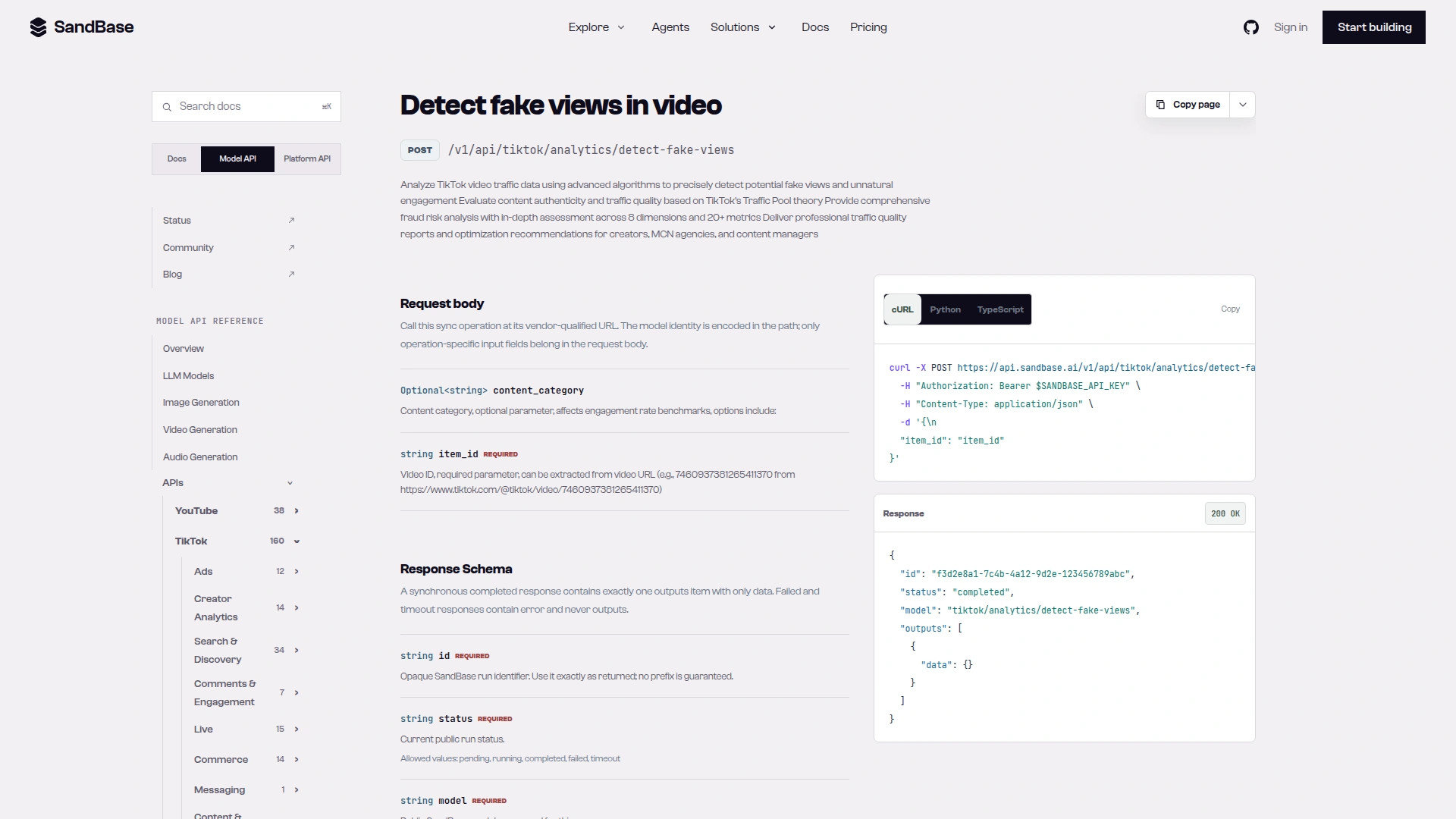
Caption: The detect-fake-views reference shows the POST route, a required item_id and an optional content_category, and documents only the response envelope with an empty data object, so the report fields below come from live calls (captured 2026-10-04).
curl -s https://api.sandbase.ai/v1/api/tiktok/analytics/detect-fake-views \
  -H "Authorization: Bearer $SANDBASE_API_KEY" \
  -H "Content-Type: application/json" \
  -d '{"item_id": "7460937381265411370"}'
This is the Model API route from the endpoint reference, not the catalog’s GET route. The body holds only the endpoint’s own fields. The call is synchronous: the report is in outputs[0].data of the same response, and there’s nothing to poll.
Tested on 2026-10-04 (UTC)
Inputs: one public video each from TikTok, Duolingo, National Geographic, Chipotle, NASA, MIT, Figma and Cloudflare. All 8 accounts showed a verification badge in the data. For each brand except TikTok I took the most recent non-pinned post that was at least 3 days old, from tiktok/app-v3/user-post-videos. For TikTok I used the video from the endpoint’s own example. ESPN and NBA were on my list too, but their returned posts were all pinned or under 3 days old, so they’re not in the sample. I logged 23 successful detection calls; when the first attempt worked, each took 2.0 to 3.8 seconds.
Run 397720a1-dee5-4b33-985f-ebc1cd3d8b12 returned this fake_view_analysis block for TikTok’s video, complete:
{"component_scores": {"consistency_score": 0, "content_authenticity_score": 34.0,
  "creator_credibility_score": 0, "distribution_score": 0, "engagement_score": 0.0,
  "fan_growth_score": 45, "follower_correlation_score": 35.0, "racing_mechanism_score": 0},
 "confidence_level": "Minimal", "estimated_fake_views": 8102335, "fake_score": 4.34,
 "fake_view_percentage": 5.0, "is_suspicious": false,
 "main_detection_reason": "Multiple Anomalous Indicators"}
The same response had video_metrics.total_views 162046716. 5% of that is 8102335.8. The other top-level keys were content_metrics, creator_metrics, data_sources, detailed_analysis, mcn_report, ml_adaptation_recommendations, recommendations, suspicious_features, timestamp, traffic_pool, video_id, video_metrics and view_pattern_type. All field names here are observed in my calls, not documented guarantees.
Reliability: in a 10-minute window from about 01:20 UTC, 20 of 23 detection calls failed with HTTP 503 (“upstream error 400”, not charged) even after three tries. Rerun right after, all 20 succeeded first time. The script retries 5xx responses for that reason.
Step 3: read the report
| Field | What it means | How much to trust it |
|---|---|---|
fake_score | Weighted risk score from the 8 components. Observed 4.34 to 31.71 | Useful for ranking videos against each other. No published scale or threshold |
is_suspicious | The endpoint’s yes/no flag | False on all 8 test videos. The only field that reads like a verdict |
confidence_level | How sure the endpoint is | ”Minimal” on every call I made |
fake_view_percentage | Share of views it treats as fake | Took 3 values: 5, about 20, about 30. A bucket |
estimated_fake_views | total_views × the percentage | Arithmetic on the bucket. Don’t quote it as a count |
component_scores | The 8 parts of the score | Read with detailed_analysis; several are 0 because of missing data |
detailed_analysis.engagement | Like, comment, share and favorite ratios against a benchmark set | The most transparent block: each issue string prints the threshold it used |
detailed_analysis.follower_correlation | Follower tier and that tier’s benchmarks | Tier and benchmarks are handy for your own checks |
detailed_analysis.fan_growth, creator_credibility | Follower growth milestones | Fired on 4 of 8 verified brand accounts, TikTok’s included |
traffic_pool | The vendor’s “traffic pool” level | estimated_organic_views equals views × (1 − fake_score/100), which doesn’t match estimated_fake_views |
mcn_report.business_impact.revenue_impact | Dollar impact | estimated_fake_views × a fixed $1 CPM. Not a measured loss |
suspicious_features | All warning strings in one list | Read them; don’t count them |
Three components told me less than their names suggest. racing_mechanism said “Insufficient data” on all 8 videos. consistency_score and creator_credibility_score were 0 on all 8. distribution reported “Statistical anomalies detected in view distribution” on all 7 videos where it had enough data, each time with a distribution_score of 65. A warning that fires on every verified brand video I tested doesn’t separate anything.
TikTok’s video scored lowest for a dull reason: its distribution_score was 0 because of “Insufficient view data for distribution analysis”, while the other 7 got 65. Less data meant a lower score.
Results on 8 brand videos
| Account | Detector tier | Followers | Views | Likes / views | fake_score | fake_view_percentage | is_suspicious |
|---|---|---|---|---|---|---|---|
| TikTok | xxlarge | 96.0M | 162.0M | 9.83% | 4.34 | 5.0 | false |
| Duolingo | xxlarge | 18.2M | 187,921 | 2.69% | 20.09 | 20.0 | false |
| National Geographic | xlarge | 9.6M | 11,679 | 4.67% | 20.60 | 19.99 | false |
| Chipotle | xlarge | 2.9M | 30,473 | 1.70% | 21.93 | 20.0 | false |
| NASA | xlarge | 1.96M | 125,049 | 5.43% | 27.30 | 20.0 | false |
| Figma | medium | 62.8K | 2,150 | 4.93% | 26.83 | 20.0 | false |
| MIT | medium | 133K | 55,221 | 6.31% | 31.12 | 30.0 | false |
| Cloudflare | small | 21.5K | 631 | 6.50% | 24.61 | 19.97 | false |
Default category, one call per video. confidence_level was “Minimal” and recommendations.action was “no_action” on all 8. The two smallest videos got a “Critical: Share Ratio is extremely low” flag for 0 and 1 recorded shares. At a few hundred views, one share is the whole difference, so I’d treat that as a small-sample effect. Repeat calls gave the same fake_score every time: 6 logged calls each on TikTok’s and Duolingo’s videos over about 20 minutes.
What content_category changes
content_category accepts default, entertainment, education, product or verified_large and, per the schema, “affects engagement-rate benchmarks”. I ran all five on three of the videos.
| Video | default | entertainment | education | product | verified_large |
|---|---|---|---|---|---|
| TikTok (96.0M followers) | 4.34 | 4.34 | 4.34 | 4.34 | 4.34 |
| Duolingo (18.2M) | 20.09 | 20.09 | 20.09 | 20.09 | 20.09 |
| Figma (62.8K) | 26.83 | 31.71 | 29.11 | 25.56 | 24.51 |
On the two biggest accounts benchmark_category stayed verified_large whatever I sent. Without a category, all five verified accounts with over a million followers got verified_large and the smaller ones got default. On Figma the category was applied, and the issue strings show why the score moved. With entertainment it compared the like ratio with an average of 0.05, the favorite ratio with 0.005 and the share ratio with a minimum of 0.001. With default the favorite average was 0.003 and the share minimum 0.0005. Under entertainment the percentage moved to the 30 bucket and estimated_fake_views went from 430 to 645 on the same 2,150 views.
So pick the category that matches the video and keep it fixed when you compare creators. A creator can look worse just because you picked a stricter benchmark.
Red flags you can check yourself
You don’t need the detector to compute ratios. Public counts give you like/view, comment/like and share/view, and the endpoint’s own tier benchmarks are a reference point. These are the tier_benchmarks it returned, with view_ratio meaning views divided by followers:
| Tier (followers in my sample) | Views / followers: min, avg, good | Likes / followers: min, avg, good |
|---|---|---|
| small (21.5K) | 0.08, 0.25, 0.6 | 0.008, 0.025, 0.06 |
| medium (62.8K, 133K) | 0.05, 0.15, 0.4 | 0.005, 0.015, 0.04 |
| xlarge (1.96M to 9.6M) | 0.01, 0.05, 0.2 | 0.001, 0.005, 0.02 |
| xxlarge (18.2M, 96.0M) | 0.005, 0.02, 0.1 | 0.0005, 0.002, 0.01 |
What I’d look at, in order:
- Views far above the tier with likes far below it. If views were bought without matching likes, like/view drops while views per follower climbs. High views per follower alone means nothing: TikTok’s own video had 1.69, way past “good”.
- One video unlike the creator’s others. Compare like/view across the last 10 to 20 posts. An outlier is a better question for the creator than any score.
- Comments that don’t scale with likes. Comment/like near zero on a big video, or a pile of comments on a tiny one.
- Follower jumps. Follower-growth flags hit 4 of 8 verified brands, so a flag alone isn’t news.
None of these prove anything. Paid promotion is one innocent reason views and likes can drift apart, and public data can’t show whether a video was promoted.
The complete script
One file, 57 lines, Python with requests. Run it as python3 check_views.py <url> [category]. This is the exact file I ran.
#!/usr/bin/env python3
"""Screen a public TikTok video for fake-view risk signals. Usage: python3 check_views.py <video or share URL> [category]"""
import os
import sys
import time

import requests

BASE = "https://api.sandbase.ai/v1/api"
HEADERS = {"Authorization": f"Bearer {os.environ['SANDBASE_API_KEY']}"}


def call(model: str, params: dict, tries: int = 3):
    for attempt in range(tries):  # upstream 5xx came in bursts during testing; retry with a pause
        resp = requests.post(f"{BASE}/{model}", headers=HEADERS, json=params, timeout=120)
        body = resp.json()
        if resp.status_code < 500 or attempt == tries - 1:
            break
        time.sleep(10)
    outputs = body.get("outputs") or []
    if resp.status_code != 200 or body.get("status") != "completed" or not outputs:
        raise RuntimeError(f"{model}: HTTP {resp.status_code} {body.get('status')} {body.get('error')}")
    return outputs[0].get("data")


def main(url: str, category: str | None = None):
    item_id = call("tiktok/web/aweme-id", {"url": url})  # observed: a bare id string
    params = {"item_id": str(item_id)}
    if category:
        params["content_category"] = category
    r = call("tiktok/analytics/detect-fake-views", params)
    fv, da = r.get("fake_view_analysis", {}), r.get("detailed_analysis", {})
    vm, cm = r.get("video_metrics", {}), r.get("creator_metrics", {})
    eng = da.get("engagement", {})
    views = vm.get("total_views") or 0
    print(f"video {item_id}: {views:,} views, {cm.get('follower_count', 0):,} followers "
          f"(tier {da.get('follower_correlation', {}).get('follower_tier')}, "
          f"benchmarks {eng.get('benchmark_category')}, verified {cm.get('verified')})")
    for k, v in (eng.get("engagement_metrics") or {}).items():
        print(f"  {k:15} {v:.4f}")
    print(f"fake_score {fv.get('fake_score')}, suspicious {fv.get('is_suspicious')}, "
          f"confidence {fv.get('confidence_level')}")
    print(f"estimated_fake_views {fv.get('estimated_fake_views'):,} = views x {fv.get('fake_view_percentage')}% "
          f"(a bucketed estimate, not a count)")
    no_data = [k for k, v in da.items() if isinstance(v, dict)
               and any("nsufficient" in i for i in v.get("issues") or [])]
    print("components without enough data:", ", ".join(no_data) or "none")
    for flag in r.get("suspicious_features") or []:
        print("  flag:", flag)
    action = (r.get("recommendations") or {}).get("action")
    verdict = "review manually" if fv.get("is_suspicious") else "no strong signal"
    print(f"screening verdict: {verdict} (endpoint action: {action}; heuristic, "
          "ask the creator for TikTok analytics before deciding)")


if __name__ == "__main__":
    main(sys.argv[1], sys.argv[2] if len(sys.argv) > 2 else None)
The verdict repeats the endpoint’s own is_suspicious and doesn’t invent a fake_score threshold, since there’s no ground truth to set one. The “components without enough data” line matters as much as the score: a low score built on missing data isn’t a clean bill of health.
Output for the short link, 2026-10-04 01:43 UTC, 3.6 seconds end to end:
video 7460937381265411370: 162,046,731 views, 96,045,042 followers (tier xxlarge, benchmarks verified_large, verified True)
  comment_ratio   0.0022
  favorite_ratio  0.0068
  like_ratio      0.0983
  share_ratio     0.0081
fake_score 4.34, suspicious False, confidence Minimal
estimated_fake_views 8,102,336 = views x 5.0% (a bucketed estimate, not a count)
components without enough data: consistency, distribution, racing_mechanism
  flag: Suspicious: Reached 100000 followers from 10000 in only 31 days
  flag: Suspicious: Account gaining 22674 followers per day on average
screening verdict: no strong signal (endpoint action: no_action; heuristic, ask the creator for TikTok analytics before deciding)
With Figma’s video and entertainment, it printed fake_score 31.71 and estimated_fake_views 645 = views x 29.99%. With a profile URL, it stopped with RuntimeError: tiktok/web/aweme-id: HTTP 503, which is what you want instead of a silent empty report.
Cost
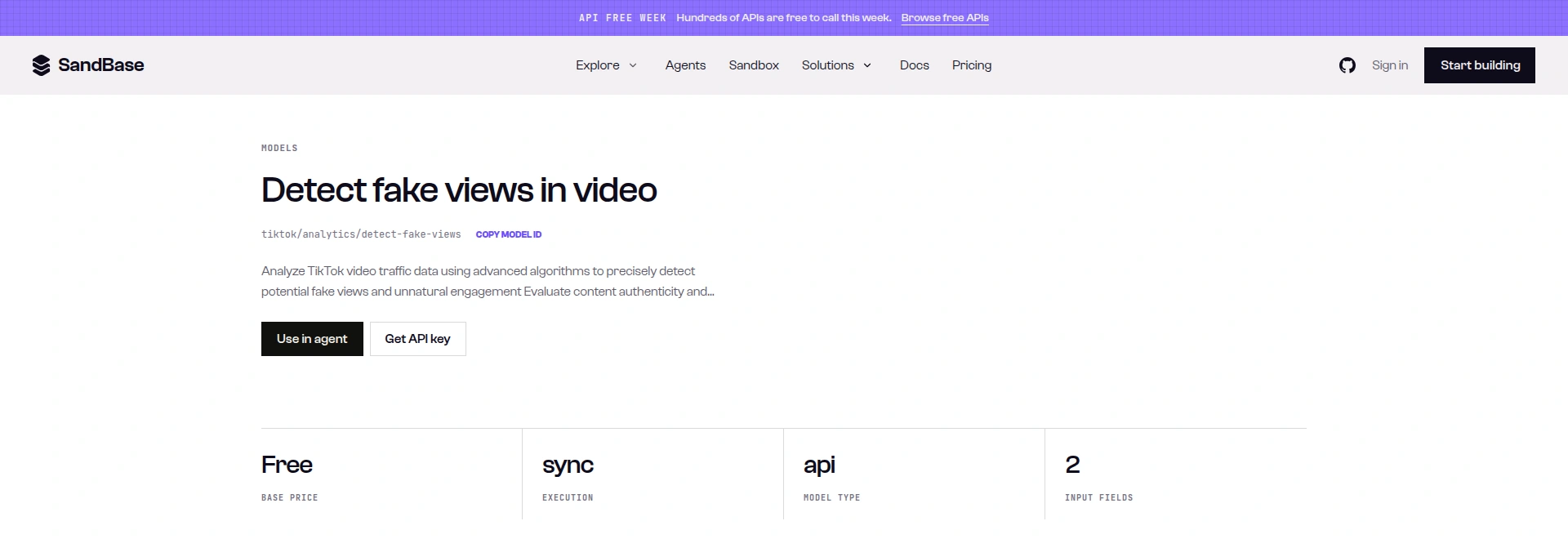
Caption: The detect-fake-views model page showed a Free base price, sync execution and 2 input fields on 2026-10-04, under an “API Free Week” banner, so treat the price as dated (captured 2026-10-04).
GET /v1/models/<model> returned base_price: "0" for detect-fake-views, aweme-id, video-metrics and user-post-videos on 2026-10-04. That call needs the same Bearer key; the public model page shows the price without one. I checked billing on three runs with GET /v1/tasks/<id>/cost (same key), and each returned "cost": "0.000000". The banner means this can change, so check the model page before a large batch.
Related
Want to know how this detector behaves across many videos? The TikTok fake views detection study runs 68 public videos through it and shows what drives the score. To screen a creator’s recent posts in one go before a paid deal, see the TikTok creator audit agent.
Limits
Scope: 8 public videos from verified brand and media accounts, three category sweeps, one day. No individual creators, no known-fake videos, no ground truth: this shows how the endpoint behaves, not whether it’s right. The bucket values, the formulas behind estimated_fake_views and estimated_organic_views, and the tier assignments are what I observed in these responses; the reference doesn’t document them. The test harness and raw responses are kept internally; the selection rule, inputs, run ids and aggregates are in this article.
Next steps
- Screen a creator’s last 20 posts, not one video. The TikTok creator research tutorial covers profiles and post lists.
- See what else the TikTok endpoints cover in the TikTok data API overview.
- For the same vetting job on Xiaohongshu, see the KOL screening agent tutorial.
To run it yourself, read the detect-fake-views API reference or try it on the model page, then get a SandBase API key.
FAQ
Can you see fake views on TikTok?
Not directly. Public counts don’t mark any views as fake. You can compute ratios and use a heuristic tool like this one for risk signals; only TikTok sees the view logs.
How do I know if a TikTok video has fake views?
Look for views that are high for the follower tier while likes, comments and shares are low, and compare against the creator’s other videos. Then ask the creator for their analytics. In my tests the endpoint flagged none of 8 verified brand videos as suspicious, with scores from 4.34 to 31.12.
Is there a free TikTok fake view checker?
This endpoint and the link-to-id endpoint were both listed Free and billed $0 on 2026-10-04 under an “API Free Week” banner. You need a SandBase API key. Prices can change, so check the model page.
Does TikTok remove fake views?
TikTok’s Countering deceptive behavior page (read 2026-10-04) says it doesn’t allow using bots or scripts to artificially boost views, likes, comments or shares, and that it removes content or accounts that break those rules. It says it blocks tens of billions of fake engagement attempts a year and reports them in its Community Guidelines Enforcement Reports. It doesn’t say what happens to the view counter of a specific video.
What does estimated_fake_views mean?
It’s total_views times fake_view_percentage: 5% of 162 million on TikTok’s own video, which scored 4.34 and wasn’t flagged. Read the score and the flag, not the product.