Instagram ID to Username: Convert a User ID with One API Call (2026)
Instagram ID to username in one API call: send a numeric user ID, read the current username, then batch-convert a CSV of IDs. Tested on 18 brand accounts.
The quickest Instagram ID to username lookup is one API call: send the numeric ID to SandBase’s instagram/v3/user-id-to-username endpoint and read username from the response. 787132 came back as natgeo in 2.7 seconds:
curl -s https://api.sandbase.ai/v1/api/instagram/v3/user-id-to-username \
  -H "Authorization: Bearer $SANDBASE_API_KEY" \
  -H "Content-Type: application/json" \
  -d '{"user_id": "787132"}'
That’s the whole answer for one account. The rest of this tutorial is for people who have more than one ID, or whose ID didn’t work: which of the six endpoints that accept a user ID to use, which ones are switched off, what an invalid ID returns, and a 98-line script that converts a CSV of IDs into usernames. I tested everything on 2026-10-04 (UTC) against 18 public brand and media accounts.
Key takeaway
- Use
instagram/v3/user-id-to-username. It resolved all 18 brand IDs in each of my three batch runs (54 of 54 calls), each in 2.5 to 4.9 seconds, and its catalog price was Free on 2026-10-04.instagram/v1/user-id-to-usernameandinstagram/v2/user-id-to-usernamereturned HTTP 404endpoint_not_foundon 2026-10-04, and so did the username-history endpointinstagram/v3/user-former-usernames.- Send the ID as a string. A JSON number fails validation with HTTP 400, and a padded, non-numeric, empty or unknown ID comes back as HTTP 503 with no hint that the ID itself is the problem.
- The 17-digit IDs in Meta’s official Graph API are a different identifier. The one in Meta’s own Business Discovery example didn’t resolve; the same brand’s ID from SandBase did.
- Public accounts only, read-only. Store the ID, not the username: the username is the part that changes.
Which endpoint converts an Instagram user ID to a username
The SandBase Instagram catalog has several endpoints that take a user_id. I checked each one in the registry and then called it live with the IDs of natgeo, nasa and instagram, twice each.
| Endpoint | Status on 2026-10-04 | Time per call (N=6) | Keys in outputs[0].data | Unknown ID |
|---|---|---|---|---|
instagram/v3/user-id-to-username | Enabled, Free | 2.7 to 3.7 s | 18 | HTTP 503 |
instagram/v1/user-info-by-id-v2 | Enabled, Free | 1.9 to 4.2 s | 62 | HTTP 200 with errorMessage |
instagram/v1/user-info-by-id | Enabled, Free | 4.2 to 9.5 s | 64 to 69 | not tested |
instagram/v2/user-info | Enabled, Free | HTTP 503 on all 3 brand IDs | none | not tested |
instagram/v1/user-id-to-username | Disabled | HTTP 404 | none | none |
instagram/v2/user-id-to-username | Disabled | HTTP 404 | none | none |
The v3 endpoint wins on the job people actually have: its payload is small and it puts username at the top level. The v1 V2 profile endpoint is the better fallback, because it answers an unknown ID with a readable message instead of a 503. The old v1 profile endpoint works but is the slowest and returns the most you don’t need.
If you landed on the v1 user-id-to-username model page: it still loaded on 2026-10-04, but every call I sent to that endpoint returned {"error": "endpoint_not_found"} with HTTP 404. Use the v3 path instead. The earlier username-to-ID tutorial saw the v3 endpoint fail with intermittent 503s on 2026-10-01; on 2026-10-04 it succeeded on every ID I had taken from SandBase’s own username lookup, 62 calls in total.
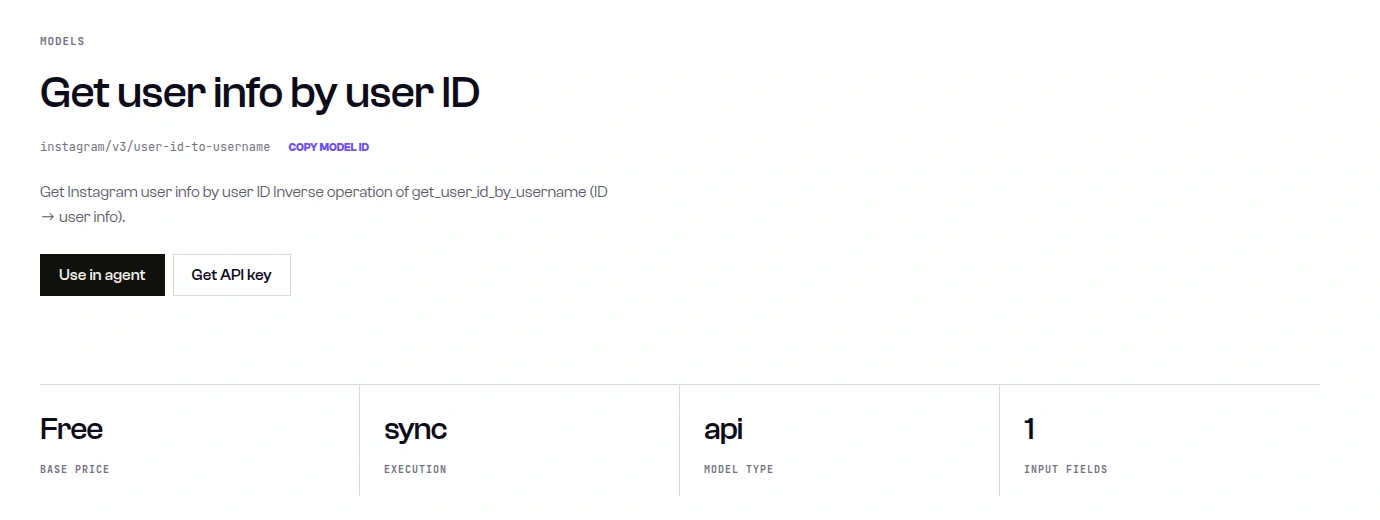
Caption: The v3 user-id-to-username model page lists a Free base price, sync execution and a single input field, which matches the price the catalog API returned for the endpoint (captured 2026-10-04).
Data boundary
These endpoints read public profile data with a SandBase API key. SandBase isn’t an official Meta or Instagram partner. There’s no access to private accounts, DMs, owner analytics or account actions. Use this on accounts you’re allowed to research, such as brands, publishers, your own accounts or your clients’. Don’t use it to put a name to an individual who chose not to share one. Every account in this article is a brand or media account, and all 18 test accounts are verified.
Step 1: make one call and read the username
The request body has one field, user_id, and it must be a string.
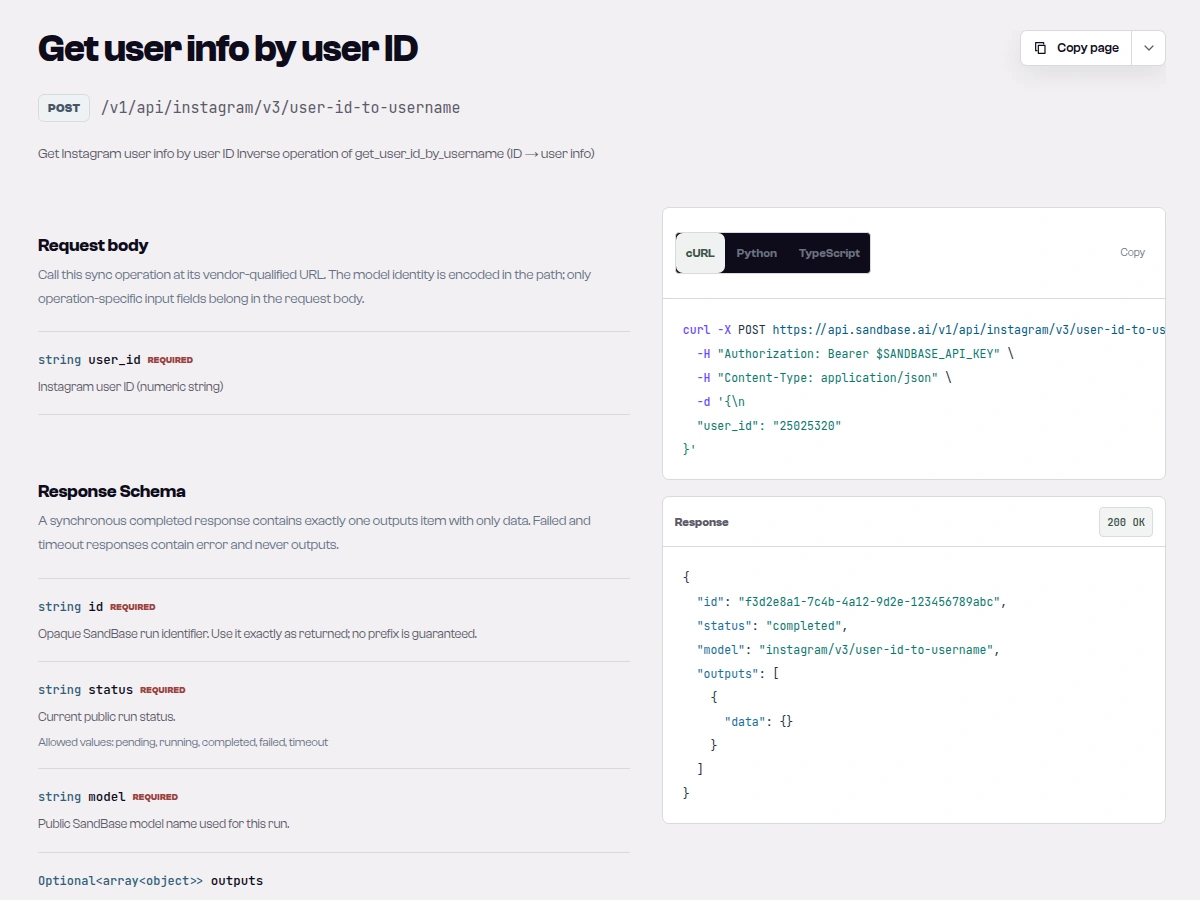
Caption: The v3 user-id-to-username reference documents the POST route, one required string user_id described as a numeric string, and an envelope whose data example is empty, so the fields below come from live calls (captured 2026-10-04).
This is the Model API route from the endpoint reference, not the GET route shown on catalog pages. The call is synchronous, so the profile is in outputs[0].data of the same response.
Tested on 2026-10-04 (UTC)
Inputs: the IDs of 18 verified brand and media accounts (instagram, natgeo, nasa, nike, adidas, nba, bbcnews, cnn, spotify, netflix, starbucks, google, nytimes, redbull, lego, airbnb, patagonia, duolingo). I got each ID from instagram/v3/user-id-by-username first, so every ID has a known right answer. The curl above, run e947a63e-1aa4-4734-ba3d-4eb3e65d4b85, returned this. I omitted three keys (profile_pic_url, profile_pic_url_hd and an internal _rid); everything else is as returned:
{
  "id": "e947a63e-1aa4-4734-ba3d-4eb3e65d4b85",
  "status": "completed",
  "model": "instagram/v3/user-id-to-username",
  "outputs": [
    {
      "data": {
        "biography": "Step into wonder and find your inner explorer with National Geographic 🌎",
        "category": "",
        "edge_follow": {"count": 194},
        "edge_followed_by": {"count": 268459852},
        "edge_owner_to_timeline_media": {"count": 32041},
        "external_url": "http://visitstore.bio/natgeo",
        "follower_count": 268459852,
        "following_count": 194,
        "full_name": "National Geographic",
        "id": "787132",
        "is_private": false,
        "is_verified": true,
        "media_count": 32041,
        "pk": "787132",
        "username": "natgeo"
      }
    }
  ]
}
These field names are what I observed, not a documented contract. username is the current handle. id and pk both echoed the ID I sent. Follower count shows up twice, as follower_count and inside edge_followed_by. In Python, read it defensively:
data = outputs[0].get("data") or {}
username = data.get("username")  # None means: no answer, don't guess
Step 2: know what a bad ID looks like
I sent the v3 endpoint six kinds of bad input. Only the first two fail in a way that tells you what’s wrong.
| Input | Result |
|---|---|
{"user_id": 787132} (a JSON number) | HTTP 400, parameter validation failed: /user_id: expected string, but got number |
{} | HTTP 400, missing properties: 'user_id' |
" 787132 " (spaces) | HTTP 503 |
"natgeo" (a username) | HTTP 503 |
"99999999999999999" (no such account) | HTTP 503 |
"" | HTTP 503 |
Every 503 had the same text: upstream error 400: Request failed. Please retry., and said the request wasn’t charged. So a 503 can mean the upstream is having a bad minute or the ID is wrong, and the response doesn’t say which. Two habits fix most of it: strip whitespace and check the ID is all digits before you call, and confirm a repeated 503 with a second endpoint.
That second endpoint is instagram/v1/user-info-by-id-v2. For the unknown ID, run 03423151-7be6-4c98-8ea7-7a73236924f3 came back HTTP 200 with this complete payload:
{"errorMessage": "This account does not exist.", "status": false}That’s the clearest “not found” signal I saw. It also takes the ID as a string; a number gets the same HTTP 400.
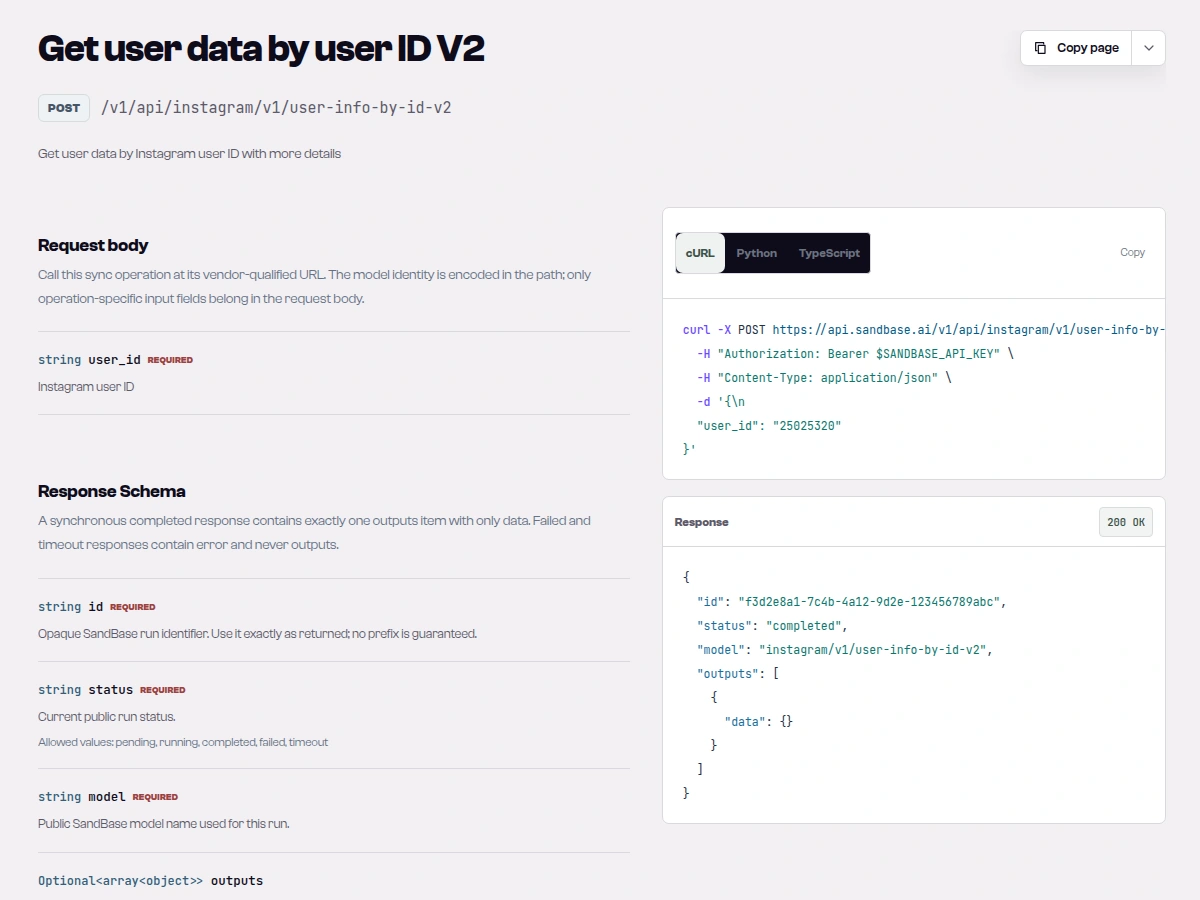
Caption: The user-info-by-id-v2 reference shows the same one-field request on its own POST route, which is why the batch script can fall back to it with an unchanged body (captured 2026-10-04).
Where an Instagram user ID comes from
You usually meet a numeric ID in data, not on Instagram itself: profile URLs carry the username, not the ID.
- Profile payloads.
idandpkin a profile response are the user ID. - Media IDs. A post’s
idininstagram/v3/user-postslooked like3983118388705688735_787132: the mediapk, an underscore, then the owner’s user ID. Splitting on_gives you the account behind a post. - Your own logs and exports. If a tool or an earlier pipeline stored IDs instead of handles, this is how you make them readable again.
- Share links. I found no documented way to turn the
igsh=value in a share link into an account, and I didn’t treat it as a user ID.
Graph API IDs are a different number
Meta’s Business Discovery documentation (read 2026-10-04) shows Blue Bottle Coffee’s Instagram user ID as 17841401441775531. That’s the ID Meta’s Graph API uses. I sent it to both lookup endpoints: v3 returned HTTP 503, and the v1 V2 endpoint said “This account does not exist.” (run ee7bd5d6-7801-4e3b-a3b2-54d2571777c8). Looking up bluebottle with instagram/v3/user-id-by-username gave 354032059 instead (run cebb35e2-6c1d-4204-9703-65208e469415). Meta’s example IDs start with 1784 and have 17 digits. If yours looks like that, it may have come from Meta’s API, and you’ll need Meta’s API to resolve it. I tested only this one Graph API ID.
| You have | Use |
|---|---|
| A numeric ID from a public profile or post payload | instagram/v3/user-id-to-username (this tutorial) |
| A Graph API ID from your Meta app | Meta’s Instagram Platform API, with your app’s token |
| A username and need the ID | instagram/v3/user-id-by-username, covered in the username-to-ID tutorial |
| A post URL or shortcode | instagram/v1/shortcode-to-media-id, then split the owner ID off as above |
The shortcode tools round-trip cleanly. DdG4RIxIPyf, a National Geographic post, became media ID 3983118388705688735 with instagram/v1/shortcode-to-media-id in 1.2 seconds. instagram/v1/media-id-to-shortcode turned it back in 0.9 seconds. Both returned {"media_id": "3983118388705688735", "shortcode": "DdG4RIxIPyf", "status": true}. The v3 shortcode endpoint gave the same pair without status.
Step 3: convert a CSV of IDs to usernames
This is a bulk Instagram user ID to username converter in one file, Python with requests. It reads a CSV with a user_id column, strips whitespace, sets aside anything that isn’t all digits, drops duplicates, and looks up each ID with a 1-second pause. Each lookup tries v3 first, retrying a 5xx or a connection reset twice with a short backoff, then falls back to the v1 V2 endpoint. Output is a CSV with a status and a note for each row. This is the exact file I ran for the third batch (the first two runs used the same logic without the non-JSON guard):
#!/usr/bin/env python3
"""Convert a CSV of Instagram user IDs to current usernames with SandBase.

Usage: python3 ig_ids_to_usernames.py ids.csv usernames.csv
The input CSV needs a user_id column. Public accounts you are allowed to research only.
"""
import csv
import os
import sys
import time

import requests

BASE = "https://api.sandbase.ai/v1/api"
HEADERS = {"Authorization": f"Bearer {os.environ['SANDBASE_API_KEY']}"}
PRIMARY = "instagram/v3/user-id-to-username"
FALLBACK = "instagram/v1/user-info-by-id-v2"
PAUSE = 1.0  # seconds between lookups


class LookupFailed(Exception):
    pass


def call(model: str, user_id: str, tries: int = 3) -> dict:
    """POST one lookup; retry 5xx and connection resets; return outputs[0].data."""
    for attempt in range(tries):
        try:
            resp = requests.post(f"{BASE}/{model}", headers=HEADERS, json={"user_id": user_id}, timeout=60)
        except requests.ConnectionError:
            time.sleep(3 * (attempt + 1))
            continue
        try:
            body = resp.json()
        except ValueError:  # non-JSON error page
            body = {"error": resp.text[:200]}
        if resp.status_code >= 500 and attempt < tries - 1:
            time.sleep(3 * (attempt + 1))
            continue
        outputs = body.get("outputs") or []
        if resp.status_code != 200 or body.get("status") != "completed" or not outputs:
            raise LookupFailed(f"HTTP {resp.status_code}: {body.get('error')}")
        return outputs[0].get("data") or {}
    raise LookupFailed("connection failed")


def lookup(user_id: str) -> dict:
    """Try the compact v3 endpoint first, then instagram/v1/user-info-by-id-v2."""
    errors = []
    for model in (PRIMARY, FALLBACK):
        try:
            data = call(model, user_id)
        except LookupFailed as e:
            errors.append(f"{model.split('/', 1)[1]}: {e}")
            continue
        if data.get("username"):
            return {"username": data["username"], "full_name": data.get("full_name", ""),
                    "is_verified": data.get("is_verified"), "is_private": data.get("is_private"),
                    "status": "ok", "source": model}
        errors.append(f"{model.split('/', 1)[1]}: {data.get('errorMessage') or 'no username in data'}")
    return {"status": "not_found", "note": " | ".join(errors)}


def read_ids(path: str) -> tuple[list[str], list[dict]]:
    """Normalize ids to digit strings, dedupe in order, and set aside invalid rows."""
    ids, rejected, seen = [], [], set()
    with open(path, newline="") as f:
        for row in csv.DictReader(f):
            raw = (row.get("user_id") or "").strip()
            if not raw.isdigit():
                rejected.append({"user_id": raw, "status": "invalid_id", "note": "not a numeric id"})
            elif raw not in seen:
                seen.add(raw)
                ids.append(raw)
    return ids, rejected


def main(src: str, dst: str) -> None:
    ids, rows = read_ids(src)
    print(f"{len(ids)} unique numeric ids, {len(rows)} rejected before any call")
    for i, uid in enumerate(ids, 1):
        start = time.time()
        result = {"user_id": uid, **lookup(uid)}
        result["seconds"] = round(time.time() - start, 2)
        rows.append(result)
        print(f"[{i}/{len(ids)}] {uid:>12} -> {result.get('username') or result['status']} ({result['seconds']}s)")
        time.sleep(PAUSE)
    fields = ["user_id", "username", "full_name", "is_verified", "is_private", "status", "source", "seconds", "note"]
    with open(dst, "w", newline="") as f:
        writer = csv.DictWriter(f, fieldnames=fields)
        writer.writeheader()
        writer.writerows(rows)
    ok = sum(r["status"] == "ok" for r in rows)
    print(f"wrote {dst}: {ok} resolved, {len(rows) - ok} not resolved")


if __name__ == "__main__":
    main(sys.argv[1], sys.argv[2])
My ids.csv had 22 rows: the 18 brand IDs, 787132 again, NASA’s ID padded with spaces, the string natgeo, and the unknown 99999999999999999. Run it with SANDBASE_API_KEY exported:
python3 ig_ids_to_usernames.py ids.csv usernames.csvThird run, finished 2026-10-04 03:36 UTC, middle rows cut:
19 unique numeric ids, 1 rejected before any call
[1/19]     25025320 -> instagram (3.07s)
[2/19]       787132 -> natgeo (3.14s)
[3/19]    528817151 -> nasa (2.75s)
[17/19]    143939018 -> patagonia (2.66s)
[18/19]    231373492 -> duolingo (2.58s)
[19/19] 99999999999999999 -> not_found (21.03s)
wrote usernames.csv: 18 resolved, 2 not resolved
The duplicate and the padded copy of NASA’s ID collapsed into one lookup each; natgeo was rejected without a call. All 18 brand IDs resolved on the first v3 attempt in all three runs, so the fallback never had to answer a real account. The unknown ID took 20 to 25 seconds in each run because it used up the v3 retries before the fallback said no. Its row in usernames.csv ended with this note:
v3/user-id-to-username: HTTP 503: upstream error 400: Request failed. Please retry. ... | v1/user-info-by-id-v2: This account does not exist.I shortened the repeated 503 text in that line. Two things I’d change for a big list: lower the retry count if most of your IDs might be dead, since each dead one costs about 20 seconds, and write rows as you go so a crash doesn’t lose the batch. I kept the pause at 1 second; I didn’t hit a rate limit in about 130 Instagram calls that day, and I have no published limit to quote.
Cost
GET /v1/models/instagram/v3/user-id-to-username returned base_price: "0" on 2026-10-04, and so did the v1 V2 fallback, user-id-by-username and the shortcode endpoints. That call needs the same Bearer key; the public model page shows the price without one. GET /v1/tasks/<id>/cost (same key) returned "cost": "0.000000" for a v3 lookup, the not-found v1 V2 lookup and a shortcode call. The site had an “API Free Week” banner up, so check the model page before a large job.
Why usernames change, and what to store
A username is a handle the owner can change; the numeric ID is what stays put. Key your tables by ID and treat the username as a cached label you refresh. Re-running the converter on a schedule and diffing the username column is how you notice a rename. SandBase’s registry also lists instagram/v3/user-former-usernames for username history, but it returned HTTP 404 on 2026-10-04, so I can’t show its output.
Limits
Scope: 18 verified brand and media accounts, one unknown ID, one Graph API ID, one day. I didn’t test private accounts, deleted accounts, or accounts that changed handles recently, so I can’t tell you what those return. Latency numbers are wall-clock times from one machine. Field names are what these responses contained, not a documented schema. Raw responses and the probe scripts are kept internally; the inputs, run IDs, rules and results are all in this article.
Next steps
- Going the other way, username to ID: the Instagram user ID API tutorial.
- Once you have a username, the Instagram profile research API guide covers profiles and recent posts.
- For the rest of the Instagram endpoints, see the Instagram data API overview.
To run it yourself, open the user-id-to-username API reference or try it on the model page, then get a SandBase API key.
FAQ
Can you find an Instagram username from a user ID?
Yes, for public accounts. Send the numeric ID as a string to instagram/v3/user-id-to-username and read username. It worked for all 18 brand accounts I tried on 2026-10-04.
Is there a free Instagram ID to username converter?
The SandBase endpoints in this article were listed Free and billed $0 on 2026-10-04, under an “API Free Week” banner. You need a SandBase API key. The script above converts a whole CSV.
Why did the username change?
Account owners can change their handle; the numeric ID stays the same. Store the ID and re-resolve it to pick up renames. The username-history endpoint instagram/v3/user-former-usernames returned 404 on 2026-10-04.
Why does my Instagram ID return an error?
Check three things: you sent it as a string (a number gets HTTP 400), it’s only digits with no spaces, and it isn’t a 17-digit Graph API ID from Meta’s API. If it still returns 503, ask instagram/v1/user-info-by-id-v2; it says “This account does not exist.” when that’s the problem.
Does this work for private accounts?
I tested public brand accounts only. These endpoints read public data and don’t give access to private profiles, and this article isn’t a way to identify people who keep their accounts private.