TikTok Creator Research API Tutorial | SandBase
Search TikTok creators by keyword, read the profile, page their posts, and rank them by plays and likes with four SandBase endpoints. No TikTok login; one API key.

Type “national geographic” into TikTok’s account search and you get the real brand, its regional and topic sub-accounts, and a long tail of lookalikes. Some of those lookalikes had six-figure follower counts in my test. Creator research has to get past that before it can answer the useful questions: which account is the official one, how big is it, and which of its recent posts actually travelled? This TikTok Creator Research API tutorial walks that path with four SandBase endpoints. It searches creators by keyword, reads the profile, pages the posts, and ranks them by plays and likes. For the full endpoint map, start with the TikTok public data API hub.
Everything here is public, read-only data. You need no TikTok login, no TikTok developer app, and no SDK. You do need a SandBase API key. The four endpoints are currently listed as Free in the SandBase catalog.
The endpoint API reference is the source of truth for parameters and the response envelope, and the envelope is all it guarantees. The payload field names below come from calls I ran (tested on 2026-10-01, UTC). Treat them as illustrative and observed-only, not documented guarantees.
Key takeaway
tiktok/app-v3/user-search-resultturns a keyword into account candidates, each withuid,sec_uid,unique_id, follower count, and a verification label.- The verification label was in
enterprise_verify_reasonfor the brand accounts I tested, not incustom_verify. Filter on both, or you’ll rank the wrong account.tiktok/app-v3/user-profilereturns the profile card.tiktok/app-v3/user-post-videospages posts withmax_cursorandhas_more, and each post carried a non-zeroplay_count.tiktok/app-v3/multi-videore-reads up to 10 posts per call. Its id list goes in a field namedbody.
The badge field that picked the wrong account
My first version filtered search results on custom_verify, the field name that sounded right. The run came back with one “verified” account out of 29. It was an individual filmmaker, not the brand. The National Geographic account was in the list, but its custom_verify was an empty string. Its label, verified account, sat in enterprise_verify_reason. So did institution account and Business account on two sister accounts. After I read both fields, 8 of the 29 accounts carried a label, and the brand account sorted to the top by followers.
That failure is the reason this tutorial treats the verification label as a first-class filter. The lookalikes in the same search had names like “NATlONAL GEOGRAPHIC” (with a lowercase L in place of the I) and no label at all. If you rank creators by follower count alone, one of them can end up in your shortlist.
| Your need | Use |
|---|---|
| Public creator profiles and post engagement for research | SandBase TikTok public-data API |
| Login, posting, or data for accounts that authorized your app | TikTok for Developers |
| Private accounts, DMs, or login-only data | Neither public workflow |
The workflow at a glance
- Search accounts by keyword with
tiktok/app-v3/user-search-result(keyword,offset,count). - Keep labelled accounts whose
enterprise_verify_reasonorcustom_verifyis set, then sort by followers. - Read the profile with
tiktok/app-v3/user-profile(sec_user_id). - Page posts with
tiktok/app-v3/user-post-videos(sec_user_id,max_cursor,count). - Rank by plays, likes, or like rate, and re-read the leaders with
tiktok/app-v3/multi-video.
All four calls are on the app-v3 family, so the sec_uid from search goes straight into the next two calls without any id conversion.
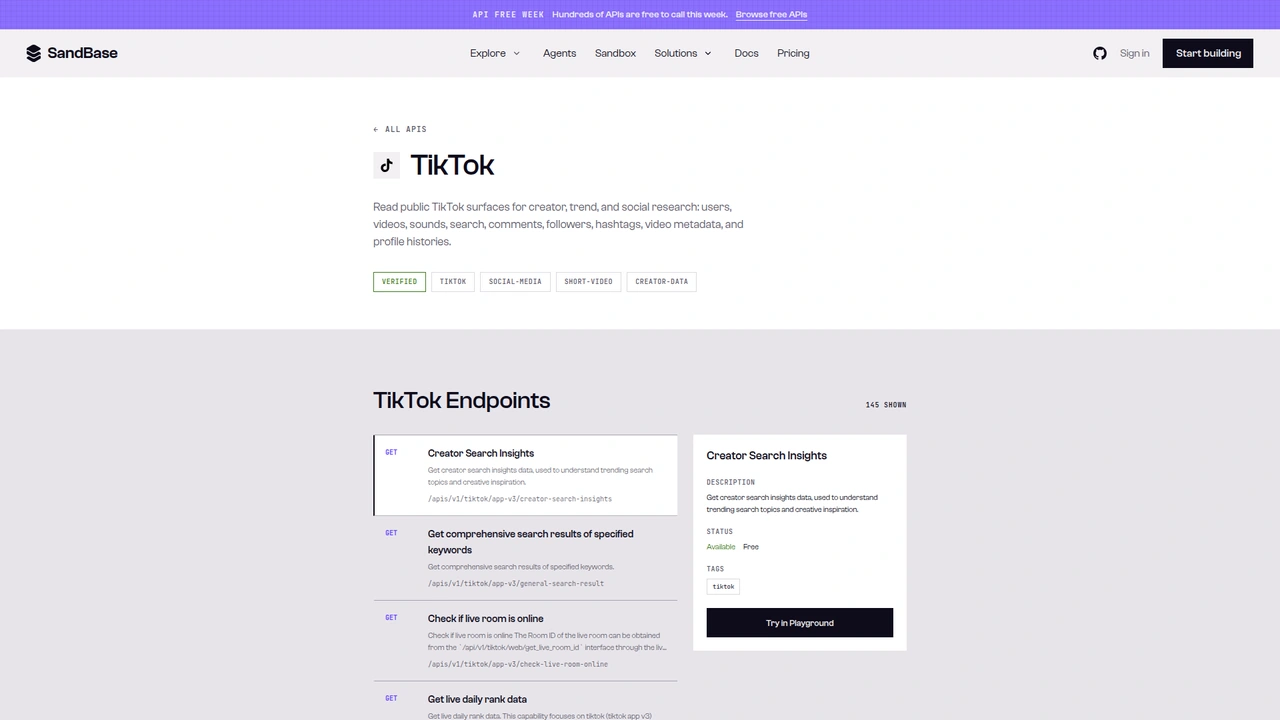 The TikTok catalog on SandBase. It shows 145 endpoints as
 GET /apis/v1/tiktok/..., and the side panel marks the selected endpoint as Available, Free. This tutorial calls the Model API POST /v1/api/tiktok/... routes instead.
The catalog lists each operation as GET /apis/v1/tiktok/<path>. This tutorial uses the Model API surface from each endpoint reference: POST /v1/api/tiktok/<path> with a JSON body that holds only that endpoint’s parameters. One reference’s generated cURL sample puts a model field in the body. I left it out, because the model is already in the path, and every call worked. If a reference tells you otherwise for your endpoint, follow the reference.
Step 0: one helper for every call
import os
import time
import statistics
import requests

API = "https://api.sandbase.ai/v1/api"
HEADERS = {
    "Authorization": f"Bearer {os.environ['SANDBASE_API_KEY']}",
    "Content-Type": "application/json",
}


def call(path: str, payload: dict, retries: int = 2):
    for attempt in range(retries + 1):
        try:
            resp = requests.post(f"{API}/{path}", headers=HEADERS, json=payload, timeout=90)
            resp.raise_for_status()
            break
        except requests.RequestException:
            if attempt == retries:
                raise
            time.sleep(2 * (attempt + 1))
    body = resp.json()
    print("  run", body.get("id"), path)  # keep run ids for your notes
    if body.get("status") != "completed":
        raise RuntimeError(body.get("error", {}).get("message", f"{path} did not complete"))
    # The reference documents outputs[0].data; also accept a top-level `output`.
    output = body.get("output")
    if output is None and body.get("outputs"):
        output = body["outputs"][0].get("data", {})
    return output if output is not None else {}
The reference documents completed responses as outputs[0].data. Every TikTok call in this test returned that shape. The helper also reads a top-level output, because I’ve seen that shape on other SandBase platform endpoints, and the two can vary between calls. The return type isn’t always a dict. Search, profile, and the post list each gave back an object, but multi-video gave back a list of posts. That’s why the helper returns whatever it finds instead of forcing {}.
Step 1: search creators and keep the labelled ones
def search_creators(keyword: str, pages: int = 2) -> list[dict]:
    offset, seen, creators = 0, set(), []
    for _ in range(pages):
        page = call("tiktok/app-v3/user-search-result",
                    {"keyword": keyword, "offset": offset, "count": 10})
        for item in page.get("user_list") or []:
            u = item.get("user_info") or {}
            if u.get("uid") in seen:  # pages overlapped in my runs
                continue
            seen.add(u.get("uid"))
            creators.append({
                "uid": u.get("uid"),
                "sec_user_id": u.get("sec_uid"),
                "handle": u.get("unique_id"),
                "name": u.get("nickname"),
                "badge": u.get("enterprise_verify_reason") or u.get("custom_verify"),
                "followers": u.get("follower_count"),
            })
        if not page.get("has_more"):
            break
        offset = page.get("cursor")
    return creators
The first page (run fa68d6fa-922d-4d5f-936a-77bcb0446fc5) returned 10 accounts, has_more: 1, and cursor: 10. Each result wraps the account in user_info, next to empty items and musics slots. Trimmed to the fields I use, the National Geographic entry looked like this:
{
  "cursor": 10,
  "has_more": 1,
  "user_list": [
    {
      "user_info": {
        "uid": "6780344874811442181",
        "sec_uid": "MS4wLjABAAAAEf96k3JW8-3eOhgzgQswlFF6ZDnn1dzqWWorJjwDsiNZymqTtvOcFhp_RiYYST6s",
        "unique_id": "natgeo",
        "nickname": "National Geographic",
        "follower_count": 9631551,
        "total_favorited": 54581367,
        "aweme_count": 1448,
        "custom_verify": "",
        "enterprise_verify_reason": "verified account",
        "verification_type": 1
      }
    }
  ]
}
Paging was messier than the cursor suggests. I sent the returned cursor (10) as the next offset. The second page (run 11cca131-6901-4d39-8224-17bb7ae59b0c) came back with 20 accounts instead of 10, cursor: 20, and several accounts that were already on page one. Hence the seen set. Two more things stood out. verification_type was 1 on every result, labelled or not, so it’s no use as a filter. And the result order and contents shifted between runs a few minutes apart, so store the shortlist you used rather than assuming search is repeatable.
The reference also lists user_search_follower_count, user_search_profile_type, and user_search_other_pref as sort options, all defaulting to empty strings. It doesn’t list their allowed values, so I didn’t send them. Filtering and sorting the returned list yourself is predictable.
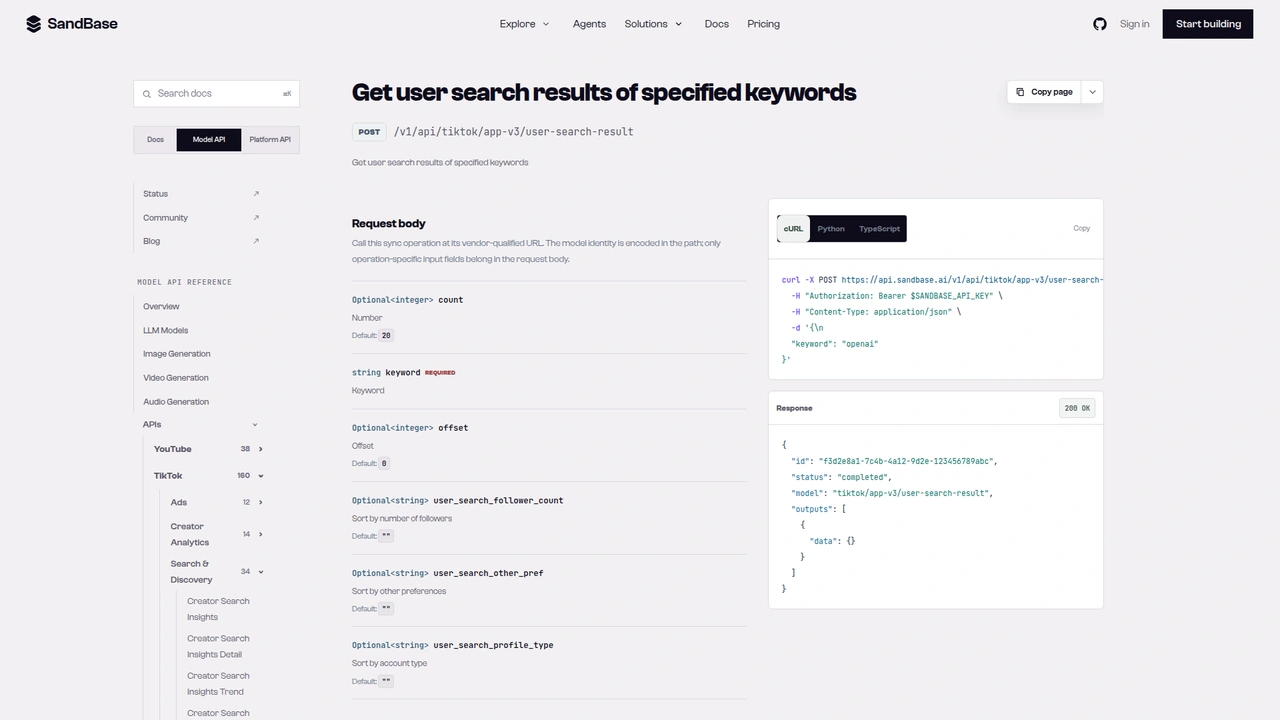 The
The tiktok/app-v3/user-search-result reference: POST /v1/api/tiktok/app-v3/user-search-result with a required keyword, optional count (default 20) and offset (default 0), and three sort strings with empty defaults. The documented response example leaves outputs[0].data empty.
Step 2: read the profile card
def read_profile(sec_user_id: str) -> dict:
    user = call("tiktok/app-v3/user-profile", {"sec_user_id": sec_user_id}).get("user") or {}
    return {
        "handle": user.get("unique_id"),
        "name": user.get("nickname"),
        "bio": user.get("signature"),
        "badge": user.get("enterprise_verify_reason") or user.get("custom_verify"),
        "followers": user.get("follower_count"),
        "total_likes": user.get("total_favorited"),
        "videos": user.get("aweme_count"),
    }
The reference accepts one of sec_user_id, unique_id, or the numeric user_id, and says to leave the other two empty. I tested the handle path (unique_id: "natgeo", run ffcfb81a-34c8-4a6d-a286-bddd866b6f06) and the sec_user_id path. Both returned the same account. In the full tutorial run (d2ee560c-dace-4092-8d09-677f3fc3277b), the profile showed 9,630,810 followers, 54,798,303 total likes, and 1,518 videos.
Compare that with search, minutes earlier: 1,448 videos and about 54.58 million likes. Follower counts matched to within a few dozen, but the video count was off by 70. The label also changed case, from verified account in search to Verified account in the profile. Take profile and post-level numbers from the profile and post calls. Use search only to pick accounts, and compare labels case-insensitively.
Step 3: page the posts
def slim(a: dict) -> dict:
    s = a.get("statistics") or {}
    commerce = a.get("commerce_info") or {}
    return {
        "aweme_id": str(a.get("aweme_id")),
        "created": a.get("create_time"),
        "pinned": bool(a.get("is_top")),
        "branded": commerce.get("branded_content_type") == 1,
        "desc": (a.get("desc") or "")[:50],
        "plays": s.get("play_count"),
        "likes": s.get("digg_count"),
        "comments": s.get("comment_count"),
        "shares": s.get("share_count"),
        "saves": s.get("collect_count"),
    }


def list_posts(sec_user_id: str, max_pages: int = 3) -> list[dict]:
    max_cursor, posts, seen = 0, [], set()
    for _ in range(max_pages):
        page = call("tiktok/app-v3/user-post-videos",
                    {"sec_user_id": sec_user_id, "max_cursor": max_cursor, "count": 20})
        for a in page.get("aweme_list") or []:
            p = slim(a)
            if p["aweme_id"] not in seen:
                seen.add(p["aweme_id"])
                posts.append(p)
        if not page.get("has_more"):
            break
        max_cursor = page.get("max_cursor")
    return posts
The reference says the first page uses max_cursor 0 and the next page sends the max_cursor from the previous response. The responses matched that. Each page returned has_more: 1 and a max_cursor that looked like a millisecond timestamp. I asked for count: 20 and got 10 posts on every page, so budget for twice the calls you’d expect. Here is a trimmed excerpt from a first page (run 271f8aef-8b5c-4f88-a0b4-e719422a5446):
{
  "has_more": 1,
  "max_cursor": 1790190767062,
  "aweme_list": [
    {
      "aweme_id": "7683891628230315295",
      "desc": "Presented by @ROLEX. Welcome to Africa ...",
      "create_time": 1789045447,
      "is_top": 1,
      "commerce_info": { "branded_content_type": 0 },
      "statistics": {
        "play_count": 137129,
        "digg_count": 19138,
        "comment_count": 303,
        "share_count": 591,
        "collect_count": 1123
      }
    },
    {
      "aweme_id": "7689094110573120782",
      "desc": "Paid content for @De Beers. Nat Geo phot...",
      "is_top": 0,
      "commerce_info": { "branded_content_type": 1, "bc_label_test_text": "Paid partnership" },
      "statistics": { "play_count": 29360, "digg_count": 2018, "comment_count": 25 }
    }
  ]
}
Unlike some sister short-video platforms, the post list carried real play counts, so you can rank straight from it. Three details shaped the ranking code. The first item was a pinned post from three weeks earlier (is_top: 1), placed ahead of newer posts, so I leave it out of recency stats. commerce_info.branded_content_type was 1 on posts labelled “Paid partnership” or “Commission paid”, which is a handy organic-versus-sponsored split. But the pinned “Presented by @ROLEX” post had 0, so the flag doesn’t catch every sponsorship. Check desc too if that distinction matters to you.
The reference documents sort_type as 0 for latest and 1 for hot. I tried sort_type: 1 (run 45a21806-1713-493e-8ee4-9007b0110d42) and got the same newest-first order, pinned post first. So I don’t rely on it. Ranking happens client-side.
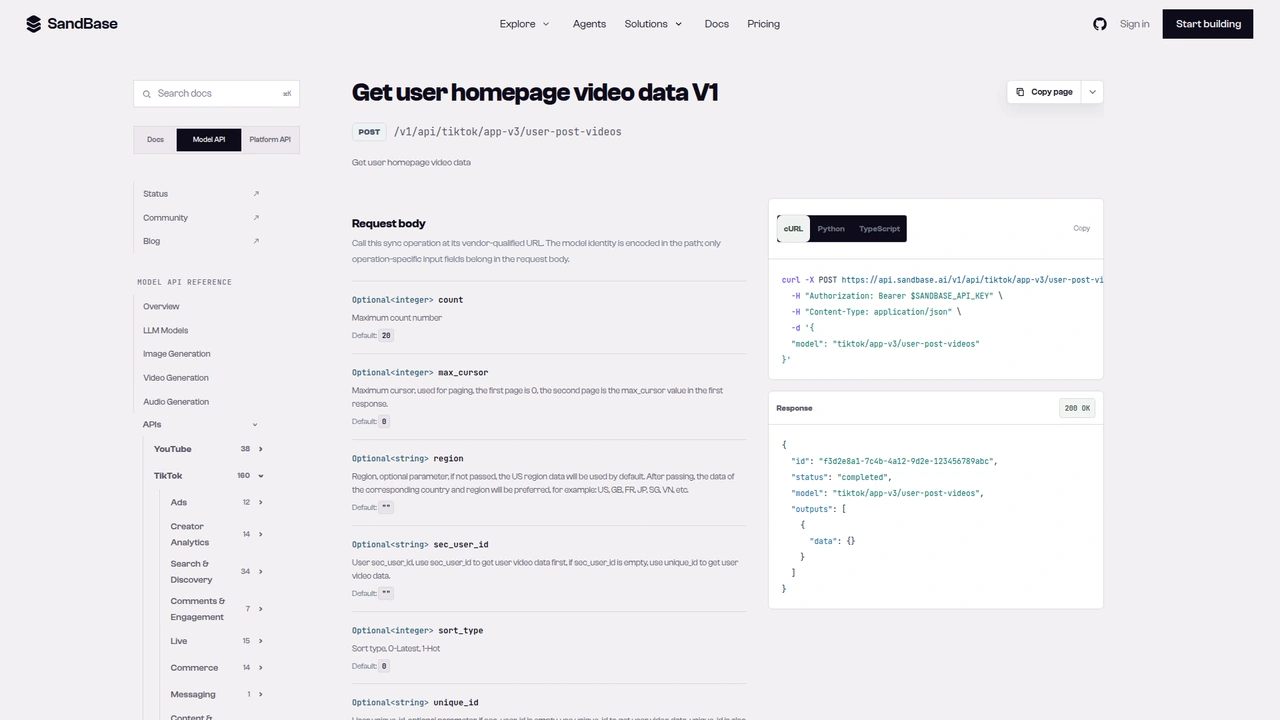 The
The tiktok/app-v3/user-post-videos reference: optional count (default 20), max_cursor (first page 0, then the previous response’s value), region, sec_user_id, sort_type (0 latest, 1 hot), and unique_id. The generated cURL sample shows a model field in the body.
Step 4: rank, then re-read the leaders
def refresh(aweme_ids: list[str]) -> dict:
    # multi-video takes the id list in a field literally named `body`
    items = call("tiktok/app-v3/multi-video", {"body": aweme_ids})
    return {str(a.get("aweme_id")): slim(a) for a in (items or []) if isinstance(a, dict)}


def rank(posts: list[dict], key: str = "plays", top: int = 5) -> list[dict]:
    return sorted(posts, key=lambda p: p.get(key) or 0, reverse=True)[:top]
The batch endpoint’s single parameter is an array called body. The reference describes it as up to 10 videos per call. My first guess was aweme_ids, which is what the Douyin equivalent uses. In my runs, the payload was a plain list of full post objects, in the order I sent the ids, with the same statistics block as the post list. That’s why slim() works on both. For a single post there’s also tiktok/app-v3/one-video (aweme_id), which wrapped the post in aweme_detail.
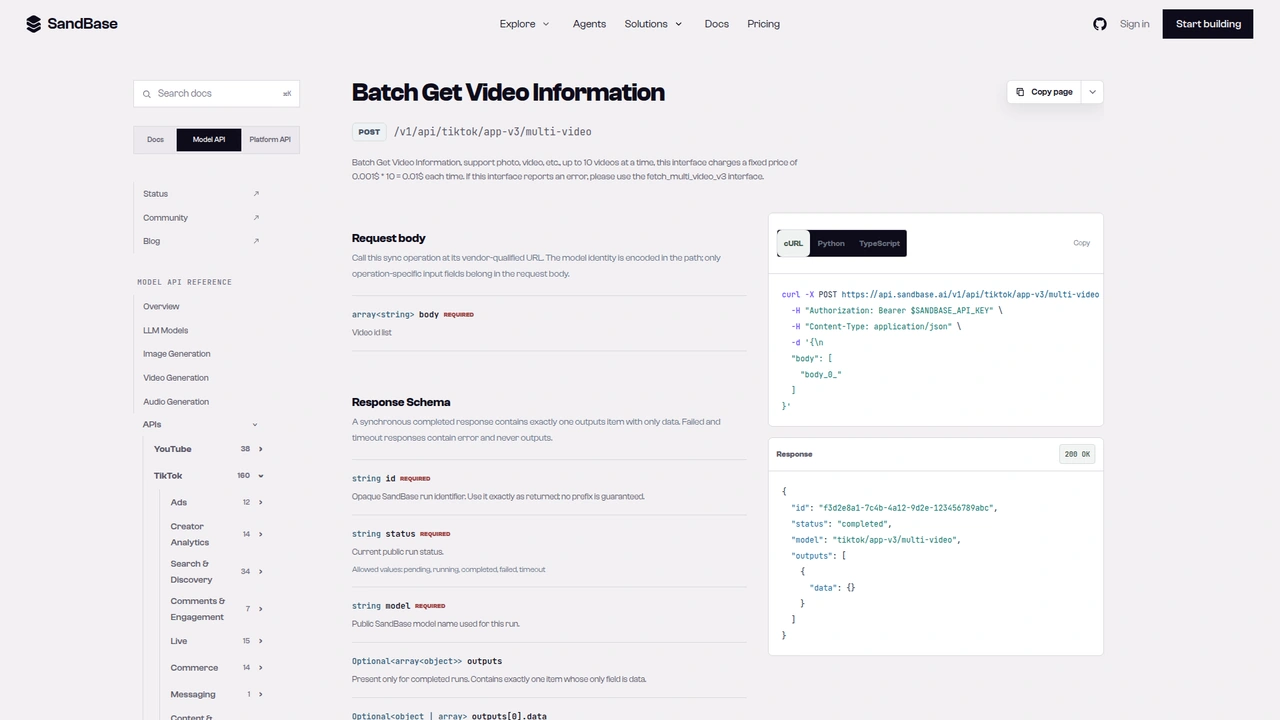 The
The tiktok/app-v3/multi-video reference: a required body array of video ids, described as up to 10 videos at a time, with a pointer to a v3 fallback if it errors. The description also contains a per-call price line; the SandBase catalog currently lists this endpoint as Free, so check the catalog before production use.
Putting it together
def matches(c: dict, keyword: str) -> bool:
    text = f"{c['handle']} {c['name']}".lower()
    return all(word in text for word in keyword.lower().split())


keyword = "national geographic"
shortlist = search_creators(keyword)
verified = sorted((c for c in shortlist if c["badge"] and matches(c, keyword)),
                  key=lambda c: c["followers"] or 0, reverse=True)
target = verified[0]
profile = read_profile(target["sec_user_id"])
posts = list_posts(target["sec_user_id"], max_pages=3)
organic = [p for p in posts if not p["pinned"]]
print("median plays", int(statistics.median(p["plays"] or 0 for p in organic)))
top = rank(organic, "plays")
for p in top:
    rate = (p["likes"] or 0) / p["plays"] if p["plays"] else 0
    print(f"{p['plays']:>10,} plays {p['likes']:>8,} likes {rate:5.1%} {p['desc'][:32]}")
fresh = refresh([p["aweme_id"] for p in top])
I ran the full script verbatim, with a few print lines added at the end (two search calls, f9c69239-31e3-493b-a3fc-9a585b92f68c and cc1d00e6-de0a-4f8c-98df-092575d1de8e; one profile call, d2ee560c-dace-4092-8d09-677f3fc3277b; three post pages, d11bbc13-36ff-43b0-977c-776712a560f4, 2e1b6a17-4117-44c7-9468-55760e54e9f4, 8c5a905e-369b-4c9f-a8fd-0c1fc3ad5c34; one batch call, cb2d40b8-279f-42c2-a386-7ec6a23ee69a). The name filter left six labelled National Geographic accounts, and @natgeo came first. Its 30 posts covered September 6 to 30, 2026. Four were flagged as branded. Excluding the pinned post, the median was 19,002 plays.
The top of the ranking is where the numbers start telling you something. The two leaders, a wild-cat video and a Pantanal safari clip, had about 2.19 million and 1.77 million plays, both more than 90 times the median. Their like rates were 9.8% and 16.0%. Third place was a show promo with about 694,000 plays and a 0.8% like rate. Reach without reaction like that can mean the post got distribution beyond organic interest, but this data can’t tell you why, so I’d mark it for a human look rather than draw a conclusion. The best-performing sponsored post, a “Presented by @ROLEX” clip, ranked fifth at about 49,000 plays.
The batch re-read moved plays by single digits at most (for example, 2,194,819 to 2,194,825). That’s expected for posts a few days old. Re-reading becomes useful when you track a fresh post daily.
For several creators, loop over verified and keep one record per uid. A creator with three pages costs five calls: profile, three post pages, and one batch re-read. Hand the records to a model and ask it to compare median plays, name each account’s breakout themes, or flag posts with high reach and an unusually low like rate.
Documented vs. observed
| Item | Status |
|---|---|
POST /v1/api/tiktok/app-v3/user-search-result with keyword, offset, count | Documented in the reference |
POST /v1/api/tiktok/app-v3/user-profile with one of sec_user_id, unique_id, user_id | Documented in the reference |
POST /v1/api/tiktok/app-v3/user-post-videos with sec_user_id, max_cursor, count, sort_type | Documented in the reference |
POST /v1/api/tiktok/app-v3/multi-video with body (up to 10 ids) | Documented in the reference |
Envelope id / status / model / outputs[0].data | Documented in the reference |
Search user_list[].user_info with uid, sec_uid, unique_id, follower_count, enterprise_verify_reason; cursor, has_more | Observed only |
Profile user.follower_count, total_favorited, aweme_count, signature | Observed only |
Post list aweme_list[].statistics.play_count (non-zero), is_top, commerce_info.branded_content_type; max_cursor, has_more | Observed only |
multi-video payload as a list of post objects | Observed only |
sort_type: 1 changing the order | Not observed in my run |
Common use cases
Official-account discovery
Before any outreach or competitor tracking, confirm which handle is the real brand. Input: a brand keyword. Output: labelled accounts sorted by followers, lookalikes dropped. Endpoint: user-search-result.
Content audit of a brand or media account
Page the last few weeks of posts and see which themes broke out and which flopped. Input: one sec_uid. Output: posts ranked by plays and like rate. Endpoints: user-profile, user-post-videos.
Sponsored versus organic performance
Split posts on branded_content_type (plus a desc check) and compare median plays for each group. Input: a post list. Output: two medians and the gap. Endpoint: user-post-videos.
Sub-account comparison
Brands often run regional and topic accounts, as the search above showed. Compare median plays per post across them, not raw follower counts. Input: the labelled shortlist. Output: one row per account. Endpoints: all four.
Practical notes
- Read both badge fields.
enterprise_verify_reasonheld the label for brand accounts.custom_verifywas empty for them. Ignoreverification_type. - Dedupe search by
uid. Pages overlapped and returned more items thancount. - Expect 10 posts per page.
count: 20gave 10 every time. - Pinned posts come first. Drop
is_topitems from recency and median stats. - The branded flag is partial. It missed one sponsored post. Check
descas well. - Rank client-side.
sort_type: 1didn’t change the order for me. - Batch ids go in
body. Up to 10 per call, per the reference. - Business fields are observed-only. Check them against a live response before you depend on them.
- Stay on public brand and media accounts. Store account-level and post-level metrics, not data about individual viewers or commenters.
FAQ
Do I need a TikTok account or developer app?
No. You authenticate to SandBase with SANDBASE_API_KEY. These read endpoints need no TikTok login or OAuth on your side.
Is it free? The four endpoints are currently listed as Free in the SandBase catalog. Check the catalog for the current status.
Where does the sec_user_id come from?
From search. Each result’s user_info.sec_uid is the value. If you already know the handle, user-profile also accepts unique_id.
How do I tell the official account from lookalikes?
Keep results whose enterprise_verify_reason or custom_verify is non-empty, then sort by followers. In my test, the lookalikes had neither.
Why do I get 10 posts when I ask for 20?
That’s what the endpoint returned in every page I requested. Keep paging with the returned max_cursor while has_more is truthy.
Wrap up
A keyword is enough to research TikTok creators, as long as you filter on the right badge field. Search gives you candidates and their sec_uid, the profile gives you the card, the post list gives you plays, likes, and sponsorship flags, and the batch call re-reads the posts that matter. Rank client-side and you can see which posts carried an account and which ones only borrowed its reach. For the rest of the TikTok endpoints, see the TikTok public data API hub. When you’re ready: