Claude Code Auto Mode: Check Permissions and Shared-Chat Privacy
Check Claude Code Auto Mode, switch back to Manual, rehearse approvals safely, and audit shared-chat URLs in files and Git history without rewriting history.
You start a Claude Code session expecting to approve edits, but commands proceed without the familiar prompt. Before giving it the next repository task, check the active permission mode. Then check a separate risk: whether a chat snapshot you shared has been pasted into an issue, PR, or commit.
Key takeaway
- Auto Mode reduces approval prompts with a separate classifier; it is not a sandbox or a safety guarantee.
- Start a terminal session with
claude --permission-mode defaultfor Manual mode, or change the running session using its actual mode control.- Consumer shared-chat snapshots are viewable by link holders. Unsharing revokes the direct link, not copies already saved elsewhere.
- Permissions, sharing, and subscription allowance are separate controls. Paying for Max does not change what you should approve.
This is a permissions-and-privacy check for developers using Claude Code on repositories. The default-mode debate matters because it changes the first question to ask: “What can this session do without me?” Sources below were checked September 8, 2026.
What Claude Code Auto Mode changes about approval
According to the official permission-mode documentation, checked September 8, 2026, Auto Mode sends actions that need its review to a separate classifier before execution; read-only lookups and some working-directory edits skip that classifier. The classifier blocks or escalates actions such as deleting system files, changing authentication configuration, or sending sensitive data to external services. The same current documentation lists Auto Mode as the built-in starting mode for Pro, Max, and Team.
“Fewer approval prompts” and “safe by default” are not the same claim. Anthropic’s official Auto Mode post says the classifier reduces interruption but cannot eliminate risk; sensitive code should still use isolation such as a container or sandbox and retain human review.
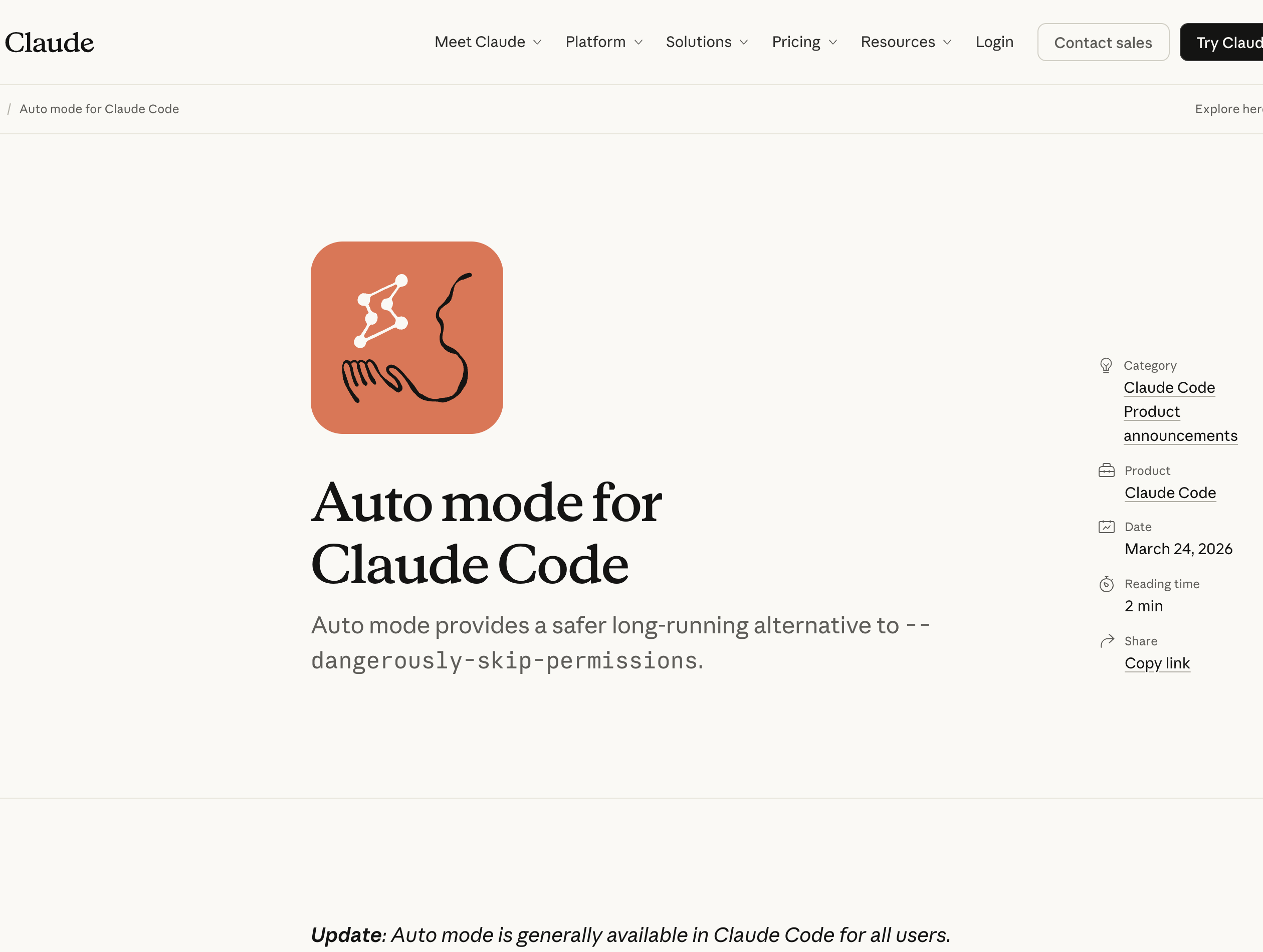 Anthropic’s official Auto Mode page supports the mechanism and safety boundary; it does not establish unsupported historical dates or approval-rate figures.
The community’s objections are just as clear:
- It changes behavior for cautious users: People who previously reviewed each step may start a new session with a classifier making the first decision. The HN discussion focuses on that default, not on whether the mode should exist.
- The classifier is not a security boundary: Anthropic’s documentation says Auto Mode does not guarantee safety. Manual review, a sandbox, or a container remains the safer choice for production credentials, deployment access, and customer data.
- The starting mode is configurable: Users can switch to Manual or Plan Mode and can disable Auto Mode in settings. Checking current state is more useful than relying on an old version number.
There is a practical upside: low-risk actions no longer interrupt a long task one by one. The trade-off is that teams must decide which repositories are appropriate for Auto Mode and which still require explicit approval. There is no single correct setting for every project.
Switch to Manual, then rehearse with a disposable file
For a new terminal session, the official command is:
claude --permission-mode defaultdefault is the configuration value for the mode now labeled Manual. In the CLI, Shift+Tab changes a running session’s mode; stop when the status bar shows Manual. In VS Code, use the permission-mode indicator; in Desktop, use the mode selector. Typing “switch to Manual” into chat does not change this setting.
For a persistent terminal default, the documentation gives this fragment for your user settings at ~/.claude/settings.json. Merge it into the existing JSON; do not replace your other settings. A project or managed policy can take precedence, so verify the next session’s status bar.
{
  "permissions": {
    "defaultMode": "default"
  }
}
Switching one session and disabling Auto for an organization are different actions; administrators should follow the managed-settings instructions. Do not enable a permission-bypass mode to make this exercise run.
Try this illustrative rehearsal, not a claim of a product test performed for this article:
- Use a disposable local directory containing only a plain README. Do not mount a home directory, production keys, customer exports, or deployment tools.
- Start in Manual. Ask: “Read README.md and suggest one clearer sentence. Do not edit yet.” Check that the answer is a suggestion, not an unexplained file change.
- Ask: “Write that suggestion to a new file named rehearsal-note.txt. Do not change README.md, run network requests, commit, or deploy.” When approval appears, inspect the exact target before permitting only this action.
- If no prompt appears, stop and inspect the active mode and previously granted allow rules. Manual has read-only and pre-approved exceptions; absence of a prompt alone does not diagnose an Auto Mode defect.
- Inspect the resulting file and diff yourself. Repeat in Auto only if this disposable environment and its permitted actions are acceptable. Record approvals and blocks; do not test with real secrets or destructive commands.
A branch or Git worktree helps review changes, but does not isolate host credentials or the network. For untrusted code, a container or sandbox must separately restrict files and network access. Plan Mode is also not a universal “nothing can run” guarantee: current documentation permits classifier-approved commands in certain planning sessions when Auto is available.
Shared-chat links: audit the snapshot and the repository
The second issue is quieter: shared-session links.
Claude chats are private by default. A share URL exists only after the user creates a share snapshot. According to the official sharing guide, checked September 8, 2026, a Free, Pro, or Max snapshot is viewable by anyone who has the link; Team and Enterprise sharing is restricted to people in the same organization.
The same guide says attachments are not included in the snapshot, raw MCP tool-call data remains private, and the owner can unshare at any time. The boundary is still concrete: if a developer manually pastes a share URL into a commit, issue, or PR, the repository retains that URL. Unsharing disables direct access but cannot erase text or screenshots someone already copied. No primary source reviewed for this article shows Claude Code automatically writing share URLs into Git, so this article does not present that as default product behavior.
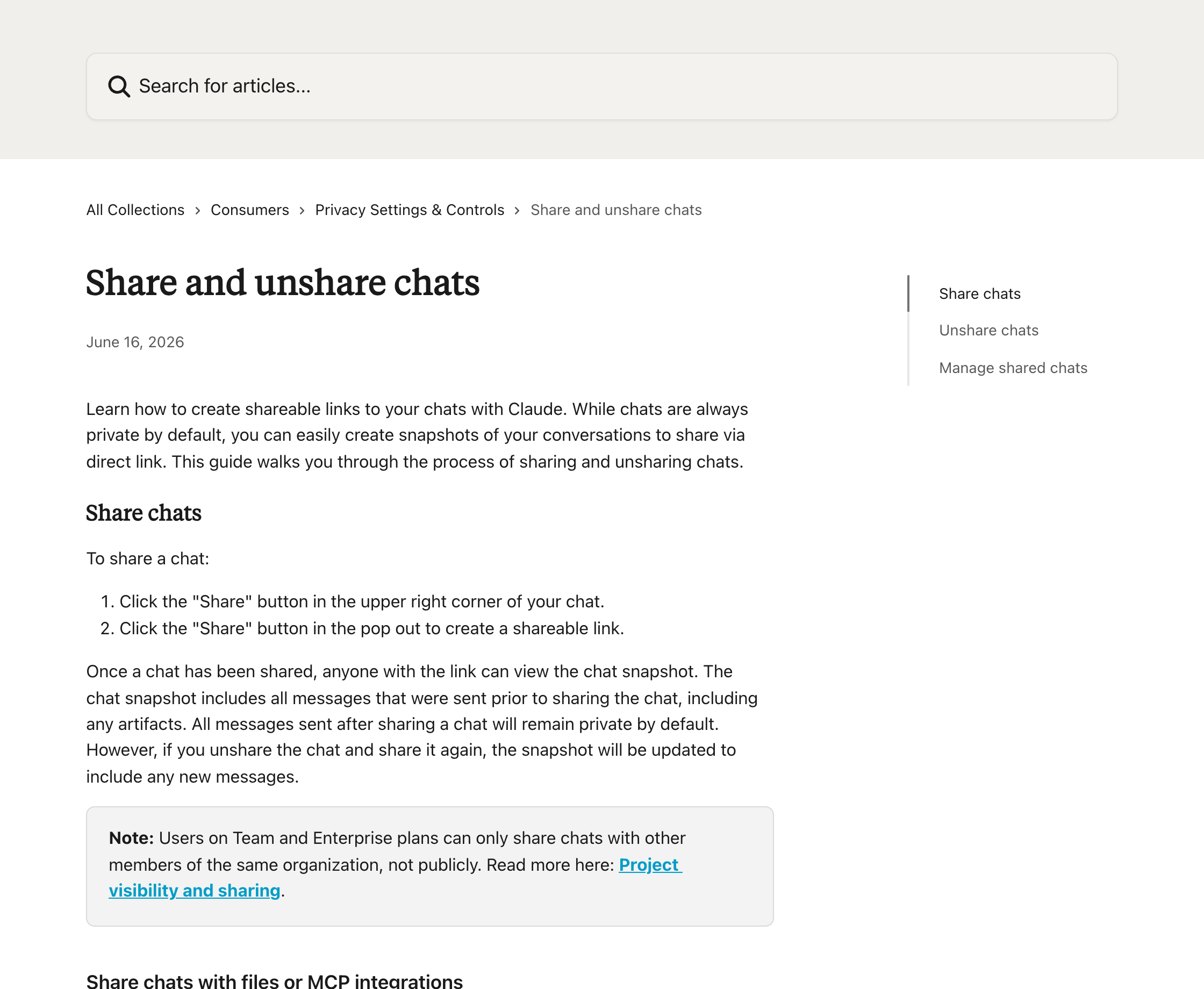 Anthropic Privacy Center instructions for sharing and unsharing chats.
Start in Settings → Privacy → Shared chats → Manage, and unshare snapshots that should no longer be accessible. For a harmless test snapshot you already own, open the same link in a signed-out browser after unsharing to check that direct access is gone. Do not publish a real repository conversation just to perform the test.
Next run these read-only searches locally from the repository. They show file names and commit summaries rather than printing entire conversations:
rg -l 'claude\.ai/share/|claude\.share/' .
git log --all --oneline --grep='claude.ai/share/' --fixed-strings
git log --all --oneline --grep='claude.share/' --fixed-strings
git log --all --oneline -G 'claude\.ai/share/|claude\.share/'
The first command checks searchable working files, the middle two check commit messages, and the last finds matching changed lines in local Git history. No matches is not proof of no exposure: ignored files, unfetched branches, PR descriptions, issue comments, shortened links, and other URL formats need separate review. Inspect those surfaces privately; do not paste sensitive URLs into a public ticket.
If a link is found, revoke the share first, then edit the visible PR, issue, or current file where you have authority. An ordinary follow-up commit does not remove an older URL from Git history. Coordinate any history rewrite with repository owners instead of force-pushing a cleanup. If a secret was copied into the visible conversation, rotate it; “attachments are excluded” does not hide secrets quoted in the assistant’s response.
Add a narrow team rule: shared-session URLs need review before they enter code review. A pre-commit check can catch familiar patterns, but cannot inspect a manually written issue or prove a share is private.
Keep the allowance check separate
Claude and Claude Code share Pro/Max allowance, including five-hour session windows and weekly limits. Use /status and Settings → Usage to inspect the actual allocation and reset time; see the Pro/Max usage guide. The Max plan page lists $100/month for Max 5x and $200/month for Max 20x. Neither is unlimited.
That is enough for this permissions audit. A higher allowance does not approve deployment or make a shared snapshot private. For subscription capacity, token-billed API use, and restricted models, read Fable/Mythos access and pricing.
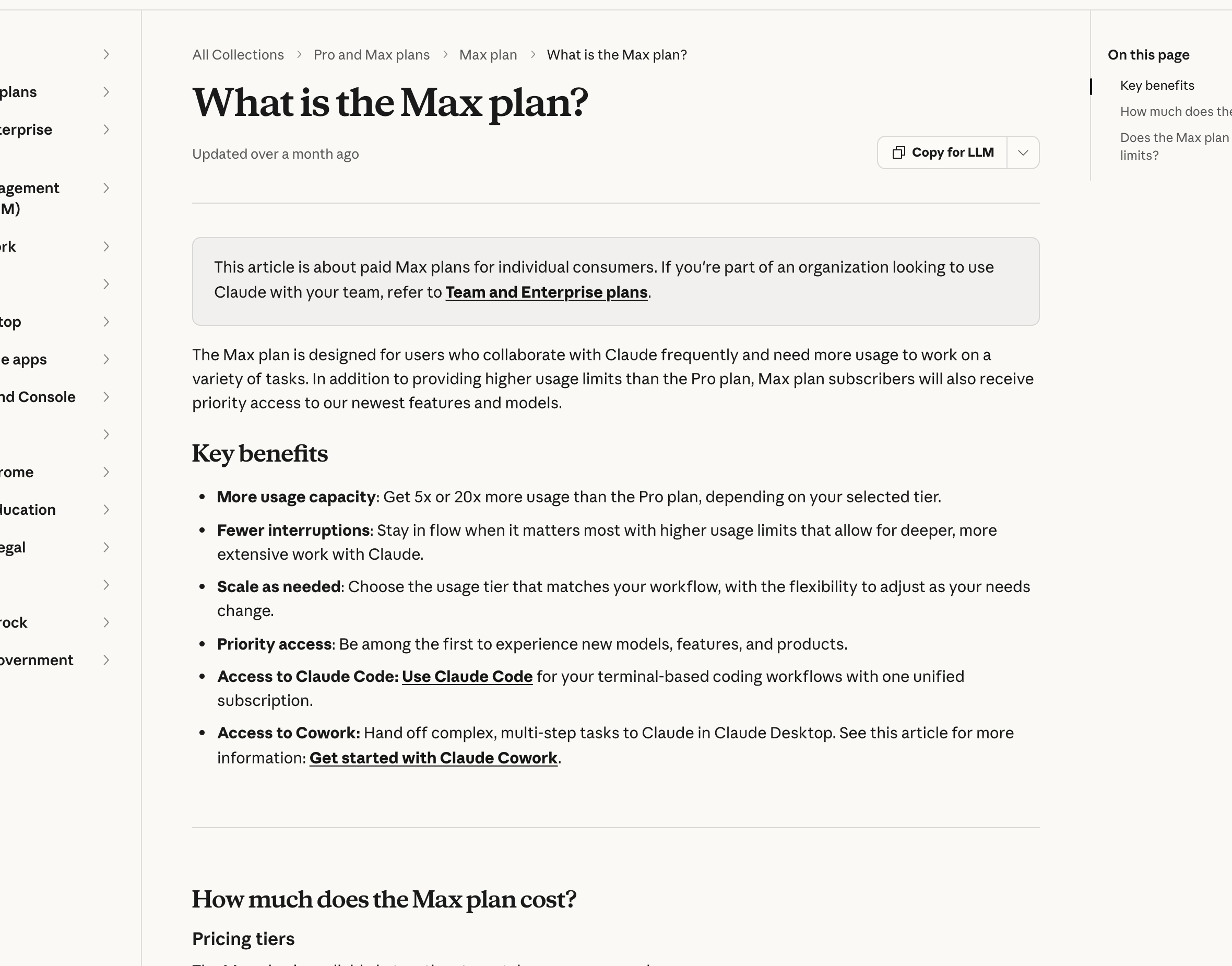 Claude Support lists the Max 5x and Max 20x plan tiers.
Before the next repository task
| Check | What to verify | If the result is unclear |
|---|---|---|
| Active mode | Status bar matches the deliberately selected mode | Inspect user, project, and managed settings |
| Approval behavior | Disposable-file exercise matches intended grants | Review allow rules; do not widen permissions to suppress prompts |
| Shared snapshots | Unneeded links revoked; quoted secrets checked | Rotate exposed secrets |
| Repository surfaces | Files, local history, PRs, and issues checked separately | Record unchecked locations instead of claiming complete cleanup |
Conclusion: decide what this session may do
Auto Mode can reduce prompt fatigue on controlled work. It does not replace host isolation, sensitive-action review, or responsibility for links you share. Start with a Manual session, a harmless file-edit rehearsal, and a separate shared-link audit. Keep Auto only where its behavior and the environment fit the task.
This article describes Anthropic’s controls, not a SandBase substitute for a Claude Code subscription. No model API changes a Claude shared-chat permission or your local Claude Code mode.
FAQ
What is Auto Mode in Claude Code?
It is a permission mode in which a separate classifier assesses actions before they run. Current documentation lists it as the built-in starting mode for Pro, Max, and Team. Users can switch to Manual or Plan Mode or disable Auto Mode in settings.
Is Auto Mode safe?
It is not a safety guarantee. Anthropic’s current documentation recommends human review for sensitive actions and isolation such as a sandbox or container for higher-risk work.
How can I check whether my Claude sessions are public?
Open Settings → Privacy → Shared Chats to review and unshare conversations. Also inspect repository history for shared-session URLs.
How do Claude Code weekly limits work?
Pro and Max users have session limits that reset every five hours plus cross-model weekly limits. Claude and Claude Code share the plan allowance; /status shows the current balance and reset time.
Does removing a share URL from the latest commit erase it?
No. Older commits, issues, PR descriptions, and saved copies may retain it. Unshare first, inspect exposure privately, and coordinate with repository owners before any history rewrite.