MiniMax H3 VRAM: Can 16GB Run It? Local vs API
Can MiniMax H3 run on 16GB VRAM? Check weight and offload requirements, 4–15-second clips, and the local 768p versus hosted 2K boundary.
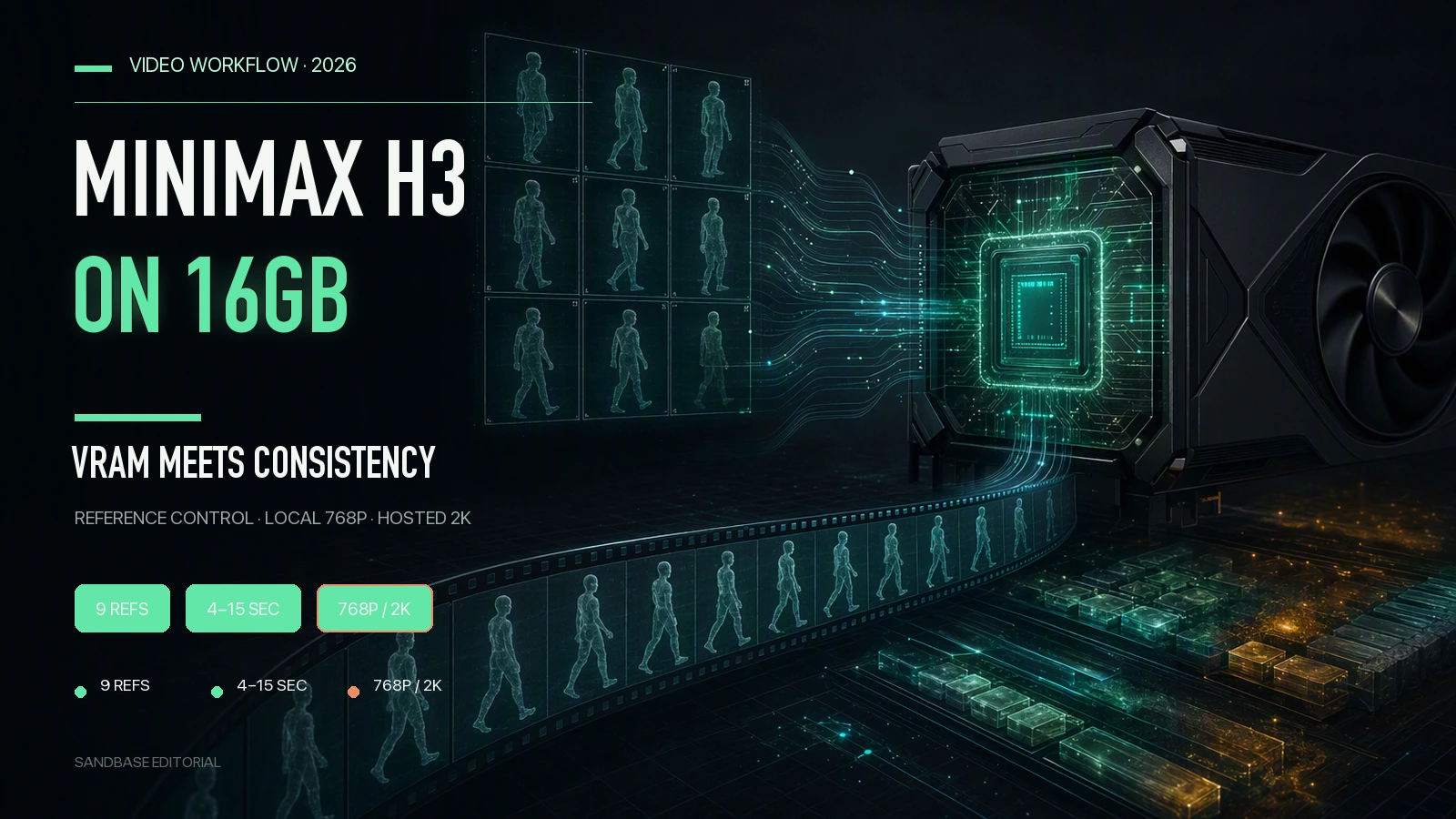
Key takeaway: MiniMax’s official specification caps one output at 4–15 seconds, so 16GB VRAM does not make a clip longer. H3-Base-Ref2VA accepts at most nine images; “12” is the total file limit when image, video, and audio references are mixed, not an image limit. The official open local path is 768p H3-Base. The complete 2K path also uses hosted H3-Context-IR and H3-Regenerate-2K. MiniMax does not publish a reproducible real-time result for the original BF16 weights on 16GB, so low-VRAM claims must name the quantization, pruning, and CPU-offload configuration.
A 16GB graphics card can load an H3 workflow and still leave the wrong impression. A successful launch does not mean the original weights fit unchanged, that a 15-second clip completes in a practical time, or that the machine reproduces MiniMax’s complete hosted 2K pipeline.
Three questions matter: does the official material establish real-time generation, what does 16GB actually limit, and how should nine reference images be used for continuity? Each is answered below.
This is a review of published specifications and deployment requirements, not a measured 16GB performance test.
First, what makes this 33B open model different?
MiniMax H3 is a 33B-parameter omni-modal video generation model for text, image, video, and audio context. According to the official repository, its generation boundaries are:
- 24 FPS and 4–15 seconds per video, with a 768-pixel short side by default; H3-Regenerate-2K produces 2K.
- Native 32kHz stereo audio generated with the video rather than added as a separate dub.
- H3-Base-Ref2VA accepts at most nine images, three video clips, and three audio clips. When input types are mixed, the total is capped at 12 files.
- Open weights in the MiniMax-AI/MiniMax-H3 GitHub repository, with ComfyUI workflows for all three modes.
- H3-Base is open. H3-Context-IR depends on hosted models and services, while H3-Regenerate-2K is not yet open-sourced.
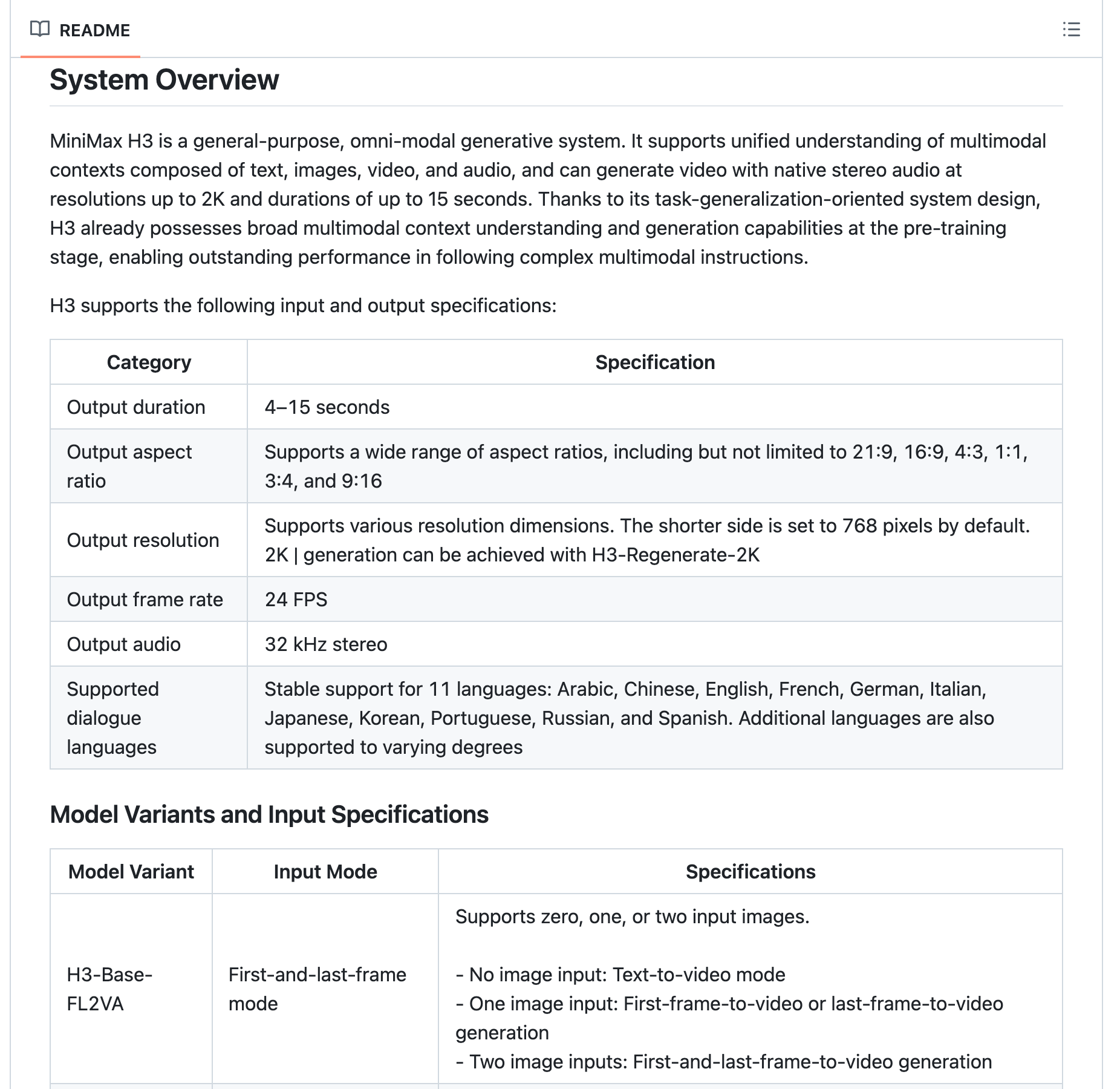 The official System Overview lists 4–15 seconds, a 768-pixel short side by default, 24 FPS, and 32 kHz stereo audio.
Those layers should not be collapsed into one “local H3” installation. H3-Context-IR turns complex multimodal input into an intermediate representation; H3-Base generates 768p audio-video locally; H3-Regenerate-2K sends the 768p result back with the original context to regenerate it at 2K. Local H3-Base and MiniMax’s complete hosted 2K path are not the same workflow.
Question 1: Can it really generate in real time?
The official material does not publish a real-time benchmark that supports that conclusion. The repository documents output specifications and deployment paths, but not “five seconds in three,” consumer-GPU real-time generation, or a unified performance tier called “H3 Max.” A stream demonstration or third-party quote describes that service at that time, not H3 performance in general.
To decide whether a specific service is real time, inspect a complete log under one set of conditions: exact route, resolution, duration, concurrency, cold start, queue time, and retries. One third-party hosted demonstration cannot be transferred to MiniMax’s API, a SandBase route, or a local GPU.
Question 2: How much video can 16GB VRAM generate?
The short answer: the model specification fixes each clip at 4–15 seconds. VRAM only tells you whether a particular configuration fits and completes. Long video comes from a multi-clip workflow, not from adding VRAM.
A table that labels 8GB, 12GB, and 16GB “working,” “smooth,” or a “sweet spot” without the checkpoint, quantization, offload, canvas, duration, and runtime is not reproducible. A more accurate boundary is:
| Configuration | What the primary source establishes | What it does not establish |
|---|---|---|
| Original H3-Base | 33B model; official SGLang example uses four GPUs | It does not show the original BF16 weights fitting directly in 16GB |
| 16GB community low-VRAM stack | A short clip may complete using quantization, pruning, and CPU offload | It cannot be called “smooth” without exact weights, peak memory, and timing |
| Hosted H3 path | The service owns VRAM and scaling and may expose 768p or 2K routes | Hosted latency is not local 16GB performance |
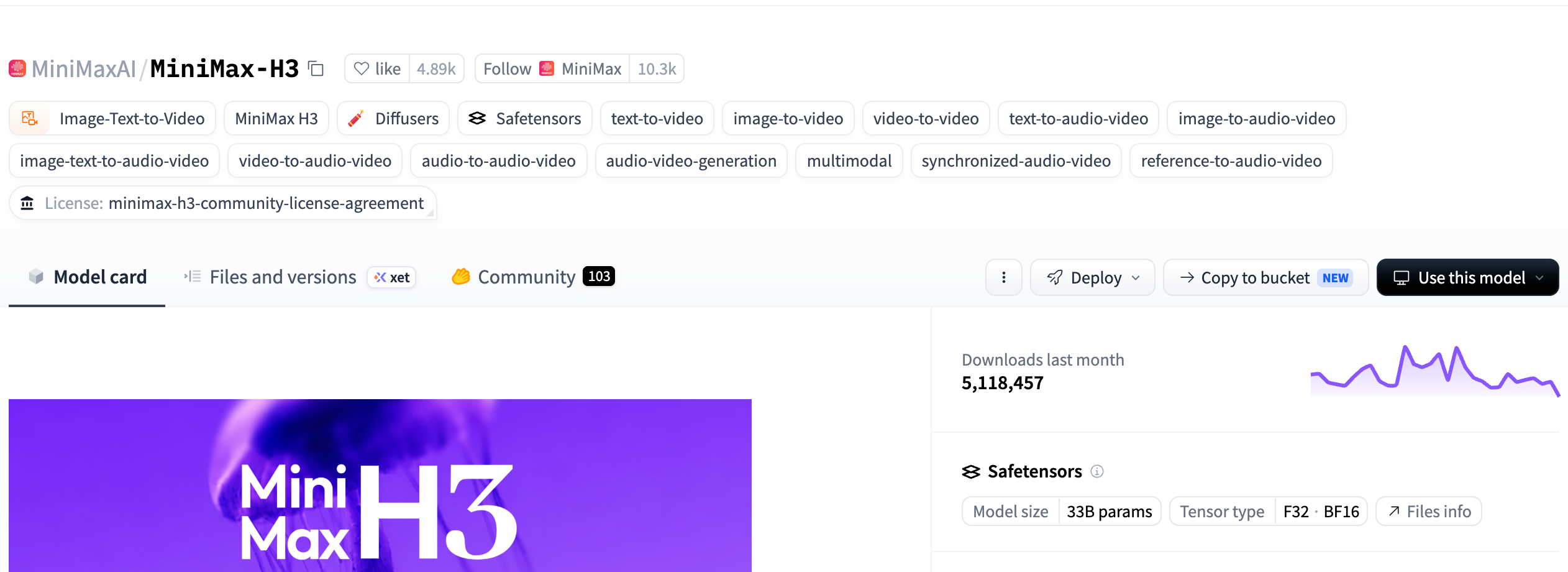 The Hugging Face model card labels MiniMax H3 as 33B parameters in F32/BF16; it does not prove speed on a particular 8GB, 12GB, or 16GB GPU.
So 16GB is not a duration switch and should not be called a “sweet spot” without a configuration. On the same GPU, a four-second low-resolution run with quantized weights and heavy CPU offload may finish, while 15 seconds, a larger canvas, or higher precision may run out of memory or take far longer. Record the checkpoint, quant format, system RAM, offload strategy, frame count, resolution, and wall-clock time.
To make minutes of footage, generate 4–15-second shots and assemble them in an editor. A prior final frame can seed the next shot, while the same character sheet and scene description can be reused. Seams, audio continuity, and object positions still require human review.
Question 3: How do you preserve character consistency?
H3’s tool is the R2V multi-reference mechanism. H3-Base-Ref2VA accepts at most nine images, or up to three videos and three audio clips; mixed inputs are capped at 12 files total. References can improve continuity for character, scene, and audio cues, but MiniMax does not guarantee a locked identity or perfect consistency across shots.
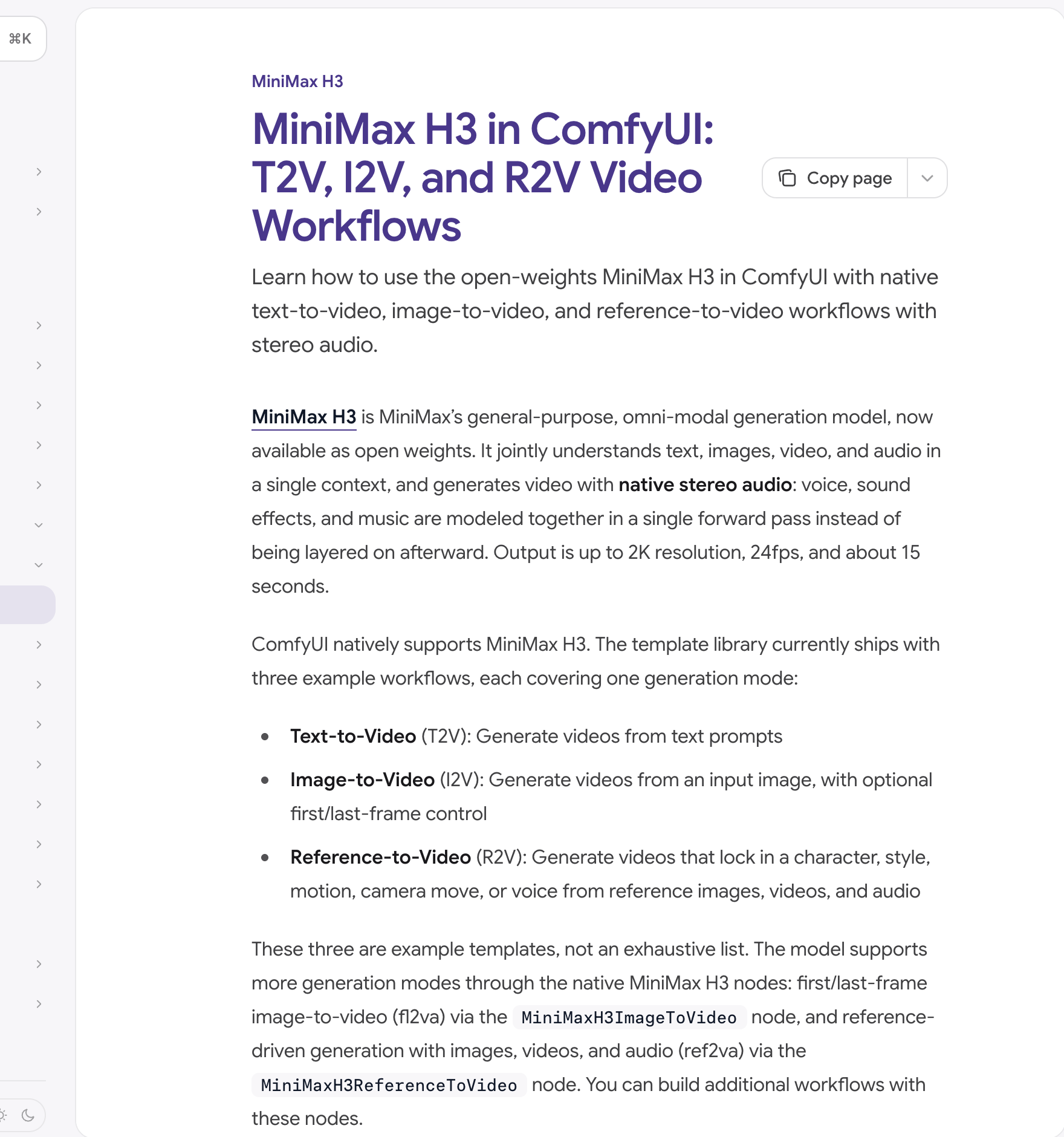 The ComfyUI documentation lists native text-to-video, image-to-video, and reference-to-video workflows and explains that R2V can use image, video, and audio references.
When consistency breaks, troubleshoot in this order: whether every image belongs to the same character sheet → whether front, profile, clothing, and prop references contradict one another → whether shot prompts reuse the same character description → whether the outgoing frame can connect to the next opening frame. A fixed seed helps reproduce one configuration; it does not guarantee identity across independently generated clips.
Cost comparison: local or API?
There is no single per-second price or universal payback point to use here. Hosted prices vary by route, resolution, and operator. Local cost still includes electricity, system RAM, storage, maintenance time, and failed reruns; all of those belong in the comparison.
SandBase currently exposes separate H3 text-to-video, image-to-video, reference-to-video, and regeneration routes. It is a hosted access layer; it does not mean SandBase owns the MiniMax model, and it does not transfer a third party’s speed or MiniMax’s billing policy to SandBase. Check the current H3 reference-to-video route for its live schema and price before calling it.
| Scenario | Local H3-Base | Hosted H3 route |
|---|---|---|
| Occasional polished 2K clip | The open local validation path is H3-Base at 768p | Fits a hosted 2K workflow; use the route’s current price |
| Frequent iteration | Requires maintaining quantization, offload, and the local environment | Avoids GPU operations; cost grows with calls |
| Speed requirement | Must be measured from a complete configuration log | Must include queue, generation, and retry time for that service |
| Length per clip | 4–15 seconds | 4–15 seconds |
| Multi-minute video | Generate and assemble multiple clips | Also requires multiple clips and editing |
For a first reference-guided shot, start with two non-conflicting character images, duration: 4, resolution: "768P", and a simple movement prompt. Inspect the face, clothing and transition frame before increasing duration or selecting "2K". These are supported options on the hosted route, not a tested speed claim or a local 16GB configuration. Follow the image and video API documentation to submit the task and poll its result; a returned task ID is not yet a completed video.
Conclusion: choose around the local 768p and hosted 2K boundary
The three answers are now clear. The official material does not publish a real-time benchmark that can be generalized. A 16GB GPU does not change the 4–15-second clip limit, and any low-VRAM success must include its quantization and offload configuration. Ref2VA can use up to nine images to improve continuity, but it does not guarantee a perfectly locked character.
Use local 768p H3-Base for controlled prompt and shot experiments. Use a hosted route when the complete 2K path matters or operating GPU infrastructure does not. Either way, a multi-minute video remains a production task built from clips, continuity checks, and editing.
FAQ
What is the minimum GPU for running MiniMax H3 locally?
MiniMax does not publish a single-GPU minimum. The original 33B H3-Base is not an official 16GB configuration. Community 12–16GB stacks usually rely on quantization, pruning, and CPU offload, so check the exact checkpoint, system RAM, resolution, and timing.
Can MiniMax H3 generate video in real time?
The official repository does not publish a universal real-time benchmark. Judge a local or hosted service under the same resolution, duration, concurrency, and cold-start conditions using a complete timing log.
How much video can 16GB VRAM generate?
Each clip is 4–15 seconds, which is a model limit rather than a VRAM limit. Whether a configuration fits depends on weight precision, offload, frame count, and resolution. Longer videos require multiple clips and editing.
How does H3 preserve character consistency?
H3-Base-Ref2VA accepts up to nine images. If image, video, and audio references are mixed, the total file limit is 12. Consistent character sheets and transition frames can improve continuity, but cannot guarantee it.
What is H3-Regenerate-2K, and why is it unavailable locally?
It sends the 768p H3-Base result back with the original context and regenerates it at 2K. The complete path also depends on hosted H3-Context-IR; these parts should not be described as a fully local open-source 2K pipeline.