Best LinkedIn Data API Alternatives in 2027
Best LinkedIn data API alternatives in 2027: official partner APIs versus 38 SandBase catalog cards. LinkedIn terms still apply.
Start with the access rule, then the catalog. Official LinkedIn API documentation, as of 18 Nov 2026, is organized by business line: Consumer, Compliance, Learning, Marketing, Sales, and Talent. Those are partner and product-line APIs. SandBase, on the catalog check that day (Asia/Shanghai), listed 38 public cards covering companies, profiles, posts, jobs, ads, and search. This article is for a reader choosing among an official partner integration, a third-party catalog card, and staying inside LinkedIn products they already license. LinkedIn’s terms, applicable law, and your own use-case limits still govern any call. If you need an official Marketing, Sales, Talent, or Compliance integration, or a direct LinkedIn contract, stay on that official path. Speed is Unknown.
Key takeaway
- Official LinkedIn docs are grouped by Consumer, Compliance, Learning, Marketing, Sales, and Talent. Official API dollar prices are Unknown.
- The SandBase LinkedIn hub listed 38 public catalog cards on 18 Nov 2026 for companies, profiles, posts, jobs, ads, and search.
- Partner approval, a Sales Navigator license, and LinkedIn’s access rules still apply. A catalog card is a separate product from those programs.
- “Sales Navigator Lead Search” on the hub is a public catalog card title. It is not unofficial access to Sales Navigator.
- List prices for the 38 cards were not tabulated in this research. Read the live card. Do not take a number from this article.
What official LinkedIn publishes
LinkedIn Developer Solutions is the official developer home. Microsoft Learn titles the docs “LinkedIn API Documentation” and says they are organized by business lines covering Consumer, Compliance, Learning, Marketing, Sales, and Talent Solutions, with more than one integration type. The page links onward to a Marketing overview, a Compliance overview, Terms of Use, and partner support.
That is a partner surface. Campaign Manager, Sales Navigator, and Recruiter, when you already have them, are official products with their own contracts. This article does not quote license fees for those products. A public dollar rate card for the official APIs was not part of the pages checked on 18 Nov 2026, so official API pricing is Unknown.
Nothing in the SandBase catalog waives LinkedIn’s terms, a partner program, or platform restrictions on automated collection. If the goal is to get around those rules, stop. This catalog is the wrong tool for that goal, and so is any third-party API sold on the same pitch.
What the SandBase hub listed
Open LinkedIn data APIs on SandBase and read the card you intend to call. On 18 Nov 2026 the hub title was “LinkedIn Data APIs: Research Companies, Professionals and Posts.” The Markdown blurb describes public professional-network surfaces for recruiting, sales, and research, and the page listed 38 endpoints. The social media category is the wider shelf. It does not change the terms point above.
Three cards returned HTTP 200 that day and are safe to name with URLs:
| Card | URL that day | Title |
|---|---|---|
| Company | linkedin/company | LinkedIn Company API: Pricing & Specs |
| Company search | search-companies | LinkedIn Company Search API: Companies by Keyword |
| Member profile | user profile | LinkedIn Member Profile API: Look Up Public Career Information |
The hub Markdown also carried these names. Confirm each one on the live card before you depend on it. Prices were not tabulated, so this article quotes none.
- Company variants: company-thin, company-employees, company-posts (several), company-profile.
- Jobs: jobs and job-detail.
- Posts: post, post-comments, post-reactions, post-search, and post-transcript.
- Profile activity: profile posts, comments, and reactions, plus search-profiles.
- Ads: ads and ads-search.
- Groups: group posts and group search.
- A card titled “Sales Navigator Lead Search.”
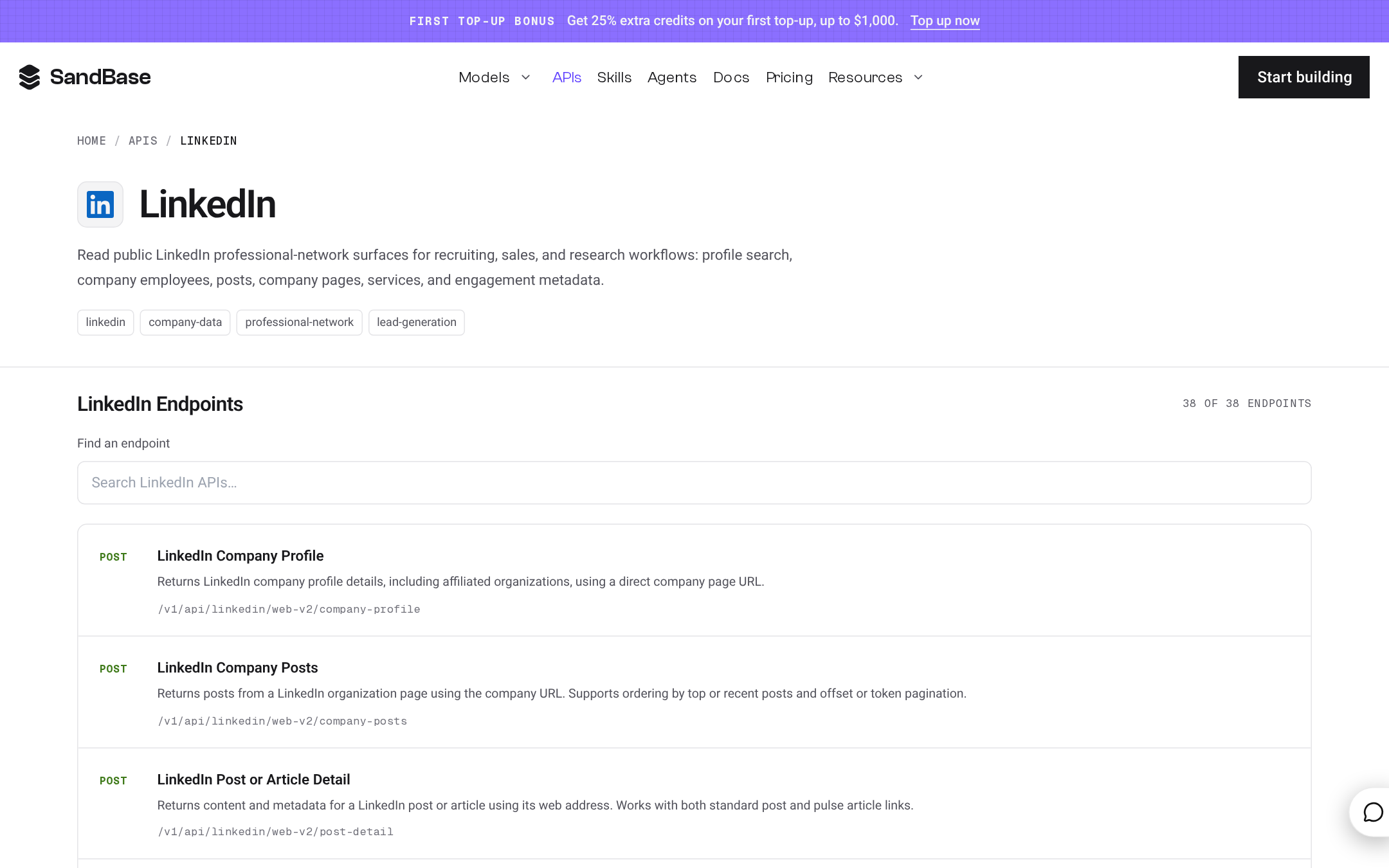
The SandBase LinkedIn hub at www.sandbase.ai/apis/linkedin, logged out, light theme, captured 18 Nov 2026 (Asia/Shanghai). The page is a public catalog of 38 cards. The capture shows the first-top-up banner (25% extra credits, up to $1,000); confirm promotions on the pricing page. The figure is a catalog screen, not a LinkedIn session and not a terms waiver.
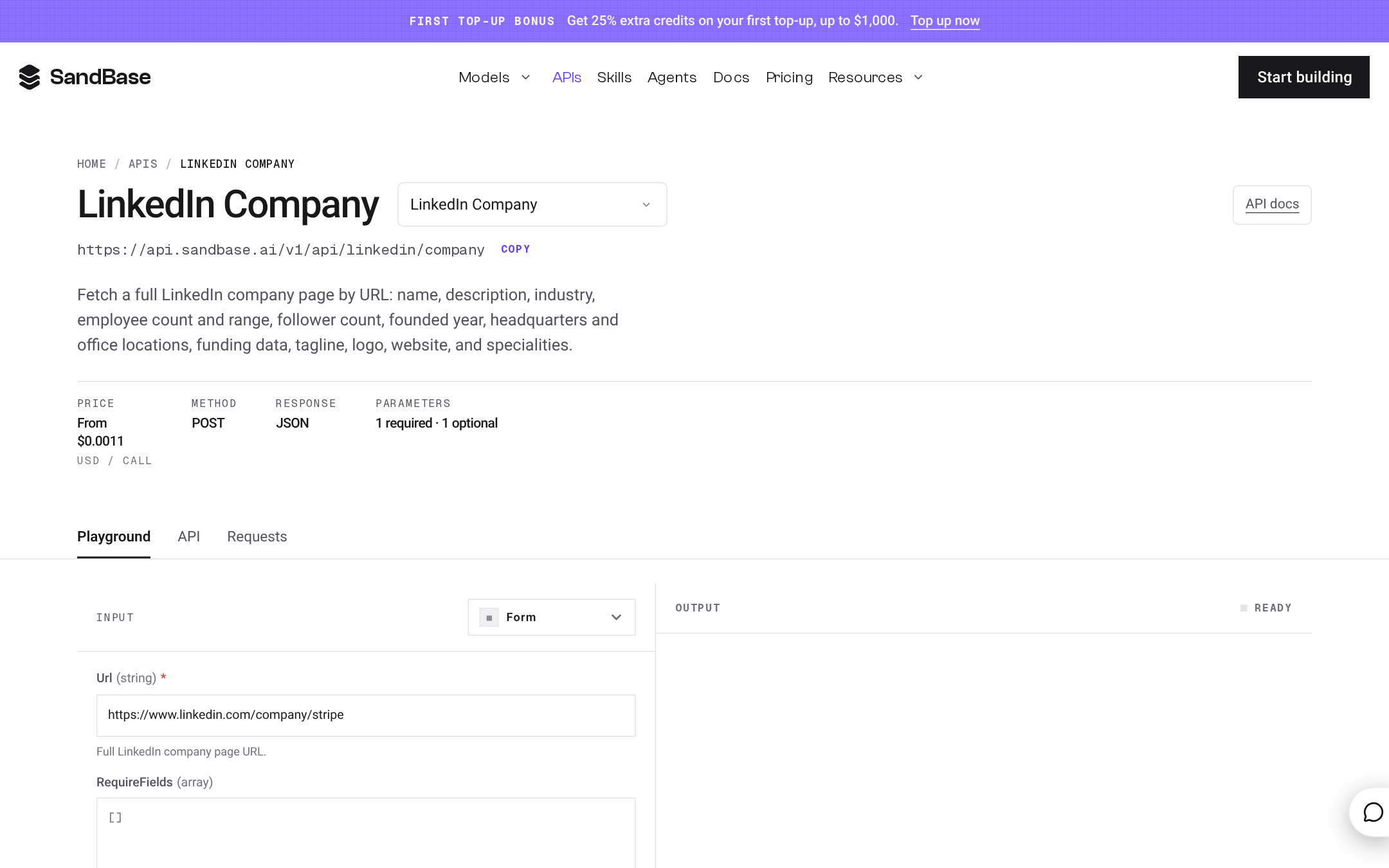
The LinkedIn company card at www.sandbase.ai/apis/linkedin/company, logged out, light theme, 18 Nov 2026 (Asia/Shanghai). The card title that day was “LinkedIn Company API: Pricing & Specs.” This article does not quote a list price, because LinkedIn card prices were not tabulated. The first-top-up banner is in the capture (25% extra credits, up to $1,000); confirm it on the pricing page.
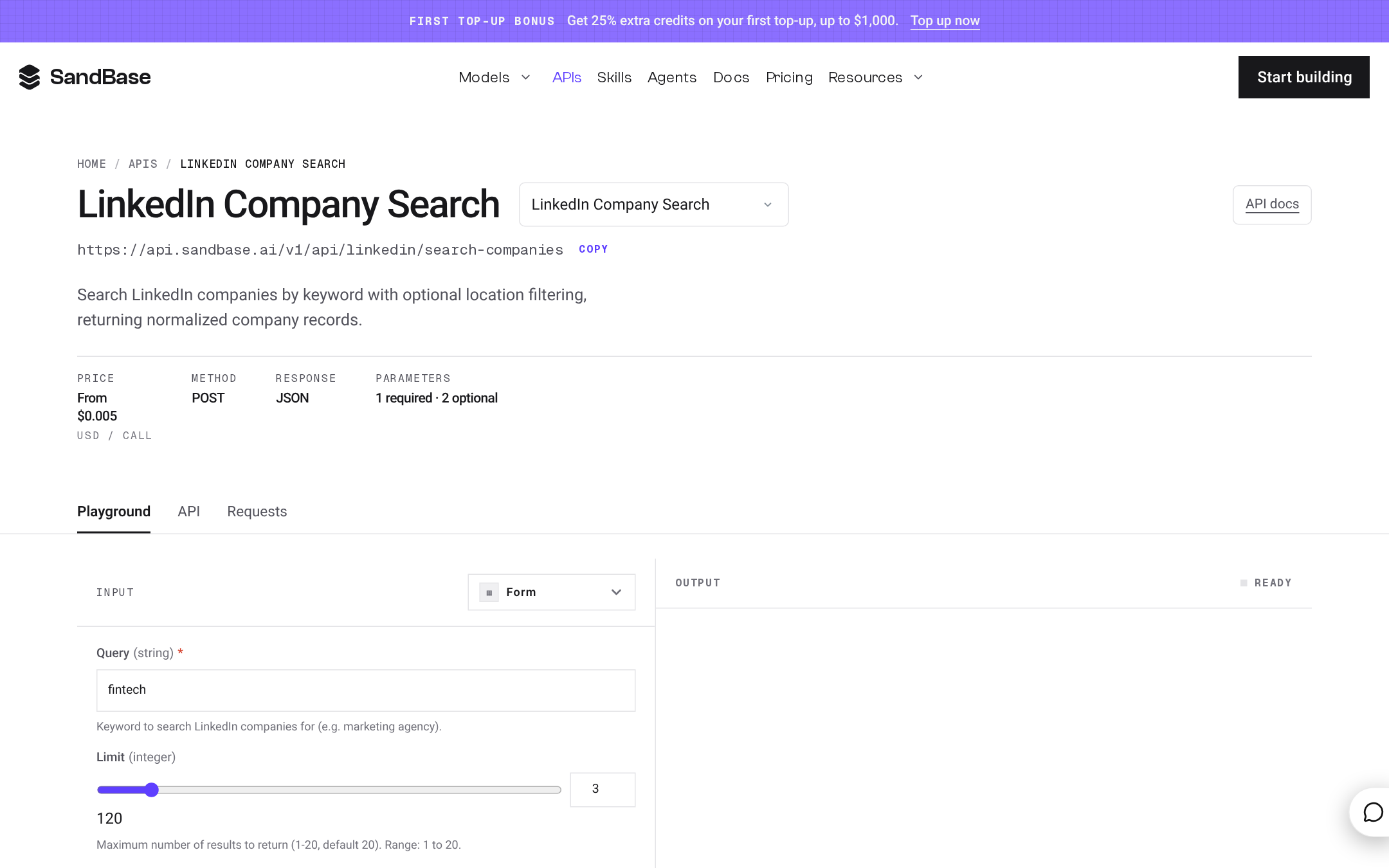
LinkedIn company search at www.sandbase.ai/apis/linkedin/search-companies, logged out, light theme, 18 Nov 2026 (Asia/Shanghai). The card title was “LinkedIn Company Search API: Companies by Keyword.” The capture shows the first-top-up banner (25% extra credits, up to $1,000). Confirm the promotion on the pricing page. Callers still have to meet LinkedIn’s terms.
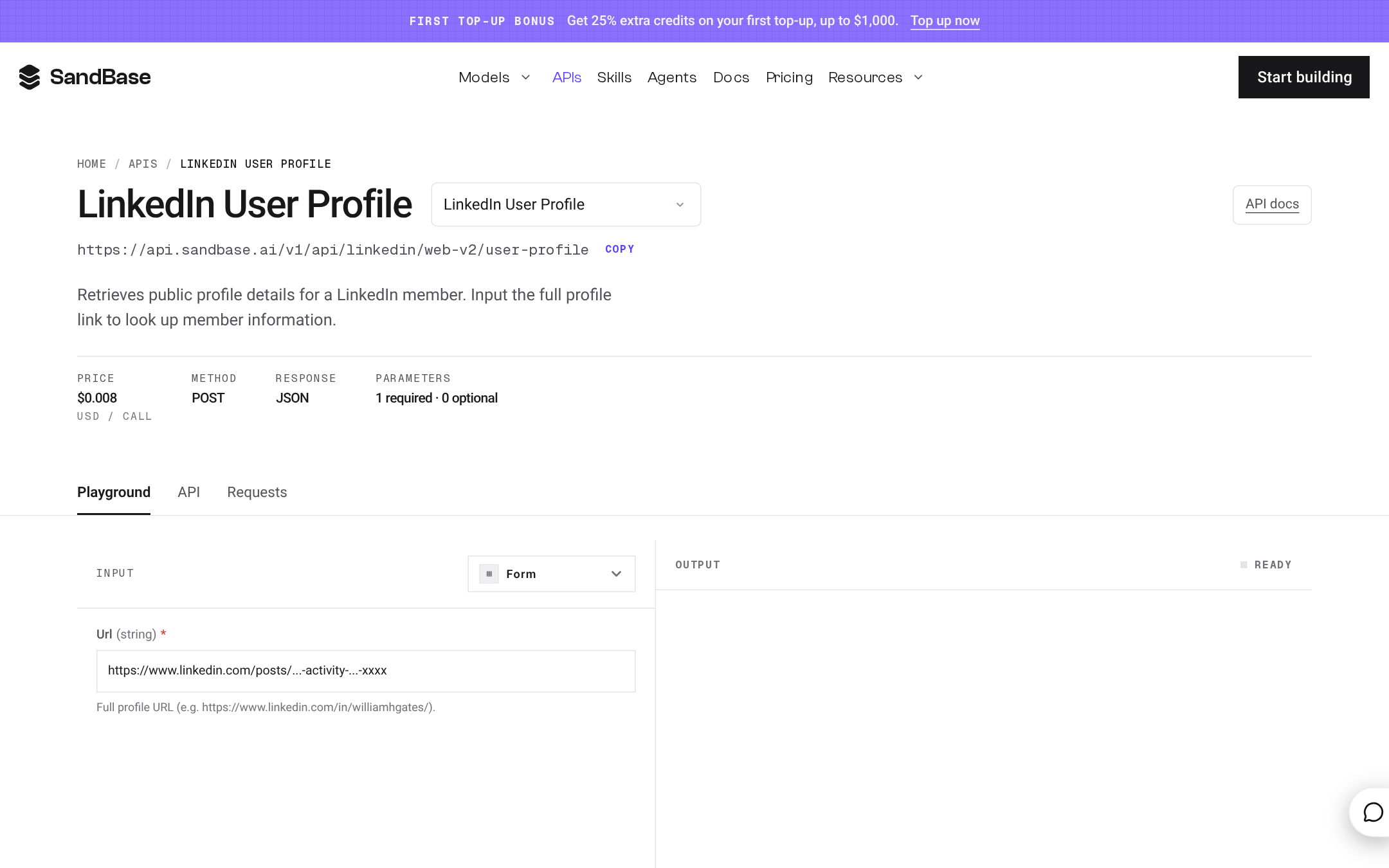
The member profile card at www.sandbase.ai/apis/linkedin/web-v2/user-profile, logged out, light theme, 18 Nov 2026 (Asia/Shanghai). The title was “LinkedIn Member Profile API: Look Up Public Career Information.” The first-top-up banner is visible (25% extra credits, up to $1,000); confirm it on the pricing page. This is a public catalog card.
Treat “Sales Navigator Lead Search” as that public title and nothing more. It does not grant Sales Navigator, and it is not a side door into a licensed Sales Navigator seat. If your workflow requires Sales Navigator, buy and use Sales Navigator under LinkedIn’s terms. The existing company walkthrough, which this article does not rewrite, is LinkedIn Company Research API. The broader public-data tutorial is LinkedIn Public Data API on SandBase.
Access model, not a rank
| Option | What it is | Terms and access | Price as of 18 Nov 2026 | What this check showed |
|---|---|---|---|---|
| Official LinkedIn APIs | Business-line partner APIs | Partner access, Terms of Use, product contracts | Unknown | Consumer, Compliance, Learning, Marketing, Sales, Talent |
| Official products you already license | Campaign Manager, Sales Navigator, Recruiter | The contract you signed | Unknown; not quoted here | Stay inside that product when the contract requires it |
| SandBase LinkedIn hub | 38 public catalog cards | Your compliance duty remains; the card is not a waiver | On each live card; not tabulated here | Company, company search, and member profile confirmed as pages |
Field-level coverage versus an official API scope is Unknown beyond the schema on each card. A card titled with a price in its name, such as the company card’s “Pricing & Specs,” still needs to be read live. This article will not invent the dollar figure.
How to call a company card
Read the company card’s schema and price, and clear the use case against LinkedIn’s terms and your counsel, before you send traffic. This comparison did not run a new paid call, so business fields are not listed. The passthrough doc, checked 18 Nov 2026, documents POST /v1/api/{vendor}/{upstream_path}, Bearer auth, and a JSON object body. Omit model. The company path is POST https://api.sandbase.ai/v1/api/linkedin/company. Company search is POST https://api.sandbase.ai/v1/api/linkedin/search-companies. The member profile path follows the card URL under linkedin/web-v2/user-profile. If a capability is asynchronous, you may poll GET /v1/run/{id}. That poll is not the request path.
import os
import requests

payload = {}  # replace with the fields shown on the live tool card before sending

response = requests.post(
    "https://api.sandbase.ai/v1/api/linkedin/company",
    headers={
        "Authorization": f"Bearer {os.environ['SANDBASE_API_KEY']}",
        "Content-Type": "application/json",
    },
    json=payload,
    timeout=90,
)
response.raise_for_status()
body = response.json()
outputs = body.get("outputs") or []
if body.get("status") != "completed" or not outputs or not isinstance(outputs[0], dict):
    raise RuntimeError(f"SandBase call did not complete: {body.get('status')} {body.get('error')}")
data = outputs[0].get("data")
Read outputs[0].data. Treat field names as undocumented until a response from your own allowed call shows them. An empty object only inspects the route.
Then check pricing and create a key at signup, which currently redirects to sign-in. A key does not replace a LinkedIn agreement.
The daily free allowance
Professional-network cards use the same billing rule as the rest of the eligible catalog. As of the billing guide and the pricing page on 18 Nov 2026, every organization gets 100 free data API calls per UTC day for eligible search, social, scraping, e-commerce, and finance tools. The allowance is shared across those eligible APIs and all of the org’s keys. It resets at 00:00 UTC. Unused calls do not carry over. Language and media models are outside it.
Some data APIs are billed from the first call, including pricier or formula-priced tools such as some batch endpoints, crawl endpoints, Xiaohongshu Pugongying (PGY), and the Douyin Xingtu kol-* routes. Eligible tools carry pricing.free_quota (sandbase_inspect). Tools without it are always billed. The live card is the source of truth. Whether any of the 38 LinkedIn cards carry that field was not recorded here, so eligibility is Unknown until you open the card.
After the 100th eligible call, calls continue and are billed. They are not rejected. A zero balance can still use remaining free allowance. The pricing page sample is not a full roster. Plans are pay per call with no subscription: Start ($0), Build (Metered), Scale (Custom). Reading a schema or price is $0. Failed calls are not charged. Agent sandboxes are free for now; fair-use caps may apply, and pricing will be announced before that changes.
When not to switch: a third-party catalog is the wrong tool
- The use case is an official Marketing, Sales, Talent, Learning, Consumer, or Compliance API, or an official write or advertising action. Use the partner path on Microsoft Learn.
- Legal or procurement requires a contract with LinkedIn. A SandBase card does not satisfy that requirement.
- The workflow depends on a Sales Navigator seat, Recruiter, or Campaign Manager capability you have not licensed.
- Someone has framed the task as getting around LinkedIn access rules. Refuse that framing. Do not call these cards for that purpose.
- You need a latency or throughput commitment. None was measured. Speed is Unknown.
Nearby cluster notes, which do not loosen these rules: Best AnyAPI Alternatives in 2027 covers a multi-network key question, and Best RapidAPI Alternatives in 2027 covers marketplace versus one catalog. The social survey is Best Social Media Data APIs for AI Agents (2026). The cluster overview is Best Data API Providers in 2027.
Pick an access model first
- If the deliverable is an official ads object, a lead form under a partner program, or a Recruiter workflow, stop at developer.linkedin.com and your LinkedIn agreement.
- If counsel says the use case is allowed as a read of public professional-network information, open the SandBase hub and the specific card. Read the schema. Read the price on the card, since this article does not print one.
- If the card title mentions Sales Navigator, treat it as a catalog label. License Sales Navigator itself when the product requires it.
- Look for
pricing.free_quotabefore counting the card against the daily 100. - If the field you need is missing from the card schema, the gap is real. Do not infer it from an official API scope.
Catalog gaps and Unknowns
- Official business-line APIs and their scopes are a different product from the 38 catalog cards.
- Field-level parity with official APIs is Unknown beyond each card’s schema.
- Official API and Sales Navigator dollar prices are Unknown.
- SandBase list prices for these 38 cards are Unknown in this article because they were not tabulated. They are not zero; they are unpublished here.
- Free-quota eligibility is Unknown without the live card.
- Latency is Unknown. No new paid call was run, so response fields are not listed.
FAQ
Does a SandBase card replace LinkedIn partner approval?
Partner approval, product licenses, and LinkedIn’s terms still apply. The hub is a third-party catalog of public cards. It is a separate access model from the business-line APIs on Microsoft Learn.
What is the “Sales Navigator Lead Search” card?
A public catalog card with that title, present on the hub Markdown on 18 Nov 2026. It is not a license for Sales Navigator and not a way around Sales Navigator’s access rules. Use official Sales Navigator when the job requires it.
What does the official LinkedIn API cost?
Unknown from the pages checked on 18 Nov 2026. The docs describe partner and business-line products. They do not provide a public rate card in the sources cited here. SandBase list prices belong on each live card and were not copied into this article.
Related reading
Found this useful? Share it