Instagram Public Data API: Profiles, Posts & Reels | SandBase
Read public Instagram profiles, posts, Reels, followers, comments, and hashtags with one REST API. No Instagram OAuth or SDK — one SandBase key, built for agents.
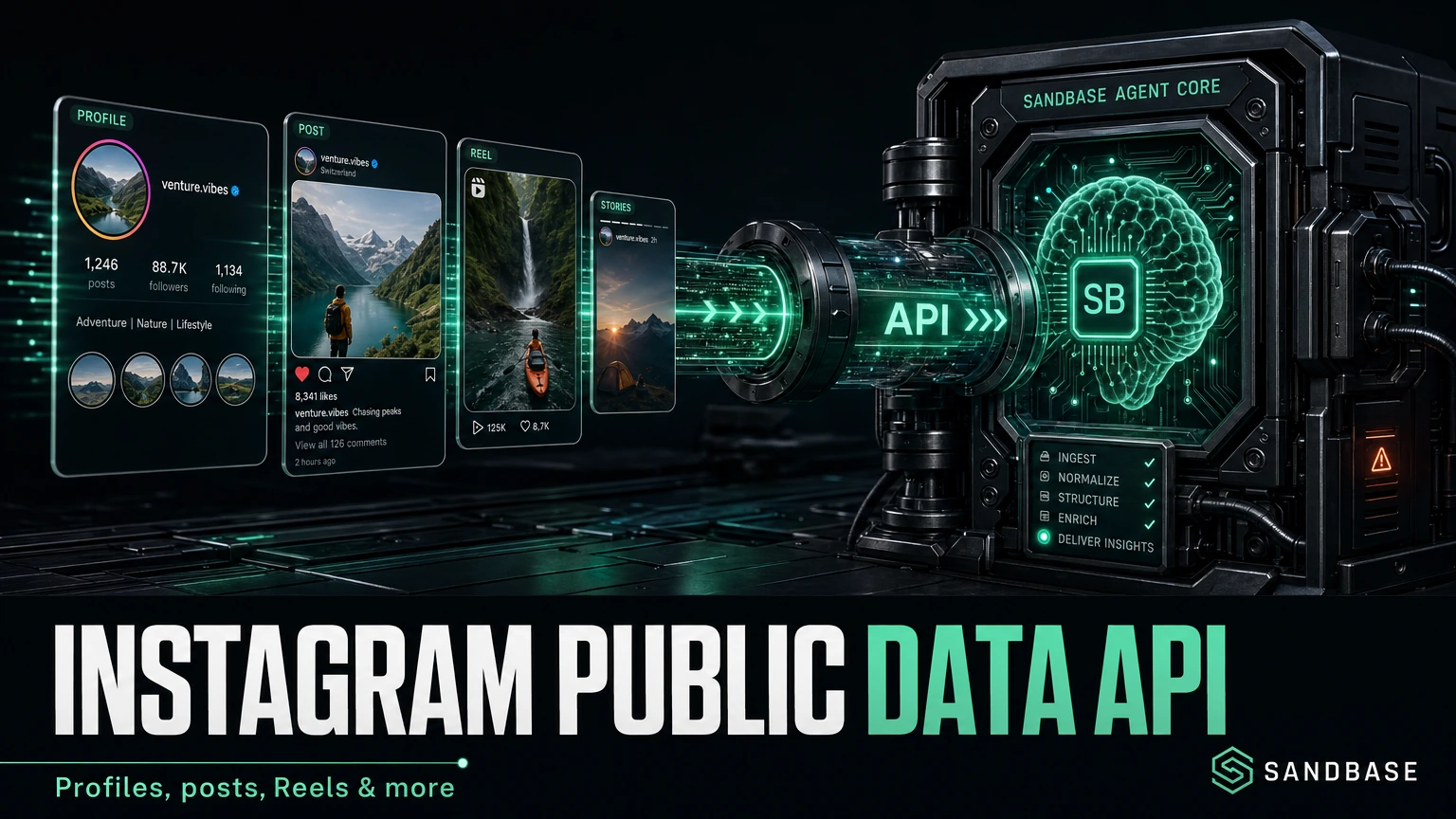
If you have ever tried to read public Instagram data programmatically, you know the first hour rarely goes into your actual feature. It goes into login walls, rotating tokens, and guessing which undocumented field holds the follower count. The data is public in a browser, yet pulling it into an agent reliably is its own small project.
The SandBase Instagram public data API removes that setup tax. It reads public Instagram profiles, posts, Reels, followers, comments, and hashtags through plain REST endpoints under /v1/api/{vendor}/{path} — one SandBase API key, synchronous JSON, no Instagram OAuth flow and no SDK. The endpoint reference only guarantees the envelope (id, status, model, and outputs[0].data); the business fields shown below are an illustrative structure, not a guaranteed schema, so confirm the exact fields against a live response.
This is not Meta’s official Instagram Graph API. Use Meta’s Instagram Platform when you need to manage an authorized Business or Creator account, publish content, or read owner-only insights. Use SandBase when your workflow needs public, read-only discovery or monitoring data. Ready to try it? Get a SandBase API key and browse the Instagram endpoints.
Key takeaway
- Read Instagram profiles, followers/following, posts, Reels, stories, comments, hashtag and location feeds through one API.
- Each capability is its own
POST /v1/api/instagram/<path>endpoint — pass only that endpoint’s params, no SDK, oneSANDBASE_API_KEY.- Three schema versions (
v1/v2/v3) exist;v3is the most complete and adds pagination on most list endpoints.- It returns public, read-only data only. There is no posting, no Instagram OAuth login, and no access to private accounts; you authenticate with a SandBase API key.
Which Instagram API do you need?
| Your need | Choose | Why |
|---|---|---|
| Publish content, reply to comments, or inspect an authorized professional account | Meta Instagram Graph API | Meta’s official API is built for Business/Creator account management and owner insights. |
| Read public profile, post, Reel, hashtag, location, or follower data | SandBase Instagram public-data API | Plain REST calls, one SandBase key, structured JSON for read-only workflows. |
| Access private accounts, DMs, or login-only data | Neither | Those data types are out of scope for a public-data API. |
What you can get from the Instagram API
This Instagram public data API is built for public, read-only discovery and monitoring — not account management or private data. It covers the data an analytics, monitoring, or research agent actually needs, grouped by job:
- User data — profile and about info, brief/profile views, user ID ↔ username resolution, former usernames, followers and following lists, similar and related profiles.
- Content — a user’s posts, Reels, tagged posts, reposts, stories, and highlights; a single post by ID, URL, or shortcode; oEmbed data.
- Engagement — post comments, comment replies, post likes, and comment/caption translation.
- Discovery — posts by hashtag, by location, and by music/audio; the explore feed and recommended Reels.
- Search — users, hashtags, locations (including by coordinates), music, and reels; plus a general search.
- Utilities — media ID ↔ shortcode conversion, and shortcode extraction from a URL.
- Bulk — a
bulkgroup covering profile, posts, hashtag-posts, search, and content extraction; confirm the available endpoints against the live catalog before you build on them.
You do not need to memorize the list. The pattern below is the same for every one of them.
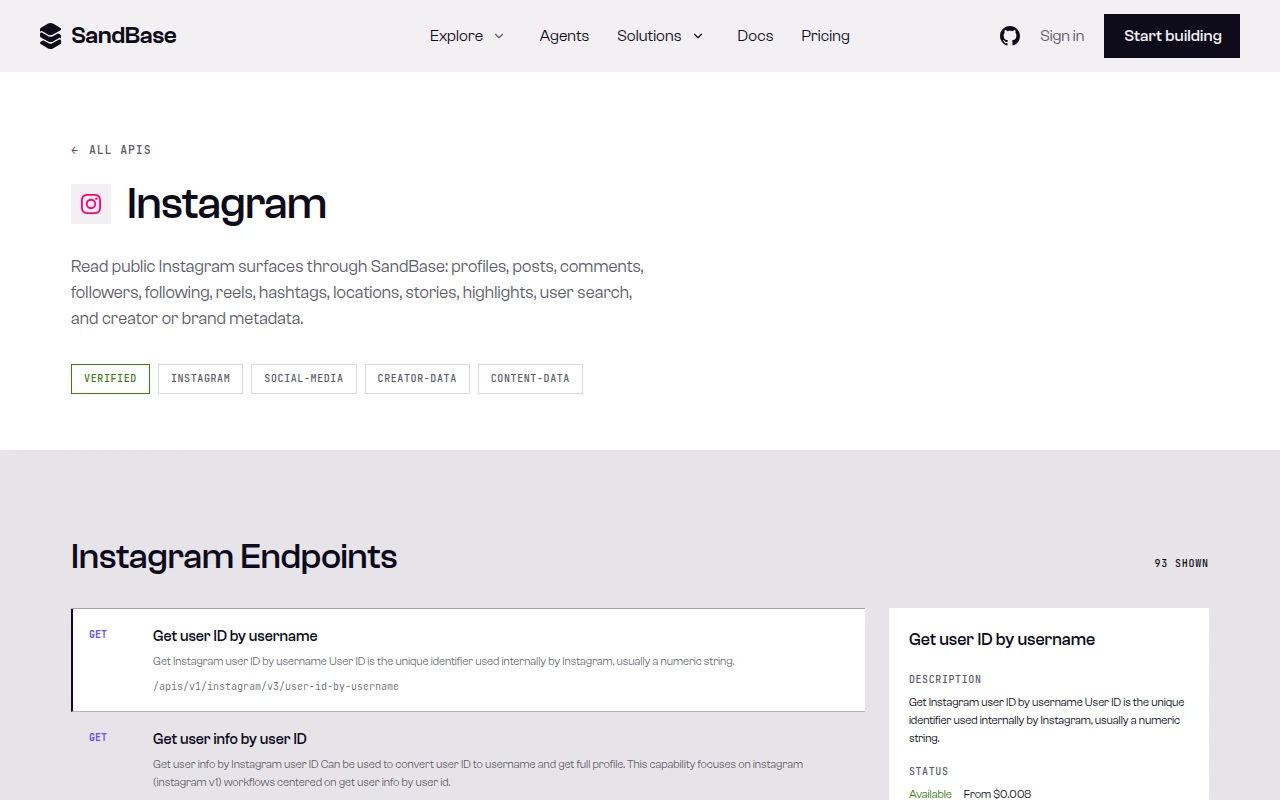 The Instagram API page on SandBase — a tagged overview and the full endpoint list, each with a GET path and description.
What Instagram provides vs. what SandBase adds
Instagram is the source of the underlying public data. SandBase does not own or operate Instagram; it provides a uniform API layer for eligible public-data workflows. Concretely, SandBase turns each capability into one stable model name, normalizes auth to a single key, and returns predictable JSON, so an agent can compose “resolve a username → list followers → read their recent posts” without stitching together three different auth schemes.
Quick start: your first call
Each capability has its own REST endpoint under /v1/api/{vendor}/{path}. The path mirrors the model name, so instagram/v1/user-info-by-username is called at /v1/api/instagram/v1/user-info-by-username. There is no SandBase SDK — these are plain HTTP calls. Fetch a profile by username:
import os
import requests

resp = requests.post(
    "https://api.sandbase.ai/v1/api/instagram/v1/user-info-by-username",
    headers={
        "Authorization": f"Bearer {os.environ['SANDBASE_API_KEY']}",
        "Content-Type": "application/json",
    },
    json={"username": "nasa"},  # just the endpoint's params
)
resp.raise_for_status()
body = resp.json()  # synchronous — the JSON is the result, no polling
if body.get("status") != "completed":
    error = body.get("error", {})
    raise RuntimeError(error.get("message", "Instagram request did not complete"))

# Business fields are an illustrative shape, not a guaranteed schema — read defensively.
profile = body["outputs"][0]["data"].get("data", {}).get("user", {})
print(profile.get("username"), profile.get("edge_followed_by", {}).get("count"))
curl -X POST https://api.sandbase.ai/v1/api/instagram/v1/user-info-by-username \
-H "Authorization: Bearer $SANDBASE_API_KEY" \
-H "Content-Type: application/json" \
-d '{"username": "nasa"}'username is the only required field for this endpoint. You pass only the endpoint’s own parameters in the body — the endpoint URL already identifies the capability. Data endpoints run in sync mode, so the JSON body is the answer — no task ID and no polling loop.
Every response uses the same envelope: an id, a status (completed on success), the model name, and an outputs array whose single item carries the business payload under data. Below is an illustrative response shape for user-info-by-username — the business fields are an example structure, not a guaranteed schema, and the profile object has many more fields whose live counts change over time; confirm the exact fields against a live response:
{
  "id": "1997037f-ddc0-40ab-b96f-dc32a524ebb0",
  "status": "completed",
  "model": "instagram/v1/user-info-by-username",
  "outputs": [
    {
      "data": {
        "data": {
          "user": {
            "username": "nasa",
            "full_name": "NASA",
            "is_verified": true,
            "is_private": false,
            "biography": "Making the seemingly impossible, possible. ✨",
            "external_url": "https://www.nasa.gov/",
            "edge_followed_by": { "count": 104335721 },
            "edge_follow": { "count": 89 },
            "edge_owner_to_timeline_media": { "count": 4934 }
          }
        }
      }
    }
  ]
}
A failed or timeout run carries error (with type and a sanitized message) and never outputs, so branch on status before reading outputs[0].data. Note the profile itself sits at outputs[0].data.data.user — inspect one real response and map the exact path once.
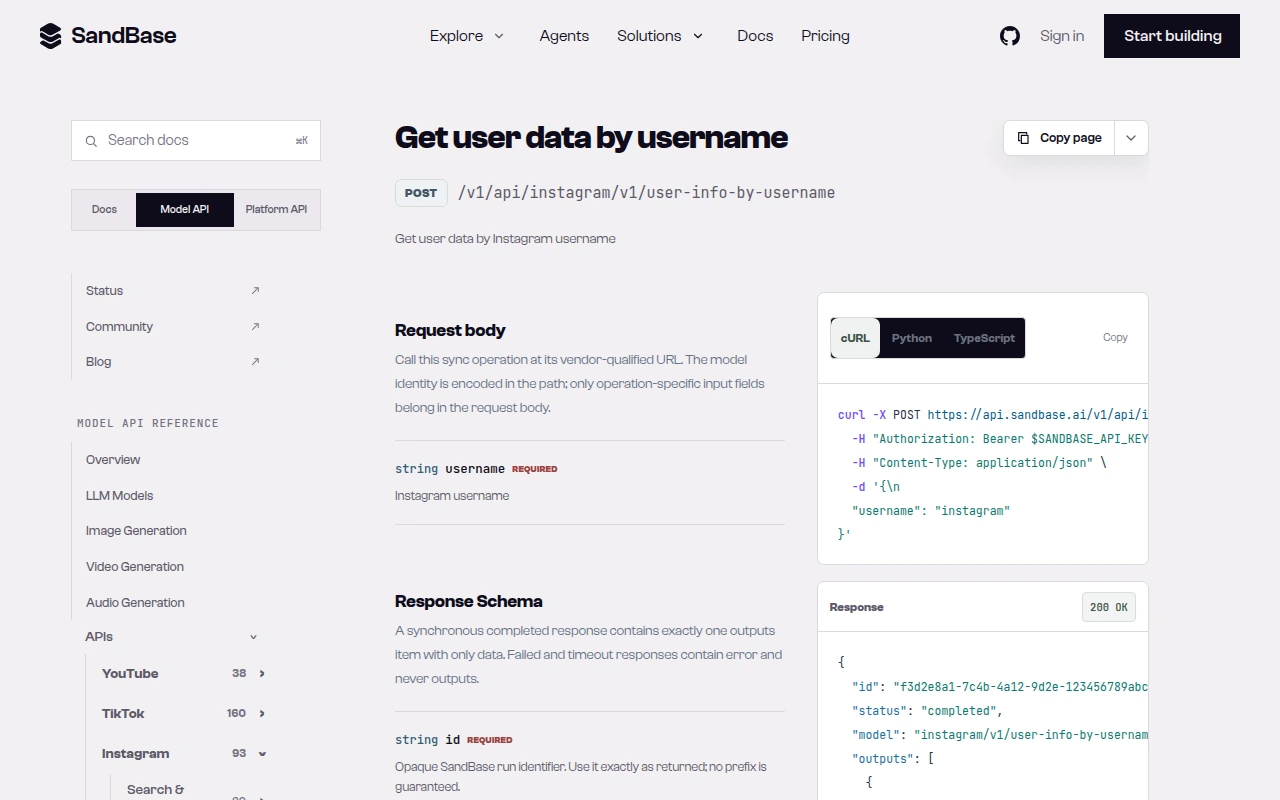 The API reference spells out the pattern: call the vendor-qualified URL and put only operation-specific fields in the body. cURL, Python, and TypeScript samples are provided per endpoint.
Capability map
| Capability cluster | Representative endpoint | Typical use |
|---|---|---|
| User profile & IDs | instagram/v1/user-info-by-username | Resolve a handle to profile fields and user ID |
| Followers / following | instagram/v3/user-followers | Audience and network analysis (paginated) |
| Posts & Reels | instagram/v3/user-posts, instagram/v3/user-reels | Content monitoring, engagement tracking |
| Comments & translation | instagram/v3/post-comments, instagram/v3/translate-comment | Sentiment and multilingual comment analysis |
| Hashtag / location / music | instagram/v3/hashtag-posts | Trend and campaign discovery |
| Search | instagram/v3/search-users | Find accounts, tags, or places |
| ID utilities | instagram/v1/shortcode-to-media-id | Convert a post URL to its media ID |
Endpoints exist in v1, v2, and v3. When more than one version offers the same capability, prefer v3 — it is the most complete set and adds a max_id pagination cursor on most list endpoints.
Common use cases
Instagram profile API for creator discovery
Resolve a handle with instagram/v1/user-info-by-username, then read edge_followed_by.count, category, and bio to shortlist creators by size and niche. Input: a username or a list of candidates. Output: a comparable profile record per creator. Endpoints: user-info-by-username, optionally instagram/v3/search-users to find candidates first.
Instagram Reels API for competitor monitoring
Poll a competitor’s recent posts and Reels on a schedule and diff engagement over time. Input: a username. Output: a time series of posts/Reels with counts. Endpoints: instagram/v3/user-posts and instagram/v3/user-reels.
Instagram hashtag API for campaign research
Pull recent posts under a campaign or topic tag to gauge volume and surface top accounts. Input: a hashtag (without #). Output: a paginated list of tagged posts. Endpoint: instagram/v3/hashtag-posts (page with max_id).
A short workflow: followers of an account
Paginated list endpoints follow one convention: omit max_id on the first request, then pass the cursor from the previous response to continue. Here is “resolve a handle, then page through its followers”:
import os
import requests

BASE = "https://api.sandbase.ai/v1/api"
HEADERS = {
    "Authorization": f"Bearer {os.environ['SANDBASE_API_KEY']}",  # keep the key out of code
    "Content-Type": "application/json",
}

def call(endpoint, **params):
    resp = requests.post(f"{BASE}/{endpoint}", headers=HEADERS, json=params)
    resp.raise_for_status()
    body = resp.json()
    if body.get("status") != "completed":            # branch on status before reading outputs
        err = body.get("error", {})
        raise RuntimeError(f"{endpoint} {body.get('status')}: {err.get('message', 'no output')}")
    return body["outputs"][0]["data"]

def all_followers(username, pages=3):
    collected, cursor = [], None
    for _ in range(pages):
        params = {"username": username, "count": 100}
        if cursor:
            params["max_id"] = cursor
        data = call("instagram/v3/user-followers", **params)
        collected.extend(data.get("users", []))
        cursor = data.get("next_max_id")   # pagination cursor lives in data
        if not cursor:
            break  # no more pages
    return collected

followers = all_followers("nasa", pages=2)
print(f"Collected {len(followers)} followers")
The pagination cursor comes back as data.next_max_id; pass it as max_id on the next request and stop when it is absent. count accepts 1–100 (default 12). One thing I only learned by reading an actual response: the profile fields sit a couple of levels deep and the cursor lives inside data, not at the top level — so I inspect one real payload and map the exact path before writing the parsing code, rather than assuming it.
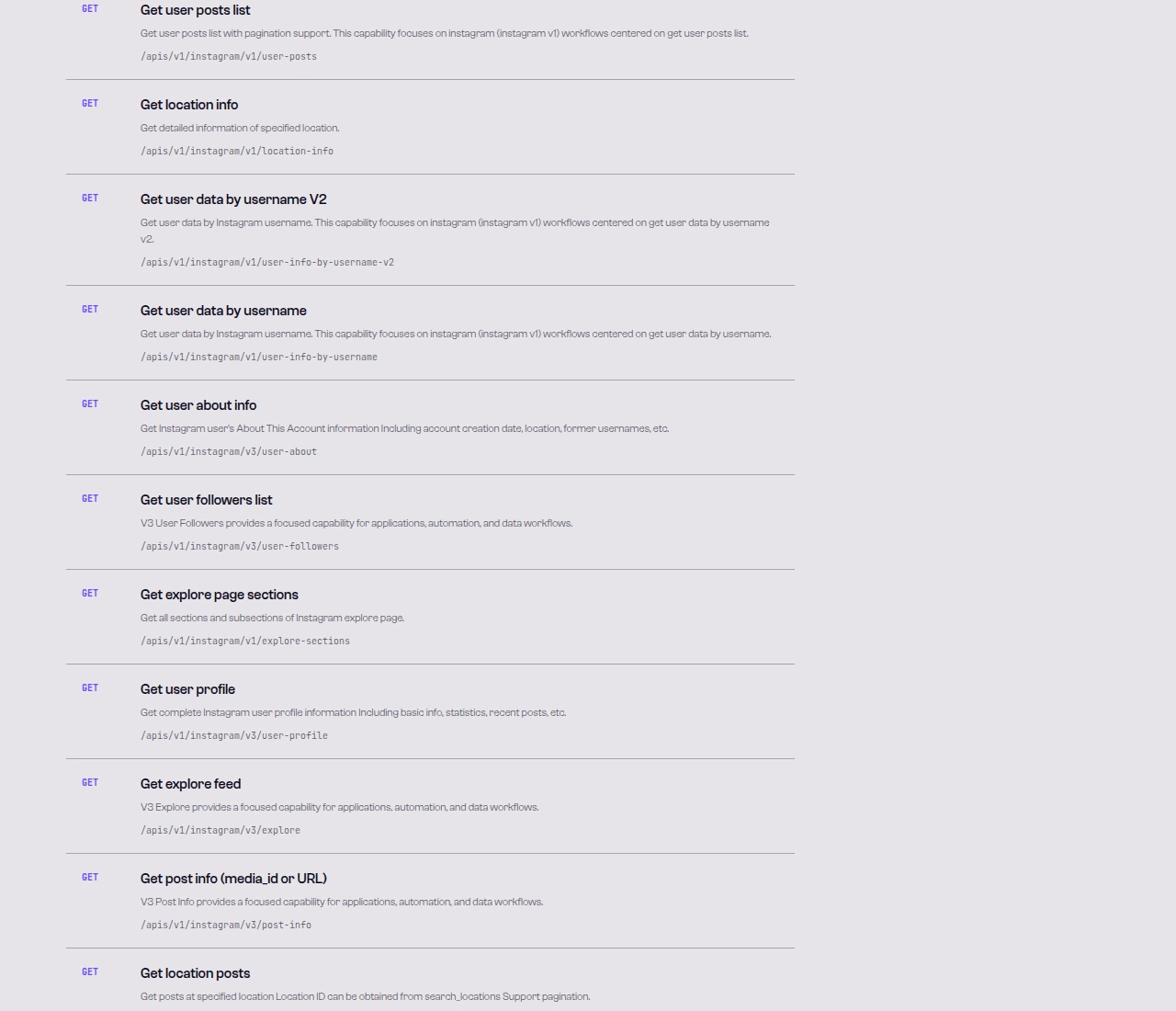 A slice of the Instagram endpoint list —
 user-followers, user-posts, user-about, and others, each with a description and path.
Limitations and boundaries
- Public data only. These endpoints read public profiles and content. There is no posting, liking, following, or messaging, and private accounts are not accessible.
- Rate and volume. Treat responses as best-effort reads. Handle empty results and HTTP 429 with backoff; control concurrency and pacing, and confirm the available endpoints against the live catalog before wiring in higher-volume jobs.
- Field shape follows the source. Response fields mirror the upstream data and can vary by endpoint and version. Inspect one real response and code against what is actually there.
- Not an official Instagram partnership. SandBase provides uniform access to public data; it does not grant rights beyond what the source data allows. Respect Instagram’s terms and applicable privacy rules for your use case.
FAQ
Do I need an Instagram token or app review?
No. You authenticate to SandBase with your SANDBASE_API_KEY. You do not register an Instagram app or manage OAuth for these read endpoints.
What is the difference between v1, v2, and v3?
They are schema generations for the same platform. v3 is the largest and most current set and adds pagination on most list endpoints; v1/v2 remain available for capabilities you already depend on.
How do I convert a post URL to a media ID?
Extract the shortcode from the URL (the code in instagram.com/p/<shortcode>/) and call instagram/v1/shortcode-to-media-id, or use instagram/v3/extract-shortcode first if you only have the raw URL.
Is the call synchronous?
Yes. Instagram data endpoints run in sync mode — the JSON response is the result, with no polling step.
How does pagination work?
List endpoints that support paging take a max_id cursor. Omit it on the first request, then pass the value returned by the previous response to fetch the next page. count controls page size (up to 100 on user-followers, default 12).
Can I read private accounts or get login-only data? No. The API returns public data only. Private accounts, direct messages, and any action that requires being logged in as a user are out of scope.
Which endpoint should I call for a given task?
Match the task to the capability cluster in the table above, then prefer the v3 variant when it exists. For example, use instagram/v3/user-posts for a feed, instagram/v3/hashtag-posts for a tag, and instagram/v3/search-users to find accounts.
Can I get Reels, Stories, and Highlights?
Yes. Use instagram/v3/user-reels for Reels, instagram/v3/user-stories for current stories, and instagram/v3/user-highlights (with highlight-stories) for saved highlights.
What happens if I hit a rate limit? Expect an HTTP 429 under heavy load. Retry with bounded exponential backoff, and control concurrency and pacing rather than looping single-item calls at full speed.
Start with one profile request
Create a SandBase API key, run user-info-by-username against a public username, and inspect the returned schema before you expand to followers, posts, or Reels. When you are ready: