Doubao Xiaodou vs Kimi: Personal Assistant or Workbench? (2026)
Official Xiaodou copy leans toward life and ecosystem follow-up. Official Kimi surfaces lean toward a workbench, research, and multi-step deliverables. Claims only, not a quality test.
Doubao Xiaodou and Kimi can both be described, in official language, as assistants that do more than answer once. The more useful official difference is what each surface emphasizes. Xiaodou’s product page leans toward a personal assistant that takes the initiative in daily life and in authorized Doubao-ecosystem apps. Kimi’s official assistant and download pages lean toward a workbench: research, multi-step deliverables, plugins, and scheduled work.
This article does not test research quality, follow-up success, or whether a finished deck actually lands. It only repeats what official pages checked on 26 November 2026, Asia/Shanghai, already say. The pinyin Xiaodou is a pronunciation aid, not a confirmed official English brand name. For Xiaodou’s official definition, see What Is Doubao Xiaodou?. A China-available, still unscored view of both is in Personal AI Assistants Available in China.
Key takeaway
- Official Xiaodou positioning, from the product page and Doubao’s 24 November 2026 announcement: a Doubao that understands you and can take the initiative to get things done. Public beta is invite-only. The confirmed client is the China App Store listing for iOS and iPadOS 15.0 or later.
- Official Kimi positioning, from the AI assistant page: Kimi AI
助手is described as one-stop support for work and creation, including research and multi-step deliverables such as documents, decks, sheets, design, 3D, and sites. The download page describes Kimi Work on desktop, with local folders, a browser Agent, Agent Swarm, plugins, and scheduled tasks.- Official task and connector lists stay attached to the pages that name them. Xiaodou names Douyin, Feishu, Calendar, Health, and Location, plus follow-up examples such as a daily brief and a price-drop reminder. Kimi names plugins, custom skills, MyKimi preference learning, project folders, and, on the Work side, local folders and a browser Agent. Neither list fills the other.
- Official platforms also differ in what has been written down. Kimi’s download page and FAQ, as checked, describe web, desktop, and mobile, and say mobile supports iOS, Android, and HarmonyOS. Xiaodou’s confirmed client remains the China iOS listing; Android for Xiaodou is still unconfirmed.
- Not compared: research quality, follow-up success, latency, quotas, or a merged price table. Xiaodou prices stay in Doubao Xiaodou Pricing in 2026.
Official positioning
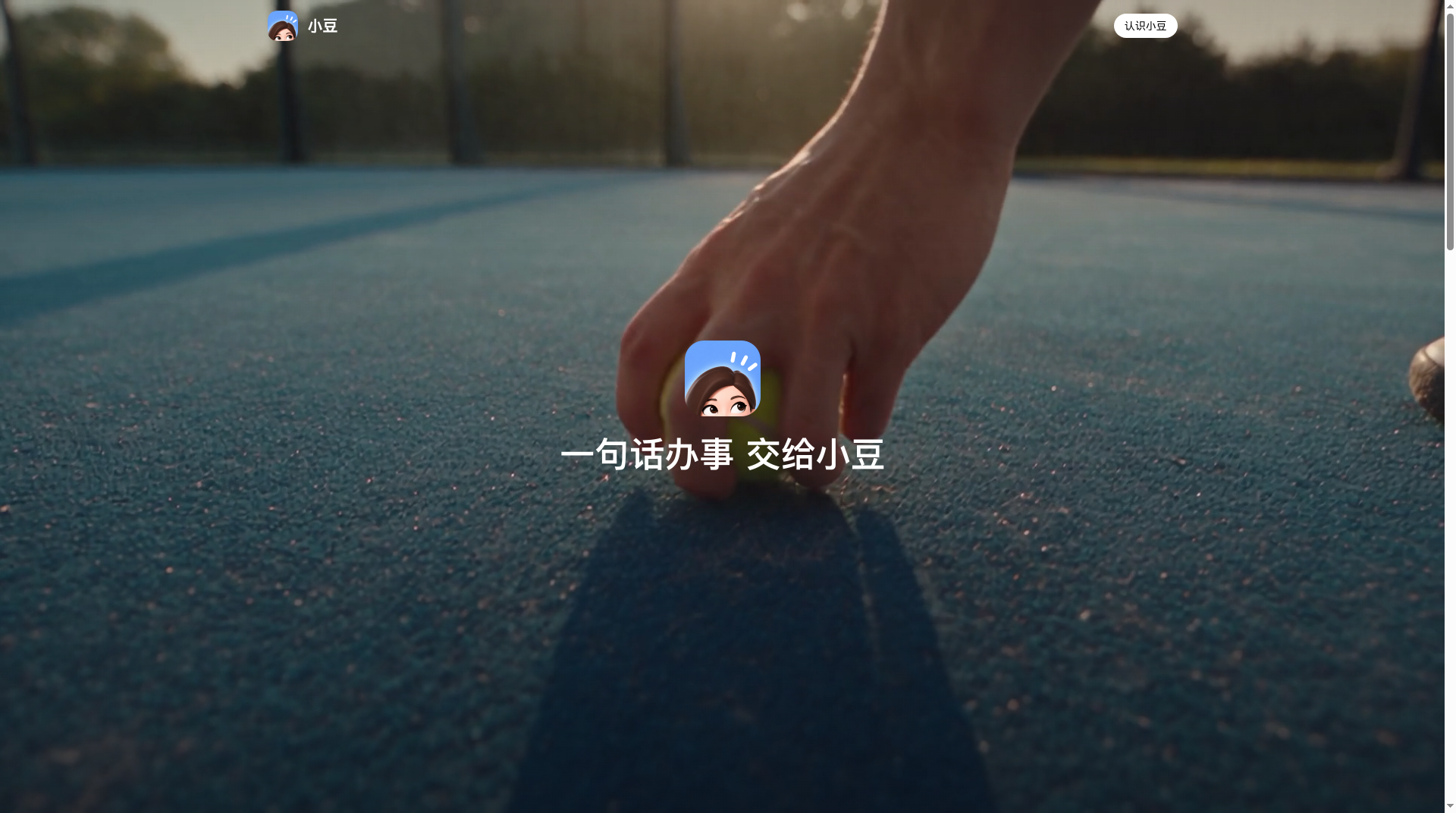
Xiaodou product page, captured 26 November 2026. The hero reads 一句话办事 交给小豆.
The Xiaodou product page presents a Doubao that understands you and can take the initiative to get things done. Invite-page metadata calls it a personal AI assistant that remembers preferences, connects commonly used apps, and helps proactively with work and life. Doubao’s official account, on 24 November 2026 at 10:21:53 Asia/Shanghai, said public beta is invite-only, that an invite code opens the trial with a free quota of unpublished size, and that Xiaodou’s capabilities and experience will gradually go live in the Doubao app. The relationship with that main app is covered in Xiaodou vs the Doubao App.
Kimi’s official assistant page describes Kimi AI 助手 as one-stop support for work and creation. Official copy on that page emphasizes research and getting to a finished artifact across multiple steps: documents, slide decks, spreadsheets, design, 3D, and sites. It also describes plugins and custom skills, and MyKimi as a layer that learns preferences and can create skills. The same official surface mentions web use, desktop chat mode, mobile, and project folders.
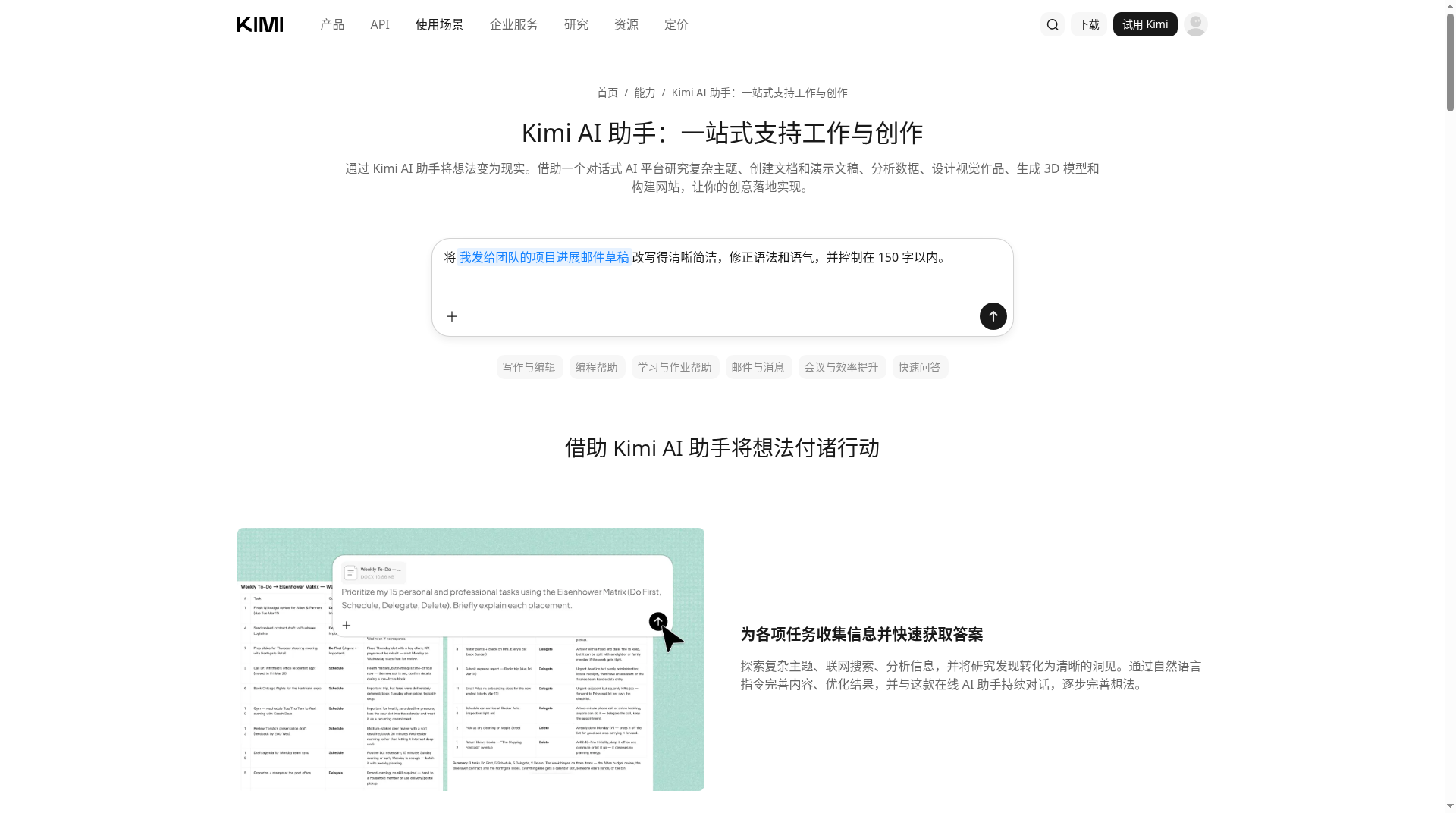
Kimi assistant page, https://www.kimi.com/capabilities/ai-assistant, captured 26 November 2026. The title is Kimi AI 助手:一站式支持工作与创作.
Those are two official product sentences. Xiaodou is framed as a personal assistant that comes back to you inside a Doubao-centered life. Kimi is framed as a workbench and research surface that can carry a job across steps and tools. “Workbench” here is Kimi’s official emphasis, not a score that Xiaodou cannot write a document.
Tasks, schedules, and connectors
Official Xiaodou behaviors are proactive messages, “guess what you want,” and task follow-up. Follow-up examples include a daily brief, a price-drop reminder, and an exercise goal, handed over in one sentence and changeable or stoppable later. Named connections are Douyin, Feishu, Calendar, Health, and Location, plus “other apps,” under your authorization. Closing examples include placing a reservation by phone, organizing Feishu to-dos, and following long-term goals. The App Store listing adds a catalog used under explicit instructions and authorization, including calendars and to-dos, package tracking, nearby search, shopping after-sales, health reminders, and office writing.
Official Kimi copy, on the assistant and download pages, names a different toolkit. The assistant page talks about research and multi-step deliverables, plugins, custom skills, MyKimi preference learning, and project folders. The download page describes Kimi Work on desktop: local folders, a browser Agent, Agent Swarm, plugins, and scheduled tasks. The same official download surface also describes a daily research briefing, a browser extension, and Kimi Office. Official notes on that page, as checked, say chat history syncs across web, desktop, and mobile, while Work-mode tasks stay on the computer that created them. That last distinction is an official sync rule, not a quality claim.
The two official “schedule” stories therefore only partly rhyme. Xiaodou’s product page is explicit about reminders and follow-up at an agreed rhythm. Kimi’s official pages are explicit about scheduled tasks and a daily research briefing. Those are both forms of coming back later, and both belong in Assistants That Follow Up for You in 2026. They are not evidence that the reminders are equally accurate, or that one product’s briefing is better research.
Connectors stay equally separate. Xiaodou’s named apps are consumer and ByteDance-adjacent: Douyin, Feishu, Calendar, Health, Location. Kimi’s named tools are plugins, custom skills, local folders, and a browser Agent. This article does not infer a Feishu connector for Kimi, or a local-folder Work mode for Xiaodou.
Platforms
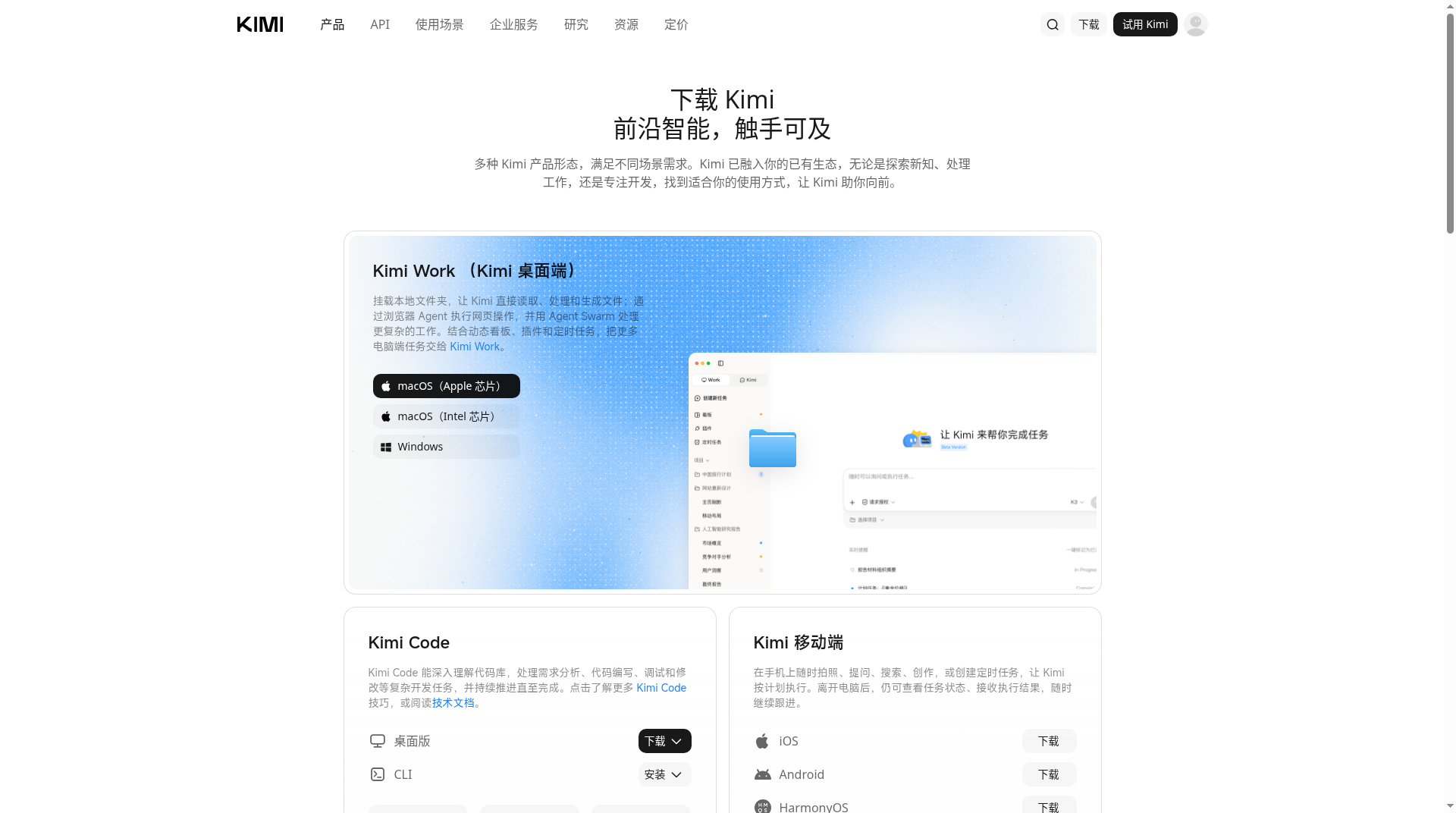
Kimi download page, captured 26 November 2026. It shows Kimi Work for macOS and Windows, and Kimi mobile for iOS, Android, and HarmonyOS. The Work text mentions a browser Agent and scheduled tasks.
Xiaodou’s confirmed client in this check is the China App Store app, listed as 小豆 - 豆包旗下 AI 个人助理, free with in-app purchases, in Simplified Chinese, with an 18+ age rating on the store page, requiring iOS or iPadOS 15.0 or later. Official announcement copy still requires an invite code. A logged-in Xiaodou web app was not confirmed. An official Android store listing for Xiaodou was not opened, so Android remains unknown.
Kimi’s official download page describes more surfaces. As checked on 26 November 2026, it describes web, desktop, and mobile. The mobile section on that page names iOS and HarmonyOS; the FAQ language on the same official surface says mobile supports iOS, Android, and HarmonyOS. This article records that official wording. It does not treat the FAQ line as a substitute for an opened Android store listing’s screenshots or pricing, and it does not copy Kimi’s Android mention onto Xiaodou.
Pricing is not merged. Xiaodou still has two official number sets on the App Store page, documented in the pricing article. This check of Kimi’s assistant and download pages is used for product positioning and platform language, not to invent a complete Kimi tariff or a value comparison with Xiaodou.
Official client modes are part of the access picture, not a quality test. Kimi’s download page, as checked, distinguishes chat that can sync across web, desktop, and mobile from Work-mode tasks that stay on the computer that created them. That is a documented official rule about where a job lives. Xiaodou’s official pages, in this check, do not describe an equivalent desktop Work mode, a local-folder agent, or a sync split of that kind. The absence is not a claim that Xiaodou cannot keep a thread; it is only that this official Work/chat distinction is Kimi’s, and it should not be copied onto Xiaodou.
What cannot be compared yet
- Which product is better at research, writing, or “getting things done.”
- Whether Xiaodou follow-up or a Kimi scheduled task and daily research briefing actually complete as described.
- Official Android details for Xiaodou.
- A like-for-like quota comparison, or a merged price table.
- Whether MyKimi preference learning and “some of your memory in Doubao” are the same kind of memory. Official pages use different words; this article leaves them different.
- Quality, latency, or a workbench benchmark.
How to choose, with the information that exists
If you already live in Doubao, can obtain an invite, and want the assistant whose own page emphasizes proactive messages, life-and-ecosystem follow-up, and authorized connections to Douyin, Feishu, Calendar, Health, and Location, Xiaodou is the official product for that framing. The confirmed download path in this check is the China App Store listing.
If you want an official workbench and research surface, with named multi-step deliverables, plugins, scheduled tasks, a daily research briefing, and officially documented web, desktop, and mobile clients, including official mobile language that covers iOS, Android, and HarmonyOS, start from Kimi’s assistant page and download page. You do not need a Xiaodou invite for that path.
If your question is “which one is the better assistant,” official pages do not answer it. If your question is whether you are choosing a Doubao-centered personal follow-up product or a Kimi-centered workbench, the official emphases already diverge.
Nearby official-claim comparisons include Xiaodou vs Qianwen and Xiaodou vs Microsoft Copilot, the latter also being a work-framed official surface, with its own preview labels. An iOS-only, still unscored slice is in iOS Personal AI Assistants in 2026.
If you are building your own assistant or workbench rather than choosing a consumer app, that is a different job. SandBase has no Xiaodou card. The live model-family card is Seed 2.1 Pro (bytedance/seed-2.1-pro), listed at $0.89 input, $4.45 output, and $0.18 cache read per million tokens, with a 1M context window, and described as Doubao-Seed-2.1-Pro through Doubao and Volcano Engine. Related catalogs: ByteDance models and Chinese LLM APIs. Those links are for the model family. They are not a way to call Xiaodou, and they are not a Kimi API card invented for this article.
Sources
- Official Xiaodou product page: doubao.com/xiaodou. Checked 26 November 2026, Asia/Shanghai.
- China App Store listing for Xiaodou, id 6815582077, same day.
- Doubao official announcement, 24 November 2026, 10:21:53 Asia/Shanghai, as cited in What Is Doubao Xiaodou?.
- Official Kimi assistant page: kimi.com/capabilities/ai-assistant, same day.
- Official Kimi download page: kimi.com/products/download, same day, including desktop Work features, scheduled tasks, the daily research briefing, and official mobile platform wording.
- SandBase cards linked above, confirmed live the same day. There is still no Xiaodou catalog card.
Found this useful? Share it