Website Traffic Checker: Read Six Months of Similarweb Estimates
How SandBase Website Traffic Checker retrieves six published months of Similarweb visit estimates, when comparisons are useful, and where estimates stop.

Public traffic tools tempt people into false precision. A competitor appears to have 2.4 million visits, a chart rises for two months, and a strategy deck quietly turns an estimate into audited analytics.
SandBase Website Traffic Checker keeps the task narrower. Enter a domain and it retrieves estimated worldwide visits for each of the last six published months from Similarweb. The best use is directional comparison across the same source and window—not claiming access to another site’s private analytics.
Key takeaway
- One run calls
similarweb/traffic-engagementonce.- The Lab requests monthly worldwide visits for six published months.
- The six-month, one-metric request is estimated at $0.45 by the formula inspected on 2026-11-08; recheck before running.
- Similarweb values are panel- and partner-based estimates, not exact analytics.
- Compare domains with the same parameters and record the retrieval date.
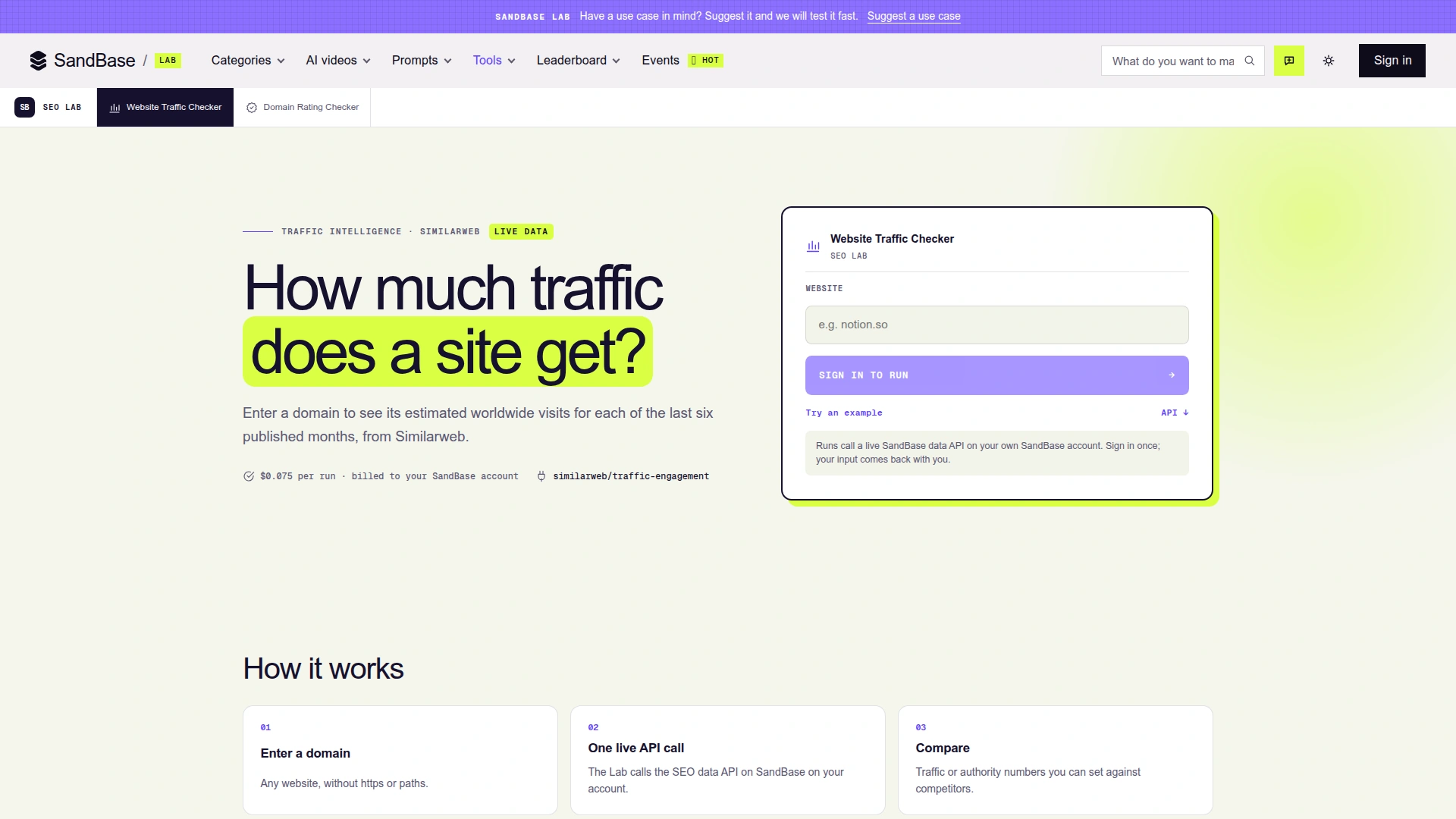 Historical screenshot retained from the original 2026-11-02 article; its price display is not current billing evidence. The public tool page states the source, metric, six-month window and price before sign-in. It also tells users to enter a bare domain without protocol or path.
What the tool asks the API to do
The example shown on the page calls similarweb/traffic-engagement with a domain, monthly granularity, worldwide country code, a start and end month, the visits metric and a main_domain_only choice. That explicit request matters: “traffic” is not one universal number. Country scope, domain aggregation, metric and window all change the result.
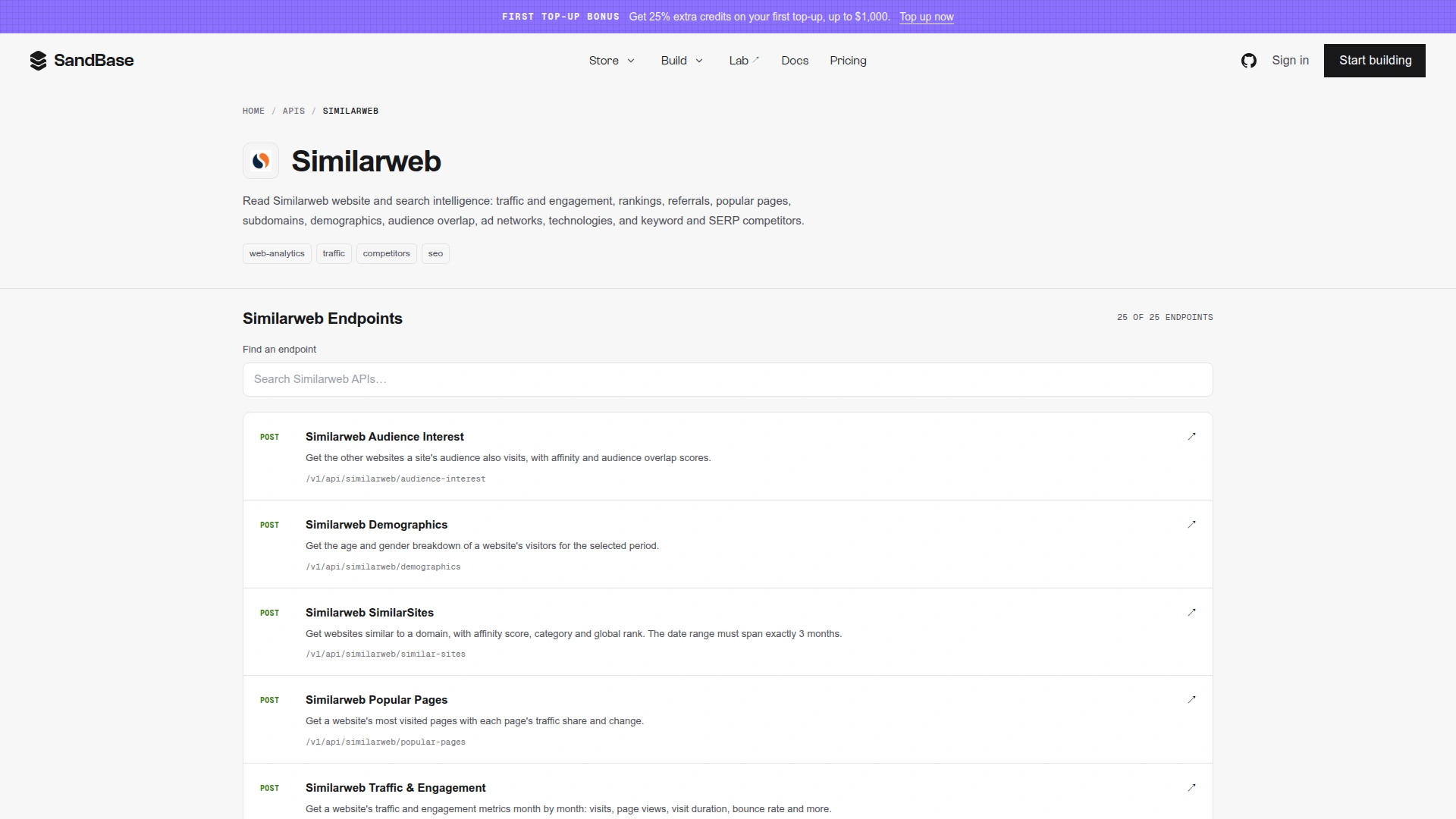 The Similarweb catalog is the data-provider surface. The Lab tool deliberately uses one endpoint and one bounded metric rather than presenting the whole catalog as a single score.
Estimates are still useful
An estimate can answer comparative questions when the method is held constant. Did two competitors move in the same seasonal pattern? Is a potential partner roughly in the same traffic tier as another site? Did a domain’s apparent direction change enough to justify deeper research?
It cannot answer exact internal questions: unique users, conversion, paid versus organic attribution, campaign ROI or whether a chart movement is statistically meaningful. A site’s first-party analytics remains the authority for its own traffic.
| Safe use | Unsafe claim |
|---|---|
| “Similarweb estimates Domain A above Domain B for this six-month window.” | “Domain A received exactly this many visits.” |
| “The estimate rose across the latest published months.” | “The company grew because of campaign X.” |
| “This partner appears to be in a higher traffic tier.” | “The site has this many customers.” |
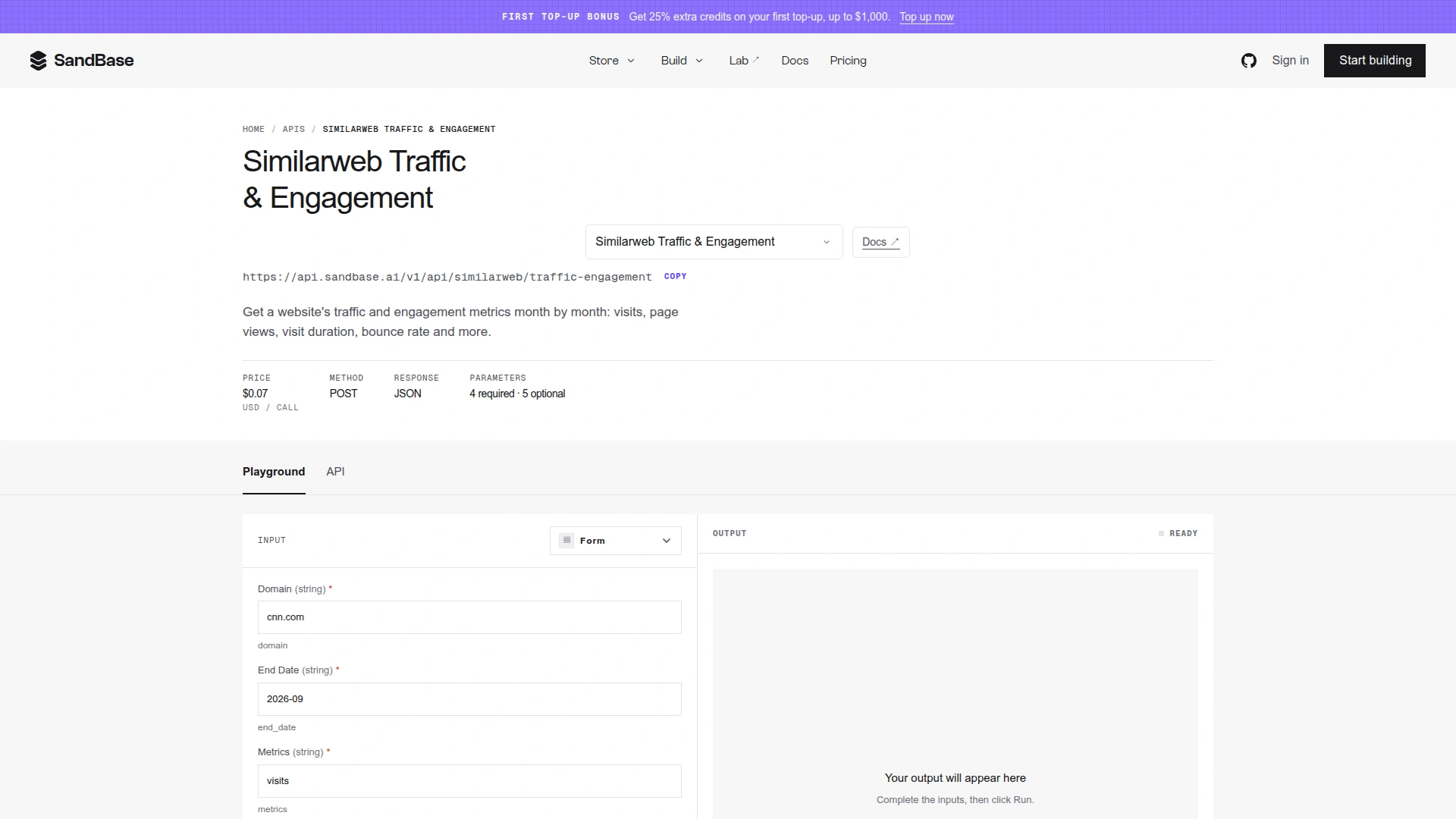 Historical endpoint screenshot from the original article; the displayed rounded price is not a current total-cost quote. The direct endpoint page is the route for scheduled comparisons. Store the exact request with every series so later charts remain reproducible.
Start from the setup you already have
An API key provides authentication; your agent still needs the endpoint, input schema and a bounded task. Choose the path that matches your current setup:
- You already have a key: keep it in your local
SANDBASE_API_KEYenvironment variable or secret manager. Use the Python example below or the endpoint’s Playground. Do not paste the key into an agent conversation, source file or screenshot. - Your agent already has SandBase tools: ask it to discover Similarweb and inspect the selected tool’s current parameters and price. Reuse that connection. Give it the domain, exact months, metric and request budget before execution.
- You are starting a project: give your coding agent the setup Skill and Markdown Quickstart. Let it inspect the existing project and set up the appropriate connection. Supply credentials locally when requested, then have it prepare one request before running it.
A task you can paste with those links:
Help me integrate Similarweb through SandBase. First check whether this project already has a working SandBase connection. Prepare one request for cnn.com, worldwide monthly visits, April through September 2026, with main_domain_only=false. Inspect the current schema and estimate the total request cost. Show me the request and wait for my approval before executing. Do not query other domains or retry automatically. Treat missing data as unknown.
For a time series, use Traffic & Engagement. For one month’s overview, inspect Website Traffic Snapshot instead. Snapshot requires a bare domain and accepts an optional month in YYYY-MM; its country option is also ww. It is a separate request, not a fallback automatically added to the trend query.
Check the total price before a six-month request
The 2026-11-02 Lab page displayed $0.075 per run. That is historical display evidence, not a verified charge for the six-month request. The current Traffic & Engagement pricing formula, inspected on 2026-11-08, multiplies a $0.075 base by the number of comma-separated metrics and the number of months, including both endpoints of the range.
| Requested scope | Formula estimate in USD |
|---|---|
| One metric, one month | $0.075 |
| One metric, April–September inclusive (six months) | $0.45 |
| Two supported metrics, six months | $0.90 |
These are formula estimates before any applicable account discount, not billed-run records. Use only confirmed metric names; counting two strings does not prove both are accepted. Snapshot’s inspected base price is $0.30 per call. Neither inspected contract advertised a free allowance, so do not assume these requests qualify for a platform-wide free-call offer. Recheck the selected tool’s live price before running it.
The trend variant requires domain, start_date, end_date and metrics. It supports country=ww and granularity=monthly; copying another Similarweb product’s country or daily options will not make them supported here. main_domain_only defaults to true. The historical example explicitly chooses false; retain that choice when comparing its results. A valid month string does not establish that the provider has published data for that month.
API calling pattern
curl --fail-with-body --silent \
  -X POST "https://api.sandbase.ai/v1/api/similarweb/traffic-engagement" \
  -H "Authorization: Bearer $SANDBASE_API_KEY" \
  -H "Content-Type: application/json" \
  --data '{"domain":"cnn.com","start_date":"2026-04","end_date":"2026-09","metrics":"visits","country":"ww","granularity":"monthly","main_domain_only":false}'
Read the business payload from outputs[0].data only after the SandBase response reports completion. This article records the documented request, not an assumed nested result schema. Validate and trim a real response before building a database mapper.
One bounded Python request
Install requests with python -m pip install requests, configure the environment variable locally, and save this as traffic.py. It uses the Model API POST route; a catalog page is not the execution endpoint. Running python traffic.py sends one potentially billable request. Review the $0.45 formula estimate and your current price first. The cURL above and Python below are alternatives; do not run both just to set up the connection.
import os
import re
import requests


def month_number(value):
    if not re.fullmatch(r"[0-9]{4}-(0[1-9]|1[0-2])", value):
        raise ValueError("Use YYYY-MM with a month from 01 to 12")
    year, month = map(int, value.split("-"))
    if year < 1:
        raise ValueError("Year must be positive")
    return year * 12 + month


def fetch_visits(domain, start_date, end_date):
    # Require a bare DNS hostname; do not silently strip URLs or credentials.
    label = r"[A-Za-z0-9](?:[A-Za-z0-9-]{0,61}[A-Za-z0-9])?"
    if len(domain) > 253 or not re.fullmatch(rf"{label}(?:\.{label})+", domain):
        raise ValueError("Use a bare hostname such as cnn.com")
    months = month_number(end_date) - month_number(start_date) + 1
    if months < 1:
        raise ValueError("end_date must not precede start_date")
    key = os.environ.get("SANDBASE_API_KEY", "").strip()
    if not key:
        raise RuntimeError("Set SANDBASE_API_KEY in your local environment")
    try:
        response = requests.post(
            "https://api.sandbase.ai/v1/api/similarweb/traffic-engagement",
            headers={"Authorization": f"Bearer {key}"},
            json={"domain": domain, "start_date": start_date,
                  "end_date": end_date, "metrics": "visits", "country": "ww",
                  "granularity": "monthly", "main_domain_only": False},
            timeout=(10, 90), allow_redirects=False,
        )
        if not 200 <= response.status_code < 300:
            raise RuntimeError(f"SandBase HTTP {response.status_code}; inspect before retrying")
        body = response.json()
    except ValueError:
        raise RuntimeError("SandBase returned invalid JSON") from None
    except requests.RequestException:
        raise RuntimeError("Request failed; check run history before retrying") from None
    if not isinstance(body, dict) or body.get("status") != "completed":
        raise RuntimeError("Run did not complete; inspect its status and error")
    outputs = body.get("outputs")
    if not isinstance(outputs, list) or not outputs or not isinstance(outputs[0], dict):
        raise RuntimeError("Missing outputs[0]")
    if "data" not in outputs[0] or not isinstance(outputs[0]["data"], dict):
        raise RuntimeError("Missing object at outputs[0].data")
    return outputs[0]["data"]


if __name__ == "__main__":
    # Historical window, one request; data availability is not guaranteed.
    data = fetch_visits("cnn.com", "2026-04", "2026-09")
    print("Payload keys:", sorted(data))
This example validates the request and the response envelope, then prints only the returned object keys. An empty object is not evidence of zero visits. It does not assume a visits array, build a chart, or repair missing months. The 2026-11-08 revision was checked against the contract and offline mocked responses; it did not execute a new paid traffic query. HTTP errors, invalid JSON and unfinished runs stop the script. A timeout does not prove the server did nothing: inspect run history before deciding whether to send another request.
For authority rather than audience size, use the separate Domain Rating tool. For model-answer visibility, use AEO Check. For company context beyond traffic, the LinkedIn company research workflow keeps profile evidence separate from audience estimates.
A defensible comparison workflow
- Normalize to bare domains and decide whether subdomains belong together.
- Use identical country, metric, granularity and month range.
- Record the API request, provider and retrieval date.
- Plot the estimates without removing inconvenient months.
- Compare direction and order of magnitude before exact differences.
- Investigate news, launches and seasonality separately.
- Label every chart “Similarweb estimate,” including in exports.
Small sites and narrow regional properties may be especially noisy or unavailable. Missing data is not zero traffic. It means the provider did not return a usable estimate for that request.
FAQ
Are the numbers exact?
No. The tool describes them as Similarweb estimates from panel and partner data.
Why six months?
The Lab offers a compact recent window. Direct API callers can use the endpoint’s documented date parameters for supported ranges.
Can this replace Google Analytics?
No. First-party analytics measures the site’s own instrumented activity and is the source for internal decisions.
Bottom line
Website Traffic Checker is useful because it makes a carefully bounded comparison easy: one domain, one provider, worldwide monthly visits and six published months. Keep those boundaries visible. The output can tell you where to investigate, but it cannot turn an external estimate into another company’s analytics account.