Toutiao Author Research API Tutorial | SandBase
Profile Toutiao authors from their articles: author card, article text, and comments via three SandBase endpoints. No Toutiao login; one SandBase API key.
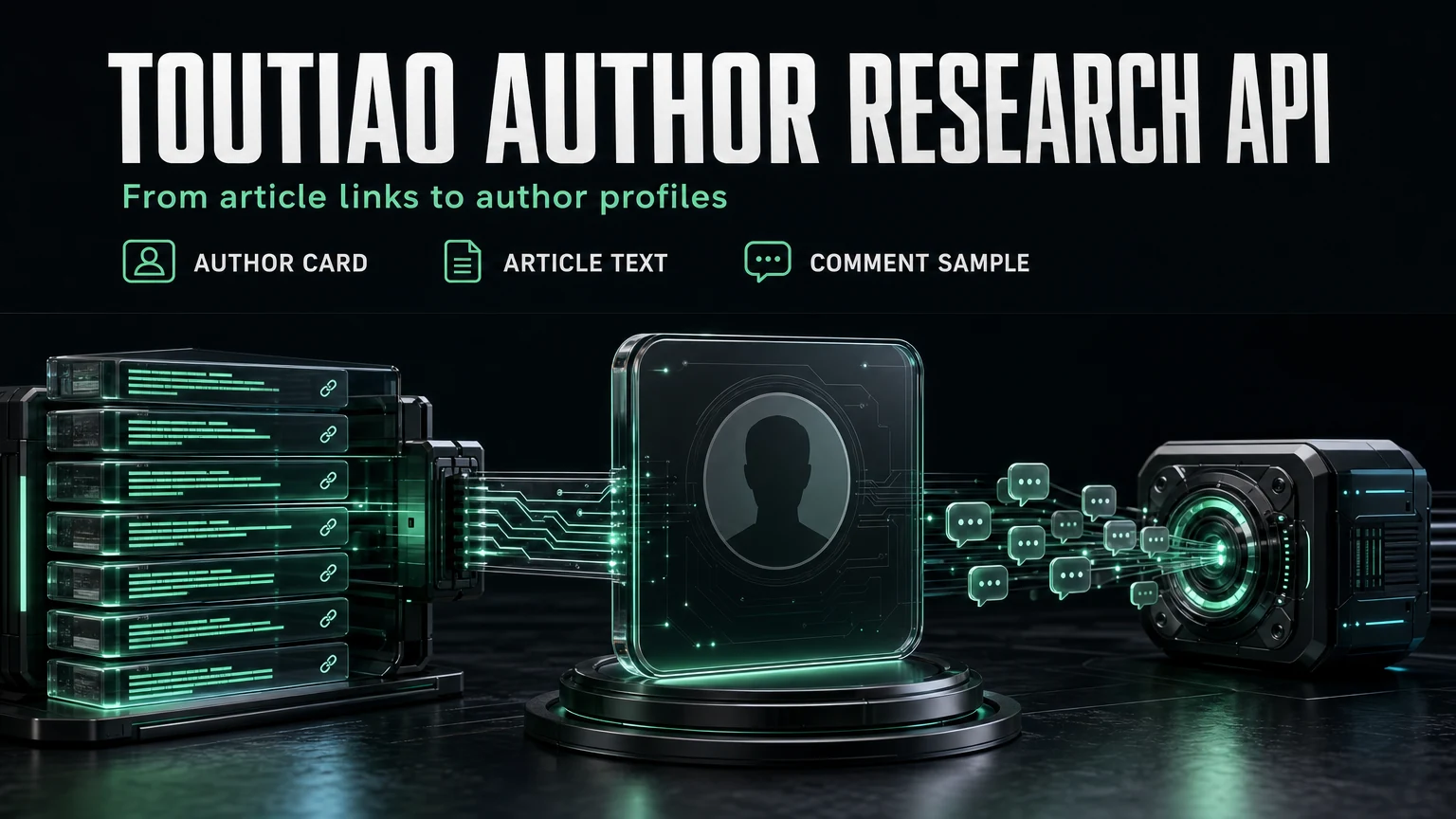
Toutiao (Jinri Toutiao) is where many Chinese news outlets, official accounts, and independent writers publish long-form articles. If you track who is writing about a topic, the questions are always the same: who is the author behind this article, how big is their audience, how did this piece perform, and how did readers react? This Toutiao Author Research API tutorial answers those questions from a list of article links, using three SandBase endpoints that an agent can run end to end. It builds on the Toutiao public data API hub; read that first for the full endpoint map.
Everything here is public, read-only data. You need no Toutiao login and no SDK, but you still authenticate with a SandBase API key. The Toutiao endpoints are free to call on SandBase; the catalog lists them as Free.
The endpoint API reference is the source of truth for parameters and the response envelope. The reference guarantees only that envelope. The payload field names below come from calls I ran (tested on 2026-10-01, UTC). Treat them as illustrative and observed-only, not documented guarantees, and confirm them against a live response.
Key takeaway
- Start from an article link. Its numeric id (the
group_id) is the only input you need.toutiao/app/article-inforeturns the author card (name,user_id, follower count, verification) plus the article’s read, like, and comment counts.toutiao/web/article-infoadds the title, publish time, and body HTML.toutiao/app/commentssamples reader reactions, paged byoffset.- Group the results by author
user_idto get a per-author research record. Public, read-only data only.
Why start from articles, not the author profile
The hub lists toutiao/app/user-info for author profiles, so the obvious design is “get the user_id, then call user-info”. I tried that first. In my test runs, user-info returned a sparse record. For a news outlet whose article card showed about 5.58 million followers, the profile came back with an empty name and a follower count of 49. The record pointed to a linked short-video profile rather than the Toutiao media account. I can’t tell whether that’s a property of the upstream route or of those particular accounts. Either way, the profile was not usable for research.
The article detail, on the other hand, carried a complete author card for both live articles I tested. So this tutorial reads the author from the article. That also matches how most author research starts in practice: you already have articles, from a monitoring feed, a reading list, or links people shared, and you want to know who wrote them.
| Your need | Use |
|---|---|
| Public author, article, and comment data for research | SandBase Toutiao public-data API |
| Publish, manage an account, or use licensed data feeds | Toutiao’s official channels |
| Private or account-only data | Neither public workflow |
The workflow at a glance
- Parse the
group_idfrom each article URL (https://www.toutiao.com/article/<group_id>/). - Read the author card and engagement with
toutiao/app/article-info(group_id). - Read the title, publish time, and text with
toutiao/web/article-info. Note that this route names the same idaweme_id. - Sample comments with
toutiao/app/comments(group_id,offset). - Group by author
user_idto build one record per author.
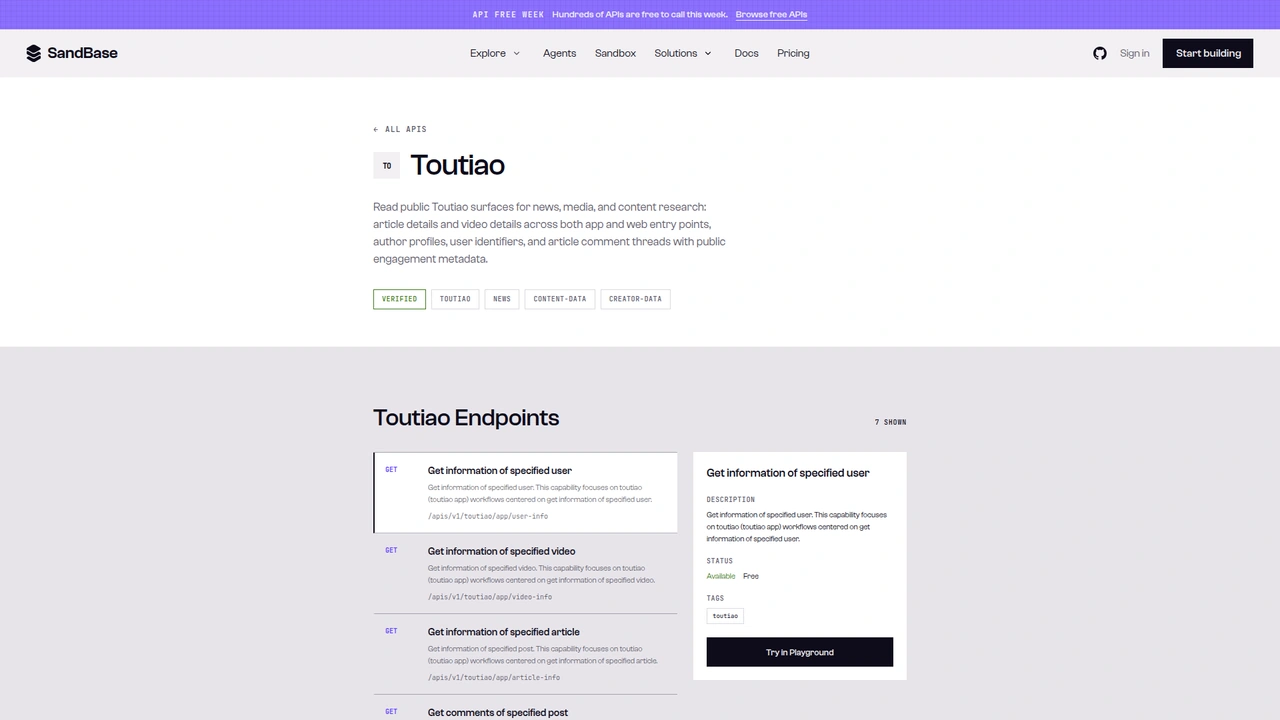 The Toutiao catalog on SandBase. It lists seven endpoints as
 GET /apis/v1/toutiao/... and shows the selected endpoint as Available, Free; this tutorial calls the Model API POST /v1/api/toutiao/... routes instead.
One note on surfaces before the code. The catalog page shows each operation as GET /apis/v1/toutiao/<path>. This tutorial uses the Model API surface from the endpoint reference: POST /v1/api/toutiao/<path> with a JSON body. Don’t mix the two. Keep the POST method and the /v1/api/ prefix when you copy the examples.
Step 0: one helper for every call
import os
import re
import requests

API = "https://api.sandbase.ai/v1/api"
HEADERS = {
    "Authorization": f"Bearer {os.environ['SANDBASE_API_KEY']}",
    "Content-Type": "application/json",
}

def call(path: str, payload: dict) -> dict:
    resp = requests.post(f"{API}/{path}", headers=HEADERS, json=payload, timeout=70)
    resp.raise_for_status()
    body = resp.json()
    if body.get("status") != "completed":
        raise RuntimeError(body.get("error", {}).get("message", f"{path} did not complete"))
    # Documented shape is outputs[0].data; also accept a top-level `output`.
    output = body.get("output")
    if output is None and body.get("outputs"):
        output = body["outputs"][0].get("data", {})
    return output or {}

def group_id_from_url(url: str) -> str:
    m = re.search(r"/(?:article|group)/(\d+)", url)
    if not m:
        raise ValueError(f"no article id in {url}")
    return m.group(1)
The reference documents completed responses as outputs[0].data, and every Toutiao call I made in this test returned that shape. The helper also accepts a top-level output because I have seen that shape on other SandBase platform endpoints. If you prefer strict parsing, drop the fallback. Inside outputs[0].data, both article routes wrapped the payload in another data key next to a message. On app/comments, that inner data is the list of comment cells, with has_more, offset, and total_number beside it. That’s why the steps below read .get("data") again.
Step 1: read the author card and engagement
def read_author_card(group_id: str) -> dict | None:
    data = call("toutiao/app/article-info", {"group_id": group_id}).get("data", {})
    if data.get("delete") or not data.get("user_info"):
        return None  # deleted or unavailable article
    user = data["user_info"]
    return {
        "group_id": group_id,
        "author_id": str(user.get("user_id", "")),
        "author_name": user.get("name"),
        "followers": user.get("fans_count"),
        "verified": user.get("user_verified"),
        "reads": data.get("read_count"),
        "likes": data.get("digg_count"),
        "comments": data.get("comment_count"),
    }
I tested this against a public article from Shandian News, the news app of Shandong Radio and Television. It’s also the example id in the reference. The run id was 7ce8965e-01c0-4577-8f27-195eacffe3d3, on 2026-10-01 UTC. Here is a trimmed excerpt of outputs[0].data:
{
  "data": {
    "group_id": 7450114952884503059,
    "read_count": 95,
    "digg_count": 2,
    "comment_count": 1,
    "repin_count": 1,
    "user_info": {
      "name": "闪电新闻",
      "user_id": 51050126444,
      "media_id": 51201073347,
      "fans_count": 5582263,
      "user_verified": true,
      "user_auth_info": "{\"auth_info\":\"闪电新闻官方账号\",\"auth_type\":\"5\"}"
    }
  },
  "message": "success"
}
A second article, from Xinhuanet (run id a4b82d62-f916-4e48-a6fc-5133965ebd5f), had the same structure. Its author card showed about 29.4 million followers and the article about 26,000 reads. Two things to note. First, user_id came back as a number, so cast it to a string before you use it as a key. Second, user_auth_info is a JSON string, not an object. Parse it with json.loads if you want the verification label.
Deleted articles behave differently. One id I tried, the example from the comments reference, returned "delete": 1 with no user_info at all. The None return above skips those cleanly instead of crashing on a missing key.
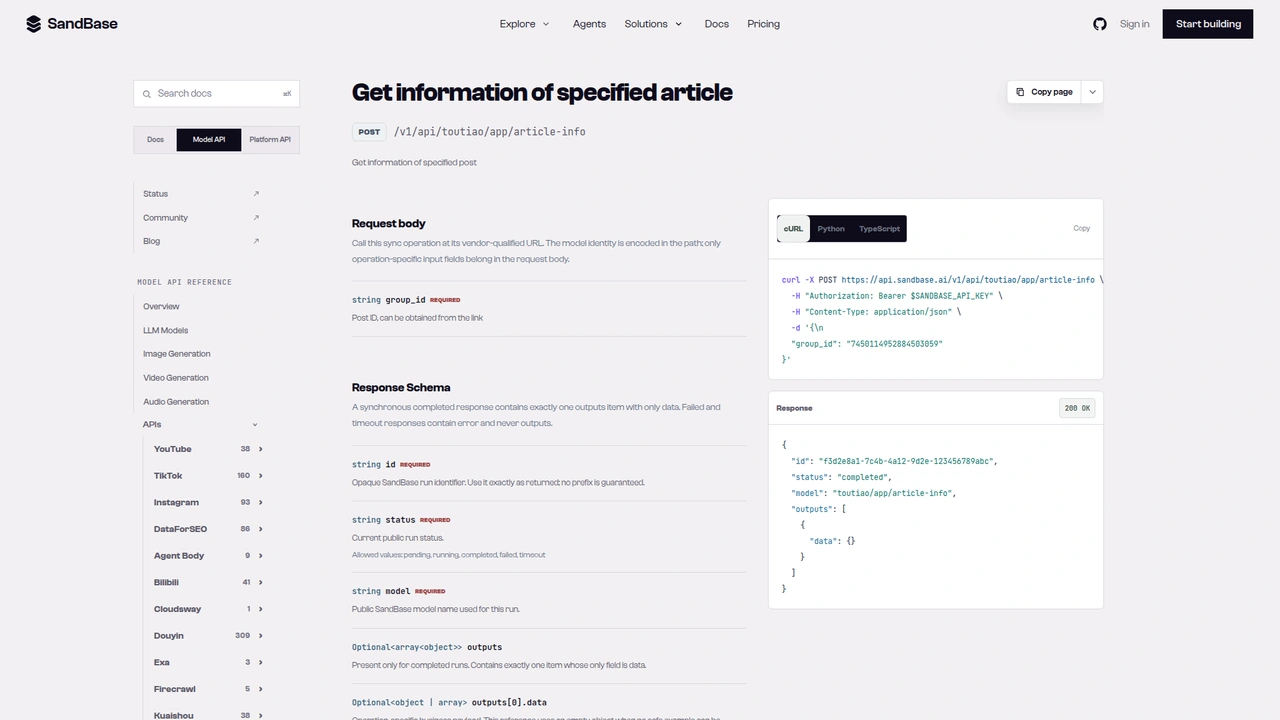 The
The toutiao/app/article-info reference: POST /v1/api/toutiao/app/article-info with a required group_id. The documented response example leaves outputs[0].data empty.
Step 2: read the title, publish time, and text
In my runs, the app article route returned no top-level title or publish-time field. The title only appeared inside share_info. The web route fills that gap:
def read_article_text(group_id: str) -> dict:
    data = call("toutiao/web/article-info", {"aweme_id": group_id}).get("data", {})
    extra = data.get("h5_extra", {}) or {}
    text = re.sub(r"<[^>]+>", " ", data.get("content", "") or "")
    return {
        "title": extra.get("title"),
        "published": extra.get("publish_time"),
        "text": " ".join(text.split())[:2000],
    }
The parameter is named aweme_id on this route, even though it takes the same Toutiao article id. My first call sent group_id and got a 400 with missing properties: 'aweme_id'. In the run I captured (19d6214f-a69e-448f-bdff-b0f62ba2c88f), the payload carried content (article HTML), media_user_id, and an h5_extra object with title, publish_time (for example 2024-12-19 21:31), publish_stamp, and source. Those are observed-only fields. The media_user_id matched the user_id from step 1, which is a useful cross-check that both calls describe the same author.
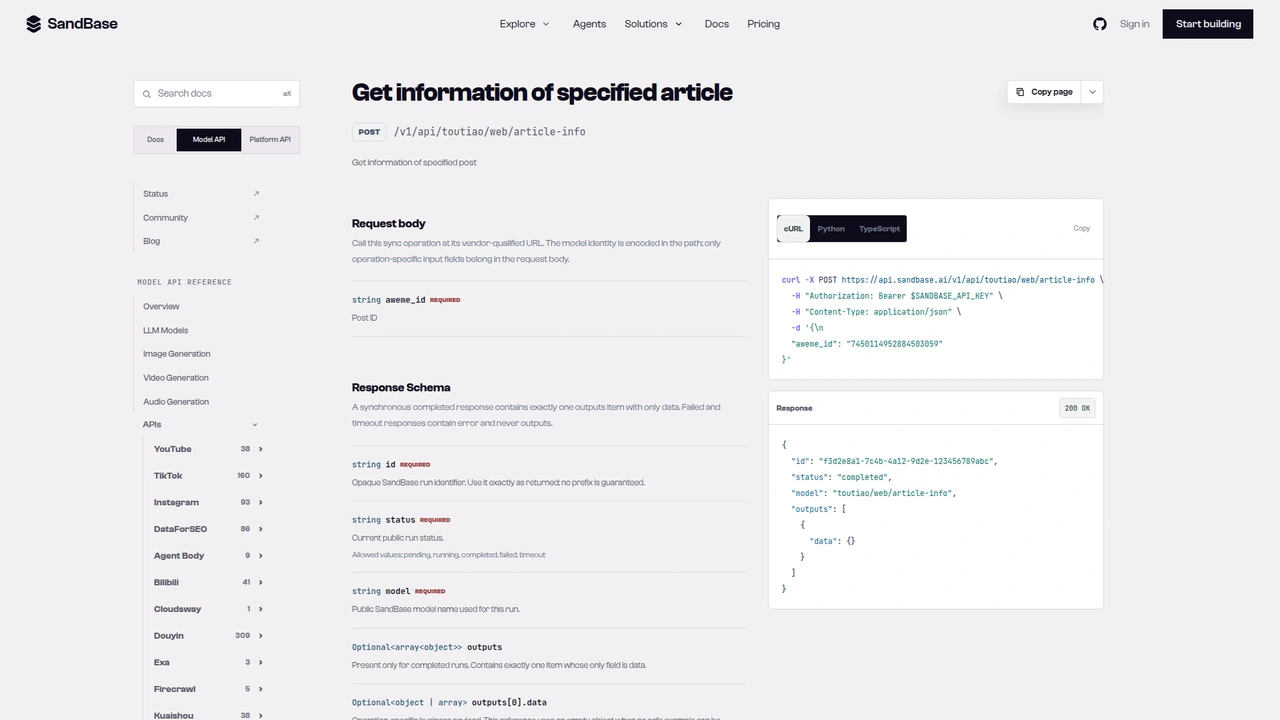 The
The toutiao/web/article-info reference: the same article id goes in a required aweme_id field.
Step 3: sample reader comments
def sample_comments(group_id: str, max_pages: int = 3) -> list[dict]:
    offset, comments = "0", []
    for _ in range(max_pages):
        page = call("toutiao/app/comments", {"group_id": group_id, "offset": offset})
        for cell in page.get("data", []) or []:
            c = cell.get("comment", {}) if isinstance(cell, dict) else {}
            if c.get("text"):
                comments.append({"text": c["text"], "likes": c.get("digg_count")})
        if not page.get("has_more"):
            break
        offset = str(page.get("offset"))
    return comments
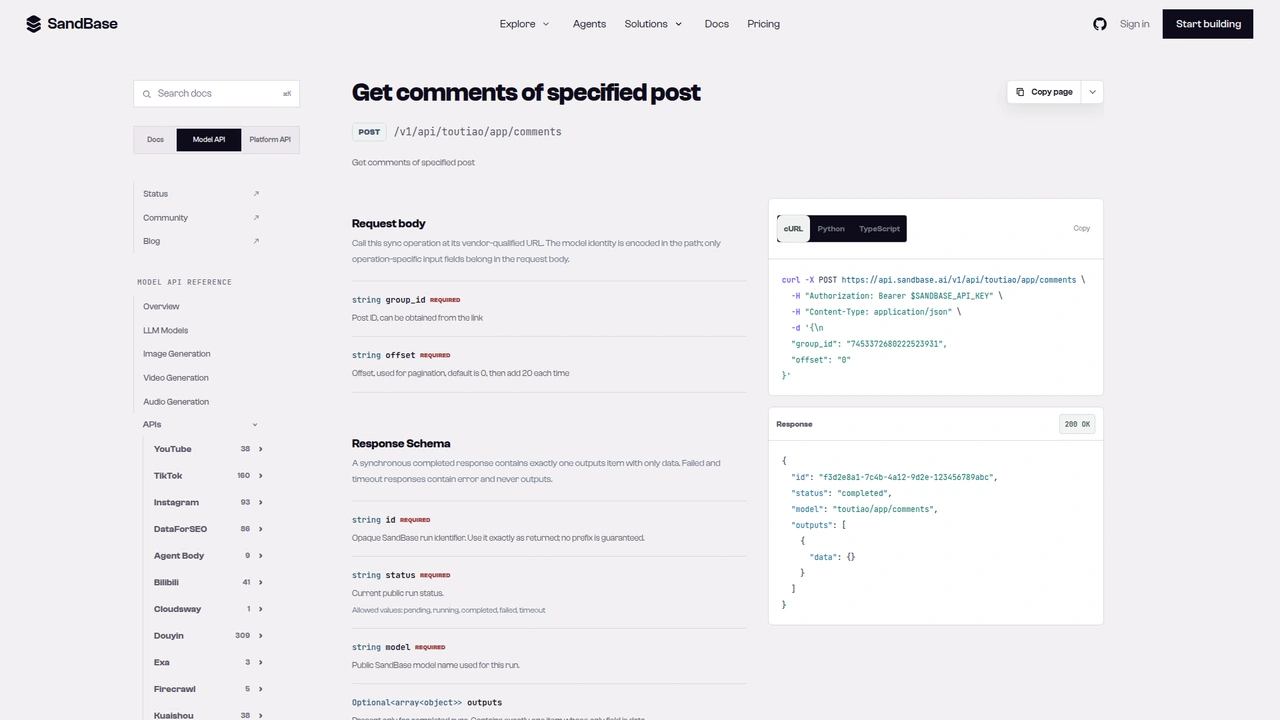
The reference describes offset as a string that starts at "0" and grows by 20. The responses agreed. On a thread with 1,076 comments, the first page (run c61a4cd6-8502-44dc-a344-61a88bbe5b8e) returned 20 comments with has_more: true and offset: 20. The second page (run 0e4c824c-d42c-4d36-9758-fc296c089d61) returned offset: 40. Sending the returned offset back is simpler than computing it yourself, and it stops cleanly when has_more turns false. Each comment carried text, digg_count, reply_count, and create_time, all observed-only.
Comments also include commenter names and ids. For author research you usually only need the text and like counts, so the helper keeps just those. That also keeps personal data out of your store.
 The
The toutiao/app/comments reference: both group_id and offset are required, and offset starts at 0 and steps by 20.
Putting it together: one record per author
def research_authors(urls: list[str]) -> dict:
    authors: dict[str, dict] = {}
    for url in urls:
        gid = group_id_from_url(url)
        card = read_author_card(gid)
        if card is None:
            print("skipped (deleted/unavailable):", gid)
            continue
        article = {**card, **read_article_text(gid), "comment_sample": sample_comments(gid, 1)}
        entry = authors.setdefault(card["author_id"], {
            "name": card["author_name"],
            "followers": card["followers"],
            "verified": card["verified"],
            "articles": [],
        })
        entry["articles"].append(article)
    return authors
I ran this with three links: the Shandian News article, the Xinhuanet article, and the deleted id. It returned two author records, and the deleted id was reported as skipped. Each record holds the author card once, plus every article you fed in, with its engagement numbers, title, text excerpt, and a page of comments. That’s a good shape to hand to a model. Ask it to summarize each author’s beat, compare reads per article across authors, or flag pieces whose comment tone differs from the rest.
Each article costs three calls, plus one for every extra comment page. For a few hundred links, run them sequentially or with modest concurrency, and cache article cards by group_id so a re-run doesn’t fetch them again.
Documented vs. observed
| Item | Status |
|---|---|
POST /v1/api/toutiao/app/article-info with group_id | Documented in the reference |
POST /v1/api/toutiao/web/article-info with aweme_id | Documented in the reference |
POST /v1/api/toutiao/app/comments with group_id + offset (start 0, step 20) | Documented in the reference |
Envelope id / status / model / outputs[0].data | Documented in the reference |
data.user_info (name, user_id, fans_count, user_verified) | Observed only |
read_count, digg_count, comment_count, delete | Observed only |
h5_extra.title, h5_extra.publish_time, content, media_user_id | Observed only |
Comments has_more, offset, total_number, comment.text | Observed only |
Common use cases
Media and outlet monitoring
Feed in the articles a monitoring job collects on a topic. Group them by author to see which outlets and accounts cover it most, and how large their audiences are. Input: article URLs. Output: per-author records. Endpoints: app/article-info, web/article-info.
Writer shortlisting
For brand or PR outreach, compare candidate writers by follower count, verification, and the reads their recent articles earned. Input: a few articles per writer. Output: a ranked author list. Endpoint: app/article-info.
Audience reaction checks
Sample the first pages of comments on an author’s recent pieces and let a model summarize recurring themes or objections. Input: group_ids. Output: comment samples. Endpoint: app/comments.
Topic and beat mapping
Use the article text from web/article-info to tag each piece by topic, then see which authors own which beats. Input: article URLs. Output: an author-by-topic table. Endpoint: web/article-info.
Practical notes
- Two names for one id.
app/article-infoandapp/commentstakegroup_id;web/article-infotakesaweme_id. Both are the numeric article id from the URL. - Expect deleted articles. Check for
deleteor a missinguser_infobefore you read the author. - Normalize types.
user_idcame back numeric anduser_auth_infoas a JSON string. Cast and parse before you store them. - Page comments with the returned
offset. Stop whenhas_moreis false. - Business fields are observed-only. Confirm them against a live response before you depend on them.
- Public, read-only data only. No posting, and no private or account-only data.
- Retry transient failures. One of my calls failed at the TLS layer and succeeded on retry. Wrap calls in a short retry with backoff.
FAQ
Do I need a Toutiao account or login?
No. You authenticate to SandBase with SANDBASE_API_KEY. These read endpoints need no Toutiao account or OAuth on your side.
Is it free? The Toutiao endpoints are currently listed as Free in the SandBase catalog. Check the catalog for the current status.
Why not call user-info for the author?
In my test runs it returned a sparse record that did not match the author shown on the article. The author card inside app/article-info was complete, so this tutorial uses that.
Where does the group_id come from?
From the article link. It’s the number in toutiao.com/article/<group_id>/.
How do I get more comments?
Send the offset returned by the previous page and keep going while has_more is true.
Wrap up
An article link is enough to research its author on Toutiao. One call gives you the author card and engagement, a second gives you the title and text, and a third samples what readers said. Group the results by user_id and you have per-author records an agent can rank and summarize. For the rest of the Toutiao endpoints, see the Toutiao public data API hub. When you’re ready: