Toutiao Public Data API | SandBase
Read public Toutiao authors, articles, videos, and comments with one REST API. No Toutiao login, no SDK — one SandBase key, built for agents.
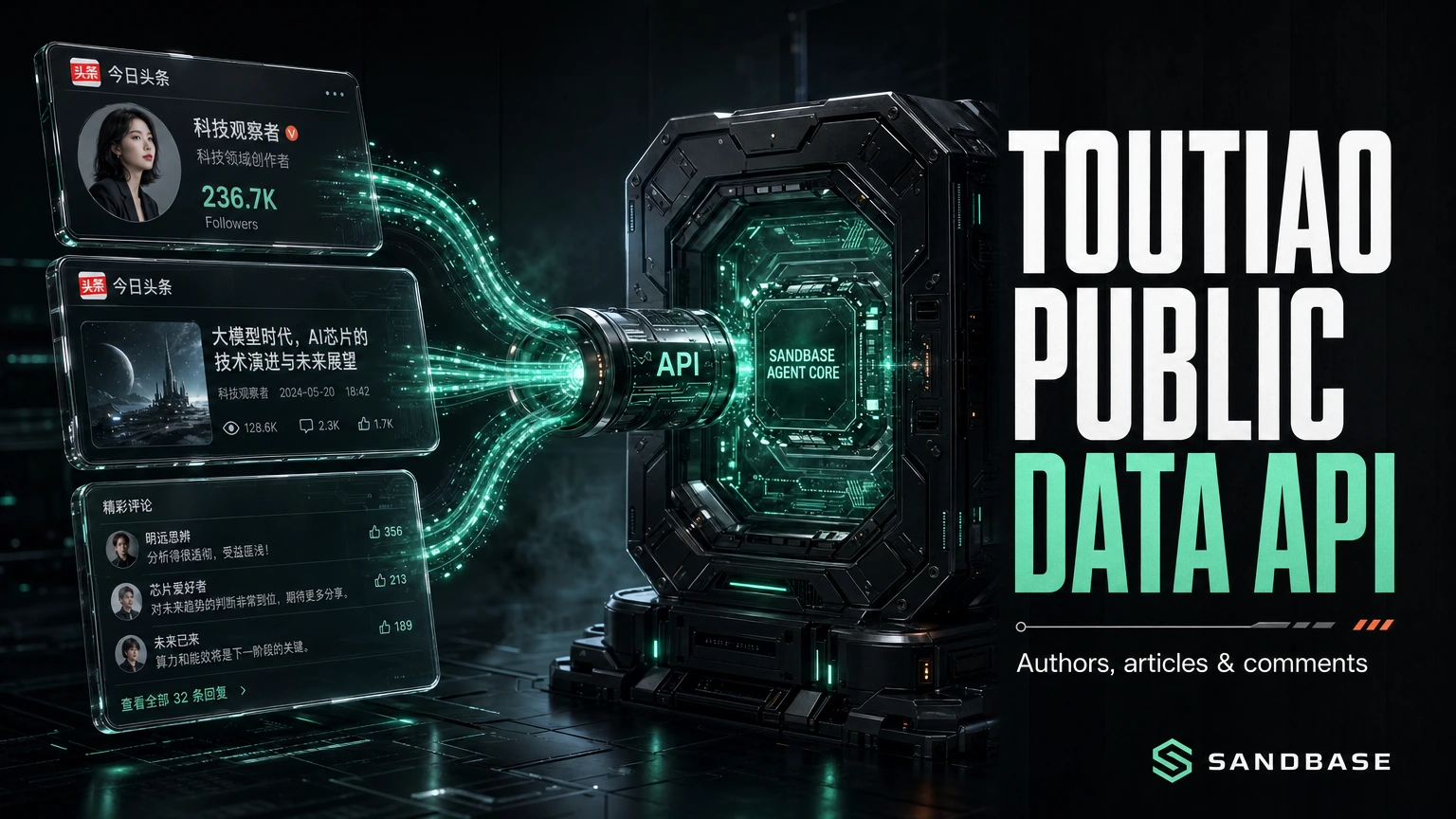
Toutiao is a Chinese content-recommendation platform — a feed of articles, videos, and creator accounts that maps directly onto media monitoring, author research, and content analytics. Reading it programmatically usually means reverse-engineering the app, juggling tokens, and rebuilding a scraper each time the app shifts.
The SandBase Toutiao public data API removes that setup tax. It reads public Toutiao author profiles, articles, videos, and comments through plain REST endpoints — one SandBase API key, no Toutiao login and no SDK. The endpoint API reference is the source of truth for each parameter and for the response envelope (id/status/model/outputs[0].data); the business-payload field names shown below are an illustrative shape, not a guaranteed schema, so confirm them against a live response.
This is not Toutiao’s official open platform. Use Toutiao’s official channels when you need authenticated member actions or a licensed data agreement. Use SandBase when your workflow needs public, read-only data for research and monitoring. Ready to try it? Get a SandBase API key and browse the Toutiao endpoints.
Key takeaway
- One API reads public Toutiao author profiles, articles, videos, and comments.
- The Model API endpoints in this guide are called with
POST /v1/api/toutiao/<path>— pass only that endpoint’s params, no SDK, oneSANDBASE_API_KEY.- The selected article routes take a string ID in
group_id(app) oraweme_id(web). Author, video and comment routes remain separate historical navigation.- It returns public, read-only data only. There is no posting, no platform login or OAuth on your side, and no private data; authenticate with a SandBase API key.
Current scope: one known article
The 2026-11-08 repair checked free inspect and public references for app article-info and web article-info. No paid business request was executed. Broader profile/video/comment descriptions are historical navigation from this hub, published 2026-09-27 and previously updated 2026-10-01, not current execution validation.
The retained cover is conceptual artwork. Its author labels, numbers, article cards and comment snippets are not fresh API data, audience measurements or tested rankings. Historical screenshots below are also separate from this free contract check.
Choose app for an article record using group_id, or web using aweme_id. Both take the known Toutiao article ID as a string. The author research tutorial provides one checked Python request, plus existing-key, connected-agent and new-project setup paths. It does not loop articles, look up authors, read comments or download images automatically.
Both selected inspections list $0.001 base price and eligibility for an organization’s shared 100 daily calls across eligible APIs, resetting 00:00 UTC. Eligibility is not remaining allowance; no account quota/balance or charge was checked. One selected request is not a promise of free success.
Which Toutiao API do you need?
| Your need | Choose | Why |
|---|---|---|
| Post, act as a member, or use account-authorized data | Toutiao’s official channels | Member and account operations run through Toutiao directly. |
| Read public authors, articles, videos, or comments | SandBase Toutiao public-data API | Plain REST, one SandBase key, structured JSON for read-only workflows. |
| Private or account-only data | Neither public workflow | That data is out of scope for this public-data guide. |
What you can get from the Toutiao API
The catalog groups by job:
- Authors — a public author profile by
user_id. - Articles — app detail by
group_id, or web detail byaweme_id. - Videos — a video’s detail by
group_id. - Comments — a content item’s comment thread by
group_id.
Check each endpoint’s live API reference for the exact surface and parameters before you build; availability differs by endpoint.
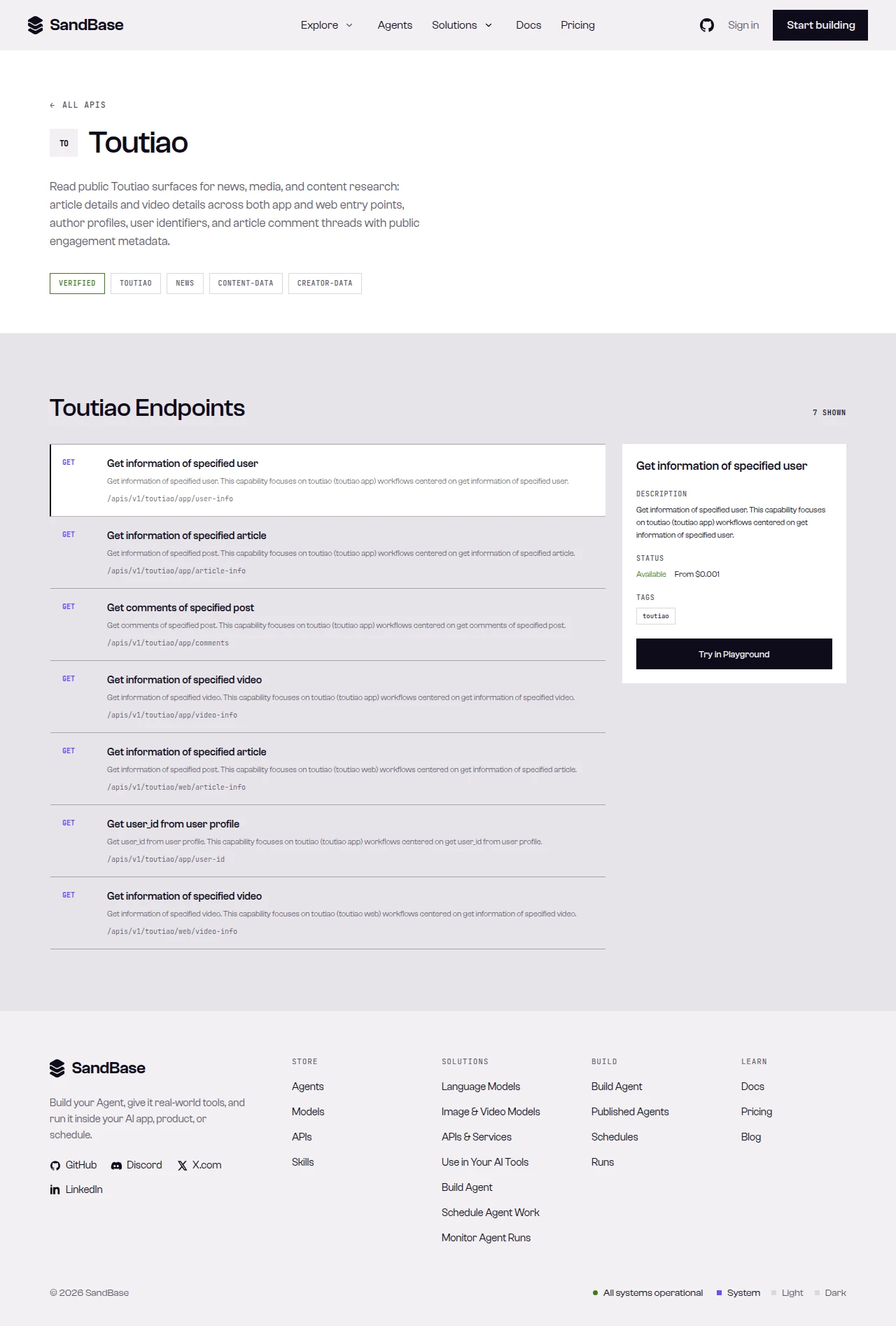 Historical Toutiao catalog. Retained from the prior hub, not current inventory or a newly executed business request.
What Toutiao provides vs. what SandBase adds
Public data comes from Toutiao; SandBase does not own or operate Toutiao. Shared authentication simplifies access, but every endpoint still needs its own input, business-status, structure, availability and budget checks. A common envelope does not establish an automatic author-to-comments chain. The selected article routes use message success, not a universal errno/err_no rule copied from a profile example.
Quick start: one app article record
Configure SANDBASE_API_KEY locally and use the Model API POST route. Send the article ID as a string in group_id. To choose web instead, change the route to toutiao/web/article-info and the field to aweme_id; do not run both automatically. Give a new agent SKILL.md and quickstart.md with the selected task.
curl --fail-with-body --connect-timeout 10 --max-time 90 \
  -X POST https://api.sandbase.ai/v1/api/toutiao/app/article-info \
  -H "Authorization: Bearer $SANDBASE_API_KEY" \
  -H "Content-Type: application/json" \
  -d '{"group_id":"7450114952884503059"}'
This bounded cURL prints a response; it does not validate business success by itself. For checked Python use the article tutorial. Require completed status, an object at outputs[0].data, exact message: "success", and an inner data object. Missing data is not silently replaced. Do not require errno=0 on these selected routes or accept a profile success code as an article response.
Optional author, title or count fields may be unavailable. A missing user_info does not prove deletion, and the short public example’s omitted fields do not prove absence in a full response. An empty object is still visibly incomplete data, not a manufactured author profile. Web content is HTML; the example does not render it or visit embedded URLs.
The old profile Python is preserved in the historical code archive. The following original JSON is an illustrative profile response, not the output of the new article request and not a new execution result. Its errno field must not become a provider-wide success rule:
{
  "id": "79661704-523a-455e-bd9b-c57be210ca1a",
  "status": "completed",
  "model": "toutiao/app/user-info",
  "outputs": [
    {
      "data": {
        "errno": 0,
        "message": "success",
        "data": {
          "user_id": "…",
          "name": "…",
          "description": "…",
          "followers_count": 0,
          "followings_count": 0,
          "publish_count": 0,
          "digg_count": 0,
          "avatar_url": "…"
        }
      }
    }
  ]
}
Stop on noncompleted status, then validate the selected business shape for that request. Do not fall back to empty data or raw error-body logging.
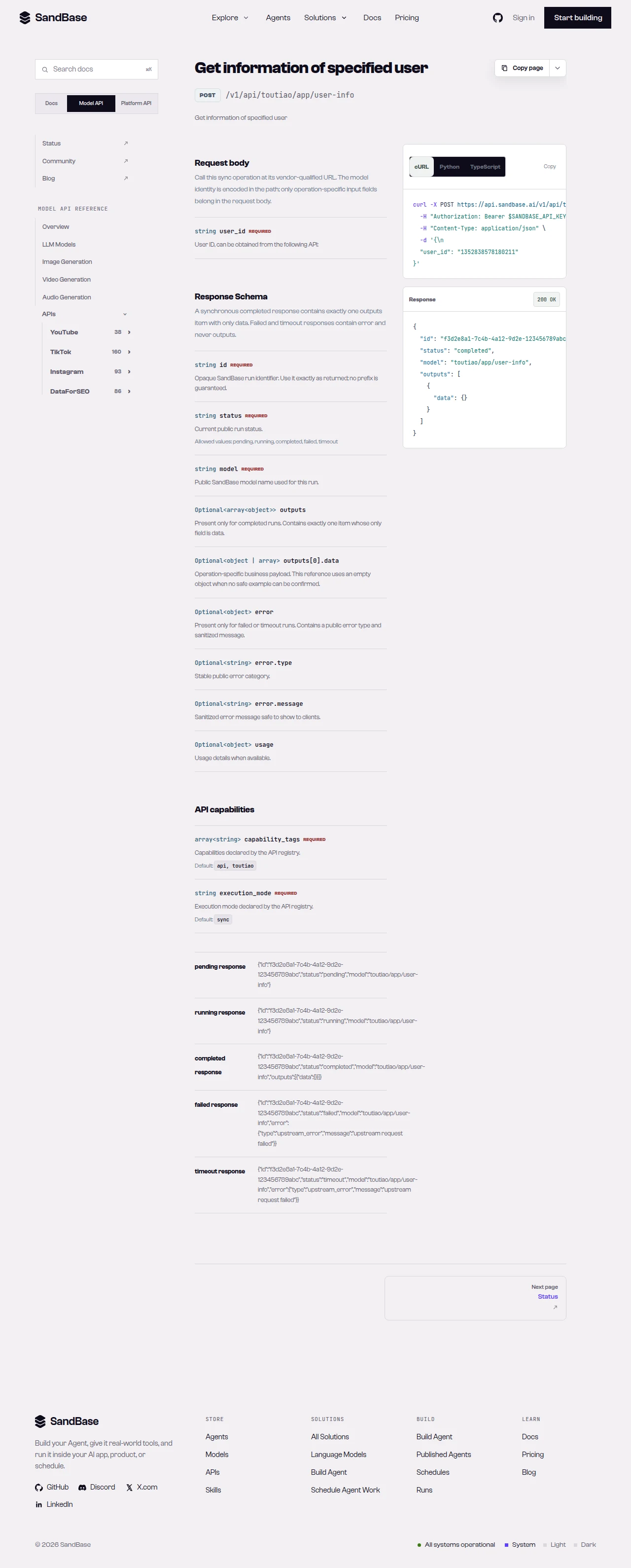 Historical user-info reference. Retained from the prior hub, not current inventory or a newly executed business request.
Capability map
Historical navigation from the prior hub; only the two article-info contracts were checked in this repair. Profile, video and comments inputs/execution remain unvalidated this round.
| Capability cluster | Representative endpoint | Typical use |
|---|---|---|
| Author profile | toutiao/app/user-info | Creator research and audience sizing |
| Article detail | toutiao/app/article-info | Content analysis by group_id |
| Video detail | toutiao/app/video-info | Read a video item by group_id |
| Comments | toutiao/app/comments | Engagement and sentiment inputs |
Paging differs by endpoint — the comment endpoint accepts an offset (passed as a string) to walk the thread. Read each endpoint’s schema.
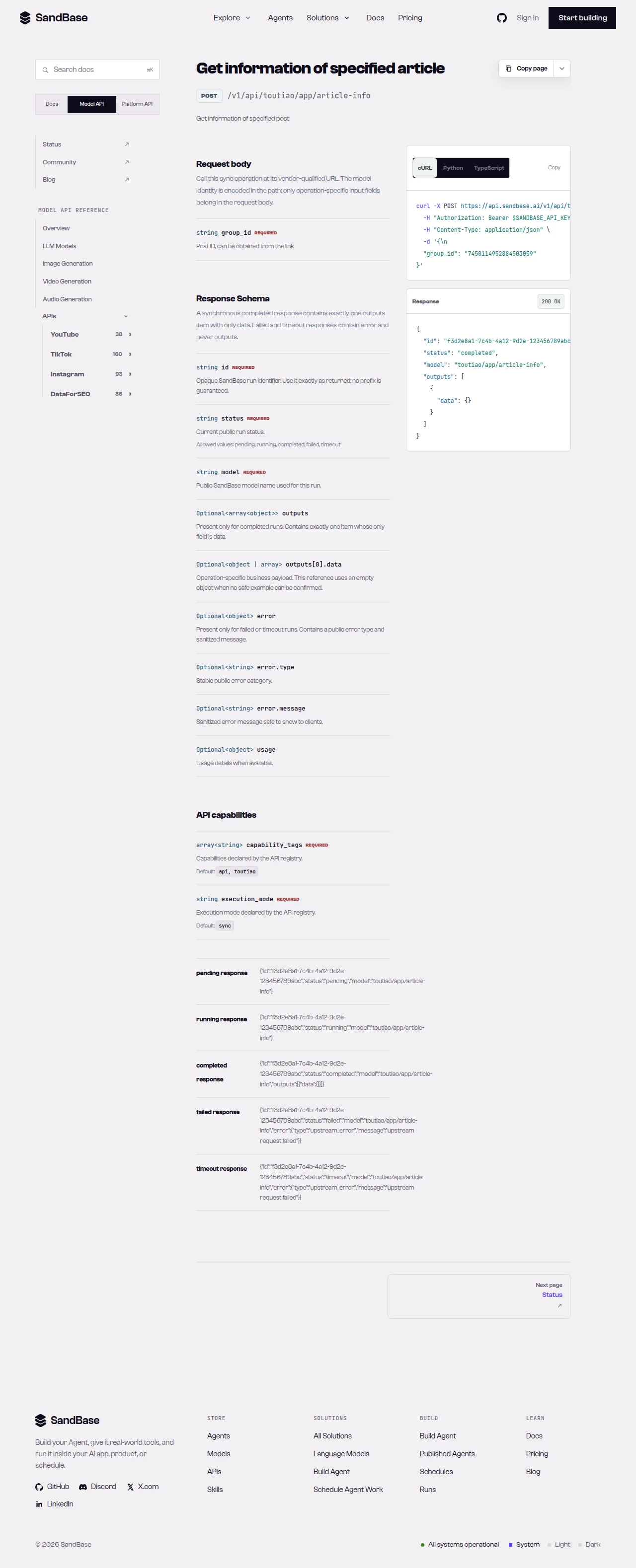 Historical app article-info parameter reference. Retained from the prior hub, not current inventory or a newly executed business request.
Before extending to authors or comments
An article-to-author research flow is a possible application, not a three-call prerequisite for the current example. Check each selected endpoint’s identifiers, status convention, field mapping, availability and cost separately. Validate every request, not status once for an entire chain. Comments and their pagination are not revalidated by this repair.
The old tutorial tested three links: two usable articles and one deleted record. With one comment page per usable article, that plan involved seven calls before retries. A sparse profile observation, a missing author card and an explicit delete flag are distinct cases. Preserve those distinctions rather than silently dropping records or treating every missing card as deleted.
Common use cases
Article-based author research
The 2026-10-01 experiment observed a specific user-info result with an empty name and 49 followers while an article card showed roughly 5.58 million. The reason remained unresolved; this is not proof that user-info generally fails or that article cards always include complete profiles. For an article you already know, app article-info can expose available publisher metadata; missing optional fields remain unknown. See the bounded article tutorial and dated experiments.
Toutiao article API for content analysis
Read toutiao/app/article-info with a group_id for an article’s detail. Input: a group_id. Output: an article detail object. Endpoint: article-info.
Toutiao comments API for engagement signals
Run toutiao/app/comments with a group_id and an offset string to walk a comment thread. Input: a group_id plus offset. Output: a comment payload. Endpoint: comments.
Preserve the first response before interpreting it
Keep the request’s article ID as a string. Saved display captures can round large numeric IDs; a string identifier such as gidStr, when verified, is preferable to an already rounded numeric display. Converting the rounded number to text does not restore its digits. Rendering references such as $1d in a captured page are not article text. These capture artifacts are not fresh business results.
The web body is HTML, not plain text or a ready-made summary. The tutorial preserves it without rendering, visiting media URLs or running comments/model follow-ups. If an application needs extracted text, use an appropriate HTML parser and test it; a regular expression that removes tags is not reliable full-text extraction or sanitization.
Missing counts, numeric zero and false verification flags have different meanings. Preserve provenance and unknowns before grouping authors or comparing articles. Follower counts do not measure article reach, and one article’s reads do not establish an author’s typical audience. Decide whether another request is needed after reviewing the first record and its limits.
Limitations and boundaries
- Public, read-only data only. No posting, following, or private/account-only data.
- Rate and volume. Stop on errors and inspect the cause/budget before resending; no automatic retry is part of this example.
- Parameters and shapes follow the upstream surface. App articles use
group_id; web articles useaweme_id; historical author routes useuser_id; the commentoffsetis a string; the selected article routes use message success with a data object; other routes require their own checks. Inspect a real response and read the schema first. - Verify endpoints against the live reference. Availability and fields can change; confirm before building on a specific endpoint.
- This is not an official Toutiao partnership. SandBase provides uniform access to public data; respect Toutiao’s terms and applicable rules for your use case.
FAQ
Do I need a Toutiao developer app or login?
No. You authenticate to SandBase with your SANDBASE_API_KEY. These read endpoints do not require a Toutiao account or OAuth on your side.
What identifies an author or an article?
For the selected article routes, send the known article ID as a string: app article-info takes group_id, while web article-info takes aweme_id. Historical author routes use user_id; video and comment parameter references are navigation only and were not revalidated in this repair.
Why do responses have a code inside data?
Business status is endpoint-specific. The selected app/web article references use message success and an inner data object. The old profile JSON shows errno, but that is not a universal article-success rule.
Can I read private or account-only data? No. The API returns public data only. Private and account-authorized content are out of scope.
Start with one known article
Configure or reuse your key, choose app or web article-info and inspect the validated record before expanding. When you are ready:
Found this useful? Share it