TikTok Shop Product Research API Tutorial | SandBase
Evaluate a TikTok Shop niche: search products, read ratings and reviews, and list the seller's catalog with four SandBase endpoints. No TikTok login; one API key.
My first three keyword searches against the TikTok Shop US market came back with products: [] and a success message. No error, no hint. A later call with the first keyword, “coffee”, returned 30 listings and a page token. That was the first thing I learned about product research on TikTok Shop through an API: an empty page is not an answer, and your code has to know the difference.
This TikTok Shop Product Research API tutorial is for developers and analysts who want to size up a product niche before committing to it. You give it a keyword. It searches public listings, picks the best seller, reads that product’s rating spread and a sample of review text, and lists the rest of the seller’s catalog. Four SandBase endpoints cover the whole chain, and an agent can run it end to end. For the full TikTok endpoint map, start with the TikTok public data API hub.
All of this is public, read-only data. You need no TikTok account or SDK, only a SandBase API key. The shop endpoints used here are currently listed as Free in the SandBase catalog.
The endpoint reference is the source of truth for parameters and the response envelope, and it guarantees only that envelope. Every payload field name below comes from calls I ran (tested on 2026-10-01, UTC). Treat them as illustrative and observed-only, not documented guarantees.
Key takeaway
tiktok/shop-web/search-products-listreturns listing cards with price, sold count, rating, brand, andseller_id. Page it with the returnedoffsetandpage_token.product-detail-v2adds the category path and the full star histogram, but in my runs it did not return the product’s own price or title. Take those from the search card.product-reviews-v2pages review text bypage_start.seller-products-listpages a shop’s catalog with an opaquesearch_paramscursor.- In my tests, search worked for US, SG, and MY, while detail and reviews only worked for US. Empty search pages happened often enough that the code retries them.
Which endpoints held up
The shop-web family has more endpoints than this chain uses, so I probed each one before designing anything. Here is what happened, because it shapes the whole tutorial:
| Endpoint | What I saw |
|---|---|
search-products-list | Worked for US, SG, MY. US returned empty pages intermittently |
search-products-list-v2 | Returned an empty, more deeply nested result for US; one SG call failed with an upstream 400 |
product-detail (v1) | Completed, but the product’s own record had an empty seller_id and no price |
product-detail-v2 | Worked for US: rating histogram, category path, more-from-shop list |
product-detail-v3 | Upstream 400 on every attempt, including the reference’s example id |
product-reviews-v2 | Worked for US; upstream 400 for SG and MY products |
seller-products-list | Worked for US and SG, with cursor paging |
products-by-category-id | Upstream 400 for every category id I tried, including ids from products-category-list |
So “browse a category” is out for now, and the chain is search-first. One more surprise: the reference lists GB as a region, but a GB search came back with region_supported: false and a supported_regions list of ID, JP, MX, MY, PH, SG, TH, US, and VN (run 30cb8c1c-f1d0-426d-8d8e-674de98f7751). Check that field before you trust a region.
| Your need | Use |
|---|---|
| Public listings, ratings, reviews, and shop catalogs for research | SandBase TikTok Shop public-data API |
| Selling, managing your own shop, orders, or affiliate data | TikTok Shop’s official seller and partner APIs |
| Private buyer or account-only data | Neither public workflow |
The workflow at a glance
- Search the keyword with
search-products-list(search_word,region,offset,page_token). Retry empty pages. - Rank the listings by sold count and note how many have zero sales.
- Read product signals with
product-detail-v2(product_id,region): category path and star histogram. - Sample review text with
product-reviews-v2(product_id,page_start). - List the seller’s catalog with
seller-products-list(seller_id,search_params).
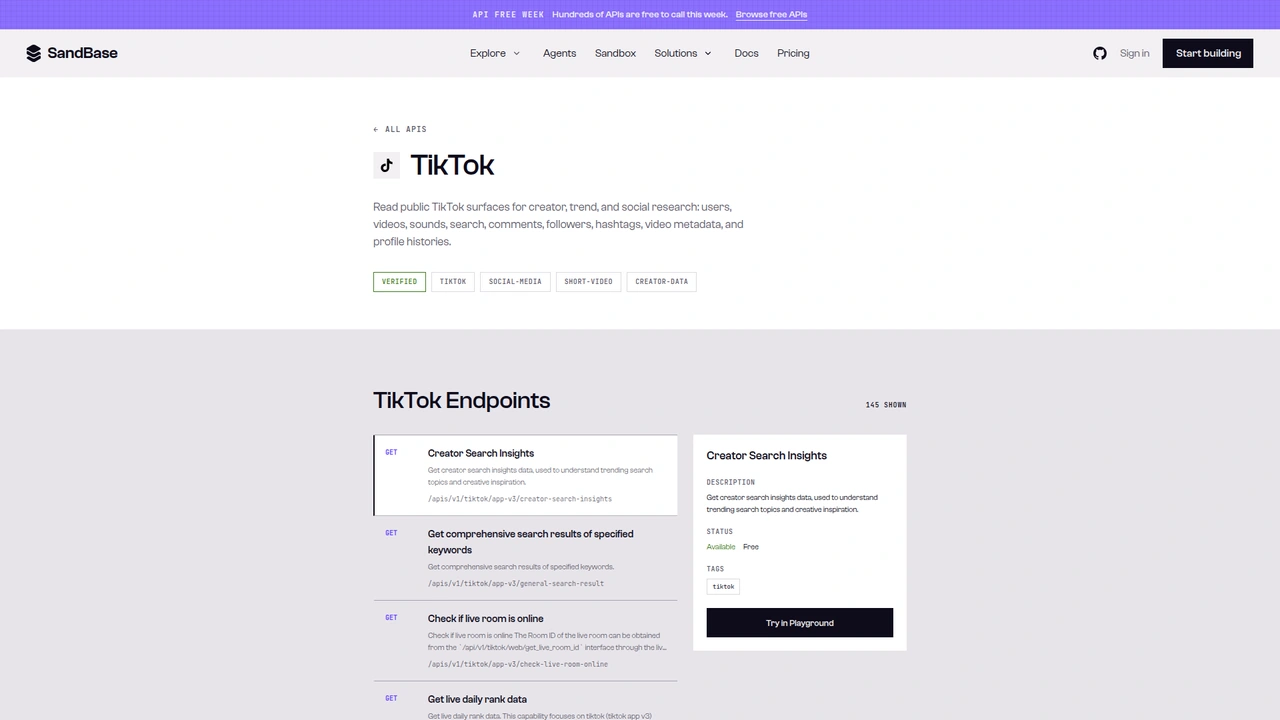 The TikTok catalog on SandBase. It shows 145 endpoints as
 GET /apis/v1/tiktok/... paths, and the selected one is marked Available and Free. This tutorial calls the Model API POST /v1/api/tiktok/... routes instead.
A note on surfaces before the code. The catalog page lists each operation as GET /apis/v1/tiktok/<path>. This tutorial uses the Model API surface from the endpoint reference, which is POST /v1/api/tiktok/<path> with a JSON body of endpoint parameters. Keep the POST method and the /v1/api/ prefix when you copy the examples.
Step 0: one helper for every call
import os
import time
import requests

API = "https://api.sandbase.ai/v1/api"
HEADERS = {
    "Authorization": f"Bearer {os.environ['SANDBASE_API_KEY']}",
    "Content-Type": "application/json",
}
REGION = "US"


def call(path: str, payload: dict, retries: int = 2) -> dict:
    for attempt in range(retries + 1):
        resp = requests.post(f"{API}/{path}", headers=HEADERS, json=payload, timeout=90)
        if resp.status_code >= 500 and attempt < retries:
            time.sleep(2 * (attempt + 1))  # upstream hiccup: back off and retry
            continue
        resp.raise_for_status()
        body = resp.json()
        if body.get("status") != "completed":
            raise RuntimeError(body.get("error", {}).get("message", f"{path} did not complete"))
        # Reference documents outputs[0].data; also accept a top-level `output`.
        output = body.get("output")
        if output is None and body.get("outputs"):
            output = body["outputs"][0].get("data", {})
        return output or {}
    raise RuntimeError(f"{path} kept failing")


def listing(p: dict) -> dict:
    price = p.get("product_price_info") or {}
    seller = p.get("seller_info") or {}
    rate = p.get("rate_info") or {}
    return {
        "product_id": str(p.get("product_id")),
        "title": p.get("title"),
        "brand": (p.get("brand_info") or {}).get("brand_name"),
        "seller_id": seller.get("seller_id"),
        "shop": seller.get("shop_name"),
        "price": price.get("sale_price_decimal"),
        "currency": price.get("currency_name"),
        "sold": (p.get("sold_info") or {}).get("sold_count"),
        "score": rate.get("score"),
        "reviews": rate.get("review_count"),
    }
The reference documents completed responses as outputs[0].data, and every shop call I made returned that shape. The helper also reads a top-level output, because other SandBase platform endpoints have returned it. Inside outputs[0].data, the shop routes wrapped the payload in another data key next to code and message, which is why each step reads .get("data") again.
Failures looked different from what I expected. A bad region or an unsupported product came back as HTTP 503 with upstream error 400 in the body, not as a 4xx. The helper retries 5xx twice and then raises, so a region mismatch fails after a few seconds instead of looping. The listing() function normalizes a product card. Search, the more-from-shop list, and the seller catalog all used the same card shape in my runs, so one parser covers all three.
Step 1: search the niche and retry empty pages
def search_products(word: str, pages: int = 2, empty_retries: int = 2) -> list[dict]:
    rows, offset, token = [], 0, ""
    for _ in range(pages):
        payload = {"search_word": word, "region": REGION, "offset": offset, "page_token": token}
        for _ in range(empty_retries + 1):
            data = call("tiktok/shop-web/search-products-list", payload).get("data", {})
            if data.get("products"):
                break  # an empty page here was usually transient, so retry it
        rows += [listing(p) for p in data.get("products", []) or []]
        more = data.get("load_more_params") or {}
        if not data.get("has_more") or not more.get("page_token"):
            break
        offset, token = more.get("offset", 0), more["page_token"]
    return rows
Paging follows the response. The first page for “mushroom coffee” (run 5bb26751-92ef-453c-8766-75dde7b8a575) returned 30 listings, has_more: true, and load_more_params with offset: 30 and a page_token. I sent both back, and the second page (run 694682ab-8809-4b83-837a-9c58f076dbd7) returned 30 more with no overlap. Here is a trimmed card for the brand-owned Micro Ingredients shop from another run (7f1495f2-9bac-4c2c-9132-2007d910d0ef):
{
  "has_more": true,
  "load_more_params": {"api_source": 2, "offset": 30, "page_token": "20261001031049DC4BD36BAFE739165F2A"},
  "products": [
    {
      "product_id": "1729385057785057965",
      "title": "Micro Ingredients Organic Instant 10 in 1 Mushroom Coffee Powder",
      "brand_info": {"brand_name": "Micro Ingredients"},
      "sold_info": {"sold_count": 219808},
      "rate_info": {"review_count": "28866", "score": 4.7},
      "product_price_info": {
        "currency_name": "USD",
        "sale_price_decimal": "24.95",
        "origin_price_decimal": "27.95"
      },
      "seller_info": {"seller_id": "7494949083499694765", "shop_name": "Micro Ingredients"}
    }
  ]
}
Two type quirks. Prices are decimal strings, and review_count is a string while sold_count is an integer, so cast before you compare. And the counts move. The same product showed 28,866 reviews on this card and 29,017 in another run the same day. Store the run time with every number.
The empty pages are the real gotcha. For “mushroom coffee” in the US, two back-to-back calls returned products: [] with has_more: false (runs dfafb1ab-debd-48d7-97ae-f758a56d3817 and 1e5f5e65-f911-4705-8063-625b699e5474), and the next one returned 30 listings. An empty result can also be a real “no matches”, so after the retries the code accepts it rather than spinning.
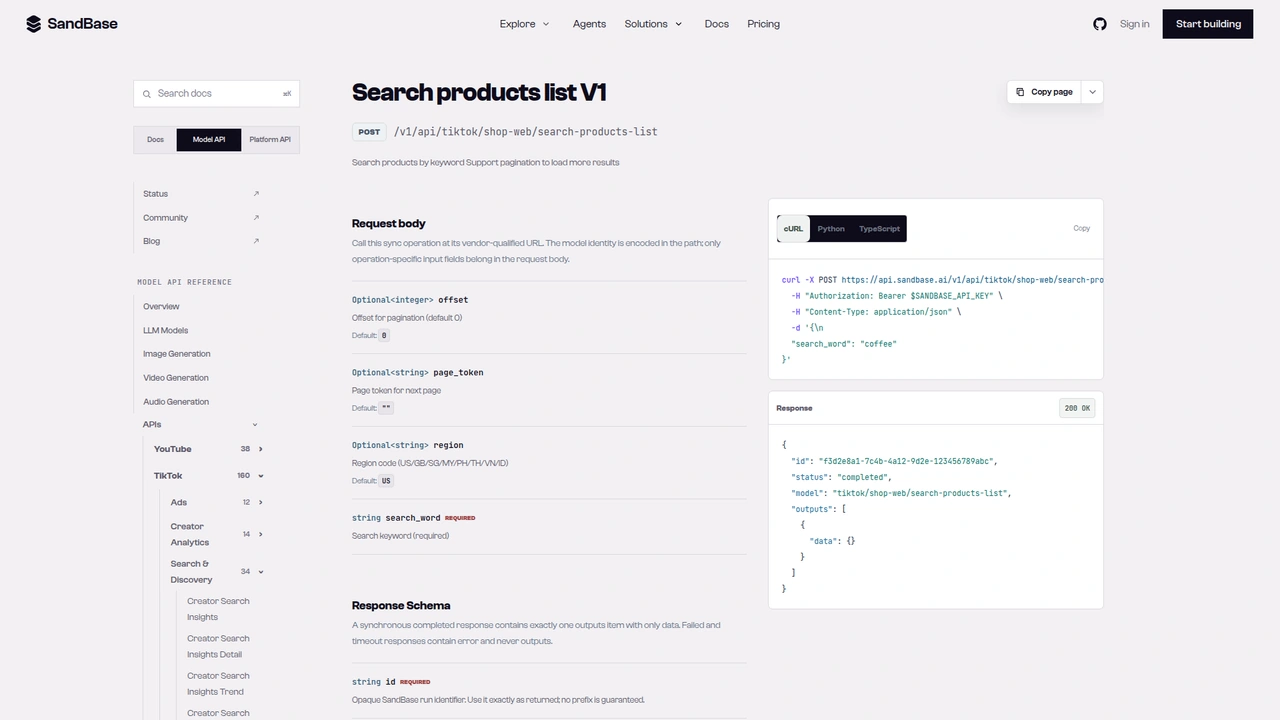 The
The tiktok/shop-web/search-products-list reference: POST /v1/api/tiktok/shop-web/search-products-list with a required search_word and optional offset, page_token, and region. The response example leaves outputs[0].data empty.
Step 2: read the rating spread and category
def product_signals(product_id: str) -> dict:
    data = call("tiktok/shop-web/product-detail-v2",
                {"product_id": product_id, "region": REGION}).get("data", {})
    comp = {c.get("component_name"): c.get("component_data") or {}
            for c in data.get("components_map", []) if isinstance(c, dict)}
    ratings = (comp.get("product_info", {}).get("reviews_info") or {}).get("review_ratings", {})
    crumbs = comp.get("bread_crumbs", {}).get("bread_crumbs", []) or []
    return {
        "category_path": [b.get("name") for b in crumbs][1:],  # drop the "TikTok Shop" root
        "score": ratings.get("overall_score"),
        "review_count": ratings.get("review_count"),
        "star_histogram": ratings.get("rating_result"),
        "more_from_shop": [listing(p) for p in comp.get("feed_list_more_from", {}).get("products", []) or []],
    }
The detail route doesn’t return a product object. It returns a page layout: a components_map list of named components, several of them null. In my runs the product_detail component itself carried skip_data_return: true and no data. That’s why the price and title come from the search card. What product-detail-v2 did give me (run 644c0d78-6d14-49ea-988b-f3b08d36d161) was useful:
bread_crumbs: Food & Beverages, then Drinks, then Coffeeproduct_info.reviews_info.review_ratings:overall_score: 4.7, arating_resulthistogram with 25,363 five-star and 1,195 one-star reviews, andreview_count: "29017"feed_list_more_from: other products from the same shop, as product cardsrelated_link: related search phrases
The payload was large. On another product the response was over 1 MB, mostly recommendation cards. Parse what you need and drop the rest before you hand anything to a model.
Step 3: sample the review text
def sample_reviews(product_id: str, pages: int = 2) -> list[dict]:
    reviews = []
    for page in range(1, pages + 1):
        data = call("tiktok/shop-web/product-reviews-v2",
                    {"product_id": product_id, "region": REGION, "page_start": page}).get("data", {})
        for r in data.get("product_reviews", []) or []:
            if r.get("review_text"):
                # keep rating and text only; drop reviewer name, id, and avatar
                reviews.append({
                    "rating": r.get("review_rating"),
                    "verified": r.get("is_verified_purchase"),
                    "variant": r.get("sku_specification"),
                    "text": r["review_text"],
                })
        if not data.get("has_more"):
            break
    return reviews
The reference documents page_start as a page number that starts at 1. In my runs (2cd6b7b5-b41c-4197-bfcb-247ef1418e06 for page 1 and 22fd29c7-f3d9-485f-95e5-2e0b4312bbeb for page 2), each page held up to 20 reviews with has_more: true. In an earlier two-page test on a different product, the review ids didn’t overlap. Some reviews have a rating and an empty review_text, so the helper skips those.
Each review also carried a masked reviewer name, a reviewer id, and an avatar URL. Niche research doesn’t need any of them, so the helper drops them before storage. What’s left is rating, verified-purchase flag, variant (for example 28oz or 14oz), and text.
I couldn’t pin down the filter parameters. The reference lists filter_type (default 1) and filter_value (described as a star filter, default 6). A call with filter_type: 2, filter_value: 1 still returned mostly five-star reviews (run 0d3b40e6-a885-456a-84cd-cd6ceef5e7d6). I stayed on the defaults and use the histogram from step 2 for the star mix.
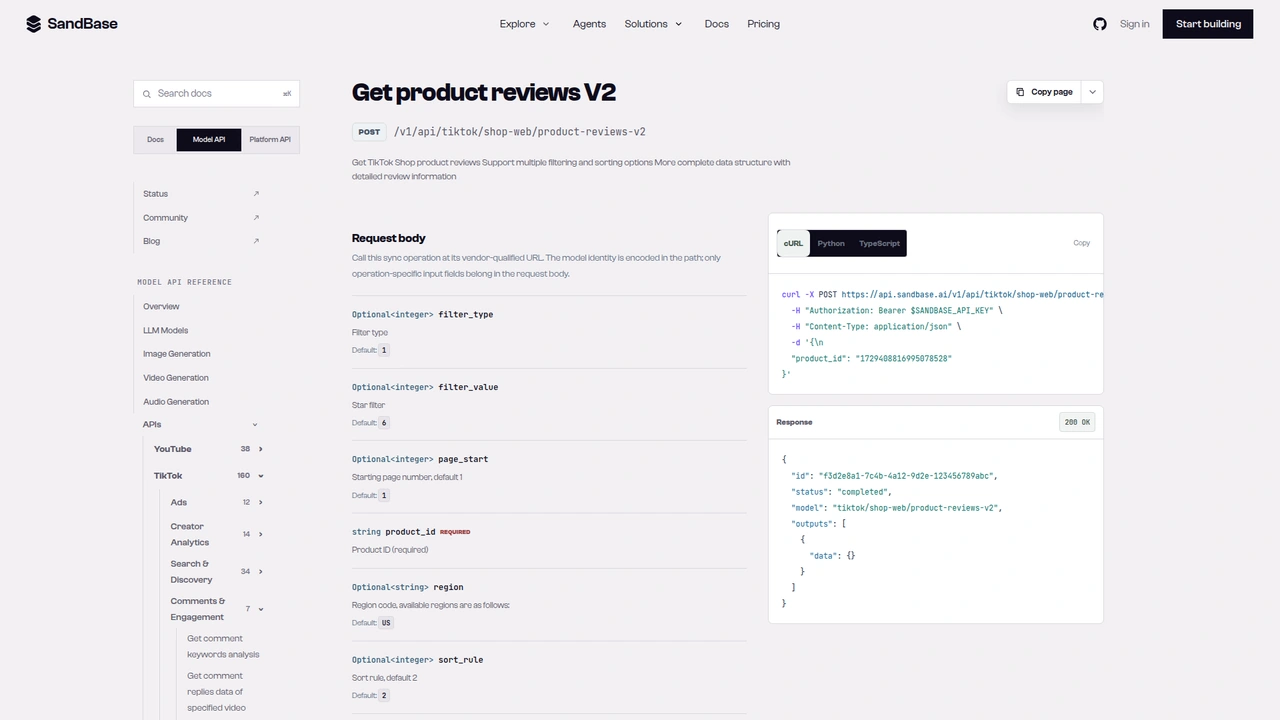 The
The tiktok/shop-web/product-reviews-v2 reference: a required product_id, plus optional filter_type, filter_value, page_start, region (default US), and sort_rule.
Step 4: list the seller’s catalog
def seller_catalog(seller_id: str, pages: int = 2) -> list[dict]:
    items, cursor = [], ""
    for _ in range(pages):
        data = call("tiktok/shop-web/seller-products-list",
                    {"seller_id": seller_id, "region": REGION, "search_params": cursor}).get("data", {})
        items += [listing(p) for p in data.get("products", []) or []]
        cursor = (data.get("load_more_params") or {}).get("search_params")
        if not data.get("has_more") or not cursor:
            break
    return items
The cursor is opaque. Page 1 (run ac77c278-b76c-4921-9eda-73737e8ac823) returned 30 products and a load_more_params.search_params string starting with 30_. Page 2 (run c37a49bf-3b09-43f0-b7bd-173cb0643db0) took that string and returned 30 more. Send it back unchanged. The -v2 variant of this endpoint names its parameter searchParams and returned the cursor as next_search_param inside a component_data wrapper, so the two versions don’t swap in cleanly.
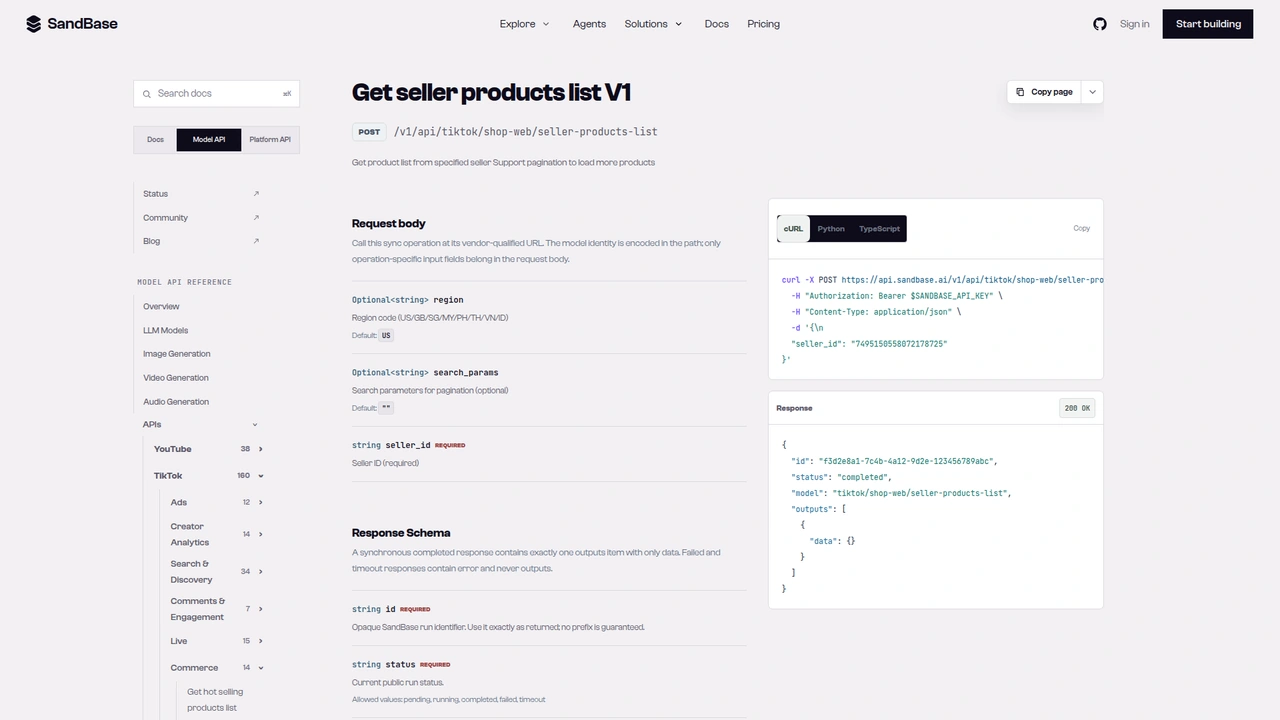 The
The tiktok/shop-web/seller-products-list reference: a required seller_id and an optional search_params described as pagination parameters.
Putting it together: a niche report
def research_niche(word: str, top_n: int = 1) -> dict:
    results = search_products(word)
    ranked = sorted(results, key=lambda r: r["sold"] or 0, reverse=True)
    report = {"keyword": word, "listings_seen": len(results),
              "zero_sales_share": round(sum(1 for r in results if not r["sold"]) / max(len(results), 1), 2),
              "products": []}
    for top in ranked[:top_n]:
        signals = product_signals(top["product_id"])
        catalog = seller_catalog(top["seller_id"]) if top["seller_id"] else []
        report["products"].append({
            **top,
            **{k: v for k, v in signals.items() if k != "more_from_shop"},
            "review_sample": sample_reviews(top["product_id"]),
            "shop_listings_read": len(catalog),
            "shop_top_sellers": sorted(catalog, key=lambda p: p["sold"] or 0, reverse=True)[:3],
        })
    return report
I ran research_niche("mushroom coffee") verbatim. It made seven calls: two search pages, one detail, two catalog pages, and two review pages. The report saw 60 listings, and 27% of them had zero sales. The top seller was Micro Ingredients’ mushroom coffee at $24.95 with 219,808 sold and a 4.7 score. Its category path was Food & Beverages, Drinks, Coffee.
The shop catalog told a different story from the keyword. The shop’s three best sellers in the 60 listings I read were a collagen powder (1,377,502 sold), a vitamin D3 K2 supplement, and an oregano oil supplement. Mushroom coffee is a side line for this seller, not its core business. That’s the kind of context a keyword search alone can’t give you.
The zero-sales share is worth a look too. In the “coffee” and “mushroom coffee” results, several listings used a leading brand’s name in the title but came from unrelated shops with zero to five sales. Compare brand with shop before you count a listing as competition.
Documented vs. observed
| Item | Status |
|---|---|
POST /v1/api/tiktok/shop-web/search-products-list with search_word, offset, page_token, region | Documented in the reference |
POST /v1/api/tiktok/shop-web/product-detail-v2 with product_id, region, seller_id | Documented in the reference |
POST /v1/api/tiktok/shop-web/product-reviews-v2 with product_id, page_start, filters | Documented in the reference |
POST /v1/api/tiktok/shop-web/seller-products-list with seller_id, search_params | Documented in the reference |
Envelope id / status / model / outputs[0].data | Documented in the reference |
Card fields sold_info, rate_info, product_price_info, seller_info, brand_info | Observed only |
has_more, load_more_params.offset / page_token / search_params | Observed only |
components_map, bread_crumbs, review_ratings.rating_result | Observed only |
| Region support (US for detail and reviews; GB unsupported) | Observed only |
Common use cases
Niche sizing before you source
Run the report across a handful of keywords and compare sold counts on the top listings, the zero-sales share, and score spread. Input: keywords. Output: one report per niche. Endpoints: search-products-list, product-detail-v2.
Review mining for product gaps
Pull a few pages of review text for the top two or three products and let a model group recurring complaints by variant. Input: product ids. Output: themed review samples. Endpoint: product-reviews-v2.
Competitor shop mapping
For each top seller, read the catalog to see what else the shop sells and which lines carry it. Input: seller ids. Output: ranked catalogs. Endpoint: seller-products-list.
Creator-to-product follow-up
If you already track the creators who promote a category, pair this with the TikTok creator research tutorial and research the products their videos point to.
Practical notes
- Treat empty search pages as suspect. Retry them a couple of times before you conclude there are no results.
- Check region support per endpoint. Detail and reviews worked only for US in my tests, and GB search reported
region_supported: false. - Price and title come from the card.
product-detail-v2skipped its own product component in my runs. - Follow the cursors you’re given.
offsetpluspage_tokenfor search,page_startfor reviews,search_paramsfor catalogs. - Normalize types and timestamps. Counts arrive as a mix of strings and integers, and they drift between calls.
- Drop reviewer identity. Keep rating and text only.
- Public, read-only data only. These calls don’t touch orders, shop management, or buyer data.
- Product links work as an entry point too.
product-id-by-share-linkturned ashop.tiktok.com/us/pdp/...URL into itsproduct_id(run6158dfd3-5dce-4456-bd80-80fe450b237b). I didn’t test short share links.
Scope of testing: two US niches and a handful of SG and MY searches on one day. I haven’t load-tested any of this, and I can’t say how often the empty-page behavior happens at other times.
FAQ
Do I need a TikTok or TikTok Shop account?
No. You authenticate to SandBase with SANDBASE_API_KEY. These read endpoints need no TikTok login or OAuth on your side.
Is it free? The shop endpoints used here are currently listed as Free in the SandBase catalog. Check the catalog for the current status.
Can I browse by category instead of keyword?
products-category-list returned the category tree, but products-by-category-id failed upstream for every id I tried. Use keyword search for now.
Why not product-detail-v3?
It failed upstream on every attempt in my tests, including the reference’s example id. product-detail-v2 worked for US products.
Does this work outside the US? Search worked for SG and MY. Detail and reviews failed for the SG and MY products I tried, so the full chain only ran for US.
Wrap up
A keyword is enough to get a first read on a TikTok Shop niche: listings with price and sold counts, the star mix and review text of the leader, and the rest of that seller’s catalog. Build in retries for empty search pages and check region support, and the chain runs as a single agent task. For the rest of the TikTok endpoints, see the TikTok public data API hub. When you’re ready: