Instagram Hashtag Research API Tutorial | SandBase
Research Instagram hashtags: find related tags, page top posts, and rank them by engagement with three SandBase endpoints. No Instagram login; one SandBase API key.

Hashtag research on Instagram usually starts with a seed word and a vague question. Which tags around “vegan recipes” actually carry volume? What kind of post performs under the big tag right now? Which smaller tags keep showing up next to the winners? This Instagram Hashtag Research API tutorial answers those three questions with three SandBase endpoints and about 150 lines of Python. It builds on the Instagram public data API hub; read that first for the full endpoint map.
If you want to research a specific account rather than a tag, the Instagram profile research tutorial covers that path. This one stays on hashtags.
Everything here is public, read-only data. You need no Instagram login and no SDK, but you authenticate with a SandBase API key. The endpoints used here are currently listed as Free in the SandBase catalog.
The endpoint API reference is the source of truth for parameters and the response envelope, and it guarantees only that envelope. The payload field names below come from calls I ran (tested on 2026-10-01, UTC). Treat them as illustrative and observed-only, not documented guarantees, and confirm them against a live response.
Key takeaway
instagram/v2/search-hashtags(keyword) returns related tags with amedia_count, which is enough to pick a shortlist.instagram/v2/hashtag-posts(keyword,feed_type) returns posts with like, comment, and play counts. Page it by sending back the returnedpagination_token.- Rank by likes plus comments, and keep posts with hidden likes flagged instead of treating them as zero.
instagram/v2/post-info(code_or_url) re-reads one shortlisted post. Its counts sit undermetrics, not at the top level.
Why the v2 hashtag routes, not v3
The hub points to instagram/v3/hashtag-posts for tag feeds, so I tried that first. An earlier test in this series had returned nothing from it. This time it worked: run e0a2628b-a7b9-4dc7-b678-a6a83989af9b returned 27 posts, more_available: true, and a next_max_id cursor. But every post in that page was from the last few hours, and most had zero to eight likes. That’s a recency feed. Fine for monitoring, useless for “what performs under this tag”.
instagram/v1/hashtag-posts had the same problem plus a GraphQL-style shape (data.hashtag.edge_hashtag_to_media.edges[].node) and only an owner id per post, no username.
instagram/v2/hashtag-posts takes a feed_type of top, recent, or reels, with top as the default. The top feed (run ef34d367-313d-4470-a4d9-505e238103cc) returned 24 posts spanning roughly three months, with like counts into the thousands and play counts on Reels. Each item also carries the poster’s username and verification flag and the caption’s hashtags, already parsed. That’s the shape research needs, so this tutorial uses the v2 family throughout.
| Your need | Use |
|---|---|
| Public hashtag search, tag feeds, and post metrics for research | SandBase Instagram public-data API |
| Publish, manage your own account, or read your own insights | Instagram’s official Graph API with your business account |
| Private accounts or data behind a login | Neither public workflow |
The workflow at a glance
- Expand the seed with
instagram/v2/search-hashtags(keyword) and keep tags above a volume floor. - Read the top posts under a tag with
instagram/v2/hashtag-posts(keyword,feed_type: "top"). - Page by sending back
pagination_tokenuntil you have enough posts or the token disappears. - Rank by engagement and count which other hashtags co-occur on those posts.
- Re-check a shortlisted post with
instagram/v2/post-info(code_or_url).
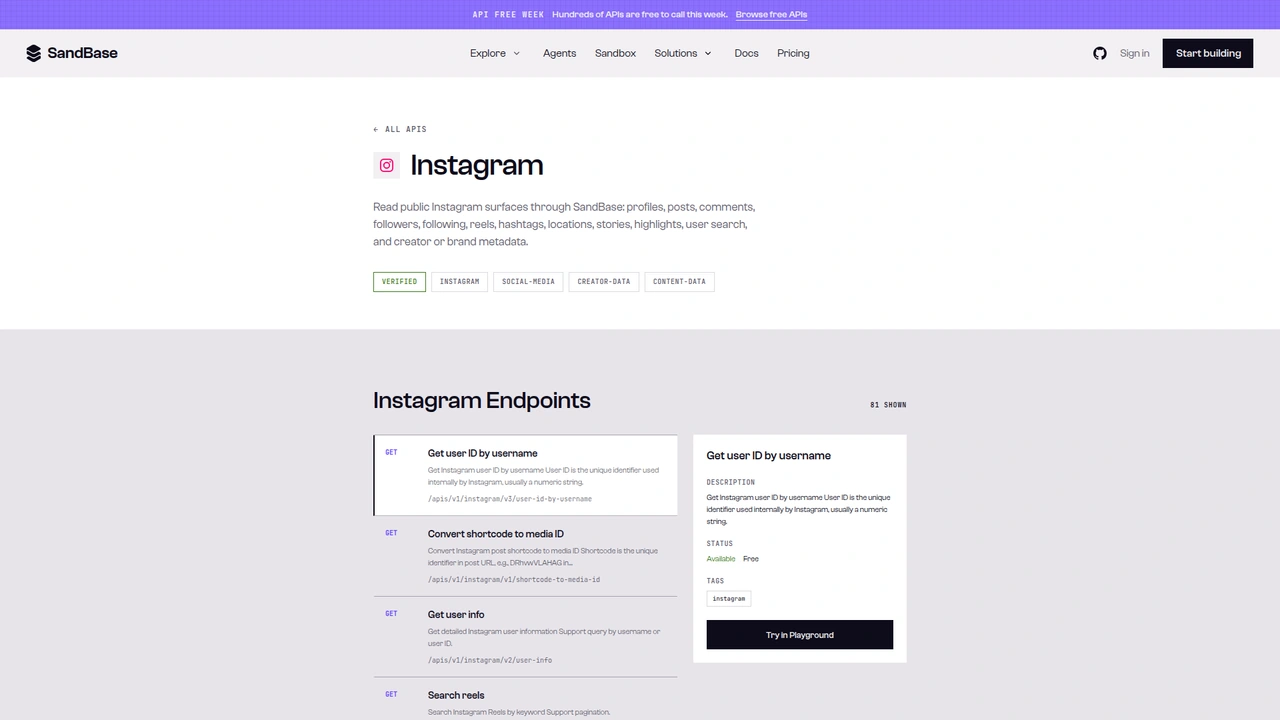 The Instagram catalog on SandBase. It shows 81 endpoints as
 GET /apis/v1/instagram/... paths, with the selected endpoint marked Available, Free. This tutorial calls the Model API POST /v1/api/instagram/... routes instead.
A note on surfaces before the code. The catalog page lists each operation as GET /apis/v1/instagram/<path>. This tutorial uses the Model API surface from the endpoint reference: POST /v1/api/instagram/<path> with a JSON body that holds only the endpoint’s own parameters. Keep the POST method and the /v1/api/ prefix when you copy the examples.
Step 0: one helper for every call
import os
import time
from datetime import datetime, timezone

import requests

API = "https://api.sandbase.ai/v1/api"
HEADERS = {
    "Authorization": f"Bearer {os.environ['SANDBASE_API_KEY']}",
    "Content-Type": "application/json",
}


def call(path: str, payload: dict, retries: int = 2) -> dict:
    for attempt in range(retries + 1):
        try:
            resp = requests.post(f"{API}/{path}", headers=HEADERS, json=payload, timeout=90)
            resp.raise_for_status()
            break
        except requests.RequestException:
            if attempt == retries:
                raise
            time.sleep(2 * (attempt + 1))
    body = resp.json()
    if body.get("status") != "completed":
        raise RuntimeError(body.get("error", {}).get("message", f"{path} did not complete"))
    # Documented shape is outputs[0].data; also accept a top-level `output`.
    output = body.get("output")
    if output is None and body.get("outputs"):
        output = body["outputs"][0].get("data", {})
    print(f"  {path} run id: {body.get('id')}")
    return output or {}
The reference documents completed responses as outputs[0].data, and every Instagram call in this test came back in that shape. The helper still accepts a top-level output, because I have seen that shape on other SandBase platform endpoints and the two can vary between calls. Inside outputs[0].data, the v2 routes wrapped their payload in another data key. That’s why the steps below read .get("data") again. The helper prints each run id, which is handy when you need to compare a strange result against the raw response later.
Step 1: expand the seed into candidate hashtags
def find_hashtags(seed: str, min_posts: int = 1000) -> list[dict]:
    out = call("instagram/v2/search-hashtags", {"keyword": seed})
    items = (out.get("data") or {}).get("items", []) or []
    tags = [
        {"name": t.get("name"), "media_count": t.get("media_count") or 0}
        for t in items
        if (t.get("media_count") or 0) >= min_posts
    ]
    return sorted(tags, key=lambda t: t["media_count"], reverse=True)
With the seed veganrecipes, the search (run 0ae668b6-3580-498d-ae55-55e34a7fb84c) returned 55 tags. Here’s a trimmed excerpt of outputs[0].data:
{
  "data": {
    "count": 55,
    "items": [
      {"id": "17843646523025713", "name": "veganrecipeshare", "media_count": 332329, "allow_following": false},
      {"id": "17842274242068426", "name": "veganrecipes", "media_count": 9249683, "allow_following": false},
      {"id": "17842769464147759", "name": "veganrecipesforhealth", "media_count": 7781, "allow_following": false}
    ]
  }
}
The list is not sorted by volume, so sort it yourself. A floor of 1,000 posts drops the long tail of near-empty spelling variants. In the full run below, the top of the list was veganrecipes (about 9.2 million posts), then veganrecipeshare, easyveganrecipes, alkalineveganrecipes, and rawveganrecipes, each above 100,000.
I also tried instagram/v3/search-hashtags, which takes query instead of keyword. It returned 20 tags with the same ids and counts, and a rank_token field for paging. In my run that rank_token was null, so there was no second page to fetch. The v2 route gave me more tags in one call, so I kept it.
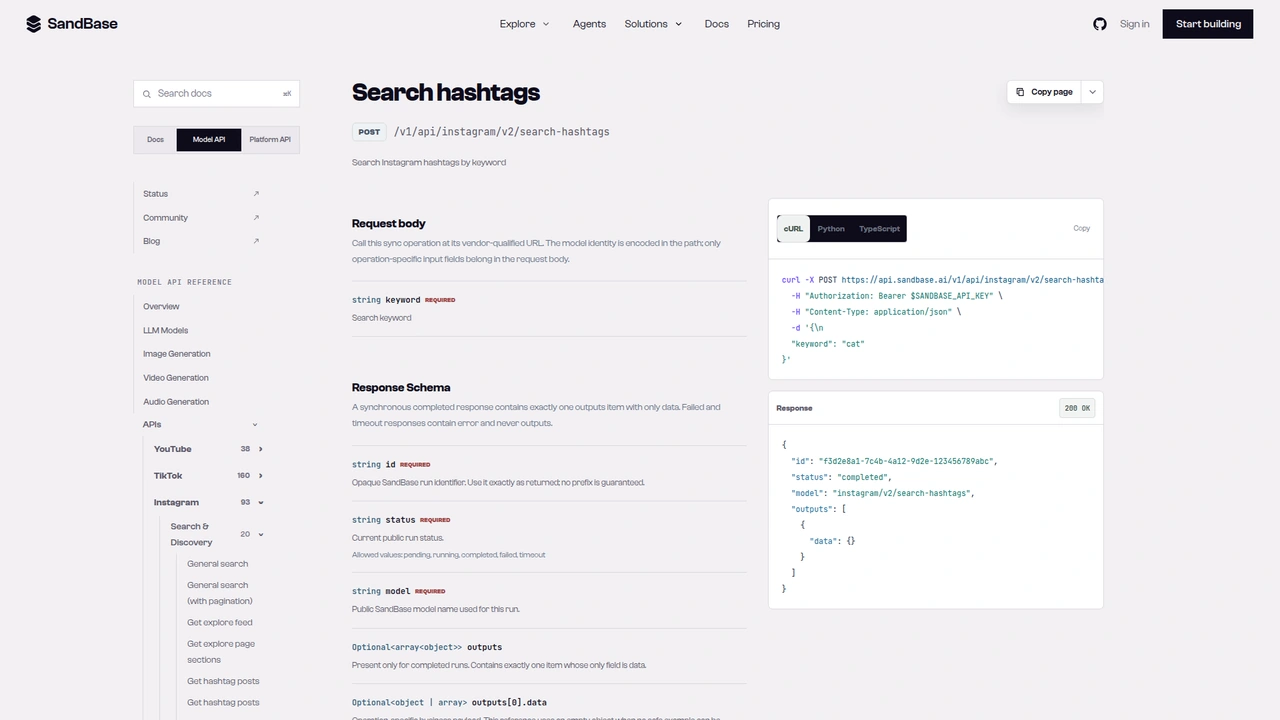 The
The instagram/v2/search-hashtags reference: POST /v1/api/instagram/v2/search-hashtags with one required keyword field. The documented response example leaves outputs[0].data empty.
Step 2: read and page the top posts under a tag
def to_utc(value) -> str | None:
    # The top feed returned ISO strings; the recent feed returned Unix seconds.
    if isinstance(value, (int, float)):
        return datetime.fromtimestamp(value, tz=timezone.utc).isoformat()
    return value


def hashtag_posts(tag: str, feed_type: str = "top", max_pages: int = 2) -> list[dict]:
    posts, token = [], None
    for _ in range(max_pages):
        payload = {"keyword": tag, "feed_type": feed_type}
        if token:
            payload["pagination_token"] = token
        out = call("instagram/v2/hashtag-posts", payload)
        for item in (out.get("data") or {}).get("items", []) or []:
            user = item.get("user") or {}
            posts.append({
                "code": item.get("code"),
                "url": f"https://www.instagram.com/p/{item.get('code')}/",
                "account": user.get("username"),
                "verified": user.get("is_verified"),
                "media_type": item.get("media_type"),
                "likes": item.get("like_count"),  # None when likes are hidden
                "comments": item.get("comment_count") or 0,
                "plays": item.get("play_count") or 0,
                "taken_at": to_utc(item.get("taken_at")),
                "hashtags": item.get("caption_hashtags") or [],
                "paid_partnership": item.get("is_paid_partnership"),
            })
        token = out.get("pagination_token")
        if not token:
            break
    return posts
The reference documents keyword, feed_type, and pagination_token. The live responses agreed on where the token lives: it came back at the top of outputs[0].data, next to the inner data object, not inside it. Sending it back as pagination_token worked. Page one of the top feed returned 24 posts; page two (run 4c96135e-d0c9-4642-8979-bd47599fe0be) returned 30 more with no overlap and a fresh token. I stopped at two pages. I didn’t test how deep the top feed goes.
Here’s one post item from the top feed, trimmed. It’s a Reel from a verified recipe account; I’ve left the account name out and kept the counts:
{
  "code": "DcZlsXtzS-X",
  "media_type": 2,
  "product_type": "clips",
  "like_count": 5719,
  "comment_count": 1763,
  "play_count": 661027,
  "taken_at": "2026-08-23T22:44:44Z",
  "taken_at_ts": 1787525084,
  "is_paid_partnership": false,
  "like_and_view_counts_disabled": false,
  "caption_hashtags": ["#pineapplechutney", "#spicychutney", "#easyrecipes", "#veganrecipes"]
}
Three things tripped me up here. First, like_count was null on two of the 24 posts. Both had like_and_view_counts_disabled: true, which means the creator hid their likes. Don’t read that as zero. Second, taken_at was an ISO string in the top feed but a Unix timestamp in the recent feed (run a249ddfd-f55a-4f94-809f-f4cf42482341), which is why to_utc handles both. Third, media_type came back as 1 (photo), 2 (video or Reel), or 8 (carousel). Carousels showed play_count: 0, so plays only make sense for comparing videos with other videos.
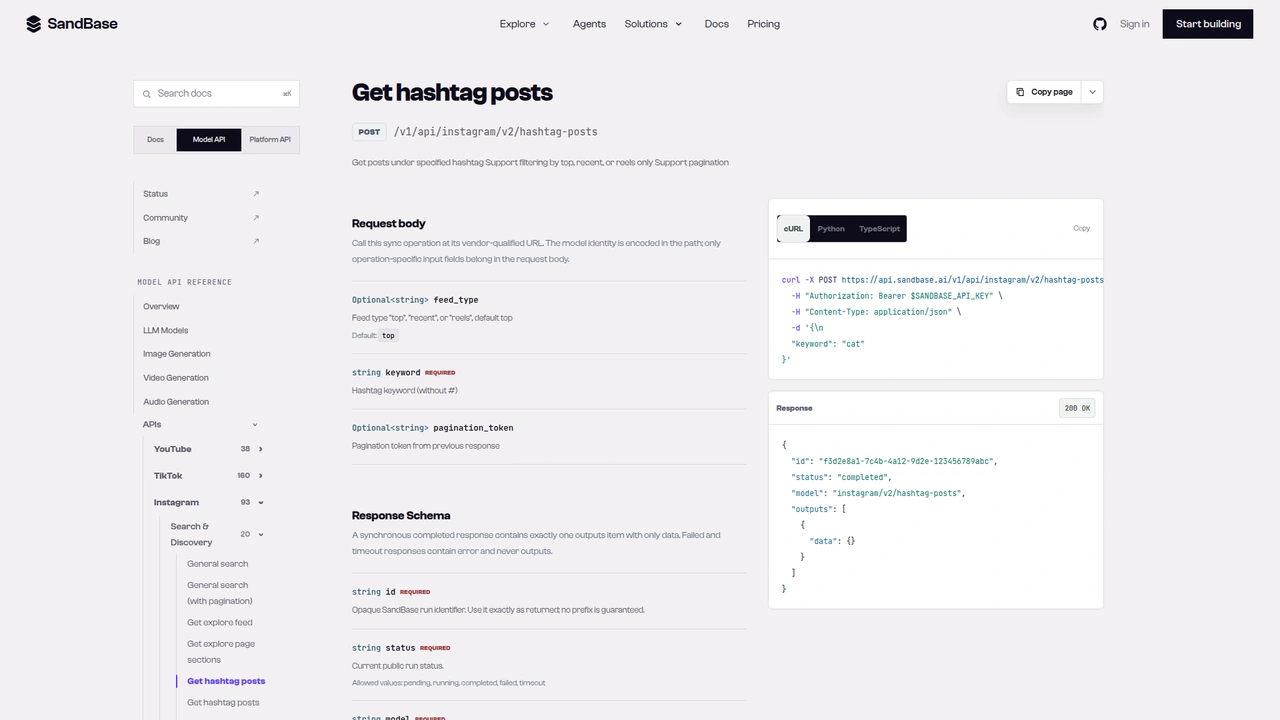 The
The instagram/v2/hashtag-posts reference: a required keyword (without #), an optional feed_type that defaults to top, and an optional pagination_token from the previous response.
Step 3: rank by engagement and find co-occurring tags
def rank_by_engagement(posts: list[dict]) -> list[dict]:
    seen, ranked = set(), []
    for p in posts:
        if p["code"] in seen:
            continue
        seen.add(p["code"])
        p["likes_hidden"] = p["likes"] is None
        # hidden likes: no score, sorted after posts with full counts
        p["engagement"] = None if p["likes_hidden"] else p["likes"] + p["comments"]
        ranked.append(p)
    return sorted(ranked, key=lambda p: (p["engagement"] is not None, p["engagement"] or 0), reverse=True)


def co_hashtags(posts: list[dict], tag: str, top: int = 10) -> list[tuple[str, int]]:
    counts: dict[str, int] = {}
    for p in posts:
        for h in {h.lower().lstrip("#") for h in p["hashtags"]}:
            if h != tag.lower():
                counts[h] = counts.get(h, 0) + 1
    return sorted(counts.items(), key=lambda kv: kv[1], reverse=True)[:top]
“Engagement” here means likes plus comments, as absolute numbers. The hashtag feed has no follower counts for the posters, so you can’t compute an engagement rate from this endpoint alone. If you need a rate, look up each shortlisted account with the profile workflow from the other tutorial, and accept the extra calls.
Posts with hidden likes get no engagement score. They sort after every post with full counts, and the likes_hidden flag tells you why, so a partial number never competes with a complete one. The tag counts come from caption_hashtags, which arrived with the # prefix and mixed case (#DairyFree and #dairyFree on the same post), so the helper lowercases and de-duplicates per post before counting.
Step 4: re-check one shortlisted post
def refresh_post(code: str) -> dict:
    data = call("instagram/v2/post-info", {"code_or_url": code}).get("data", {}) or {}
    metrics = data.get("metrics") or {}
    caption = data.get("caption") or {}
    return {
        "code": data.get("code"),
        "account": (data.get("user") or {}).get("username"),
        "product_type": data.get("product_type"),
        "taken_at": data.get("taken_at_date"),
        "likes": metrics.get("like_count"),
        "comments": metrics.get("comment_count"),
        "hashtags": caption.get("hashtags") or [],
    }
This is the step where my first draft read the wrong field. In the hashtag feed, like_count sits at the top of each item. In post-info, the item has no top-level like_count at all. The counts live in a metrics object. I tested it on a carousel from the Instant Pot brand account that showed up under #veganrecipes in the recent feed (run f714c418-01ef-4074-9cf1-94f6241169d8). Trimmed:
{
  "data": {
    "code": "Dd7t9arlwZC",
    "product_type": "carousel_container",
    "carousel_media_count": 3,
    "taken_at_date": "2026-10-01T01:22:00+00:00",
    "metrics": {"like_count": 4, "comment_count": 0, "play_count": null, "share_count": null},
    "caption": {
      "text": "Yes, ice cream can be vegan. We tested it - and it works perfectly. ...",
      "hashtags": ["#instantpot", "#instantchill", "#veganicecream", "#vegan", "#veganrecipes"]
    },
    "user": {"username": "instantpotofficial", "full_name": "Instant Pot®", "is_verified": true}
  }
}
The post was a few hours old, which explains the small numbers. Re-reading a post later is the point of this step: run it a day or a week after the first pass to see whether a shortlisted post kept growing. I also tried instagram/v3/post-info-by-code on the same shortcode (run bc654757-6209-44de-9ff6-de74b144316c). It returned an items list in a different shape, so I stayed with v2 for consistency.
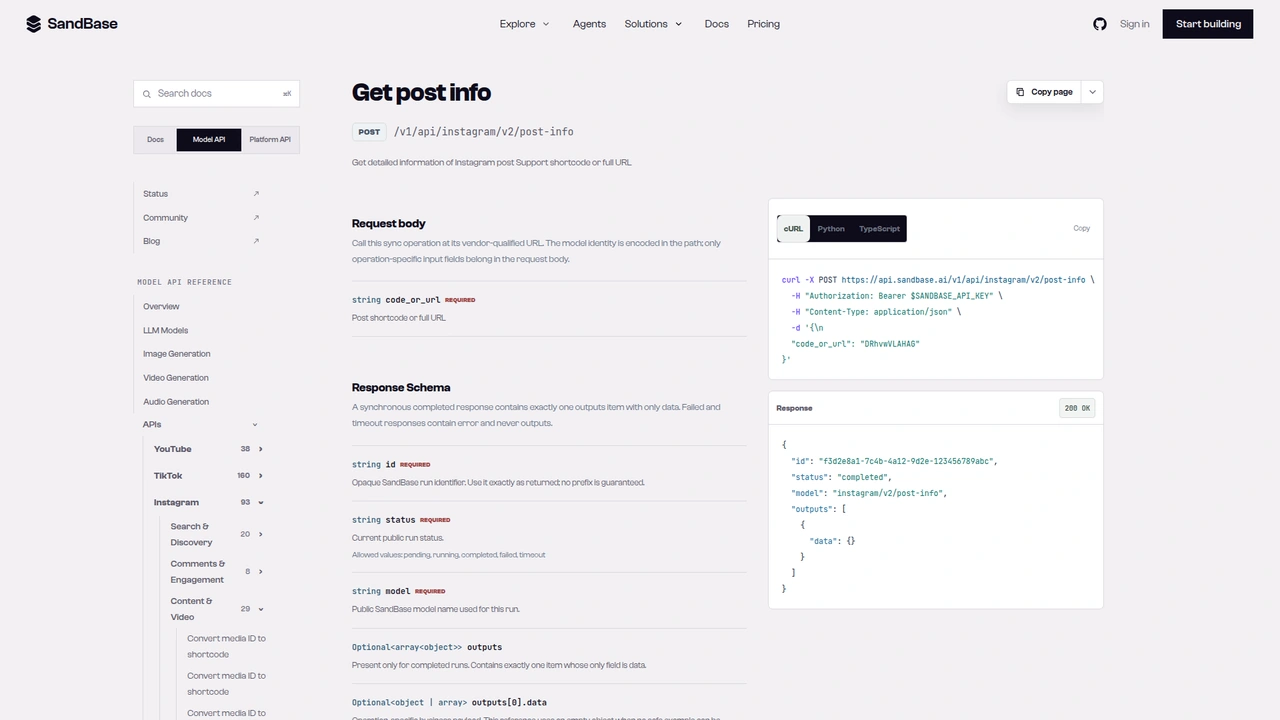 The
The instagram/v2/post-info reference: one required code_or_url field that takes a post shortcode or a full post URL.
Putting it together
if __name__ == "__main__":
    seed = "veganrecipes"
    print("1) related hashtags")
    tags = find_hashtags(seed)
    for t in tags[:8]:
        print(f"   #{t['name']:<28} {t['media_count']:>10,}")

    print("2) top posts under the seed tag, two pages")
    posts = hashtag_posts(seed, "top", max_pages=2)
    print(f"   collected {len(posts)} posts")

    print("3) ranked by likes + comments")
    ranked = rank_by_engagement(posts)
    for p in ranked[:5]:
        flag = " (likes hidden)" if p["likes_hidden"] else ""
        print(f"   {p['code']}  eng={str(p['engagement']):>6}  plays={p['plays']:>7}  type={p['media_type']}{flag}")
    print("   co-occurring tags:", co_hashtags(posts, seed, 8))

    print("4) refresh one post")
    print("  ", refresh_post("Dd7t9arlwZC"))
I ran the whole file as written. The search call was run 4323d2d9-d773-447b-adaa-297cc5982320; the two hashtag pages were 45830a7e-d588-4674-b629-5e2a5b5d9309 and 27d391bb-1aeb-4af4-a9fa-a88a9bcc1bcd; the refresh was f714c418-01ef-4074-9cf1-94f6241169d8. Two pages gave 54 posts. Four of the top five by engagement were Reels (media_type 2), and the top post had about 20,000 likes plus comments on roughly 500,000 plays. The most frequent co-occurring tags were vegan (11 of 54 posts), plantbased (10), plantbasedrecipes (6), and easyrecipes (6).
That’s one tag, one afternoon, two pages. It tells you what the top feed looked like for that tag at that moment, not what Instagram ranks in general. Repeat the run for each shortlisted tag from step 1 and you get a small comparison table an agent can summarize: which tags have Reel-heavy top feeds, which co-tags recur, and which posts are worth a closer look.
Each tag costs one call per page, plus one search call per seed and one call per refreshed post. Cache posts by code so a re-run doesn’t duplicate them.
Documented vs. observed
| Item | Status |
|---|---|
POST /v1/api/instagram/v2/search-hashtags with keyword | Documented in the reference |
POST /v1/api/instagram/v2/hashtag-posts with keyword, feed_type, pagination_token | Documented in the reference |
POST /v1/api/instagram/v2/post-info with code_or_url | Documented in the reference |
Envelope id / status / model / outputs[0].data | Documented in the reference |
Search data.items[] with name, id, media_count | Observed only |
pagination_token at the top of outputs[0].data | Observed only |
Post code, like_count, comment_count, play_count, media_type, caption_hashtags, user | Observed only |
taken_at as ISO in top, Unix seconds in recent | Observed only |
post-info counts under metrics, caption.hashtags, taken_at_date | Observed only |
Common use cases
Niche tag shortlisting
Start from a seed word, keep the tags above a volume floor, and compare their top feeds. Input: a seed keyword. Output: a ranked list of candidate tags with post volume. Endpoint: v2/search-hashtags.
Content format research
Count media_type in the top feed of each tag to see whether Reels, carousels, or photos dominate. Input: tag names. Output: a format mix per tag. Endpoint: v2/hashtag-posts.
Co-tag discovery for campaigns
Tally the hashtags that co-occur on top posts to find adjacent tags worth testing. Input: a tag. Output: a frequency list. Endpoint: v2/hashtag-posts.
Creator and brand discovery
List the accounts behind the highest-engagement posts, then hand them to a profile lookup for follower counts. Input: ranked posts. Output: a shortlist of accounts to review. Endpoints: v2/hashtag-posts, then the profile workflow.
Practical notes
- Param names differ by version. v2 search takes
keyword, v3 search takesquery; v2 tag posts takekeyword, v3 takestag, v1 takeshashtag. - Pick the feed on purpose.
topfor “what performs”,recentfor monitoring. The v3 tag route behaved like a recency feed in my test. - Hidden likes are
null, not zero. Checklike_and_view_counts_disabledand flag those posts. - Normalize timestamps and hashtags. ISO vs. Unix by feed type;
#-prefixed, mixed-case tags. - Counts move in
post-info. Readmetrics.like_count, not a top-level field. - Keep personal data out of your store. Posts under a tag include private individuals’ public accounts. Store post codes and counts; keep usernames only for business or brand accounts you plan to contact.
- Business fields are observed-only. Confirm them against a live response before you depend on them.
FAQ
Do I need an Instagram account or login?
No. You authenticate to SandBase with SANDBASE_API_KEY. These read endpoints need no Instagram account or OAuth on your side.
Is it free? The endpoints used here are currently listed as Free in the SandBase catalog. Check the catalog for the current status.
Can I get an engagement rate? Not from the hashtag feed alone. It returns counts per post but no follower counts. Look up shortlisted accounts separately and divide.
How do I get more posts under a tag?
Send the pagination_token from the previous response. Stop when it’s missing.
Should I include the # in the keyword?
No. The reference asks for the tag without #, and that’s how I called it.
Wrap up
A seed word is enough to research a hashtag niche on Instagram. One call expands it into tags with volume, a few paged calls show what performs under a tag, and a final call re-checks the posts you care about. Rank by likes plus comments, flag hidden likes, and count co-tags, and an agent has something concrete to summarize. For the rest of the Instagram endpoints, see the Instagram public data API hub. When you’re ready: