Telegram Public Data API | SandBase
Read public Telegram channels, posts, comments, and search with one REST API. No Telegram login, no MTProto client — one SandBase key, built for agents.
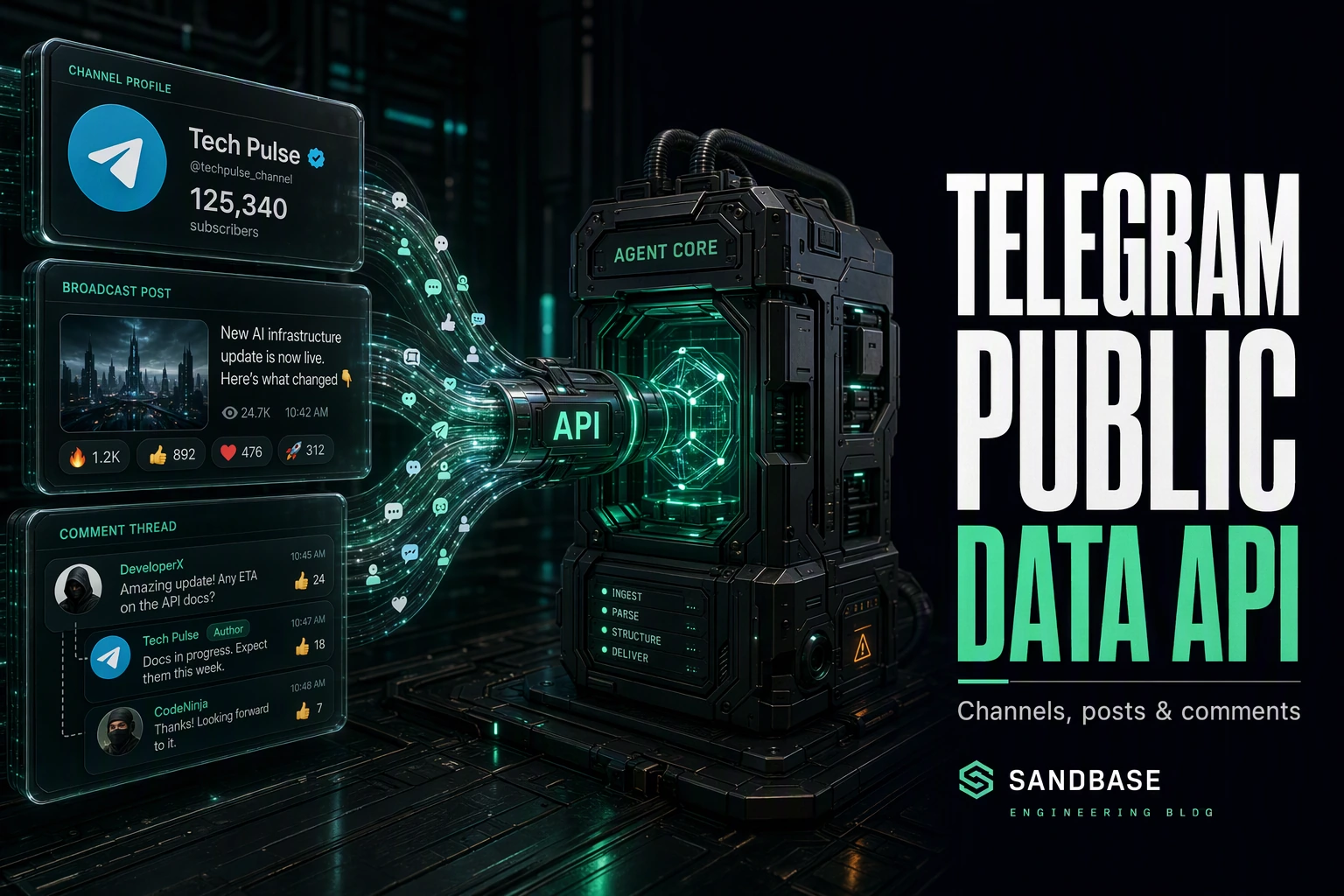
Telegram is where breaking news, crypto communities, and public broadcast channels move fast — a stream of channel posts, reactions, and comment threads that maps directly onto media monitoring, community research, and trend detection. Reading it programmatically usually means standing up an MTProto client, managing a session, and parsing raw protocol messages before you get a single post.
The SandBase Telegram public data API removes that setup tax. It reads public Telegram channels, their posts, comments, and search through plain REST endpoints — one SandBase API key, no Telegram login and no MTProto client. The endpoint API reference is the source of truth for each parameter and for the response envelope; the business-payload field names shown below come from a real channel-info call I ran (tested on 2026-09-27, UTC), and are shown as one observed shape — confirm them against a live response for the endpoint you call, since payloads can change over time.
This is not Telegram’s official Bot API or MTProto. Use Telegram’s official APIs when you need bot actions, authenticated member operations, or a licensed data agreement. Use SandBase when your workflow needs public, read-only channel data for research and monitoring. Ready to try it? Get a SandBase API key and browse the Telegram endpoints.
Key takeaway
- One API reads public Telegram channel info, posts, comments, in-channel search, and similar channels.
- The Model API endpoints in this guide are called with
POST /v1/api/telegram/<path>— pass only that endpoint’s params, no MTProto, oneSANDBASE_API_KEY.- Endpoints key off natural identifiers: a
channelusername for a channel, and an integerpost_idfor a single post or its comments.- It returns public, read-only data only. There is no posting, no platform login on your side, and no private chats; authenticate with a SandBase API key.
Which Telegram API do you need?
| Your need | Choose | Why |
|---|---|---|
| Run a bot, act as a member, or use account-authorized data | Telegram’s official Bot API / MTProto | Bot and account operations run through Telegram directly. |
| Read public channel info, posts, comments, or search | SandBase Telegram public-data API | Plain REST, one SandBase key, structured JSON for read-only workflows. |
| Private chats or account-only data | Neither public workflow | That data is out of scope for this public-data guide. |
What you can get from the Telegram API
The catalog is organized on a web surface. Grouped by job:
- Channels — public channel info (title, subscribers, verified, counters) and similar-channel discovery.
- Posts — a channel’s recent posts and a single post’s detail by
post_id. - Comments — a post’s comment thread.
- Search — search within a channel by keyword.
Check each endpoint’s live API reference for the exact surface and parameters before you build; availability differs by endpoint.
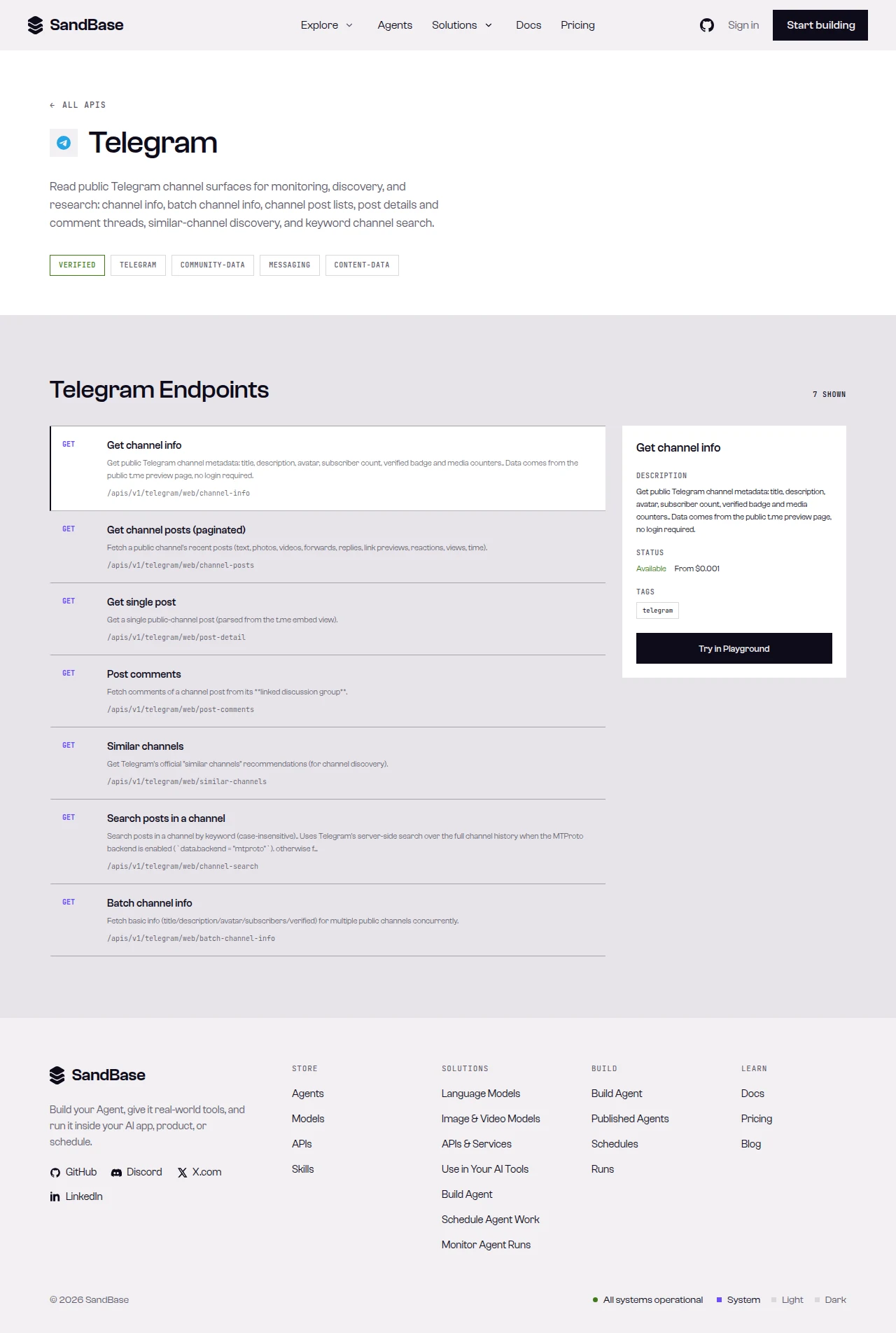 The Telegram API page on SandBase — a tagged overview and the endpoint list, each with its path.
What Telegram provides vs. what SandBase adds
Public data comes from Telegram. SandBase does not own or operate Telegram; it provides a uniform API layer for eligible public-data workflows. Each capability becomes one stable endpoint, auth collapses to a single key, and responses come back as predictable JSON — so an agent can chain “read a channel → read its posts → pull a post’s comments” along one convention instead of maintaining an MTProto client.
Quick start: your first call
SandBase exposes more than one API surface. The catalog may show GET paths under /apis/v1/...; this guide uses the vendor-qualified Model API path on each endpoint’s API reference. Do not swap the HTTP method or URL — follow the reference for the endpoint you choose.
Read a public channel by username:
import os
import requests

resp = requests.post(
    "https://api.sandbase.ai/v1/api/telegram/web/channel-info",
    headers={
        "Authorization": f"Bearer {os.environ['SANDBASE_API_KEY']}",
        "Content-Type": "application/json",
    },
    json={"channel": "telegram"},
)
resp.raise_for_status()
body = resp.json()
if body.get("status") != "completed":
    error = body.get("error", {})
    raise RuntimeError(error.get("message", "Telegram request did not complete"))

# The reference guarantees the envelope (id/status/model/outputs[0].data);
# business fields vary by endpoint, so read defensively and confirm
# the exact paths against a live response.
data = body["outputs"][0]["data"]
print(data.get("title"), data.get("subscribers"), data.get("verified"))
curl -X POST https://api.sandbase.ai/v1/api/telegram/web/channel-info \
-H "Authorization: Bearer $SANDBASE_API_KEY" \
-H "Content-Type: application/json" \
-d '{"channel": "telegram"}'Responses use a consistent envelope: an id, a status, the model name, and — on a completed run — an outputs array whose single item carries the payload under data. A failed or timeout run instead carries error and no outputs, so branch on status before reading outputs[0].data, and check each endpoint’s reference for its run mode. That envelope is what the endpoint reference guarantees; the operation-specific fields inside data are documented per endpoint. The block below is a trimmed real response from my channel-info call (tested on 2026-09-27, UTC) — the values move over time, so treat the field names as observed rather than guaranteed and confirm them against a live response:
{
  "id": "b7159c20-ae57-47cb-bf5d-e34ab1020d10",
  "status": "completed",
  "model": "telegram/web/channel-info",
  "outputs": [
    {
      "data": {
        "title": "Telegram News",
        "username": "telegram",
        "subscribers": "9.46M",
        "verified": true,
        "counters": { "photos": "16", "videos": "228", "links": "378" }
      }
    }
  ]
}
Response shapes differ by endpoint — inspect one real response and map the exact path per endpoint.
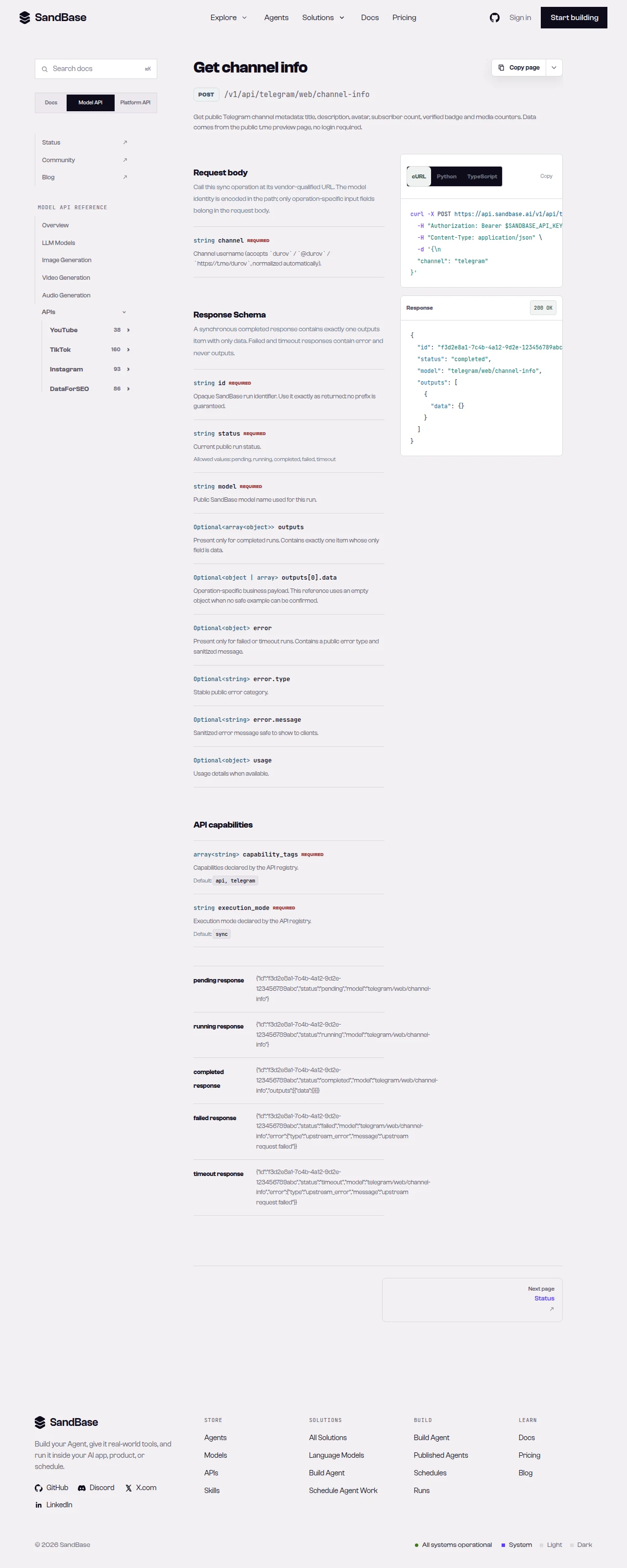 The endpoint API reference is the source of truth for each parameter name and response path.
Capability map
| Capability cluster | Representative endpoint | Typical use |
|---|---|---|
| Channel info | telegram/web/channel-info | Channel size and metadata by username |
| Channel posts | telegram/web/channel-posts | Read a channel’s recent posts |
| Post detail | telegram/web/post-detail | Read one post by integer post_id |
| Post comments | telegram/web/post-comments | Engagement and sentiment inputs |
| Similar channels | telegram/web/similar-channels | Channel discovery |
Paging differs by endpoint — channel-posts returns a pagination object with cursor fields, and you pass a cursor request parameter to fetch older posts. Read each endpoint’s schema.
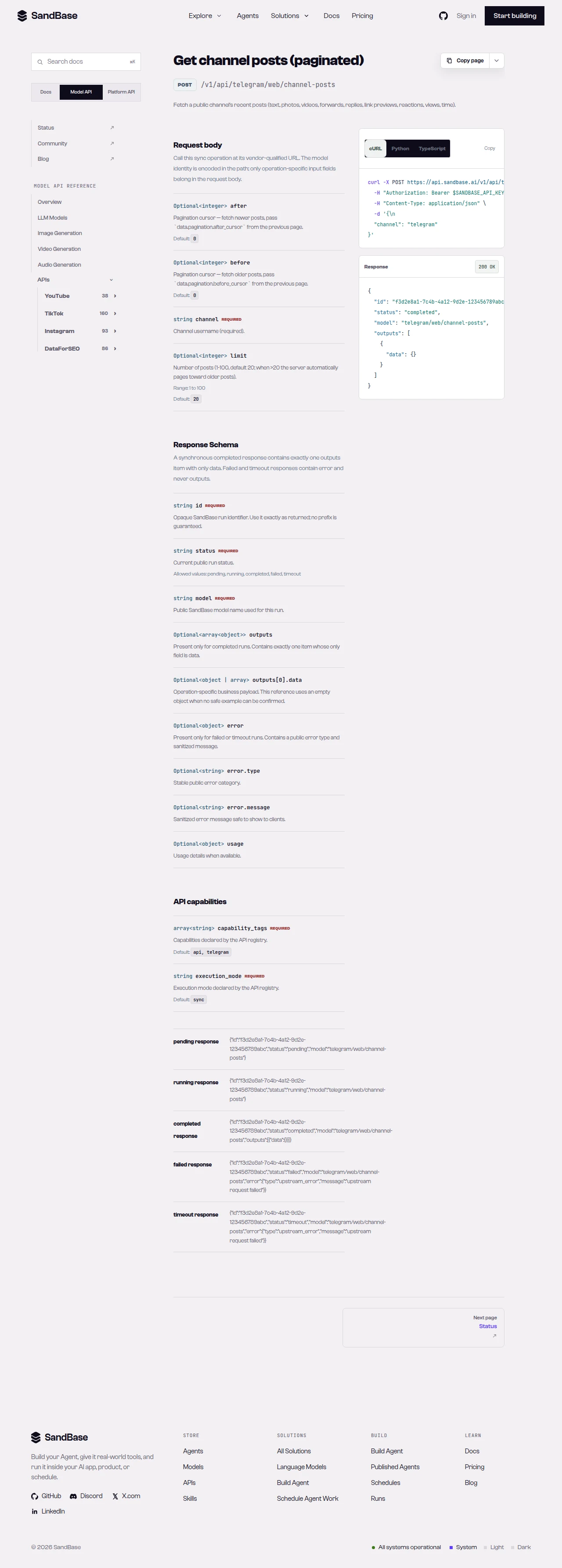 A slice of the Telegram endpoint list on the web surface.
Chaining calls in an agent workflow
Because every endpoint shares the same auth and the same response envelope, an agent can walk from a channel to a comment thread without special-casing each surface. A common monitoring pattern looks like this:
- Read the channel. Call
telegram/web/channel-infowith achannelusername to get title, subscribers, and counters. - Read the posts. Call
telegram/web/channel-postsfor recent messages, paging older with the returned cursor. - Read the comments. Call
telegram/web/post-commentswith thechanneland an integerpost_idfor engagement inputs.
Each step returns the same { id, status, model, outputs } shape, so your agent branches on status once and reuses the same JSON-reading code across every step.
Common use cases
Telegram channel API for audience sizing
Call telegram/web/channel-info with a channel username to read title, subscriber count, verified status, and content counters. Input: a channel username. Output: a channel record. Endpoint: channel-info.
Telegram posts API for content monitoring
Read telegram/web/channel-posts for a channel’s recent messages, then page older with the returned cursor. Input: a channel username. Output: a list of posts plus pagination. Endpoint: channel-posts.
Telegram discovery API for related channels
Run telegram/web/similar-channels with a channel to surface related channels. Input: a channel username. Output: a list of similar channels. Endpoint: similar-channels.
Why run this at the API layer
You could stand up an MTProto client and parse raw protocol messages, but that path is fragile: you manage a session, handle reconnects, and maintain a parser instead of shipping features. Reading through one uniform API means your code depends on named JSON fields and a single response envelope rather than a protocol internal. Auth is one key, and because every endpoint returns the same { id, status, model, outputs } shape, retries, logging, and error handling live in one helper you write once and reuse everywhere.
That uniformity is what makes the workflow composable for an agent. Swap one channel for another, swap one post_id for the next, and the code path is identical. Add a fourth read — a channel’s similar channels, say — and it slots in behind the same status-checking helper. The practical payoff is that your time goes to what the data means for your research, not to keeping a protocol client alive against a moving target. When you need more than single reads, check the live listing for the endpoint that fits and confirm its parameters before wiring it in.
Limitations and boundaries
- Public, read-only data only. No posting, bot actions, or private/account-only data.
- Rate and volume. Treat responses as best-effort reads; as a client-side resilience measure, retry with backoff on transient errors such as HTTP 429.
- Parameters and shapes follow the upstream surface. A
channelis a username;post_idis an integer; paging onchannel-postsuses a per-endpoint cursor. Some endpoints note that certain deep reads require MTProto upstream. Inspect a real response and read the schema first. - Verify endpoints against the live reference. Availability and fields can change; confirm before building on a specific endpoint.
- This is not an official Telegram partnership. SandBase provides uniform access to public data; respect Telegram’s terms and applicable rules for your use case.
FAQ
Do I need a Telegram bot token or login?
No. You authenticate to SandBase with your SANDBASE_API_KEY. These read endpoints do not require a Telegram account, bot token, or MTProto session on your side.
What identifies a channel or a post?
A channel username identifies a channel, and an integer post_id identifies a single post or the comment thread on it.
How does pagination work?
channel-posts returns a pagination object with cursor fields; pass a cursor request parameter on the next call to fetch older posts. Read each endpoint’s schema.
Can I read private chats or groups? No. The API returns public channel data only. Private chats, groups, and account-authorized content are out of scope.
Start with a channel read
Create a SandBase API key, call channel-info, and inspect the returned schema before you expand to posts, comments, or search. When you are ready: