Telegram Channel Monitoring API Tutorial
Monitor a public Telegram channel with one REST API: baseline it, poll new posts with the after_cursor, and read engagement — one SandBase key, no MTProto, no login.
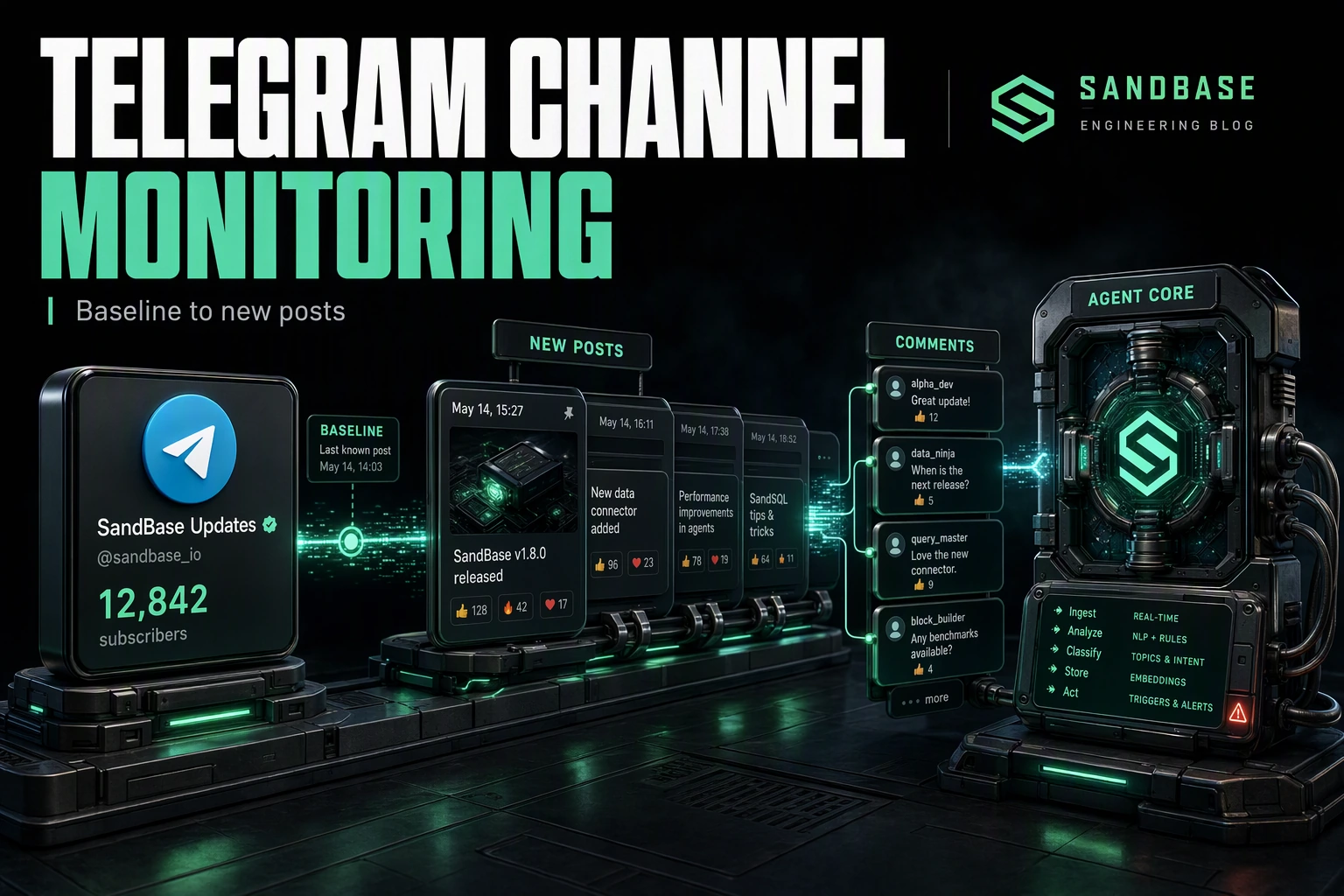
Monitoring a public Telegram channel comes down to three moves: establish a baseline, catch new posts as they land, and measure how they resonate. This tutorial wires those three moves into one workflow with the SandBase Telegram API — one SandBase key, no MTProto client and no Telegram login. These are synchronous request/response reads, so “monitoring” here means polling on a schedule, not a live stream.
For the full endpoint tour, see the Telegram public data API hub. This piece is the applied monitoring workflow.
Key takeaway
- Three steps:
channel-info(baseline) →channel-posts(new posts) →post-comments(engagement).- Every call is
POST /v1/api/telegram/<path>with oneSANDBASE_API_KEY; a completed run carries anoutputsarray, while a failed or timeout run carrieserrorand nooutputs.- The
channel-postsresponse returns cursor-based pagination, so remember theafter_cursoryou last saw and pass it back as theafterrequest parameter to pull newer posts on the next poll.- Public, read-only data only; no Telegram login of your own, but a SandBase API key is still required.
The workflow at a glance
| Step | Endpoint | Input | You get |
|---|---|---|---|
| 1. Baseline | telegram/web/channel-info | channel | subscribers, counters, verified |
| 2. New posts | telegram/web/channel-posts | channel | recent messages + pagination cursors |
| 3. Engagement | telegram/web/post-comments | channel, integer post_id | a post’s comment thread |
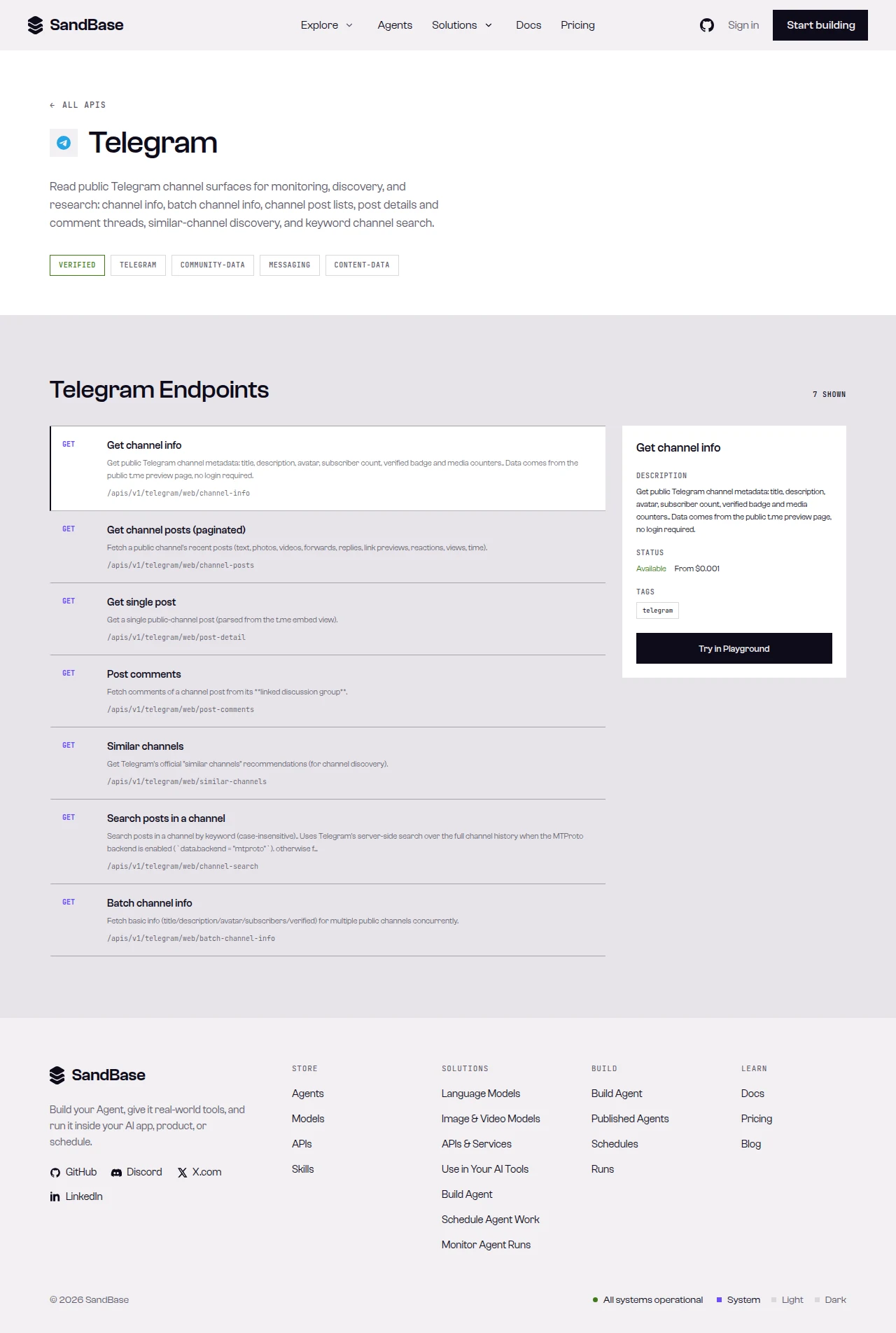 The endpoint API reference is the source of truth for each parameter name and response path.
Step 1 — Baseline the channel
Start with a shared helper that branches on status, then read the channel to capture a baseline:
import os
import requests

BASE = "https://api.sandbase.ai/v1/api/telegram"
HEADERS = {
    "Authorization": f"Bearer {os.environ['SANDBASE_API_KEY']}",
    "Content-Type": "application/json",
}


def call(path: str, payload: dict) -> dict:
    resp = requests.post(f"{BASE}/{path}", headers=HEADERS, json=payload, timeout=90)
    resp.raise_for_status()
    body = resp.json()
    if body.get("status") != "completed":
        raise RuntimeError(body.get("error", {}).get("message", "request did not complete"))
    # The reference guarantees only the envelope; business fields vary by
    # endpoint, so read defensively and confirm against a live response.
    return body["outputs"][0]["data"]


info = call("web/channel-info", {"channel": "telegram"})
print(info.get("title"), info.get("subscribers"), info.get("verified"))
Store the subscriber count and counters so later runs can chart growth over time. The block below is a real response I tested on 2026-09-27 (UTC) — a completed run carries the business fields under outputs[0].data, so the code still reads each one with .get() because the values (subscriber count, counters) move over time and the live response is the source of truth:
{
  "id": "8c815356-e1f6-4668-959c-375f9471822f",
  "status": "completed",
  "model": "telegram/web/channel-info",
  "outputs": [
    {
      "data": {
        "title": "Telegram News",
        "username": "telegram",
        "subscribers": "9.46M",
        "verified": true,
        "counters": { "photos": "16", "videos": "228", "links": "378" }
      }
    }
  ]
}
Step 2 — Poll for new posts
Read the channel’s recent posts. The response carries a messages list and a pagination object with cursor fields. channel-posts accepts after, before, and limit (1-100, default 20) request parameters: pass a value in after to pull newer posts than that cursor, and before to pull older ones. In the tested response below, after_cursor is the newest cursor on the page, before_cursor is the oldest, and has_more_before signals older posts exist. The reference does not guarantee that post ids increase monotonically, so drive incremental polling with the cursor — remember the last after_cursor you saw and pass it back as after:
def poll_new(channel: str, after_cursor=None) -> tuple[list[dict], object]:
    payload = {"channel": channel}
    if after_cursor is not None:
        # pass the cursor we last saw to pull posts newer than it
        payload["after"] = after_cursor
    data = call("web/channel-posts", payload)
    messages = data.get("messages", [])
    pagination = data.get("pagination", {})
    # advance the cursor; keep the previous one when the page is empty
    next_cursor = pagination.get("after_cursor", after_cursor)
    return messages, next_cursor


new_posts, cursor = poll_new("telegram")
for m in new_posts[:5]:
    print(m.get("id"), m.get("date"), (m.get("text") or "")[:60])
Each message carries fields like id, date, text, text_html, an author, a reactions list, views, media, link_preview, type, url, and forwarding flags (is_forwarded, forwarded_from, reply_to). Remembering the last after_cursor you saw and passing it back as after turns a full page into a clean “what’s new since last run” pull. To backfill older history instead, pass the before request parameter with the before_cursor value to fetch the previous page. The block below is a real response I tested on 2026-09-27 (UTC); values such as the ids, views, and cursors move over time, so read defensively and treat the live response as the source of truth:
{
"id": "8c815356-e1f6-4668-959c-375f9471822f",
"status": "completed",
"model": "telegram/web/channel-posts",
"outputs": [
{
"data": {
"messages": [
{
"id": 460,
"date": "2026-08-26T19:12:34+00:00",
"text": "…",
"views": "1.48M",
"is_forwarded": false,
"reactions": []
}
],
"pagination": { "after_cursor": 460, "before_cursor": 441, "has_more_before": true, "limit": 20 }
}
}
]
}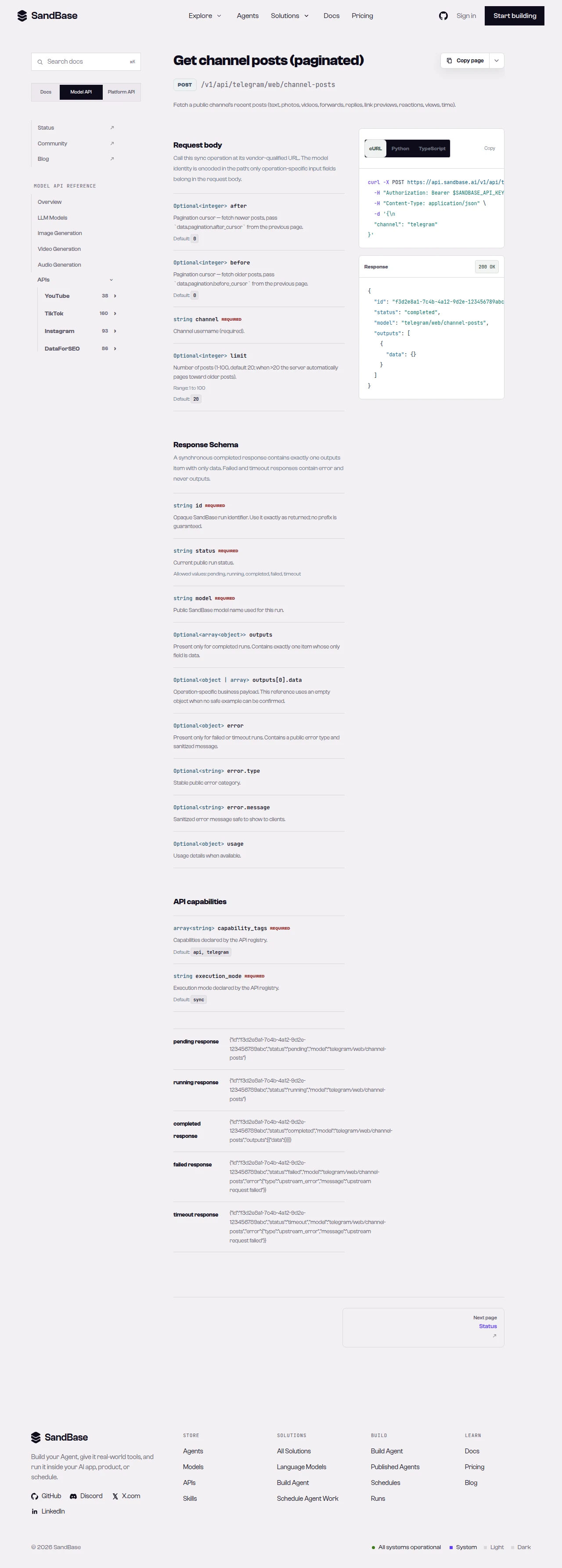 channel-posts returns a messages list and a pagination object; pull newer posts with
 after and older ones with the before request parameter.
Step 3 — Read engagement on a post
For a post worth a closer look, read its comment thread. post-comments takes the channel and an integer post_id:
for m in new_posts:
    post_id = m.get("id")
    if not isinstance(post_id, int):
        continue
    thread = call("web/post-comments", {"channel": "telegram", "post_id": post_id})
    comments = thread.get("comments", [])
    print(post_id, "->", len(comments), "comments")
The comment payload nests under comments. Some deep reads may note an upstream requirement in the response — inspect one real response and read the schema before you depend on a specific field.
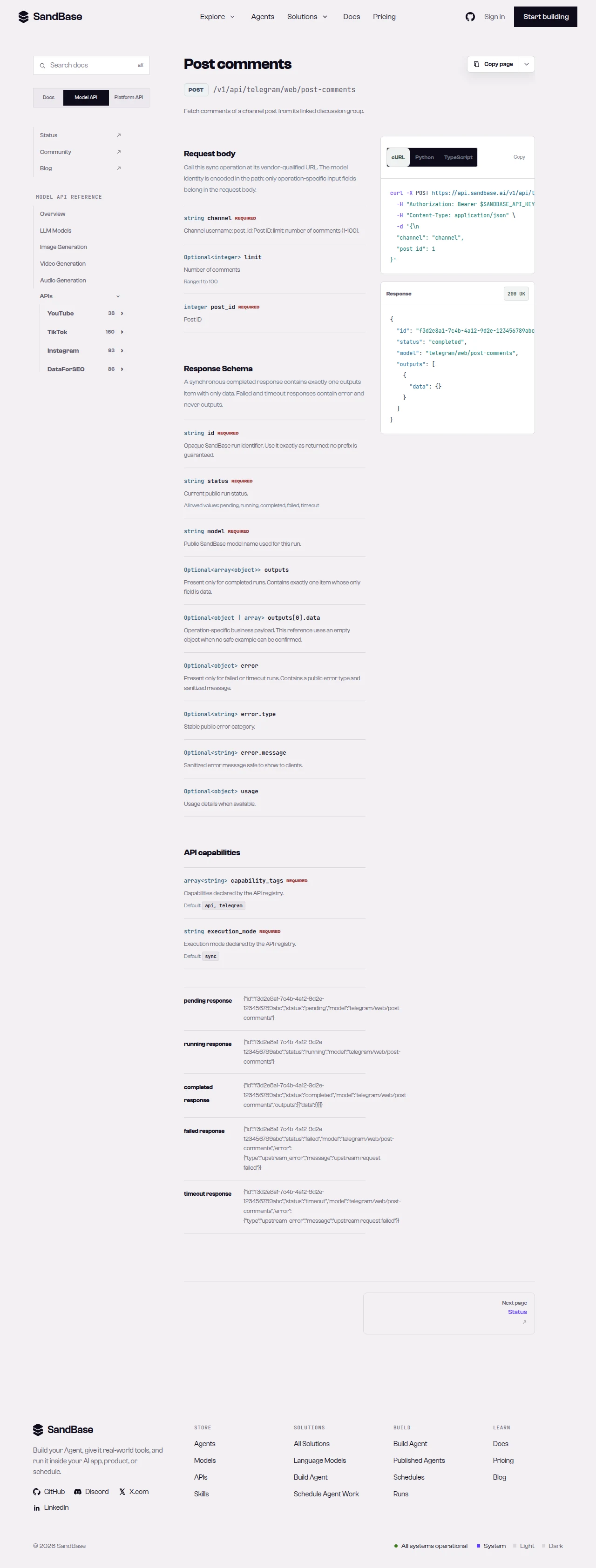 post-comments reads a post’s replies by channel and integer post_id.
Putting it together
A minimal monitoring pass looks like this — baseline once, then poll on a schedule and advance the after_cursor each run:
CHANNEL = "telegram"
cursor = None

def monitor_once():
    global cursor
    fresh, cursor = poll_new(CHANNEL, cursor)
    for m in fresh:
        record = {
            "id": m.get("id"),
            "date": m.get("date"),
            "text": m.get("text"),
            "views": m.get("views"),
            "reactions": m.get("reactions", []),
        }
        # store record; optionally call post-comments for engagement
    return len(fresh)
Because every call shares the same envelope and the same call helper, adding retries or rate-limit backoff is a one-place change. When you need more than these reads, check the live Telegram listing for the endpoint that fits and confirm its parameters before wiring it in.
Why run monitoring at the API layer
You could stand up an MTProto client to tail a channel, but that means a session to manage, reconnects to handle, and a parser to maintain instead of shipping features. Reading through one uniform API means your code depends on named JSON fields and a single response envelope. Auth is one key, and because a completed run returns the same { id, status, model, outputs } shape (while a failed or timeout run carries error and no outputs), retries, logging, and error handling live in one helper. Remembering the last after_cursor you saw makes each poll a clean pull, so your pipeline sees only new posts — no duplicate alerts, no re-storing the same message.
That uniformity keeps the workflow composable. Swap the channel for any public one, add a similar-channels call to widen coverage, and it slots in behind the same helper. Your time goes to what the posts mean for your monitoring, not to keeping a protocol client alive.
Limitations and boundaries
- Public, read-only data only. No posting, bot actions, or private/account-only data.
- Polling, not streaming. These are synchronous reads; poll on a cadence and advance the
after_cursoreach run. - Pagination is a request parameter.
channel-postsacceptsafter,before, andlimit(1-100, default 20); passafterwith the lastafter_cursorto pull newer posts andbeforewithbefore_cursorto page older ones. Readchannel-posts’s schema for the exact fields. - Rate and volume. Treat responses as best-effort reads; retry with backoff on transient errors such as HTTP 429, and pace your polling.
- Verify against the live reference. Availability and fields can change; confirm before building on a specific endpoint.
FAQ
Do I need a Telegram bot token or login?
No. You authenticate to SandBase with your SANDBASE_API_KEY. This workflow reads public channel data and needs no Telegram account, bot token, or MTProto session on your side.
How do I catch only new posts?
The reference does not guarantee post ids increase monotonically, so drive it with the cursor: remember the last after_cursor you saw and pass it back as the after request parameter on the next poll to pull only newer posts. To backfill older history, pass the before request parameter with the before_cursor value.
Can I read private chats or groups? No. This workflow is public channel data only — channel info, posts, and public comment threads. Private chats, groups, and account-authorized content are out of scope.
Build it
Create a SandBase API key, baseline a channel, and poll for new posts with the after_cursor. When you are ready: