Shopping Price Comparison Tool: Features, Use Cases, and API
How the SandBase shopping price comparison tool checks live Google Shopping offers, where it helps, what its limits are, and which API powers it.
A product page tells you one seller’s price. That is rarely the number you need when you are deciding whether a discount is real, setting a resale price, or checking a supplier quote. The more useful question is: what does the market look like across stores right now?
The SandBase Shopping Price Comparison tool is a focused answer to that question. Enter a product name or model, choose one of six supported markets, and the tool uses live Google Shopping merchant data to compare current offers. It is designed for shoppers, e-commerce operators, sourcing teams, and researchers who need a fast market snapshot without opening a long row of store tabs.
Key takeaway
- The tool searches live Google Shopping merchant offers from a product name or model.
- It supports the United States, United Kingdom, Canada, Australia, Germany, and France.
- One run uses one commerce API call charged to the user’s SandBase account.
- The underlying dependency is
google-shopping/search, exposed through the SandBase Platform API.- It is a research shortcut, not proof that two similarly named listings are the same variant or that the displayed price is the final checkout total.
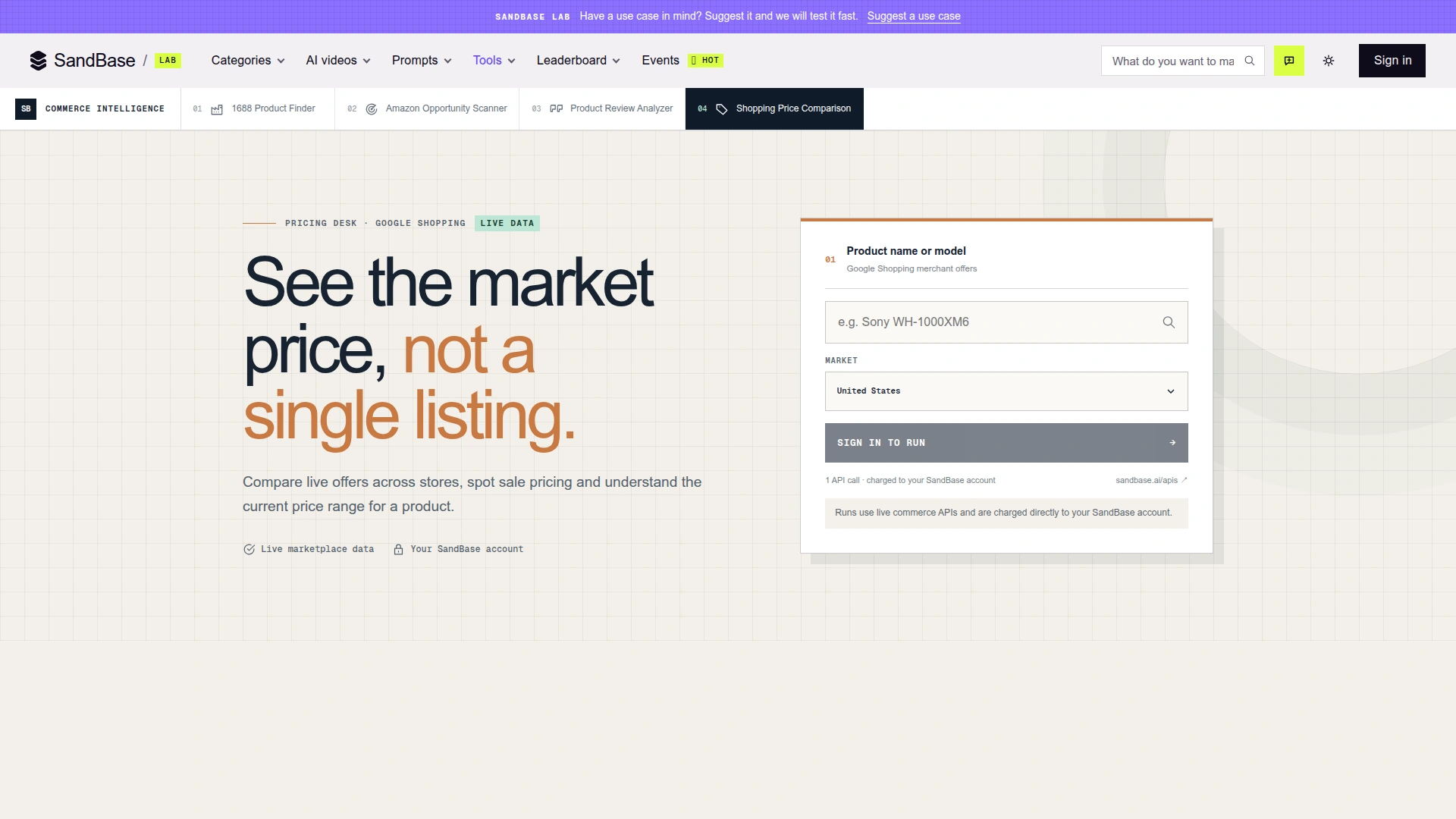 The live tool asks for a product name or model and a market. The page states that each run uses one live commerce API call billed to the user’s SandBase account. Captured October 31, 2026.
What the shopping price comparison tool does
The interface deliberately asks for only two decisions: what product and which market. The query can be a general product name, but a precise model number is usually better. “Sony headphones” may mix several generations and form factors; “Sony WH-1000XM6” gives the search system a much narrower identity to match.
The market selector covers six country storefronts: US, UK, Canada, Australia, Germany, and France. This matters because store coverage, currency, delivery terms, promotions, and product availability change by market. A US search should not be treated as a reliable proxy for Germany, even when the product name is identical.
After submission, the tool sends one query to the Google Shopping search dependency. SandBase describes the purpose as comparing live offers across stores, spotting sale pricing, and understanding the current price range. The underlying API can provide product title, current and old price, store, rating, review count, delivery information, and product ID when those fields are present in the source result.
The useful design choice is the shift from a single listing to a market view. One unusually cheap seller stops looking like “the price” and becomes one observation that needs context.
Feature highlights
A two-field workflow that favors speed
There is no spreadsheet setup, crawler configuration, or merchant-by-merchant search. Enter a query, pick a country, and run. That makes the tool suitable for an early decision: is the visible price plausible enough to keep investigating?
The simplicity also creates a boundary. The tool cannot infer every attribute you forgot to put in the query. Capacity, color, bundle contents, condition, region code, warranty, and model year can all change price. For products with many variants, include the attributes that define equivalence.
Live merchant offers instead of a static reference table
The page labels the source as live Google Shopping data. That is more useful than a hand-maintained “typical price” when promotions or stock change quickly. It also means results are a dated snapshot. A store can update its price, remove a listing, or change delivery terms after the run.
That distinction is worth making explicit: live does not mean permanent, exhaustive, or guaranteed at checkout. It means the request reads the current upstream commerce surface at run time.
Country-level market selection
Price comparison becomes misleading when results from different markets are mixed. The six-country selector gives the query a market boundary and reduces that error. It helps international teams answer separate questions such as “What is the current US offer range?” and “Does the same product carry a premium in France?”
Do not compare the raw numbers without normalizing currency, tax treatment, and delivery. A lower sticker price may disappear after shipping or import costs.
Sale context and merchant signals
The Google Shopping dependency describes both current price and old price, plus the merchant, rating, reviews, and delivery fields when available. Those signals help distinguish a genuine-looking markdown from an isolated number. They can also reveal whether the cheapest offer comes from a store the buyer is willing to use.
Ratings and review counts are context, not a seller-risk verdict. The API surface reports available commerce data; it does not replace warranty checks, return-policy review, or payment protection.
Who benefits from it
Shoppers validating a promotion
Before buying during a flash sale, search the exact model and market. If one store claims a steep discount while most current offers sit near the same “sale” price, the promotion may be less exceptional than the banner suggests. The tool makes that discrepancy easier to notice.
For a high-value purchase, record the observation time and open the shortlisted merchant pages before paying. The comparison is the start of verification, not the checkout step.
E-commerce teams checking price position
A seller can use a repeatable product query to see whether its public price appears below, inside, or above the visible market band. This is useful before a promotion, when reviewing a marketplace listing, or when a conversion rate changes unexpectedly.
The tool is not an automated repricer. A pricing decision still needs margin, inventory, advertising cost, channel fees, and brand-positioning context. Matching the lowest visible offer can be a bad decision when that offer is a different bundle or an unreliable merchant.
Sourcing and procurement teams validating quotes
A procurement analyst can compare a supplier quote with visible retail offers. If a supposed wholesale price is close to ordinary consumer pricing, the quote deserves another conversation. To see the wholesale side directly, the 1688 Product Finder guide shows how to compare supplier price and MOQ on 1688. The market snapshot can also expose products whose price varies sharply by country.
Retail search does not reveal the supplier’s MOQ, lead time, incoterms, tax treatment, authenticity, or after-sales terms. Use it as a reasonableness check, not as a full landed-cost model.
Market researchers tracking promotions
Researchers can run consistent queries at fixed times and save the observations in their own system. The most defensible comparison keeps the product identity, market, query wording, and collection cadence stable. Otherwise a query change can look like a price change.
For regular or multi-product monitoring, the direct API is the better fit. It makes the input and timestamp auditable and lets a team apply its own variant matching and alert rules.
Developers building commerce agents
The Lab tool demonstrates the smallest useful workflow: query, market, one API call, decision-ready results. Developers can reproduce the data layer with the same dependency and then add product normalization, currency conversion, thresholds, persistence, or notifications.
If you need cross-platform matching across Google, Amazon, and TikTok Shop rather than a focused Google Shopping snapshot, the existing price comparison agent tutorial covers the harder identity-matching workflow. The two pages solve different problems: this tool prioritizes a fast interactive check; the tutorial prioritizes programmable cross-source reconciliation.
The API dependency behind the tool
The tool is backed by one endpoint in the SandBase Google Shopping API catalog: google-shopping/search. The catalog describes it as a keyword search for product title, price, old price, store, rating, reviews, delivery, and product ID, with price, sorting, and location filters.
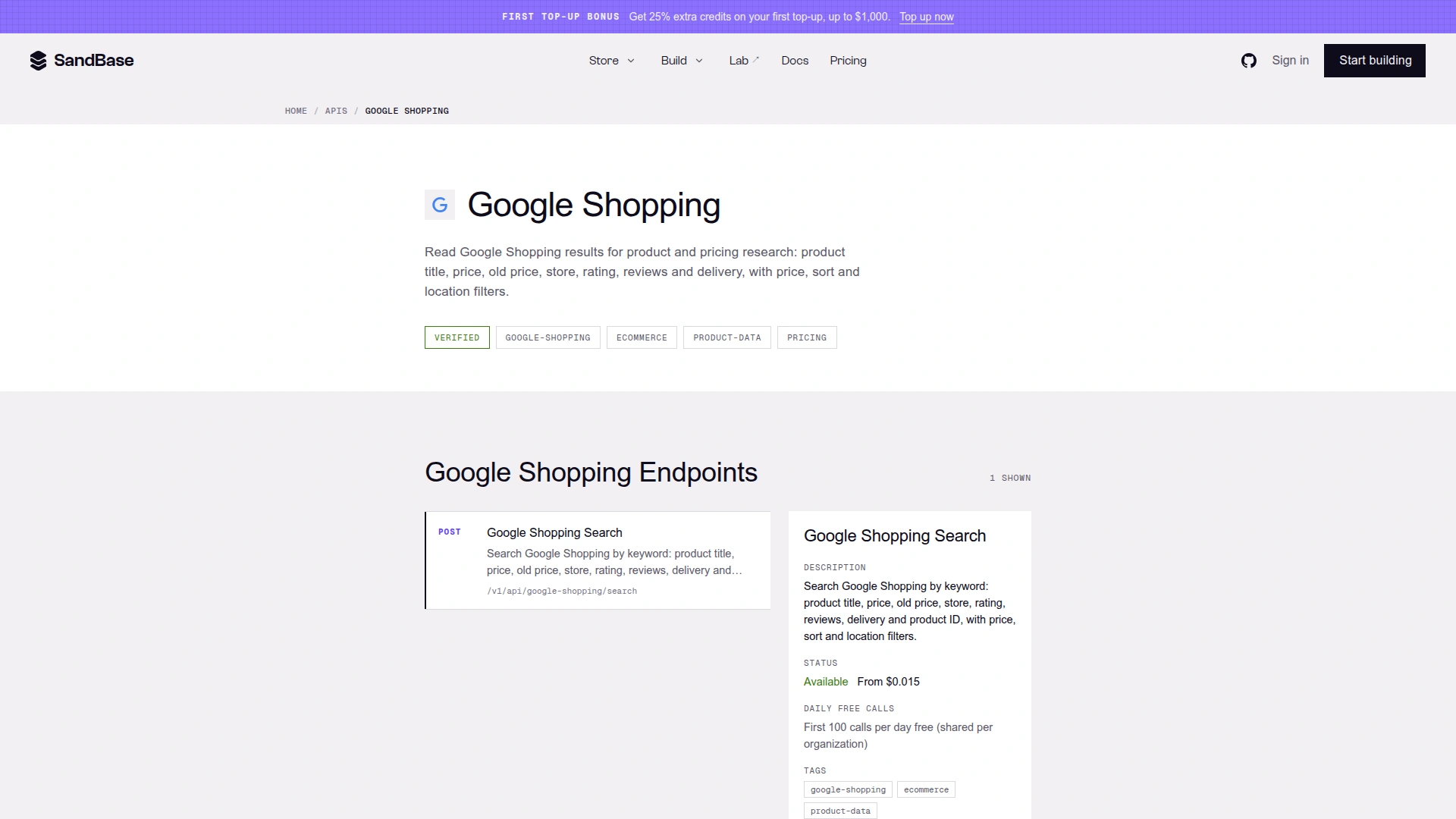 The Google Shopping catalog shows one verified search endpoint and its production route. Pricing shown on the live page is time-sensitive; check the current page before budgeting. Captured October 31, 2026.
The direct implementation page is Google Shopping Search. Its documented production route is:
POST https://api.sandbase.ai/v1/api/google-shopping/searchAuthentication uses a SandBase Bearer API key. The page lists one required parameter, q, and optional controls including country (gl), language (hl), device, sale-only filtering, price sorting, minimum and maximum price, free shipping, Google domain, and small-business filtering.
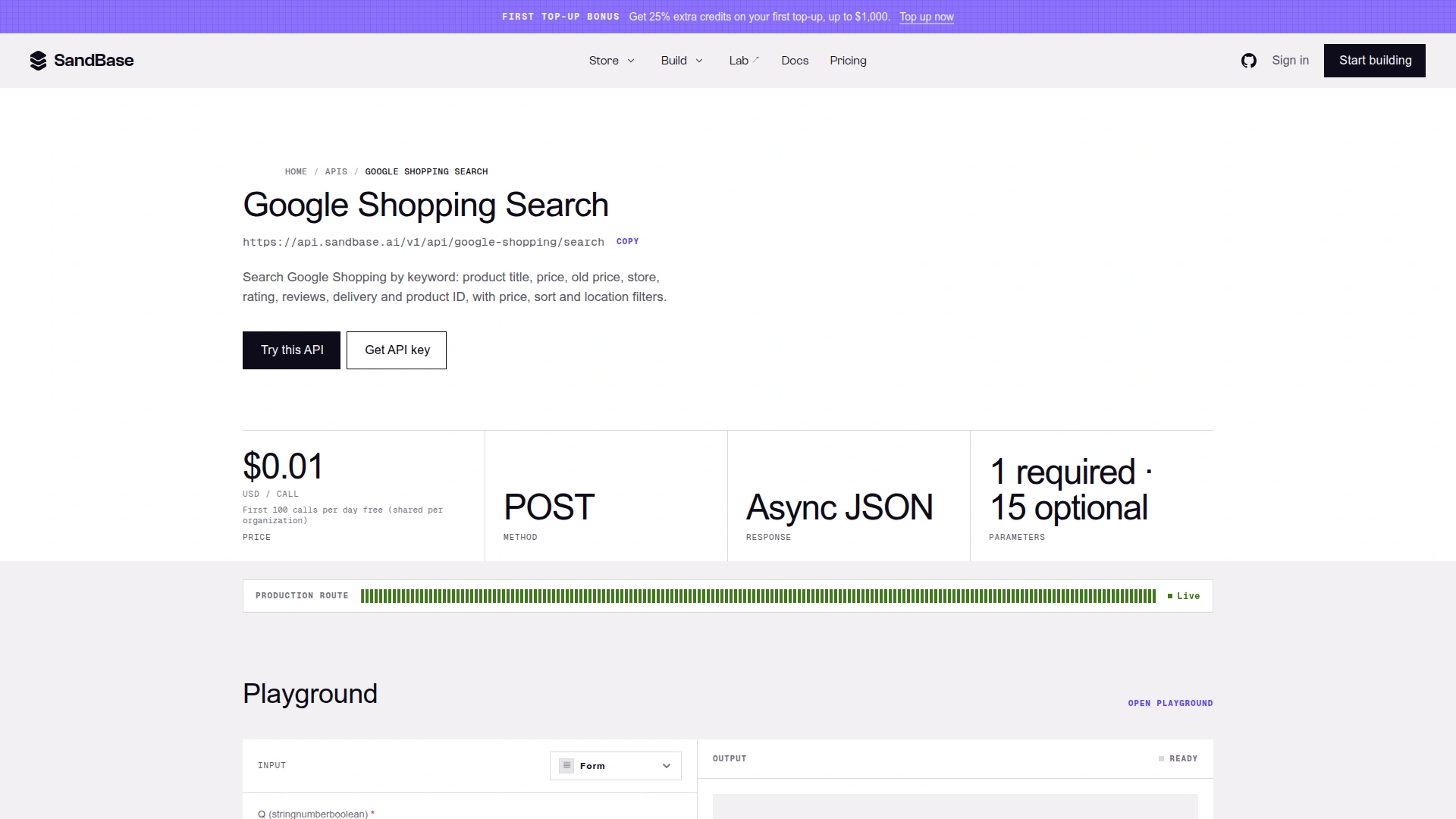 The endpoint page confirms the live POST route, async JSON response, one required parameter, and 15 optional parameters. It displayed $0.01 per call in the specification card when captured; the catalog and Run button displayed $0.015, so treat the live checkout value as authoritative and verify pricing before use. Captured October 31, 2026.
That visible price mismatch is exactly why an article should not hard-code a timeless cost claim. The API detail page showed $0.01 / call in one card while the catalog and Run control showed $0.015. This guide records the observation instead of choosing one number. Current billing should be checked in the live account flow.
API calling pattern
Platform data APIs use POST /v1/api/<model>, not the image/video /v1/run pattern. A minimal request looks like this:
curl --fail-with-body --silent \
  -X POST "https://api.sandbase.ai/v1/api/google-shopping/search" \
  -H "Authorization: Bearer $SANDBASE_API_KEY" \
  -H "Content-Type: application/json" \
  --data '{"q":"Sony WH-1000XM6","gl":"us","hl":"en"}'
Completed SandBase responses expose the business payload under outputs[0].data. Code should fail loudly if the request did not complete or the output is missing:
import os
import requests

response = requests.post(
    "https://api.sandbase.ai/v1/api/google-shopping/search",
    headers={"Authorization": f"Bearer {os.environ['SANDBASE_API_KEY']}"},
    json={"q": "Sony WH-1000XM6", "gl": "us", "hl": "en"},
    timeout=90,
)
response.raise_for_status()
body = response.json()
outputs = body.get("outputs") or []
if body.get("status") != "completed" or not outputs:
    raise RuntimeError(
        f"SandBase call did not complete: {body.get('status')} {body.get('error')}"
    )
data = outputs[0].get("data") or {}
The envelope path is documented. Nested shopping fields should still be read defensively because upstream business payloads can evolve. This article did not execute a paid product query, so it does not claim a particular nested response shape or result count.
How to get a cleaner comparison
- Start with the exact manufacturer model number.
- Add the capacity, size, generation, or bundle detail that changes the SKU.
- Choose the market where the purchase will happen.
- Compare seller and delivery context, not price alone.
- Treat extreme low prices as records to inspect, not automatic winners.
- Open the final merchant page and confirm stock, tax, shipping, condition, warranty, and returns.
- Save the query and timestamp if the comparison informs a business decision.
The largest source of error is usually not arithmetic. It is product identity. A refurbished item, marketplace import, accessory-only listing, or older generation can look like the same product in a loose text query.
Limits that matter
- Google Shopping coverage is not the whole market. A merchant or regional store may not appear.
- Similar titles can hide different variants. The interface cannot guarantee SKU equivalence from a broad query.
- Displayed price may not be landed cost. Tax, shipping, import duty, membership, coupon eligibility, and checkout changes can alter the total.
- Live data is time-sensitive. A result is an observation at run time, not a durable quote.
- Ratings are supporting context. They do not prove seller trustworthiness or product authenticity.
- The tool uses a billed account call. Check current pricing and free-call policy before automating at volume.
These are not reasons to avoid the tool. They define the right role for it: rapid market orientation and anomaly detection before deeper validation.
FAQ
What should I enter in the search box?
Use the manufacturer and exact model number whenever possible. Add attributes such as size, capacity, color, generation, or bundle when they materially change the product.
Which countries are supported in the Lab tool?
The live selector showed the United States, United Kingdom, Canada, Australia, Germany, and France on October 31, 2026.
Does one tool run search several marketplaces directly?
The current page identifies Google Shopping merchant offers as the live source. Google Shopping can surface offers from multiple stores, but this is not the same as directly calling every retailer’s own API.
Which API powers the comparison?
The dependency is google-shopping/search, available at POST /v1/api/google-shopping/search through the SandBase Platform API.
Is the lowest result always the best deal?
No. Verify variant, condition, seller, delivery, tax, warranty, returns, and final checkout price. An extreme low offer is a prompt to inspect, not an automatic purchase recommendation.
Bottom line
The Shopping Price Comparison tool is strongest when you need a quick answer to a bounded question: what range of live Google Shopping offers is visible for this product in this country? Its two-field workflow removes setup, the market selector prevents obvious cross-country mixing, and the direct API gives developers a path to repeat or extend the process.
Use it to validate promotions, position a price, question a supplier quote, or start a product-research workflow. Do not use it to skip variant matching or checkout verification. The useful output is not “the cheapest listing wins”; it is a clearer map of where the market appears to be right now.