1688 Product Finder: Search Wholesale Products by Keyword or Image
See how the SandBase 1688 Product Finder compares wholesale products, MOQ, prices, sales and supplier signals, plus the corresponding documented APIs.
The cheapest listing is often the most expensive sourcing mistake. A low unit price can hide an impractical minimum order, weak sales history, or a supplier that does not fit the job. The tedious part is not finding products on 1688; it is turning a crowded result page into a shortlist that can survive the next round of supplier checks.
The SandBase 1688 Product Finder starts that shortlist from either a product keyword or an image URL. It brings price, minimum order quantity (MOQ), sales and supplier signals into one sourcing brief. It is designed for ecommerce operators, procurement teams, product researchers and builders who need a fast first pass before opening listings, requesting samples or automating the workflow.
Key takeaway
- Search by a descriptive keyword when you know the product category, or by image URL when the shape and visual match matter more than the name.
- The brief is for comparison and triage: price, MOQ, sales and supplier signals help narrow the field, but they do not replace samples, contracts or supplier verification.
- The tool normally uses one live commerce API call on the signed-in SandBase account.
- The corresponding APIs are 1688 Product Search and 1688 Image Search; the broader 1688 catalog adds product details, reviews, shipping and shop research.
What the tool actually does
The page deliberately asks for only one of two starting points. Enter a phrase such as “portable espresso maker” when the buying requirement can be described in words. Paste a public product image URL when the team is working from a reference photo, competitor listing or design board and does not know the right Chinese marketplace terminology.
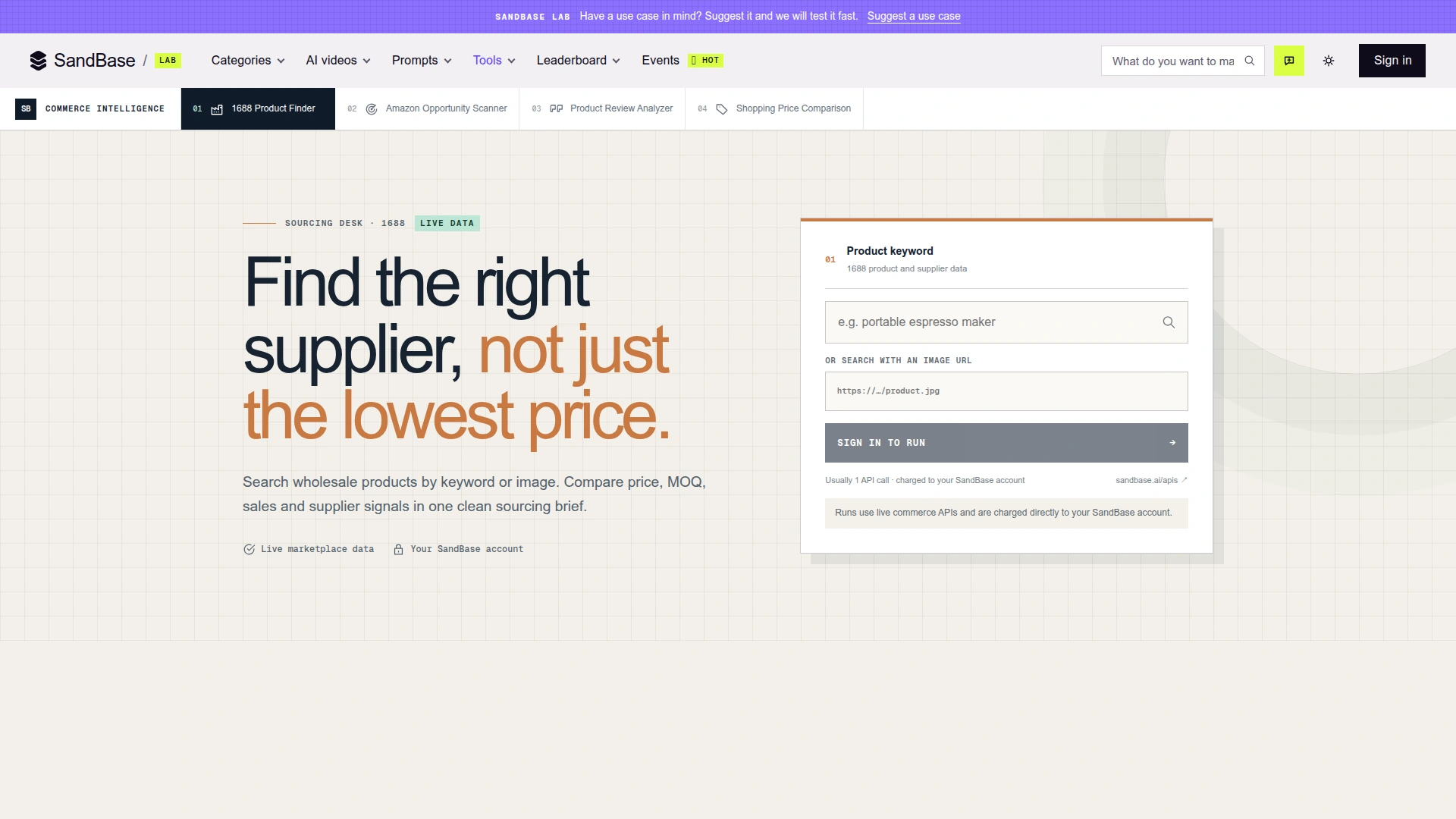 The page exposes two alternative inputs and states the comparison signals up front. Screenshot captured on 2026-10-31 while signed out; running a search requires a SandBase account.
That small input choice matters. Keyword search is good at exploring a category and testing different specifications. Image search is better when names are ambiguous—fashion details, packaging shapes, hardware parts and unbranded accessories are obvious examples. Neither route proves that two products are identical. They give you candidates worth inspecting.
The visible product promise is also usefully narrow: compare price, MOQ, sales and supplier signals in one clean brief. It does not claim to negotiate with factories, certify quality or calculate landed cost. That boundary is a strength. A sourcing interface should reduce a long list, not pretend that marketplace data can replace commercial due diligence.
The highlights that make it useful
Two ways to describe the same buying intent
Procurement language is messy. A buyer may know the English retail name while a supplier uses a different manufacturing term; another buyer may have only a photograph. Supporting both text and image inputs means the research can start from the information the user actually has.
The sensible workflow is often sequential rather than either/or. Begin with an image to discover the category and common listing language, then repeat a keyword search with the material, dimensions or application added. The page does not claim to merge those two searches automatically, so treat them as separate observations.
Comparison signals appear before the deep dive
Price alone is a poor ranking rule for wholesale sourcing. MOQ changes the cash commitment, sales can show whether a listing has market activity, and supplier attributes help distinguish a factory-oriented search from a generic catalog search. Putting those signals in the first brief is more useful than returning a wall of product titles.
There is still a limit: these are marketplace signals, not an audit. Repurchase rates, sales counts and badges should be read in their original context and rechecked on the listing or through deeper endpoints before money changes hands.
The visual tool has a clear automation path
The page says a run normally uses one API call charged to the SandBase account. That makes the Lab useful as a prototype: a buyer can test whether the result shape is useful before an engineering team builds a scheduled sourcing monitor or internal catalog workflow.
This is where the design becomes more than a search form. The same two search operations are available as documented POST endpoints, and the rest of the 1688 API catalog can extend a shortlist with product details, reviews, shipping estimates and shop information.
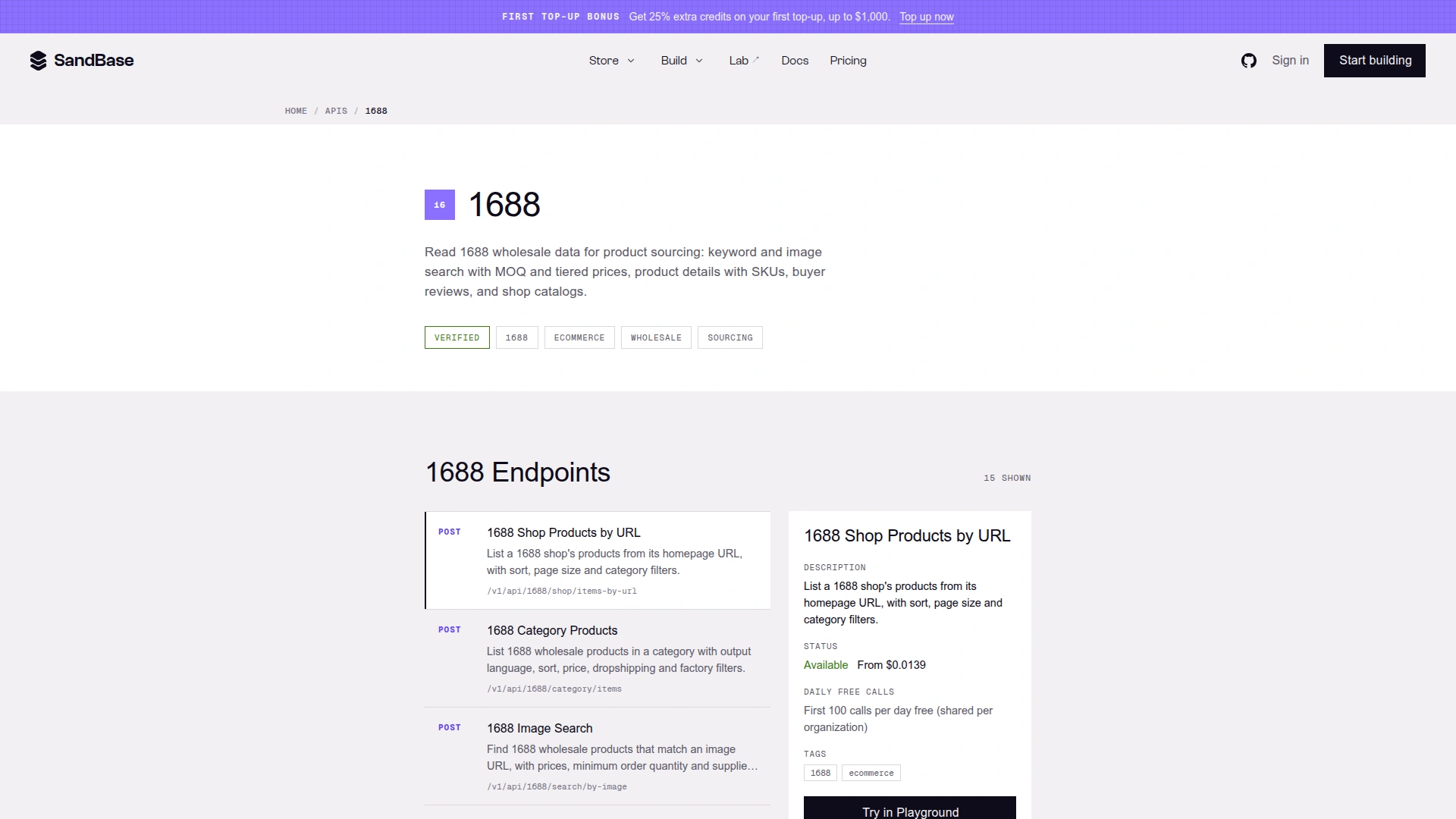 The 1688 catalog covers more than search: product, shop, review, shipping and category endpoints are available for a deeper sourcing workflow. Screenshot captured on 2026-10-31.
Five user scenarios where it earns its keep
1. Validate a product idea before contacting suppliers
An ecommerce operator can search a proposed product, compare the price and MOQ spread, and see whether the category contains enough plausible suppliers to justify deeper research. This does not validate consumer demand. It answers a narrower supply-side question: can this idea be sourced within the team’s order-size constraints?
2. Find visually similar alternatives
Teams often begin with a competitor image, a mood board or a product found on another marketplace. Image search helps locate visually related 1688 listings without guessing the exact keyword. The next step is to compare specifications and intellectual-property risk—not to assume that a visual match is the same product or that it is safe to resell.
3. Build a supplier shortlist for procurement
A procurement analyst can use MOQ, price bands, sales and supplier signals to reduce dozens of results to a small review queue. The shortlist can then move through sample requests, business-license checks, capacity questions, quality inspections and contract review. The tool saves attention at the top of the funnel; it does not approve a supplier.
4. Compare private-label or dropshipping options
The underlying search APIs expose filters relevant to factory and dropshipping discovery. That makes them useful when the operating model matters as much as the product. A low-MOQ dropshipping test and a factory-direct private-label order are different sourcing decisions, even when they start from the same image.
5. Turn occasional research into a repeatable workflow
Once a team knows which queries and filters work, the API layer can support scheduled scans, price-change review, new-arrival discovery or an internal sourcing dashboard. Store the query, timestamp and returned identifiers with each run. Otherwise, a later analyst cannot tell whether the market changed or the search criteria did.
The corresponding APIs
The Product Finder presents two input modes, and SandBase publishes a matching 1688 search API for each mode. The page does not expose its internal request trace, so the links below are documented APIs that correspond to—and can reproduce—the keyword and image-search capabilities, not a claim about private backend implementation.
| Input in Product Finder | Corresponding API | What the endpoint is documented to do |
|---|---|---|
| Product keyword | 1688 Product Search | Search by keyword with price, MOQ, tiered prices, sales, repurchase rate and delivery information; filter or sort by sourcing criteria. |
| Image URL | 1688 Image Search | Find visually matching wholesale products with price, MOQ and supplier information; filter by price, factory, verified supplier and shipping criteria. |
| Deeper follow-up | All 1688 APIs | Browse product detail, review, shipping, shop, category and factory endpoints for the next stage of research. |
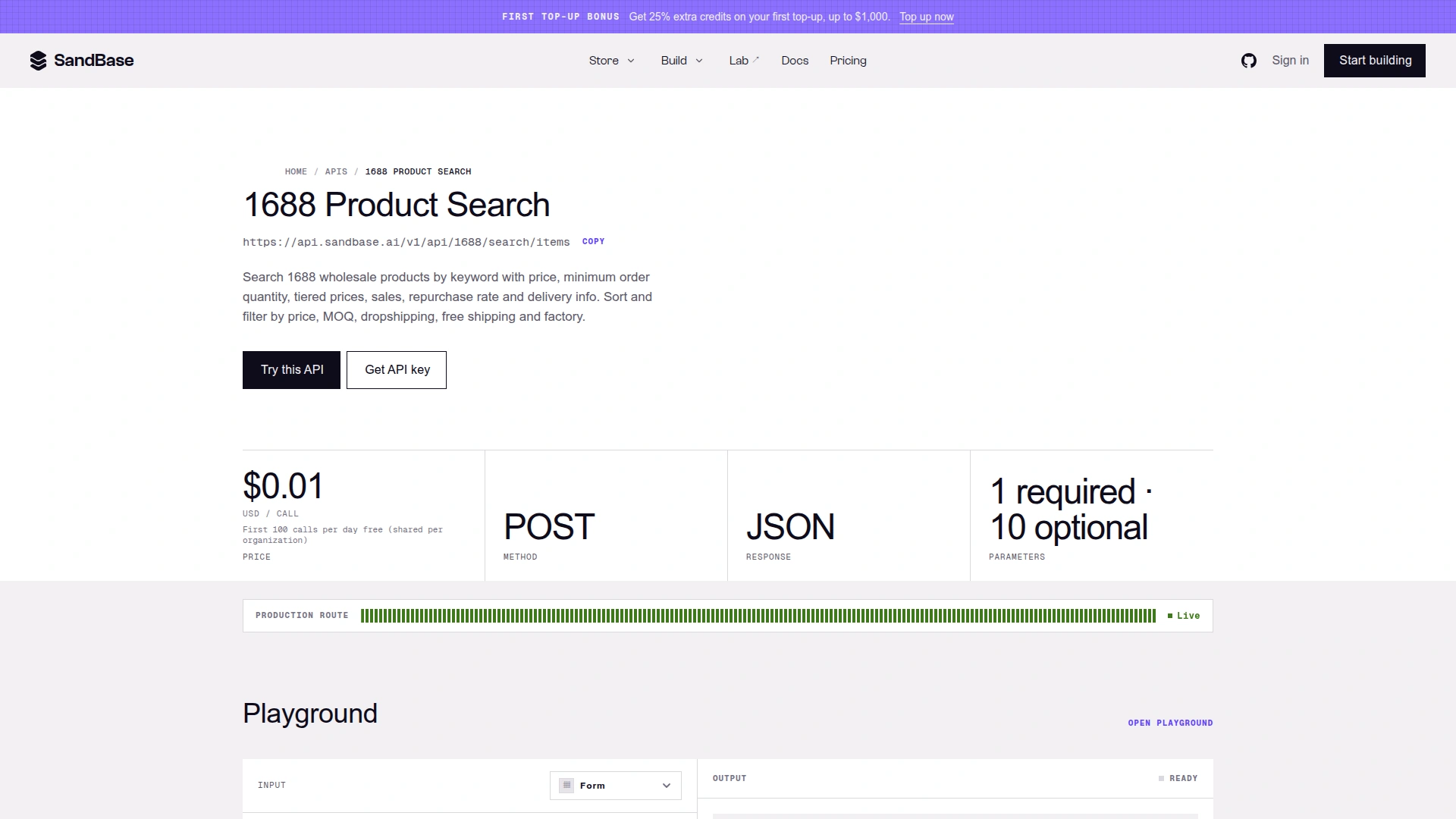 The corresponding keyword API uses
 POST /v1/api/1688/search/items. The screenshot is a 2026-10-31 page snapshot; check the live page for current pricing and parameter details.
The keyword endpoint requires a keyword and documents optional controls such as page, page size, sort, price range, MOQ, dropshipping, free shipping and factory filtering. Those controls are what turn “search 1688” into a sourcing query. A broad phrase may maximize recall; a production workflow should record every filter so the result can be reproduced.
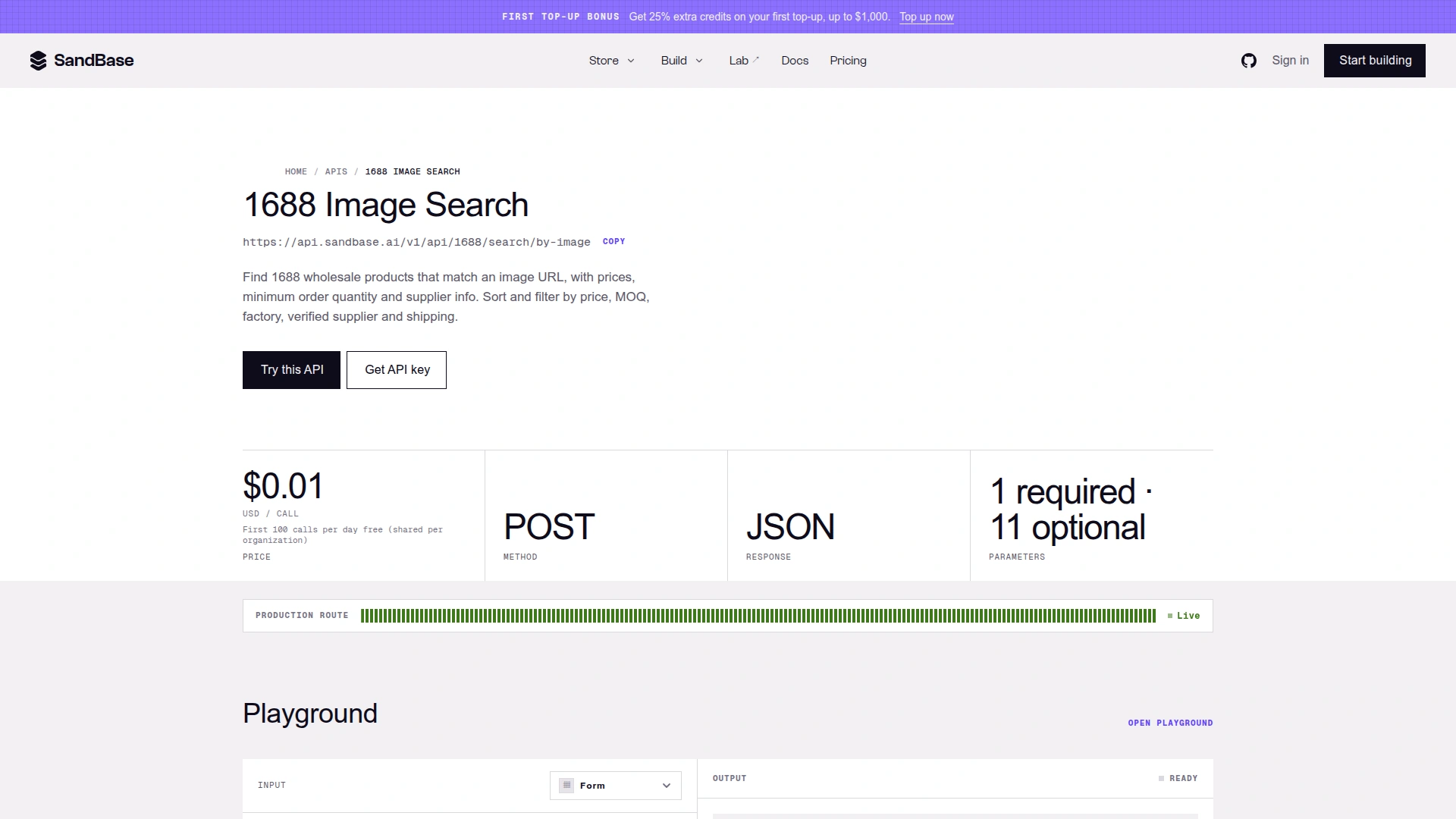 The corresponding image-search API uses
 POST /v1/api/1688/search/by-image and requires an image URL or compatible image reference. Screenshot captured on 2026-10-31.
The image endpoint documents an imgUrl input plus optional pagination, sorting, MOQ, price, dropshipping, factory, verified-supplier, free-shipping and new-arrival controls. A visual match score is not a specification match: dimensions, materials, certifications and SKU options still need confirmation through the listing and product-detail workflow.
For direct development, use the production POST /v1/api/1688/... route shown on each endpoint page, authenticated with a SandBase bearer key. Completed platform API calls use the documented envelope and place the business payload under outputs[0].data. The payload’s internal field names are upstream data and should be handled defensively; this article does not present them as a stable universal schema because no dated live payload was used here.
A practical sourcing workflow
- Write the buying constraint before searching. Record target product, material, dimensions, MOQ ceiling, target price band and any required certification.
- Choose the input that matches your evidence. Use keywords for category exploration; use an image URL for visual discovery.
- Create a shortlist, not a winner. Keep several candidates and record why each survived the first pass.
- Open the product and supplier evidence. Check SKUs, tiered pricing, shop information, reviews, shipping assumptions and listing freshness through the relevant 1688 pages or APIs.
- Verify off-screen facts. Ask for samples, confirm company details, discuss lead time and quality controls, and review intellectual-property and compliance risks.
- Automate only after the manual query works. Preserve inputs, filters, timestamps and item identifiers so scheduled runs remain auditable.
That sequence avoids the most common misuse: treating a clean search brief as a purchase recommendation. The Product Finder is strongest at stage two and three—discovery and triage.
Limits to keep in view
- Login and account billing apply. The page requires sign-in to run and says live commerce calls are charged to the SandBase account. Endpoint prices can change; use the live pages when budgeting.
- Search results are marketplace snapshots. Listings, prices, MOQ, sales and availability can change after the run.
- Supplier signals are not supplier verification. Badges and marketplace activity do not replace business, quality or legal checks.
- Image similarity is not product equivalence. Confirm materials, dimensions, SKUs, certifications and rights before ordering or reselling.
- A low unit price is not landed cost. Freight, duties, packaging, inspection, payment terms and defects can dominate the final economics.
FAQ
Do I need a 1688 developer account?
The SandBase endpoint pages state that the APIs run through SandBase authentication, so a SandBase API key covers these endpoints without a separate 1688 developer key. The visual Product Finder requires a SandBase sign-in.
Should I use keyword search or image search?
Use keyword search when you can describe the category and constraints. Use image search when appearance is the strongest evidence or the correct marketplace terminology is unknown. For serious sourcing, use the first result set to improve the second query rather than treating either route as final.
Does the tool choose the best supplier?
No. It compares visible sourcing signals and helps create a shortlist. Supplier approval still needs samples, identity and capacity checks, commercial negotiation and any required compliance review.
Can I automate the same workflow?
Yes. The Product Search and Image Search POST endpoints can reproduce the two search modes, while the wider catalog supports follow-up research. Record requests and timestamps, and read response payloads defensively.
Bottom line
The 1688 Product Finder is useful because it does less than a fictional “AI sourcing agent” and more than a bare marketplace search. It accepts the two inputs buyers commonly have—a phrase or a picture—and organizes the first comparison around price, MOQ, sales and supplier signals.
Use it to reduce a market to a reviewable shortlist. Then move to product details, supplier checks and samples. If the manual workflow proves repeatable, the linked 1688 APIs provide a clean path from one-off research to an auditable sourcing system. For a wider view of commerce research across Chinese platforms, see China social commerce data for AI agents.