Multimodal Coding Agents: When Screenshot-to-Fix Actually Works
MAI-Code-1.1-Flash is rolling into GitHub Copilot with image understanding. A rigorous workflow for turning screenshots into verified code fixes.
Multimodal Coding Agents: When Screenshot-to-Fix Actually Works
A screenshot can show a broken layout instantly, but it cannot tell an agent which viewport, commit, feature flag, font, or API state produced it. GitHub’s rollout of image-aware MAI-Code-1.1-Flash makes visual debugging easier; it does not make the screenshot a complete bug report.
Native image understanding shortens the path from symptom to candidate code, but repository and browser evidence must establish the cause.
TL;DR
- GitHub says MAI-Code-1.1-Flash is rolling into Copilot with native image understanding.
- Images are strong evidence for visual symptoms and weak evidence for root cause.
- Pair every screenshot with reproducible environment metadata and a DOM/accessibility snapshot.
- Verify the patch across viewports and with automated tests; do not compare one “after” screenshot by eye.
GitHub announced the model in its August 10 Copilot release. The useful workflow is:
- capture full viewport plus a focused crop;
- record URL, viewport, device scale, commit, browser, theme, locale, and flags;
- attach console errors and accessibility tree;
- ask the agent to describe only visible facts before proposing causes;
- reproduce locally and identify the responsible component;
- patch the smallest stable rule;
- run unit, accessibility, and visual regression checks at several breakpoints.
This “observation before explanation” step prevents a common failure: the agent sees clipped text and immediately rewrites CSS, even though the real cause is a failed font load or unexpectedly long localized content.
Do not send screenshots containing customer data, tokens, internal URLs, or hidden browser extensions without redaction. Image inputs belong under the same data policy as logs.
A screenshot is an observation with missing dimensions
The image records pixels at one moment. It usually omits the DOM, computed styles, accessibility tree, network failures, animation state, and the user’s last interaction. Even obvious-looking defects can have several causes. Text may overflow because of a narrow container, a missing font, browser zoom, localization, or an API value that violated an unstated length assumption. A blank panel may be a CSS layering bug, an authorization response, or a JavaScript exception.
Ask the agent to separate three things explicitly:
- Visible facts: “The final six characters are clipped at the right edge.”
- Hypotheses: “The flex child may be missing
min-width: 0.” - Required evidence: “Inspect computed width and overflow on the child at 768px.”
This simple protocol is more valuable than asking for a fix immediately. It exposes whether the model understood the symptom and gives the harness concrete evidence to collect. If the visible-facts section contains an interpretation—“the API failed”—the agent has already jumped past what the image proves.
Build a reproducible visual bug packet
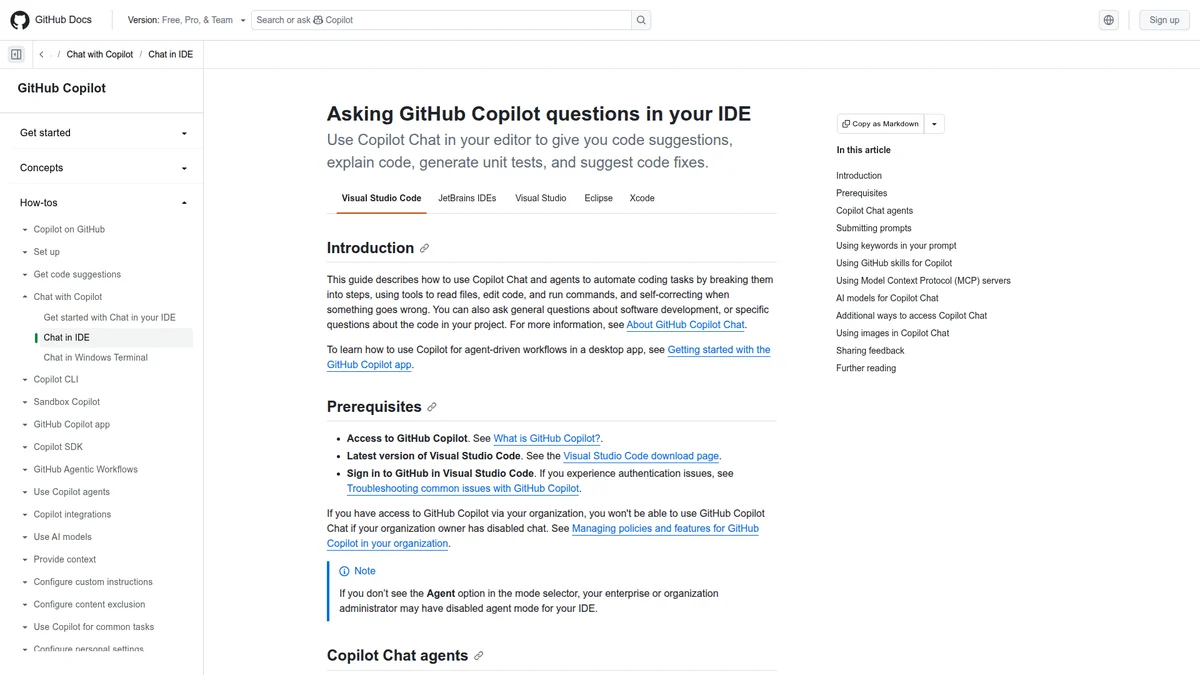
Image input is the starting evidence; reproducibility metadata and browser assertions turn it into a debuggable report.
An effective input bundle is small but complete:
| Field | Why it matters |
|---|---|
| Full-page image and focused crop | Preserves layout context and local detail |
| Route and navigation steps | Reconstructs the user path |
| Viewport and device pixel ratio | Distinguishes responsive and scaling behavior |
| Browser, OS, theme, locale | Captures rendering and content variation |
| Commit and build artifact | Connects pixels to source |
| Feature flags and safe fixture ID | Recreates application state without customer data |
| Console and failed network requests | Finds runtime causes invisible in pixels |
| DOM/accessibility snapshot | Connects visual regions to components and semantics |
Capture animation timestamps or disable animation before comparison. Wait for fonts, images, and application data to settle. Replace current time, random IDs, advertisements, and caret blinking with deterministic fixtures. Otherwise the visual diff measures noise, and the agent may “fix” unstable test infrastructure instead of the interface.
Do not attach the entire repository blindly. Start with the rendered element, its owning component, relevant styles, and test setup. Let repository search expand context when imports or design tokens require it. This keeps the image grounded in executable code without flooding the model with unrelated components that happen to use similar class names.
From symptom to the smallest defensible patch
A disciplined repair loop looks like this:
reproduce -> identify element -> inspect computed state
          -> trace owning source -> form competing causes
          -> change one stable rule -> verify across matrix
Prefer fixes at the invariant that was actually violated. If a card must accommodate long translated text, truncating the specific English sample is not a fix. If a loading skeleton and final content use different heights, adding a delay to the screenshot test conceals layout shift. If the design token is wrong globally, a local magic number creates the next inconsistency.
The agent should explain why the changed file owns the behavior and why nearby components are not affected. Ask for the counterfactual: what result would show that this patch addresses the wrong layer? This encourages a test that can fail for a meaningful reason.
Visual verification is a matrix, not an after picture
Compare at the original failing configuration first, then at adjacent breakpoints and content extremes. A reasonable matrix includes narrow phone, wide phone, tablet, desktop, 200% zoom, keyboard focus, dark mode, and at least one longer locale. Add the states the component actually supports: loading, empty, error, permission denied, long identifiers, and reduced motion.
Use pixel diffs for stable regions, but do not treat an approved snapshot as semantic proof. Pair them with DOM assertions and accessibility checks. For example, a button can look unchanged while losing its accessible name; a modal can visually close while focus remains trapped in an invisible element.
Set review thresholds by component, not one global percentage. A one-pixel shift across a large background can generate a huge diff without affecting users. A missing icon or clipped digit may occupy very few pixels and still be critical. Region masks and semantic assertions make the signal more useful.
Where multimodal agents help—and where they do not
They are especially useful for mapping a reported symptom to likely components, describing discrepancies between a reference and implementation, reading error dialogs, and proposing test cases people forgot. They also make design QA more accessible: a reviewer can point at a misaligned element without knowing its component name.
They are less reliable when the defect depends on motion timing, intermittent input, color-management differences, hidden state, or backend data. Video, event traces, performance timelines, and network recordings may be better inputs. A screenshot of a slow page does not contain elapsed time.
Treat generated UI code with the same review standard as any other patch. Image understanding does not grant knowledge of your design system, browser support policy, or product intent. Provide those constraints through repository instructions and tests.
Frequently asked questions
Should bug reporters annotate screenshots?
Yes. A box or arrow can disambiguate the target, but keep an unannotated original too; annotations may cover useful pixels or imply an incorrect cause.
Is a higher-resolution image always better?
No. Preserve native resolution and device scale, then add focused crops. Arbitrary upscaling can create artifacts and increases cost without restoring missing state.
Can the agent approve visual snapshots itself?
It can classify expected regions and explain diffs, but product-significant baseline changes should retain human review. Otherwise the same system that introduced a defect may normalize it into the baseline.
Verdict
Multimodal input changes diagnosis, not the need for a controlled runtime. Our Claude Code guide covers the wider coding-agent workflow, while secure sandboxes for autonomous agents explains why generated patches and tests need isolation.
Multimodal coding works best as a faster path from symptom to reproducible test. The model can locate likely components and reason about layout, but the repository, runtime state, and browser assertions still decide whether a fix is real. “Looks correct in the generated preview” is not a regression test.