Agent Plugins 1.0: Portable Coding-Agent Plugins Explained
Agent Plugins 1.0 explained: GitHub Copilot plugin structure, portability across VS Code and CLI, MCP and Skills differences, and testing limits.
Agent Plugins 1.0: A Portable Standard for Coding Agents?
Portable agent customization has been promised before. The hard part is not moving a Markdown instruction file; it is preserving commands, tools, permissions, configuration, and lifecycle behavior across clients. GitHub’s August release of Agent Plugins 1.0 is therefore interesting for a precise reason: the same plugin can now target VS Code, Copilot CLI, the Copilot SDK, and the Copilot app.
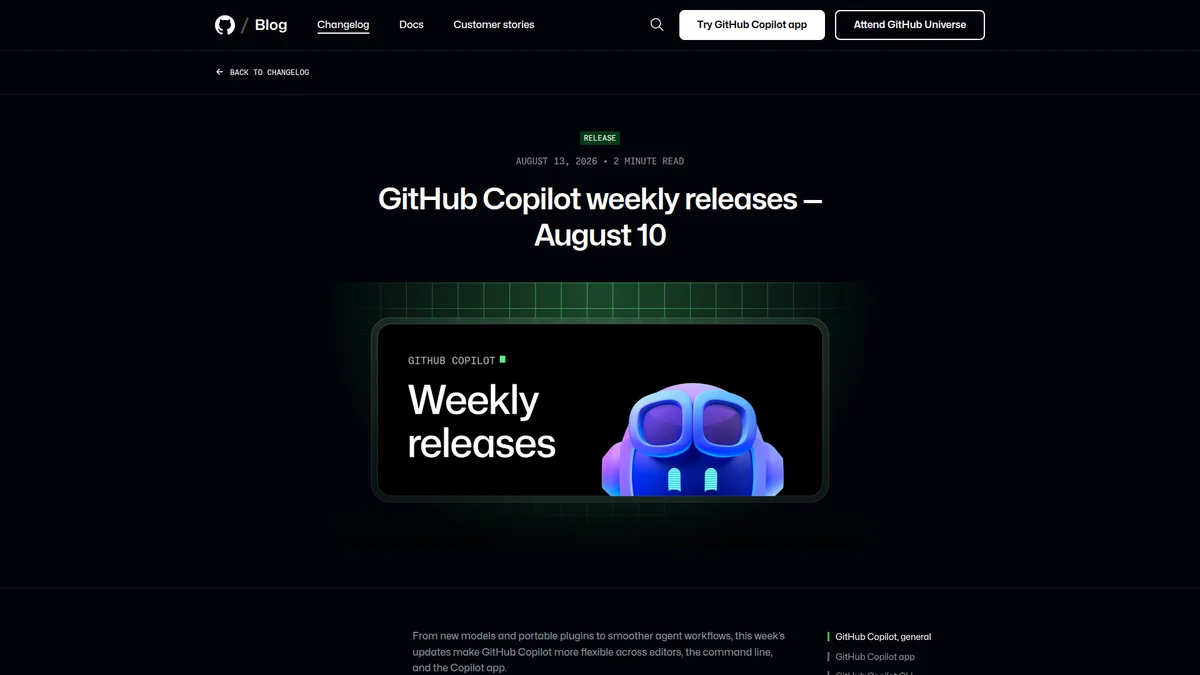
GitHub’s announcement establishes support across Copilot surfaces; behavioral and permission portability still need to be tested.
TL;DR
- GitHub says Agent Plugins 1.0 is GA across four Copilot surfaces.
- A plugin packages reusable agent behavior; it is not itself a model or sandbox.
- MCP connects tools and data, while a plugin packages how a host should use capabilities.
- “Installable everywhere” does not guarantee identical behavior across permissions, UI, and execution environments.
- Start with read-only workflows and a compatibility test suite before distributing mutation-capable plugins.
What shipped
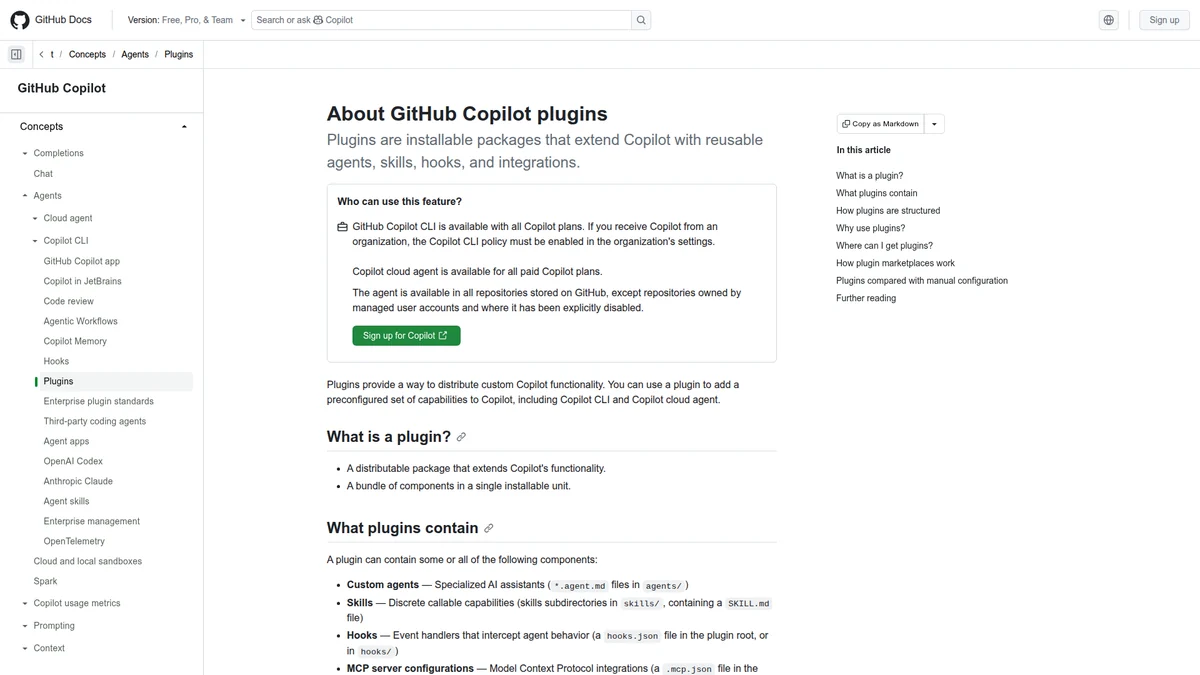
GitHub’s reference separates the manifest, agents, skills, hooks, MCP configuration, and LSP configuration inside a plugin.
GitHub’s August 10 weekly release says developers can build a plugin once and use it across compatible agent tools. That reduces duplicated packaging inside the Copilot ecosystem, but it should not be inflated into a universal industry standard without testing other hosts.
The useful design question is what belongs in each layer:
| Layer | Responsibility |
|---|---|
| Model | Reasoning, generation, tool selection |
| Skill/instructions | Domain procedure and judgment rules |
| MCP/tool server | Typed access to external systems |
| Plugin package | Installable composition, metadata, commands, hooks, and dependencies |
| Host | Permissions, UI, sandbox, secrets, and lifecycle |
A plugin may include or reference skills and MCP servers, but those concepts are not interchangeable.
Portability has three levels
Package portability means the same artifact installs. Protocol portability means calls and events retain their shape. Behavioral portability means users get comparable results and safety controls. Most announcements prove the first level; production teams need to test all three.
A plugin that reads a repository may transfer cleanly. One that creates deployments can behave differently when one host supports granular approvals and another offers a single broad confirmation. That difference is not cosmetic—it changes the effective authority of the agent.
A compatibility contract worth testing
Before calling a plugin portable, run the same fixtures on every supported surface:
- discovery: does the host load the same commands and instructions?
- configuration: are missing values rejected consistently?
- tools: are schemas, timeouts, and error payloads preserved?
- permissions: does each external mutation require an equivalent decision?
- cancellation: can a long-running command be interrupted without orphaning work?
- output: are patches and artifacts recoverable in the same form?
- secrets: does any surface expose credentials to prompt context or logs?
Record host and plugin versions with every result. “Works in Copilot” is not a reproducible compatibility statement.
Where MCP fits
MCP is strongest at the capability boundary: list these tools, read this resource, call this server. A plugin is closer to a product package: install a coherent workflow into a host. A useful plugin can bundle instructions for when to call an MCP server, but the host still owns consent and process isolation.
This separation also helps maintenance. Tool credentials can rotate without rewriting editorial guidance; a Skill can evolve without changing the server protocol; a host can harden sandbox policy without repackaging the workflow.
What teams should publish
A trustworthy plugin release needs more than a one-line installer:
- declared hosts and minimum versions;
- exact external systems and mutation types;
- permission and secret requirements;
- a checksum or signed release artifact;
- compatibility fixtures and expected outputs;
- an upgrade and rollback policy;
- a clear owner for bundled MCP servers and scripts.
Keep installation reviewable. If the plugin downloads executable code after approval, the approved artifact and executed artifact may not be the same thing.
A plugin manifest is a supply-chain boundary
The package should declare every component that can change behavior: bundled skills, commands, hooks, MCP servers, executable scripts, network dependencies, and required environment variables. Resolve dependencies to versions or hashes. A floating Git branch or installer that fetches “latest” code turns reproducible installation into remote code execution with extra branding.
Hosts should show this declaration before installation and again when an update expands authority. Adding a read-only command is different from adding a deployment server; changing an allowed domain is different from correcting documentation. Permission deltas deserve explicit review rather than being buried in release notes.
Signing helps establish who published an artifact, but it does not make the contents safe. Preserve a source commit, deterministic build record, checksum, publisher identity, and vulnerability response path. Teams also need an inventory of installed plugin versions, because uninstalling the marketplace listing does not remove copies already active on developer machines.
Design for the weakest supported host
Cross-host behavior usually converges on the least expressive permission model. Resist the temptation to emulate missing granular approval with one broad “allow this plugin” prompt. Instead, disable mutation features on hosts that cannot represent the required consent, or route them through a server that performs independent authorization.
Define capability profiles such as read-repository, read-deployments, and create-deployment, then map each host to the subset it can enforce. A command should fail with a clear unsupported-capability message rather than silently choose a broader path.
Cancellation and recovery are also portability concerns. If a user interrupts a command after the remote action succeeded but before the host receives the result, the plugin must reconcile state instead of retrying blindly. Use idempotency keys and return durable artifact or operation IDs.
A migration path from scattered agent configuration
Inventory existing repository instructions, slash commands, scripts, MCP configurations, and CI helpers. Separate procedure from capability: editorial judgment belongs in a Skill; access to an external service belongs in a typed server; installation and lifecycle belong in the plugin package.
Start by packaging a read-only workflow without changing its source of truth. Run it beside the old setup and compare tool calls, outputs, errors, and approvals across every target host. Only then deprecate duplicate configuration. Keep repository-specific constraints in the repository instead of baking them into a global plugin that will become stale.
For write workflows, publish a threat model and test at least forged configuration, malicious repository instructions, compromised dependency, expired credentials, user cancellation, network timeout after success, and downgrade to an older plugin version.
Governance after installation
Installation is not the end of review. Record which plugin and dependency versions ran in each trace, surface available updates, and define whether updates are automatic, staged, or manually approved. Enterprises may need an allowlist and a private catalog, but the same discipline helps an individual developer understand why behavior changed overnight.
Collect only the telemetry required to maintain reliability. Plugin prompts and repository content may contain proprietary code. Document what leaves the host, where it is retained, and how users disable collection.
Verdict
For the adjacent capability boundary, see our explanation of MCP execution boundaries. For an example of a host SDK inside a wider control plane, see Copilot SDK meets Microsoft Agent Framework.
Agent Plugins 1.0 is a meaningful packaging milestone inside GitHub’s agent surfaces. Its bigger value will come if teams use it to make dependencies, permissions, and compatibility explicit—not merely to copy prompts between products.
Treat portability as a claim to test. Install once, run the same read-only fixtures everywhere, then compare authority before enabling writes. A portable plugin that changes its security meaning from host to host is only portable in the least important sense.
FAQ
Is Agent Plugins 1.0 an alternative to MCP?
Not directly. Plugins package workflows for a host; MCP provides a protocol for tools and resources. A plugin can use MCP.
Does GA mean every coding agent supports it?
No. GitHub’s announcement names compatible Copilot surfaces. Support elsewhere must be confirmed by each host.
What should a first plugin do?
Start with a bounded, read-only task such as repository orientation or deployment diagnosis, then add mutations after approval behavior is tested.
Does one package guarantee one experience?
No. Host UI, tool availability, sandboxing, secrets, and approvals remain part of the runtime. Publish a tested compatibility matrix.
How should breaking changes be released?
Version the manifest and behavior, document permission changes, retain a rollback path, and avoid silently upgrading mutation-capable dependencies.