Best AI Coding Assistants 2026: Agents & Copilots Ranked
Ranked comparison of the 10 best AI coding assistants in 2026. Covers agents (Claude Code, OpenHands) and copilots (Cursor, Copilot) with pricing, benchmarks, and honest trade-offs.
Last month I asked an AI coding assistant to refactor a 12,000-line TypeScript monolith into microservices. One tool finished in 14 minutes with working tests. Another suggested renaming a variable and called it done. That gap—between an ai coding assistant that autocompletes lines and one that autonomously rewrites entire modules—is what most “best of” lists ignore. This guide covers both.
Thesis: The best AI coding tool depends on whether you need a copilot (inline) or an agent (autonomous). Most people pick wrong.
Copilots predict the next line while you type. Agents take a task description, read your codebase, and produce multi-file commits. Picking the wrong category wastes money and time. Below, we rank the 10 best tools across both categories with real pricing, benchmark scores, and honest limitations—so you choose correctly the first time.
What’s the Best AI for Coding in 2026?
The answer depends on your workflow. Searching for the “best ai for coding” returns dozens of listicles, but they rarely distinguish between tools that complete your current line and tools that complete your current task.
Copilot vs. Agent: Know What You’re Buying
Before the rankings, understand the two categories:
| Feature | Copilot (Inline) | Agent (Autonomous) |
|---|---|---|
| Interaction | Tab-complete in editor | Prompt → multi-step execution |
| Context window | Current file + neighbors | Entire repository |
| Typical latency | 200–600ms per suggestion | 30s–15min per task |
| Best for | Boilerplate, tests, small edits | Refactors, migrations, new features |
| Risk | Low (you review each line) | Medium (must verify output) |
| Cost model | Per-seat subscription | Per-seat or token-based |
If you write 80% of the code yourself and want speed, a copilot is correct. If you describe features in plain English and want working PRs, you need an agent. Many developers now use both: a copilot for daily typing, an agent for heavy lifts.
The 10 Best AI Coding Assistants in 2026
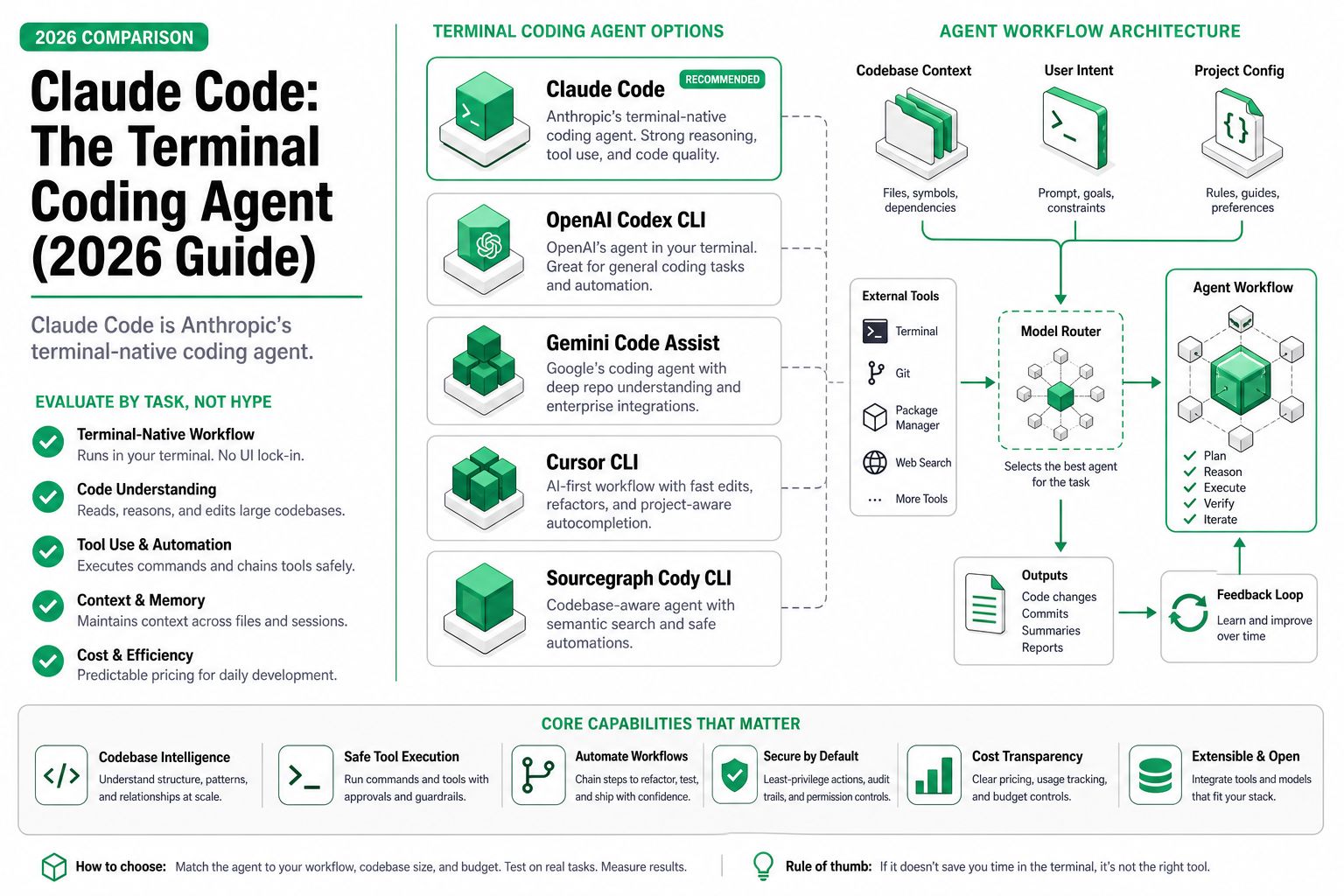
1. Claude Code (Anthropic)
Verdict: The strongest autonomous coding agent for large, complex codebases.
- Best for: Multi-file refactors, migrations, codebase-wide changes
- Model: Claude Sonnet 5 / Opus 5
- Price: $20/mo (Pro), usage-based on Max plan
- SWE-bench score: 72.7% (Sonnet 5)
- Latency: 45s–8min per task depending on scope
How it works: Claude Code runs in your terminal, reads your full repository via agentic tool use, creates branches, writes code, and runs tests in a loop until they pass. It handles 200k-token context windows natively.
Limitations: CLI-only interface has a learning curve. Token costs can spike on very large tasks ($2–5 per complex refactor on Max). No GUI—you work in the terminal or integrate via IDE extensions.
2. Cursor
Verdict: The best ai code editor—combines fast inline completion with a capable agent mode in one app.
- Best for: Developers who want copilot speed AND agent capability in a single tool
- Model: Claude Sonnet 5, GPT-4.1, custom fine-tunes
- Price: $20/mo (Pro), $40/mo (Business)
- Inline latency: 250–400ms
- Agent task time: 30s–5min
How it works: Fork of VS Code with deep AI integration. Tab for inline completions, Cmd+K for edits, Composer for multi-file agent tasks. The agent reads your codebase, makes changes across files, and shows diffs for review.
Limitations: Heavier than VS Code (~40% more RAM). Proprietary fork means you’re locked into their release cycle. Monthly request limits on Pro (500 premium model requests). Agent mode less reliable than Claude Code on repositories >50k lines.
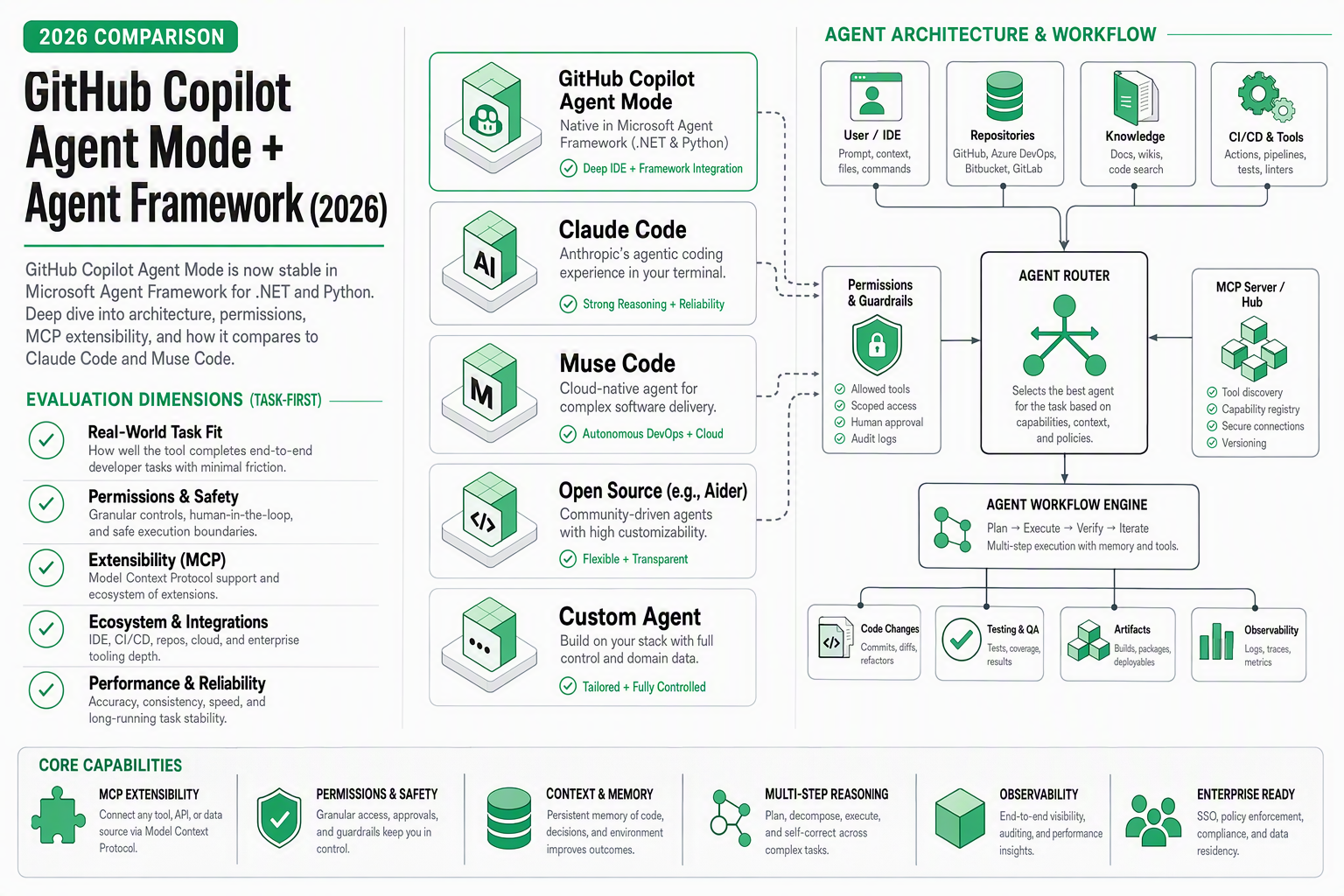
3. GitHub Copilot
Verdict: The most widely adopted ai pair programmer—reliable inline completions, now with agent mode.
- Best for: Everyday coding in any language, team standardization
- Model: GPT-4.1, Claude Sonnet 5 (selectable)
- Price: $10/mo (Individual), $19/mo (Business), $39/mo (Enterprise)
- Inline latency: 200–350ms
- Market share: ~45% of AI-assisted developers
How it works: Runs as a VS Code / JetBrains extension. Inline ghost text suggestions, chat panel for Q&A, and the newer Copilot Workspace for multi-file agent tasks.
Limitations: Agent mode (Workspace) still preview-quality—lower success rate than Claude Code or Cursor Composer. Suggestion quality varies by language (strong in Python/TS, weaker in Rust/Go). Enterprise pricing adds up fast for large teams.
4. Windsurf (Codeium)
Verdict: Best free-tier ai coding assistant for beginners and students.
- Best for: Budget-conscious developers, learning to code with AI
- Model: Proprietary + GPT-4.1 on pro tier
- Price: Free (basic), $15/mo (Pro)
- Inline latency: 300–500ms
How it works: Full IDE (VS Code fork) with built-in AI. Cascade agent mode handles multi-step tasks. The free tier provides unlimited basic completions—no credit card needed.
Limitations: Free tier uses weaker models with noticeable quality drop. Agent mode less capable than Cursor or Claude Code. Smaller ecosystem and community. Company underwent acquisition turbulence in early 2026.
5. OpenHands
Verdict: The best open-source autonomous coding agent—no subscription, full control.
- Best for: Self-hosted agent workflows, teams who need data privacy
- Model: Any (Claude, GPT, DeepSeek, local models)
- Price: Free (bring your own API key)
- SWE-bench score: 69.2% (with Claude Sonnet 5)
How it works: Runs in a sandboxed Docker container. Give it a GitHub issue, it clones the repo, writes code, runs tests, and opens a PR. Fully configurable—swap models, add custom tools, adjust system prompts.
Limitations: Requires self-hosting and API key management. Setup takes 15–30 minutes. No inline completion—agent only. Costs depend on your API usage (typically $0.50–3.00 per task with Claude).
6. Codex CLI (OpenAI)
Verdict: OpenAI’s answer to Claude Code—terminal-native agent with strong reasoning.
- Best for: OpenAI-ecosystem developers, GPT-4 power users
- Model: GPT-4.1, o3
- Price: Usage-based (via OpenAI API), ~$0.01–0.05 per task for simple edits
- Latency: 30s–10min per task
How it works: Open-source CLI agent. Reads local files, executes commands in a sandbox, produces diffs. Supports multi-turn conversations about your codebase.
Limitations: Requires OpenAI API key (no fixed subscription = unpredictable costs). Context window smaller than Claude (128k vs 200k). Less effective on very large repositories. Network sandbox mode restricts some workflows.
7. Augment Code
Verdict: Enterprise-grade codebase-aware assistant—best for large engineering orgs.
- Best for: Teams with 500k+ line codebases needing deep context
- Model: Proprietary + Claude/GPT
- Price: Custom enterprise pricing (estimated $30–50/seat/mo)
- Context: Indexes entire repositories for semantic search
How it works: Builds a persistent index of your codebase. When you ask questions or request changes, it retrieves relevant code across the entire repo, not just open files. Integrates with VS Code and JetBrains.
Limitations: No free tier or individual plan. Requires onboarding/indexing time. Less useful for small projects or solo developers. Pricing not transparent.
8. Aider
Verdict: Best open-source ai pair programmer for developers who want model flexibility.
- Best for: Developers who switch between models, git-centric workflows
- Model: Any (Claude, GPT, DeepSeek, Gemini, local via Ollama)
- Price: Free (bring your own API key)
- Polyglot benchmark: 68.4% (with Claude Sonnet 5)
How it works: Terminal-based pair programming tool. Chat with your code, and Aider makes git commits for each change. Supports voice input, image input, and multi-file edits. Works with any OpenAI-compatible API.
Limitations: CLI only—no IDE integration beyond editor plugins. Learning curve for optimal prompting. Git-commit-per-change workflow doesn’t suit everyone. Quality entirely depends on which model you connect.
9. Cline (VS Code Extension)
Verdict: Best github copilot alternative for developers who want to use their own API key.
- Best for: Privacy-conscious developers, model experimentation in an IDE
- Model: Any (via API key—Claude, GPT, DeepSeek, local)
- Price: Free (extension) + API costs
- Installs: 1.2M+ on VS Code marketplace
How it works: Open-source VS Code extension. Provides agent-style coding—reads files, writes code, runs terminals—using whatever model you configure. Full visibility into token usage and costs.
Limitations: No inline completions (agent only). API costs can surprise beginners ($5–20/day for heavy use). Requires managing your own API keys. Interface less polished than Cursor.
10. Amazon Q Developer
Verdict: Best free ai coding assistant for AWS-heavy development.
- Best for: AWS infrastructure work, CloudFormation/CDK/Terraform
- Model: Proprietary (Amazon Bedrock-based)
- Price: Free tier (individual), $19/mo (Pro)
- Inline latency: 300–600ms
How it works: VS Code / JetBrains extension with inline completions, chat, and agent capabilities. Excels at AWS-specific tasks: generating IaC templates, debugging Lambda functions, explaining CloudFormation errors.
Limitations: Weaker than competitors on general-purpose coding. Agent mode limited compared to Claude Code or Cursor. Best value only if you’re deep in AWS. Suggestions sometimes favor AWS services over alternatives.
Comparison Table: Pricing & Cost Per 1000 Completions
| Tool | Monthly Price | Cost/1000 Completions | Free Tier | Category |
|---|---|---|---|---|
| Claude Code | $20 | ~$1.80 (token-based) | No | Agent |
| Cursor | $20 | ~$0.04 (included) | Limited | Editor + Agent |
| GitHub Copilot | $10 | ~$0.02 (included) | Students only | Copilot |
| Windsurf | $15 | $0.00 (free tier) | Yes | Editor + Agent |
| OpenHands | $0 | ~$1.50 (API costs) | Yes (OSS) | Agent |
| Codex CLI | $0 | ~$0.80 (API costs) | Yes (OSS) | Agent |
| Augment Code | ~$40 | ~$0.04 (included) | No | Copilot + Agent |
| Aider | $0 | ~$1.20 (API costs) | Yes (OSS) | Agent |
| Cline | $0 | ~$1.50 (API costs) | Yes (OSS) | Agent |
| Amazon Q | $0 | $0.00 (free tier) | Yes | Copilot + Agent |
Note: “Cost/1000 completions” for subscription tools assumes the average Pro user generates ~15,000 completions/month. For API-based tools, it reflects actual token costs using Claude Sonnet 5.
Comparison Table: Capabilities & Benchmarks
| Tool | Inline Complete | Multi-file Agent | SWE-bench | Self-hosted | IDE Support |
|---|---|---|---|---|---|
| Claude Code | ❌ | ✅ (strong) | 72.7% | ❌ | Terminal + extensions |
| Cursor | ✅ | ✅ (good) | ~65% | ❌ | Own IDE |
| GitHub Copilot | ✅ | ✅ (preview) | ~58% | ❌ | VS Code, JetBrains, Neovim |
| Windsurf | ✅ | ✅ (basic) | ~52% | ❌ | Own IDE |
| OpenHands | ❌ | ✅ (strong) | 69.2% | ✅ | Web UI |
| Codex CLI | ❌ | ✅ (good) | ~63% | ✅ | Terminal |
| Augment Code | ✅ | ✅ (good) | N/A | ❌ | VS Code, JetBrains |
| Aider | ❌ | ✅ (good) | 68.4%* | ✅ | Terminal |
| Cline | ❌ | ✅ (good) | ~64% | ✅ | VS Code |
| Amazon Q | ✅ | ✅ (limited) | N/A | ❌ | VS Code, JetBrains |
Benchmark scores are from public leaderboards and tool documentation as of July 2026. Scores depend heavily on the underlying model used.
How to Choose: Decision Framework
Pick a copilot (inline completion) if you:
- Write most code yourself and want speed boosts
- Need low latency (<500ms) suggestions
- Work across many small files daily
- Want the lowest cost per suggestion
→ Best picks: GitHub Copilot ($10/mo), Windsurf (free), Amazon Q (free for AWS)
Pick an agent if you:
- Describe tasks in natural language and want working code
- Handle large refactors, migrations, or boilerplate generation
- Want the tool to run tests and iterate automatically
- Are comfortable reviewing multi-file diffs
→ Best picks: Claude Code ($20/mo), OpenHands (free + API), Aider (free + API)
Pick a hybrid editor if you:
- Want both inline completions AND agent mode
- Prefer a single tool for everything
- Don’t mind a proprietary IDE
→ Best picks: Cursor ($20/mo), Windsurf ($15/mo)
Build Your Own: SandBase API
The models behind these tools—Claude, GPT, DeepSeek—are all available via SandBase API if you want to build your own coding agent. SandBase provides unified access to frontier models with a single API key, prompt caching for agent loops (saving 60–90% on repeated context), and usage-based billing with no per-seat fees.
Common use cases:
- Custom code review bots using Claude Sonnet 5
- Internal refactoring agents with OpenHands + SandBase-routed models
- CI/CD-integrated coding agents that run on every PR
If the subscription tools above feel restrictive, building on the API gives you full control over prompts, model selection, and cost.
FAQ
What is the best AI coding assistant for beginners in 2026?
Windsurf (formerly Codeium) offers the best free tier for beginners—unlimited basic completions, no credit card required. GitHub Copilot is free for verified students. For learning purposes, these inline copilots are better than agents because you see each suggestion and learn from it.
Is Claude Code better than GitHub Copilot?
They solve different problems. Claude Code is an autonomous agent that handles large tasks (refactors, migrations, full features) with a 72.7% SWE-bench score. GitHub Copilot is an inline completion tool for everyday typing speed. Most professional developers benefit from using both: Copilot for line-by-line, Claude Code for heavy lifts. Claude Code costs $20/mo vs Copilot’s $10/mo.
What is the best free GitHub Copilot alternative?
For inline completions: Windsurf (free tier) or Amazon Q Developer (free tier). For agent-style coding: Cline (free VS Code extension, bring your own API key) or Aider (free open-source, works with any model). Cline with a DeepSeek API key costs roughly $0.50–2.00/day for active use.
How much does an AI coding agent cost per month?
Subscription agents: Claude Code at $20/mo, Cursor at $20/mo. Open-source agents with API keys: typically $30–100/mo depending on usage. A developer making 20 agent requests/day with Claude Sonnet 5 through OpenHands or Aider spends approximately $60–90/mo in API costs. Subscription tools offer more predictable pricing.
Can AI coding assistants replace developers in 2026?
No. Current agents solve well-defined tasks within existing codebases—they cannot architect systems, understand business context, or make product decisions. The best results come from experienced developers who write good prompts, review AI output critically, and understand when to use inline completion vs. autonomous agents. AI coding tools increase output by 30–55% (GitHub data) but require skilled human oversight.
Related Reading
- Claude Code vs Codex CLI vs OpenClaw: Agent Showdown 2026
- Claude Sonnet 5 for Coding Agents: Complete Guide
- Inside OpenHands: AI Coding Agent Architecture Explained
- Best Open-Source AI Agent Frameworks in 2026
- Claude Opus 5 vs Sonnet 5: Which Model to Pick
- How Anthropic Prompt Caching Saves 90% on Agent Costs