Agent Plugins: The Portable Plugin Standard Explained
Agent Plugins is a new open standard for portable AI agent plugin packages. One format, every client. Learn how plugin.json, skills, and MCP servers fit together.
TL;DR — Agent Plugins (agent-plugins.org) is a vendor-neutral open standard that defines a single portable package format for AI agent plugins. Instead of rebuilding your plugin for Cursor, VS Code, ChatGPT, Kiro, and every other client, you ship one package — a
plugin.jsonmanifest, askills/directory, and an optionalmcp.json— and compatible clients know how to install and run it. The 1.0.0 Working Draft is governed by a Technical Steering Committee that includes Amazon, Cursor, Microsoft, OpenAI, and Vercel.
The Plugin I Rebuilt Five Times
Last quarter I built a code-review plugin. It analyzed diffs, flagged security issues, and suggested fixes inline. Straightforward functionality — but shipping it was anything but.
First I packaged it for Cursor. Custom manifest format, Cursor-specific lifecycle hooks, their extension directory structure. That took a week. Then a teammate wanted it in VS Code. Different manifest schema, different activation events, different API surface. Another four days. Then our team started using Kiro for infrastructure work, so I ported it again. When the product manager asked for ChatGPT desktop support, I nearly quit.
Same core logic. Same MCP server underneath. Five completely different packaging formats, five sets of documentation to maintain, five CI pipelines for releases. The plugin itself was maybe 400 lines of meaningful code. The packaging and client-specific glue? Triple that.
I suspect every plugin author in the AI tooling space has lived some version of this story. You write something useful once, then spend the majority of your time making it fit into walled gardens that each invented their own plugin format.
That’s the problem Agent Plugins solves. One package. Every compatible client.
What Is Agent Plugins?
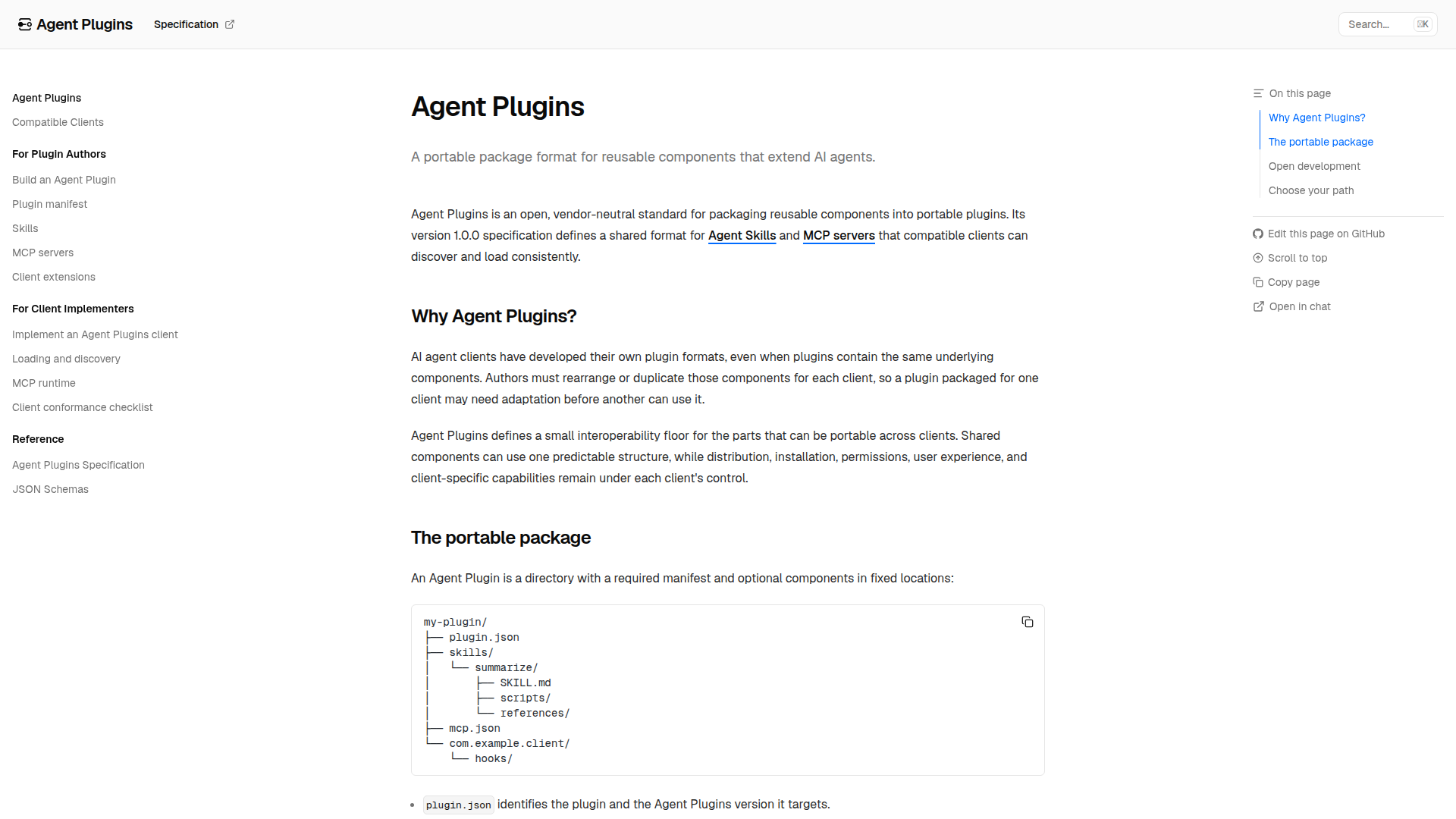 agent-plugins.org — the open specification backed by Amazon, Cursor, Microsoft, OpenAI, and Vercel.
Agent Plugins is an open standard — version 1.0.0 Working Draft as of August 2026 — that defines a portable package format for AI agent plugins. The spec is hosted at agent-plugins.org with source on GitHub, licensed under CC BY 4.0.
agent-plugins.org — the open specification backed by Amazon, Cursor, Microsoft, OpenAI, and Vercel.
Agent Plugins is an open standard — version 1.0.0 Working Draft as of August 2026 — that defines a portable package format for AI agent plugins. The spec is hosted at agent-plugins.org with source on GitHub, licensed under CC BY 4.0.
The governing body is a Technical Steering Committee (TSC) with initial members from Amazon, Cursor, Microsoft, OpenAI, and Vercel. The key word is vendor-neutral: no single company controls the standard.
The core philosophy splits into two principles:
- Portability for shared parts — The package format, manifest schema, skill definitions, and MCP server declarations are standardized. A plugin author writes these once.
- Client autonomy for everything else — Each client controls its own distribution mechanism, installation flow, UX presentation, permission model, and sandboxing. The standard doesn’t tell Cursor how to render a skill or tell ChatGPT how to gate permissions.
This split is what makes adoption realistic. Clients don’t have to surrender control over their user experience — they just agree on what a plugin package looks like so authors can stop rebuilding the same thing.
Package Structure
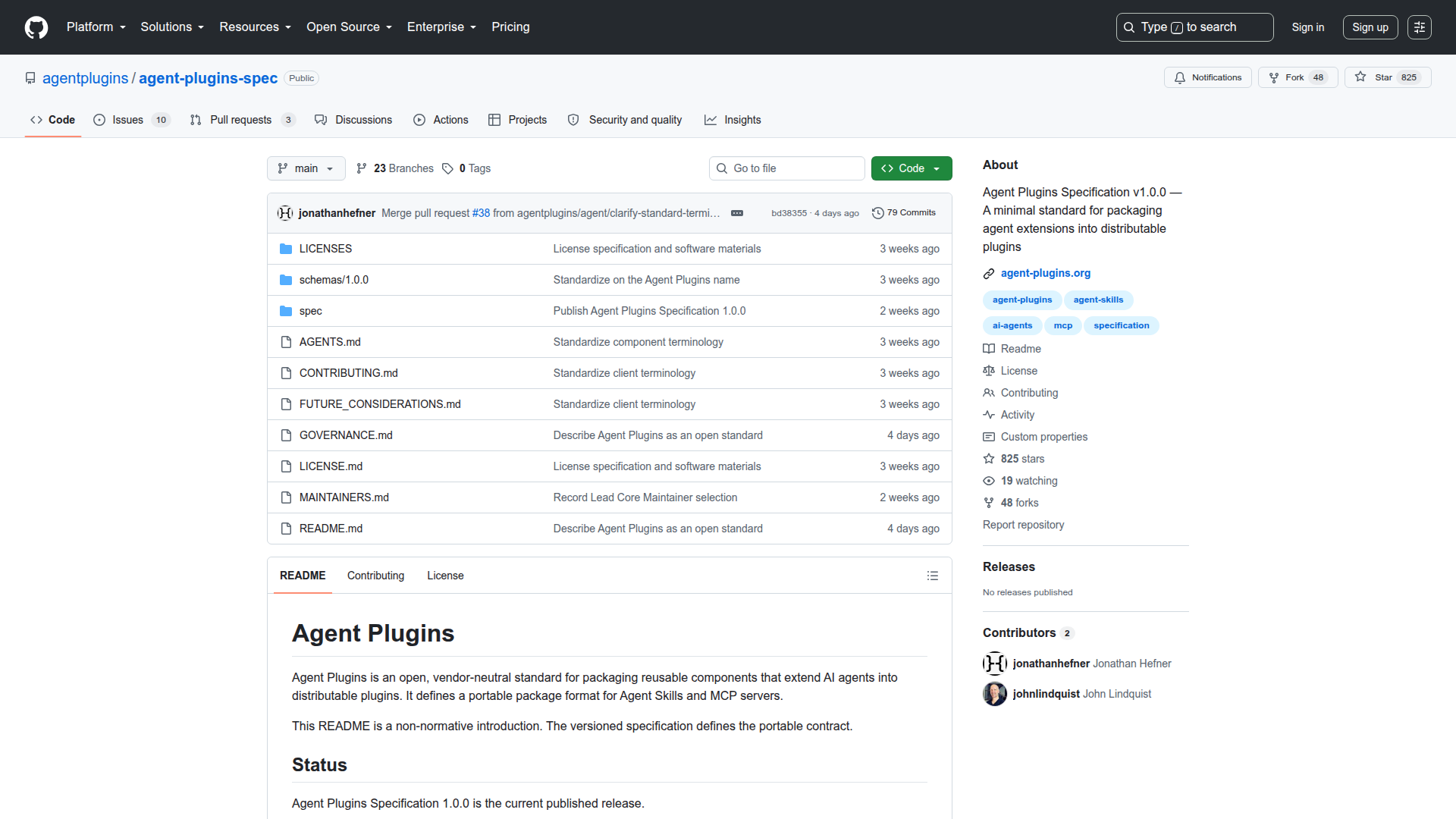 The agent-plugins-spec repository — open development with proposals, schemas, and governance docs.
An Agent Plugins package is a directory (or archive) with this structure:
my-plugin/
├── plugin.json          # Required: manifest
├── skills/
│   ├── review-diff/
│   │   └── SKILL.md    # Agent Skill definition
│   └── suggest-fix/
│       └── SKILL.md
├── mcp.json             # Optional: MCP server declarations
└── com.cursor.ide/      # Optional: client extension (reverse-domain)
    └── extension.json
plugin.json — The Manifest
The plugin.json file is the only strictly required file. It declares the plugin’s identity, version, components, and metadata:
{
  "name": "security-review",
  "version": "1.2.0",
  "description": "Automated security review for code diffs",
  "author": "Daniel Russo",
  "license": "MIT",
  "skills": ["skills/review-diff", "skills/suggest-fix"],
  "mcp": "mcp.json"
}
skills/ — Agent Skills
Skills are the natural-language-driven component type. Each skill lives in its own subdirectory and is defined by a SKILL.md file — a Markdown document that tells the agent when to use the skill, what inputs it needs, and how to execute it.
This is deliberately low-tech. A SKILL.md file is readable by humans and machines alike. Agents parse it to understand intent and invocation patterns; developers read it to understand what the skill does. No compilation step, no binary format.
mcp.json — MCP Server Declarations
If your plugin exposes tools via the Model Context Protocol, you declare them in mcp.json. The spec supports three transport types:
- stdio — The MCP server runs as a subprocess; communication happens over stdin/stdout.
- Streamable HTTP — The server exposes an HTTP endpoint with streaming support.
- Legacy SSE — Server-Sent Events transport for backward compatibility.
{
  "servers": {
    "security-scanner": {
      "transport": "stdio",
      "command": "node",
      "args": ["./servers/scanner.js"],
      "env": {
        "API_KEY": "${SECURITY_API_KEY}"
      }
    }
  }
}
Notice the ${SECURITY_API_KEY} placeholder. The spec supports environment variable placeholder expansion, so secrets never get hardcoded into the package.
Client Extensions (Reverse-Domain Namespace)
Clients that need additional configuration beyond what the portable spec covers can define their own namespace using reverse-domain notation (e.g., com.cursor.ide/, com.microsoft.vscode/). This is where client-specific UX hooks, keybindings, or activation rules live.
The key constraint: these are additive. A plugin must be functional without any client extension directories. They enhance the experience in a specific client but aren’t required for the plugin to work.
Security Containment
The spec enforces a critical security rule: plugin-relative paths must stay within the plugin root. A plugin cannot reference ../../etc/passwd or escape its own directory boundary. Clients are expected to enforce this at installation time and at runtime.
This path containment, combined with client-controlled permissions and sandboxing, means that the standard doesn’t create a new attack surface — it inherits whatever security model the client already provides.
Compatible Clients
 Compatible clients that support the Agent Plugins v1 format — VS Code, Cursor, GitHub Copilot, ChatGPT/Codex, Kiro, Hermes Agent, and OpenClaw.
As of the 1.0.0 Working Draft, these clients have committed to Agent Plugins compatibility:
Compatible clients that support the Agent Plugins v1 format — VS Code, Cursor, GitHub Copilot, ChatGPT/Codex, Kiro, Hermes Agent, and OpenClaw.
As of the 1.0.0 Working Draft, these clients have committed to Agent Plugins compatibility:
| Client | Type |
|---|---|
| VS Code | IDE |
| Cursor | IDE |
| GitHub Copilot | IDE extension / standalone |
| ChatGPT / Codex | Cloud agent |
| Kiro | IDE |
| Hermes Agent | Autonomous agent |
| OpenClaw | CLI agent |
This is not a theoretical spec waiting for adoption. The major players in the AI coding and agent space are on the TSC or have committed client support.
Agent Plugins vs. MCP vs. Custom Plugin Formats
A common question: how does this relate to MCP? Doesn’t MCP already solve interoperability?
MCP and Agent Plugins operate at different layers. They’re complementary, not competing:
| Dimension | Agent Plugins | MCP | Custom Plugin Formats |
|---|---|---|---|
| What it defines | Package format + manifest | Wire protocol for tool invocation | Varies per client |
| Scope | Packaging, distribution, discovery | Runtime communication between client and tool server | End-to-end but proprietary |
| Portability | One package works across all compatible clients | One server works with any MCP client | Locked to one client |
| Skill support | Yes — SKILL.md based | No — MCP is tools only | Varies |
| MCP integration | Includes MCP servers as a component | N/A — is the protocol | Some clients support MCP natively |
| Client-specific UX | Supported via reverse-domain extensions | Not addressed | Built-in |
| Governance | Multi-vendor TSC (Amazon, Cursor, Microsoft, OpenAI, Vercel) | Anthropic-led | Single vendor |
| Security model | Path containment + client-enforced permissions | Transport-level + client-enforced | Varies |
Think of it this way: MCP defines how an agent talks to a tool server. Agent Plugins defines how you package and ship everything — skills, MCP servers, metadata, and client-specific extras — so any client can install it.
If you’ve already built an MCP server, adopting Agent Plugins means wrapping it in a plugin.json manifest and optionally adding skills. Your MCP server code doesn’t change.
How It Works in Practice
Let’s walk through what happens when a user installs an Agent Plugins package in a compatible client:
- Discovery — The user finds the plugin through the client’s marketplace, a registry, or a direct link. Distribution is client-controlled.
- Installation — The client downloads the package, validates
plugin.json, checks path containment, and places the plugin in its plugin directory. - Permission grant — The client presents the plugin’s declared capabilities to the user and asks for permission. This step is entirely client-defined.
- Skill registration — The client reads each
SKILL.mdfile and registers the skills in its agent context. When the agent encounters a task matching a skill’s trigger conditions, it can invoke that skill. - MCP server startup — If
mcp.jsonis present, the client starts the declared MCP servers (or connects to remote endpoints) using the specified transport. - Runtime — The agent uses skills and MCP tools during its workflow. Environment variables are expanded from the user’s environment at startup.
The plugin author doesn’t need to know how step 1, 2, or 3 work for any specific client. They just produce a standards-compliant package.
Why This Matters for the Ecosystem
The AI agent ecosystem in 2026 is fragmented in the same way browser extensions were before WebExtensions, or mobile apps before cross-platform frameworks matured. Every client has its own format, its own distribution story, its own developer documentation.
This fragmentation has real costs:
- For plugin authors: N× the packaging work, N× the maintenance burden, N× the CI/CD pipelines. Many useful plugins never get ported beyond the first client.
- For users: The best plugins are only available on one platform. Switching clients means losing your toolkit.
- For client developers: Building a plugin ecosystem from scratch is expensive. A shared standard means more plugins available on day one.
Agent Plugins addresses all three by standardizing the parts that should be shared while preserving client freedom where it matters.
Building Your First Agent Plugin
Here’s a minimal but functional plugin that provides a skill for generating commit messages:
commit-message-plugin/
├── plugin.json
└── skills/
    └── generate-commit-msg/
        └── SKILL.md
plugin.json:
{
  "name": "commit-message-generator",
  "version": "0.1.0",
  "description": "Generates conventional commit messages from staged diffs",
  "author": "Your Name",
  "license": "MIT",
  "skills": ["skills/generate-commit-msg"]
}
skills/generate-commit-msg/SKILL.md:
# Generate Commit Message

## When to use
The user has staged changes and wants a commit message, or explicitly asks
for help writing a commit message.

## Inputs
- The current git diff (staged changes)
- Optional: project's commit convention (conventional commits, etc.)

## Steps
1. Read the staged diff using `git diff --cached`
2. Analyze the changes: what files changed, what was added/removed/modified
3. Determine the commit type (feat, fix, refactor, docs, chore, etc.)
4. Write a concise subject line (≤72 chars) following the project's convention
5. If the change is complex, add a body explaining the "why"

## Output
A ready-to-use commit message in the project's preferred format.
That’s a complete, installable Agent Plugin. No build step. No client-specific code. Any compatible client can install this and make the skill available to its agent.
Adding MCP Tools
If you want to add programmatic tools alongside your skills, include an mcp.json:
{
  "servers": {
    "git-tools": {
      "transport": "stdio",
      "command": "npx",
      "args": ["-y", "[email protected]"]
    }
  }
}
Now your plugin provides both high-level agent skills (the SKILL.md instructions) and low-level programmatic tools (the MCP server). The agent can use whichever is appropriate for the task.
Frequently Asked Questions
Is Agent Plugins replacing MCP?
No. Agent Plugins includes MCP as a component type. MCP defines the runtime protocol; Agent Plugins defines the packaging format. They work together. If you’ve already invested in MCP servers, Agent Plugins makes them more distributable — not obsolete.
Do I need to rewrite my existing VS Code extension?
No. Agent Plugins is additive. You can create an Agent Plugins package that wraps your existing logic and add a com.microsoft.vscode/ client extension directory for VS Code-specific hooks. Your existing extension code can coexist with the portable package.
How are plugins distributed?
Distribution is deliberately left to clients. Some clients may run centralized marketplaces. Others may support direct installation from GitHub URLs or npm packages. The spec standardizes the format, not the delivery mechanism.
What about security? Can a malicious plugin escape its sandbox?
The spec requires path containment — all plugin-relative paths must resolve within the plugin root. Beyond that, clients enforce their own security models. A plugin can’t do anything the client’s permission system doesn’t allow. The standard doesn’t weaken existing security boundaries.
Can I target only one client?
Yes. You can create a minimal plugin.json with just a client extension directory. But the value of the standard comes from portability — the more portable your plugin, the larger your audience.
Is this just for coding agents?
No. The spec is domain-agnostic. While the initial TSC members are heavily represented in the coding tools space, the format works for any AI agent client: research agents, data analysis agents, creative tools, and more.
Where can I contribute?
The spec is open source on GitHub under CC BY 4.0. Issues and pull requests are welcome. The TSC operates in the open.
What Comes Next
The 1.0.0 Working Draft is the starting point. Areas likely to evolve:
- Registry standards — A common registry protocol so clients can discover plugins without each building proprietary infrastructure.
- Versioning and updates — Standardized update notification and compatibility ranges.
- Capability declarations — Richer permission manifests so clients can make informed trust decisions.
- Testing and certification — Automated compliance testing for plugin packages.
The trajectory here mirrors other successful standards: start with the minimum viable spec, get adoption from major players, then iterate based on real-world feedback.
Getting Started
If you’re building agent tools or extensions today, here’s the actionable path:
- Read the spec — it’s concise and well-structured.
- Wrap your existing tools in a
plugin.jsonmanifest. - Convert your documentation into
SKILL.mdfiles for the skills you already provide. - If you have an MCP server, add an
mcp.jsondeclaration. - Test with at least two compatible clients to validate portability.
The ecosystem of AI agent frameworks is maturing fast. Standards like Agent Plugins and MCP are the connective tissue that prevents fragmentation from crippling the space. One package, every client — that’s the goal, and with the TSC lineup backing it, it’s looking achievable.
The Agent Plugins spec is available at agent-plugins.org and github.com/agentplugins/agent-plugins-spec. Licensed under CC BY 4.0.