Xigua Video Research API Tutorial
Build a Xigua Video research workflow: search a keyword, read a video's detail, and pull its comments — one SandBase key, no Xigua login, no SDK.

Video research on Xigua (西瓜视频) comes down to three moves: search a topic, open a video that matters, and read what people are saying about it. This tutorial wires those moves into one workflow with the SandBase Xigua API — search a keyword, read a video’s detail, and pull its comments. One SandBase key, no Xigua login and no SDK.
For the full endpoint tour, see the Xigua public data API hub. This piece is the applied research workflow.
A note on surfaces: the SandBase catalog may list these capabilities as GET /apis/v1/xigua/... paths, but this tutorial uses the SandBase Model API POST /v1/api/xigua/... route shown on each endpoint’s API reference. Follow the reference for the authoritative method, URL, and request body. The reference guarantees only the response envelope; the business fields below (err_code, results, offset, and the like) are observed-only from my captures, not documented guarantees — confirm them against a live response.
Key takeaway
- Three steps:
search-video(discover) →one-video-v2(detail) →video-comment-list(engagement).- Every call is
POST /v1/api/xigua/<path>with oneSANDBASE_API_KEY; a completed run carriesoutputs, a failed/timeout run carrieserror.- In my captures the upstream payload reported an
err_code(0 meaning success) — a business field the reference does not guarantee; search takes akeyword, and video reads take anitem_id.- Public, read-only data only; no Xigua login of your own, but a SandBase API key is still required.
The workflow at a glance
| Step | Endpoint | Input | You get |
|---|---|---|---|
| 1. Discover | xigua/app-v2/search-video | keyword | ranked results + offset/has_more |
| 2. Detail | xigua/app-v2/one-video-v2 | item_id | a single video’s detail |
| 3. Engagement | xigua/app-v2/video-comment-list | item_id | a video’s comments |
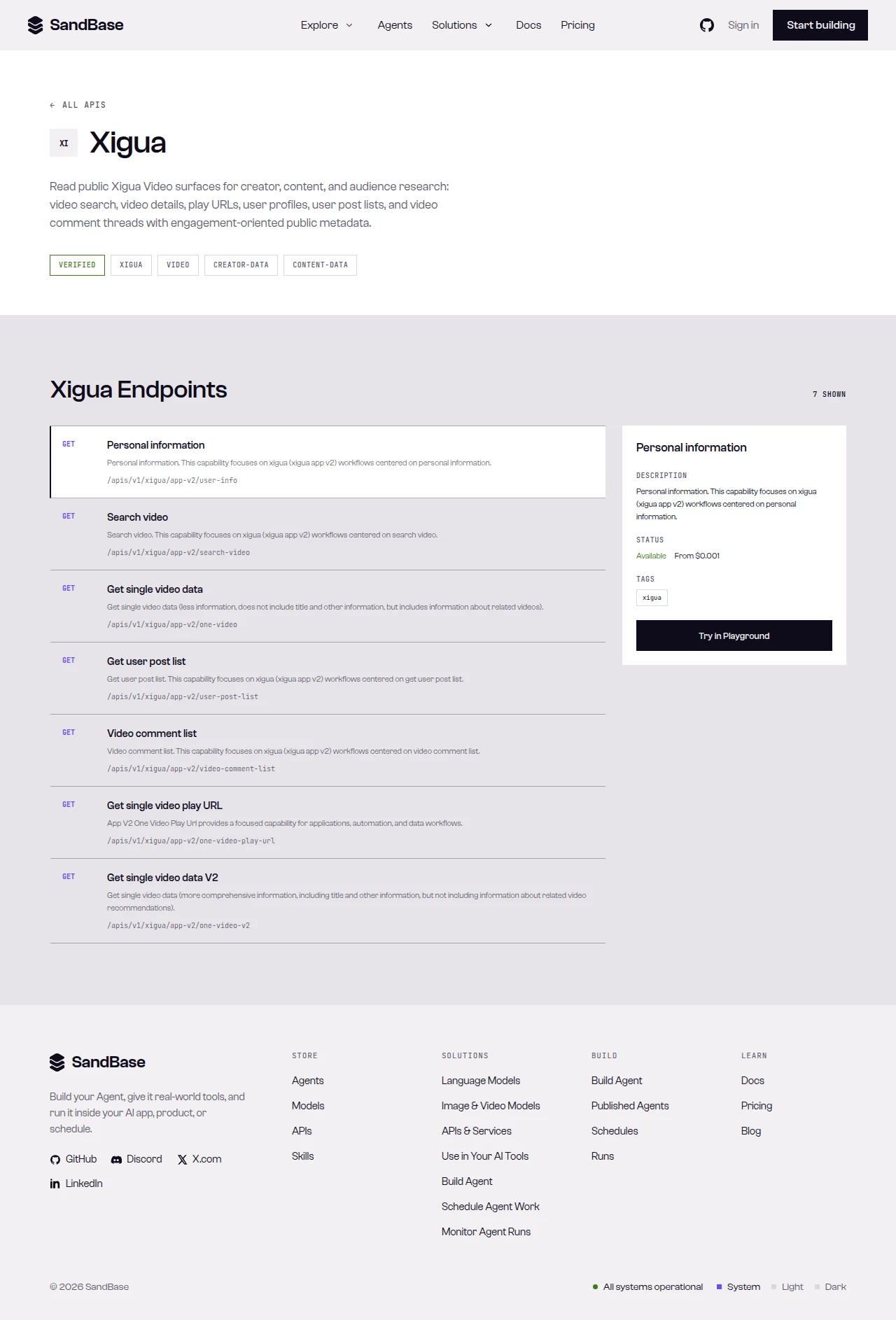 The endpoint API reference is the source of truth for each parameter name and response path.
Step 1 — Search a keyword
Start with a shared helper that branches on status and checks the upstream err_code, then run a search:
import os
import requests

BASE = "https://api.sandbase.ai/v1/api/xigua"
HEADERS = {
    "Authorization": f"Bearer {os.environ['SANDBASE_API_KEY']}",
    "Content-Type": "application/json",
}


def call(path: str, payload: dict) -> dict:
    resp = requests.post(f"{BASE}/{path}", headers=HEADERS, json=payload, timeout=90)
    resp.raise_for_status()
    body = resp.json()
    if body.get("status") != "completed":
        raise RuntimeError(body.get("error", {}).get("message", "request did not complete"))
    data = body["outputs"][0]["data"]
    # In my captures the payload reported an upstream err_code; the reference
    # does not guarantee it, so check defensively and confirm paths live.
    if isinstance(data, dict) and data.get("err_code") not in (0, None):
        raise RuntimeError("upstream error")
    return data if isinstance(data, dict) else {}


search = call("app-v2/search-video", {"keyword": "科技"})
print(search.get("count"), "results, offset:", search.get("offset"), "more:", search.get("has_more"))
results = search.get("results", [])
The block below is illustrative, not a documented guarantee: it is one capture from my call (search run id 07f62735-11c0-4394-997e-27da674651b9, tested on 2026-09-27, UTC). In that capture, search returned results alongside count, offset, and has_more, and each result item nested its own structured payload. The reference’s business-payload example is intentionally empty, so read every field with .get(), treat these names as observed-only, and inspect one real response to map where the item_id and user_id sit:
{
  "id": "07f62735-11c0-4394-997e-27da674651b9",
  "status": "completed",
  "model": "xigua/app-v2/search-video",
  "outputs": [
    {
      "data": {
        "err_code": 0,
        "count": 10,
        "offset": 10,
        "has_more": true,
        "results": [ { "id": "…", "data": {} } ]
      }
    }
  ]
}
Because each result item nests its own payload (a rendered card structure), inspect one real response and map the exact path to the item_id and user_id before you iterate.
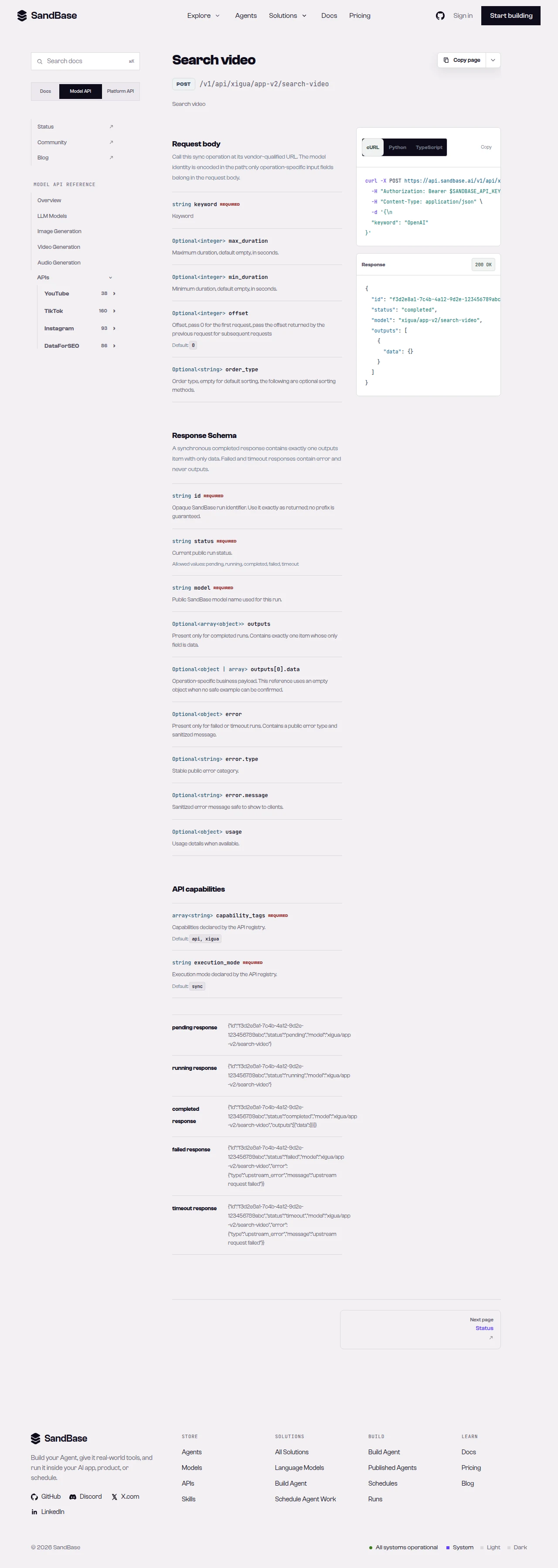 search-video returns results plus offset/has_more; map the item_id and user_id from a real response.
Step 2 — Read a video’s detail
For an item_id you surface from search, read the video’s detail. one-video-v2 takes an item_id:
def video_detail(item_id: str) -> dict:
    return call("app-v2/one-video-v2", {"item_id": item_id})


# item_id comes from a search result — confirm its exact path in a live response
detail = video_detail("<item_id from search>")
Read the returned fields defensively and confirm their names against a live response, since the detail payload is set by the upstream and can change.
Step 3 — Pull the comments
Read a video’s comment thread for engagement and sentiment inputs. video-comment-list also takes an item_id:
def comments(item_id: str) -> dict:
    return call("app-v2/video-comment-list", {"item_id": item_id})


thread = comments("<item_id from search>")
The comment payload is set by the upstream; read it defensively and map the exact list path from one real response before you depend on it.
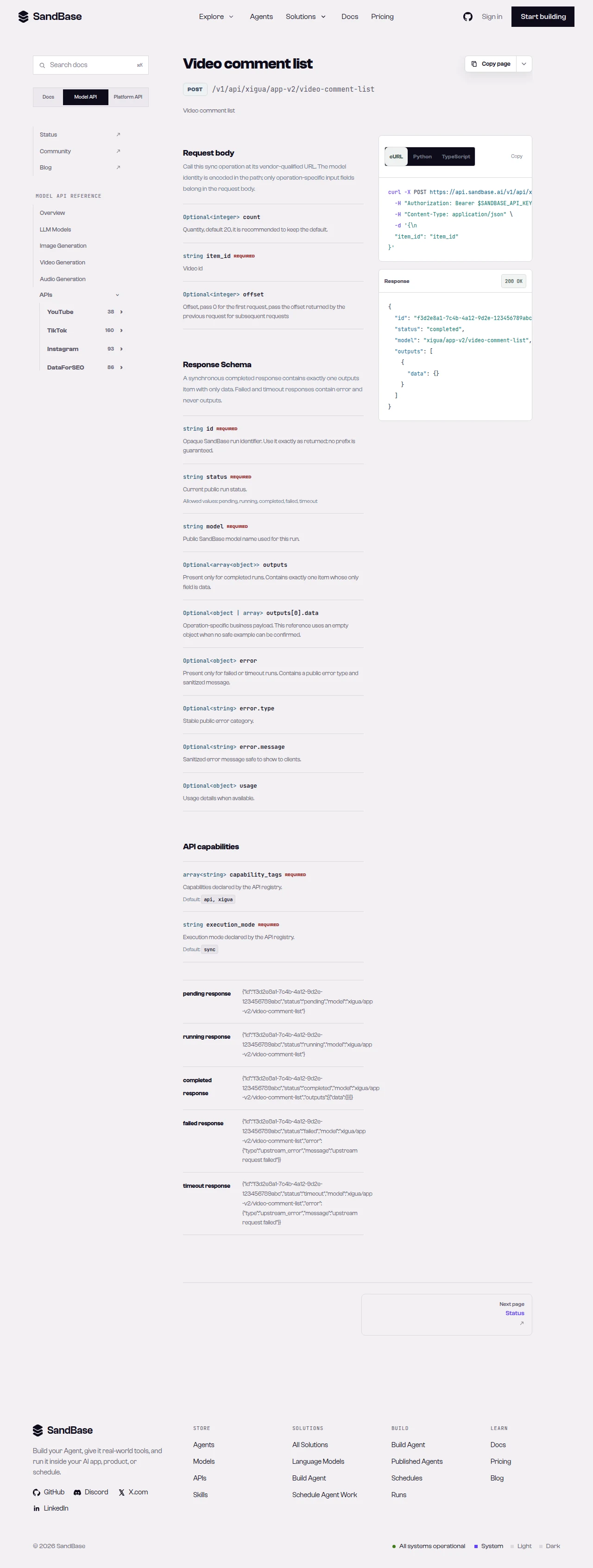 video-comment-list reads a video’s comments by item_id.
Putting it together
A minimal research pass looks like this — search, then for each video read detail and comments:
search = call("app-v2/search-video", {"keyword": "科技"})
report = []

for entry in search.get("results", []):
    # map the item_id from the result's nested payload per a live response
    item_id = extract_item_id(entry)  # your parser for the result shape
    if not item_id:
        continue
    detail = call("app-v2/one-video-v2", {"item_id": item_id})
    thread = call("app-v2/video-comment-list", {"item_id": item_id})
    report.append({"item_id": item_id, "detail": detail, "comments": thread})
    # to page the search, pass the returned offset on the next search-video call
Because every call shares the same envelope and the same call helper (with its err_code check), adding retries or rate-limit backoff is a one-place change. When you need more than these reads — a creator’s profile or post list — call xigua/app-v2/user-info or user-post-list with a user_id, and confirm the parameters against the reference first.
Why run this at the API layer
You could point a headless browser at Xigua and parse the app’s payloads, but that path is fragile: the app changes, tokens rotate, and you maintain a scraper instead of shipping features. Reading through one uniform API means each call returns the same { id, status, model, outputs } envelope with an inner err_code, so your loop is a few lines and your error handling is one helper. Search gives you candidates, item_id carries into detail and comments, and the whole pass drops into a table you can trend over time.
That uniformity keeps the workflow composable. Swap the keyword for any topic, add a user-info read on the creator behind a video, and it slots in behind the same helper with the same err_code check. Your time goes to what the videos and comments mean for your research, not to keeping a scraper alive.
Limitations and boundaries
- Public, read-only data only. No posting, following, or private/account-only data.
- Upstream err_code (observed). In my captures the payload reported an
err_code(0 meaning success) — a business field the reference does not guarantee; check it defensively before reading further. - Result items nest their own payload. Map the
item_id/user_idpath from a real response before iterating. - Parameters follow the upstream surface.
search-videotakes akeyword;one-video-v2andvideo-comment-listtake anitem_id;user-info/user-post-listtake auser_id. Paging is per-endpoint — read each endpoint’s schema for its exact parameters. - Rate and volume. Treat responses as best-effort reads; retry with backoff on transient errors such as HTTP 429, and pace your requests.
- Verify against the live reference. Availability and fields can change; confirm before building on a specific endpoint.
FAQ
Do I need a Xigua developer app or login?
No. You authenticate to SandBase with your SANDBASE_API_KEY. This workflow reads public video data and needs no Xigua account or OAuth on your side.
What identifies a video versus a creator?
An item_id identifies a video (used by one-video-v2 and video-comment-list); a user_id identifies a creator (used by user-info and user-post-list). Both can be surfaced from a search result — map their exact path from a real response.
How do I page the search?
In my capture search-video returned an offset and a has_more flag; pass the offset back on the next call while has_more is true. Confirm the exact paging parameters against the endpoint’s reference.
Can I read private or account-only data? No. This workflow is public data only. Private and account-authorized content are out of scope.
Build it
Create a SandBase API key, search a keyword, and read a video’s detail and comments. When you are ready: