Weibo Hot-Search Monitoring API Workflow | SandBase
Build a Weibo hot-search monitoring workflow: read the board, search a topic, and profile the author — one SandBase key, no Weibo login.

Social listening on Weibo comes down to three moves: see what is trending, pull what people are saying about a topic, and understand who is saying it. This tutorial wires those three moves into one Weibo hot-search monitoring API workflow using the SandBase Weibo API — no Weibo login of your own and no scraper, though you still need a SandBase API key. The endpoint reference only guarantees the response envelope (id, status, model, outputs[0].data); the business fields shown below are an illustrative structure, not a guaranteed schema, so treat both the field names and the values as examples and confirm them against a live response.
If you want the full endpoint tour first, start with the Weibo public data API hub. This piece is the applied workflow.
Key takeaway
- Three steps:
hot-search(board) →realtime-search(topic) →user-basic-info(author).- Every call is
POST /v1/api/weibo/<path>with oneSANDBASE_API_KEY; responses share the{ id, status, model, outputs }envelope.- Carry a topic keyword from the board into search, and a
uidinto the profile read.- Only the envelope (
id,status,model,outputs[0].data) is guaranteed; the business fields are illustrative — confirm them against a live response.- Public, read-only data only; no Weibo login of your own and no posting, but you do need a SandBase API key.
The workflow at a glance
| Step | Endpoint | Input | You get |
|---|---|---|---|
| 1. Read the board | weibo/web-v2/hot-search | none | a ranked list of trending topics |
| 2. Search the topic | weibo/web-v2/realtime-search | query | matching posts |
| 3. Profile the author | weibo/web-v2/user-basic-info | uid | screen name, follower counts |
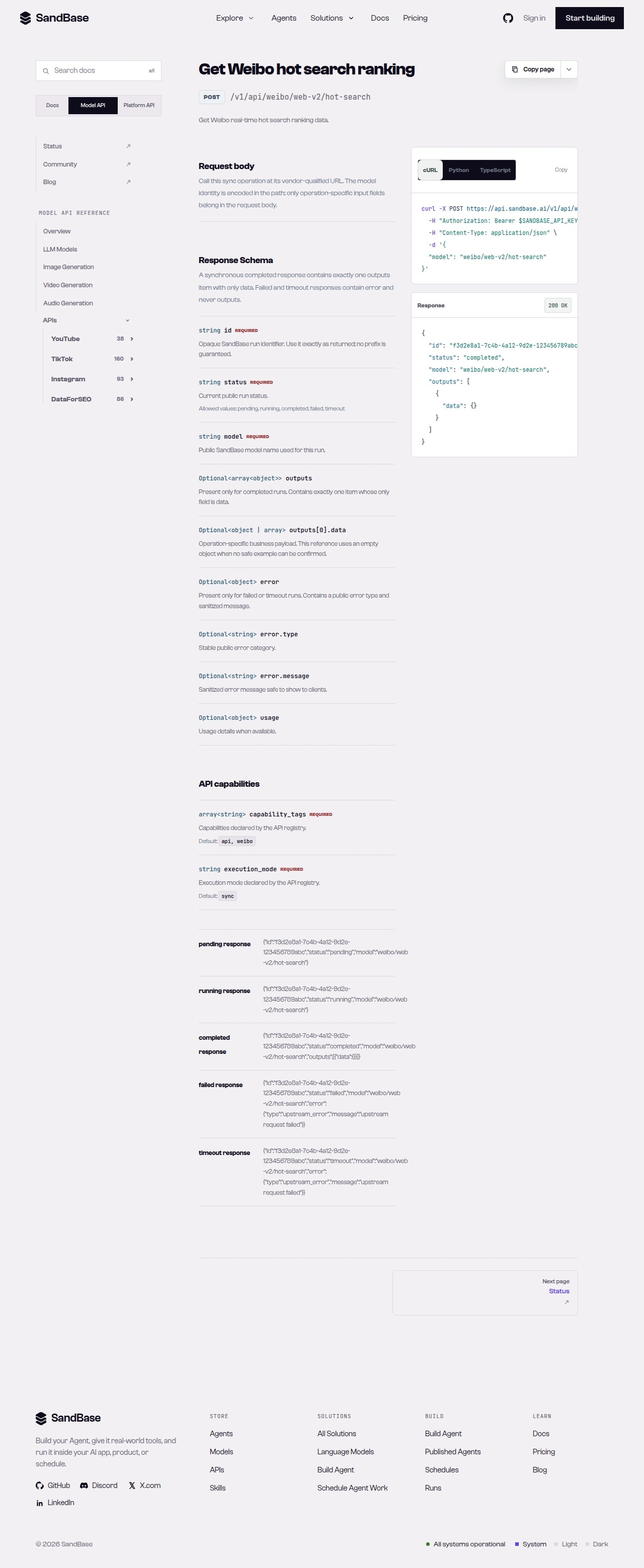 The endpoint API reference is the source of truth for each parameter name and response path.
Step 1 — Read the hot-search board
Start with a shared helper that branches on status, then read the realtime board:
import os
import requests

BASE = "https://api.sandbase.ai/v1/api/weibo"
HEADERS = {
    "Authorization": f"Bearer {os.environ['SANDBASE_API_KEY']}",
    "Content-Type": "application/json",
}


def call(path: str, payload: dict) -> dict:
    resp = requests.post(f"{BASE}/{path}", headers=HEADERS, json=payload, timeout=90)
    resp.raise_for_status()
    body = resp.json()
    if body.get("status") != "completed":
        raise RuntimeError(body.get("error", {}).get("message", "request did not complete"))
    return body["outputs"][0]["data"]


board = call("web-v2/hot-search", {}).get("realtime", [])
for item in board[:5]:
    print(item.get("rank"), item.get("word"), item.get("num"))
In this illustrative shape, a board item carries a ranked keyword (word) and a popularity number (num); realtime is the list under data. Only the envelope is guaranteed, so the code uses .get() to read defensively rather than assume these keys are present. Confirm the field names against a live response, since the board changes constantly and the business fields are not a guaranteed schema.
Step 2 — Search a trending topic
Pick a keyword off the board and pull matching posts. realtime-search takes a query, and to page you pass a page request parameter (an integer that defaults to 1):
results = call("web-v2/realtime-search", {"query": board[0].get("word"), "page": 1})
# the example shape nests a layout under parsed_data (results, result_count,
# search_stats); read the schema and inspect a real response to map the fields
parsed = results.get("parsed_data", {})
print(parsed.get("result_count"))
In this illustrative shape the realtime-search response nests its layout under parsed_data (with fields such as results, result_count, and search_stats), but only the envelope is guaranteed — inspect one real response to map where the post fields and author ids actually sit before you iterate. To move to the next page, increment the page request parameter rather than following any field in the response body.
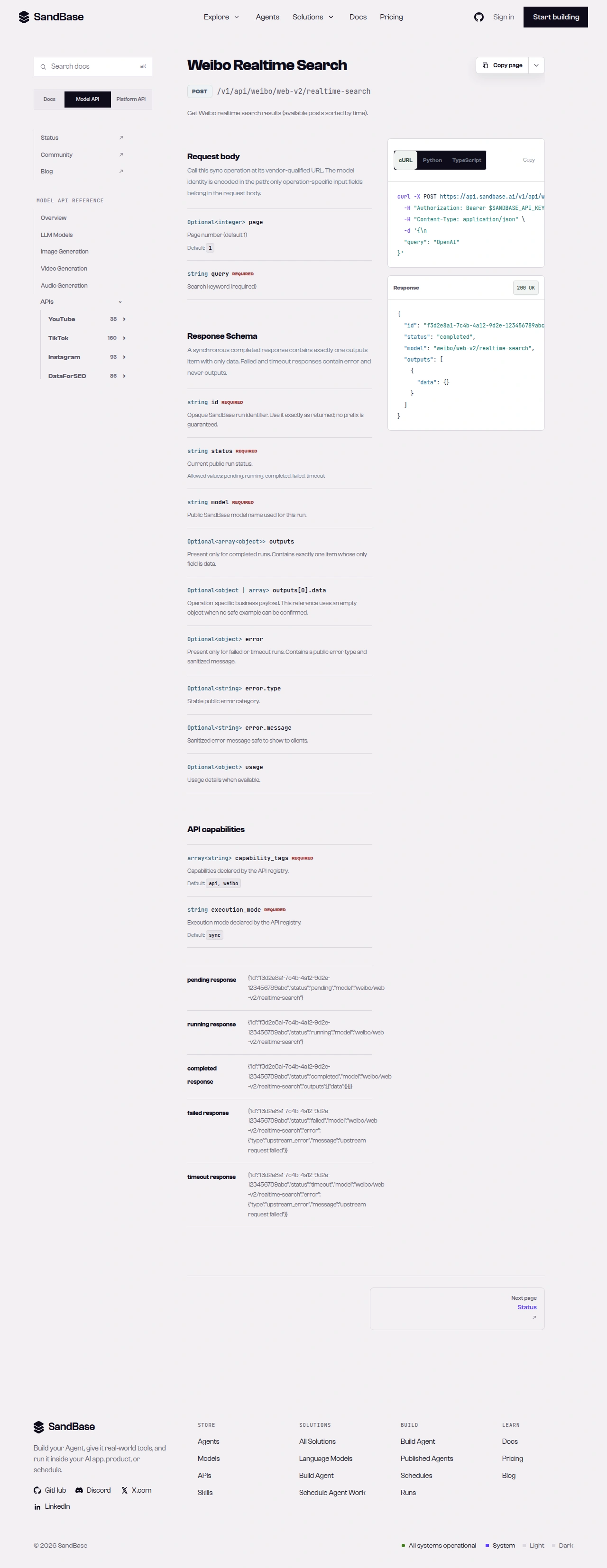 realtime-search returns a structured layout under parsed_data — read the schema before iterating.
Step 3 — Profile the author
For an author id you surfaced in step 2, attach account context. user-basic-info takes a uid:
profile = call("web-v2/user-basic-info", {"uid": "1671109627"}).get("data", {})
print(profile.get("screen_name"), profile.get("followers_count_str"))
In this illustrative shape the profile read nests fields such as screen_name, followers_count_str, friends_count_str, and descText under a data object. Only the envelope is guaranteed, so the code uses .get() rather than assuming those keys are present. The block below is an illustrative response shape — the business fields are not a guaranteed schema, so treat the field names and values as examples and confirm them against a live response:
{
"id": "dd90e409-dabe-4a0a-88f3-17ea1403b21c",
"status": "completed",
"model": "weibo/web-v2/user-basic-info",
"outputs": [
{
"data": {
"ok": 1,
"data": {
"screen_name": "…",
"followers_count_str": "…",
"friends_count_str": "…"
}
}
}
]
}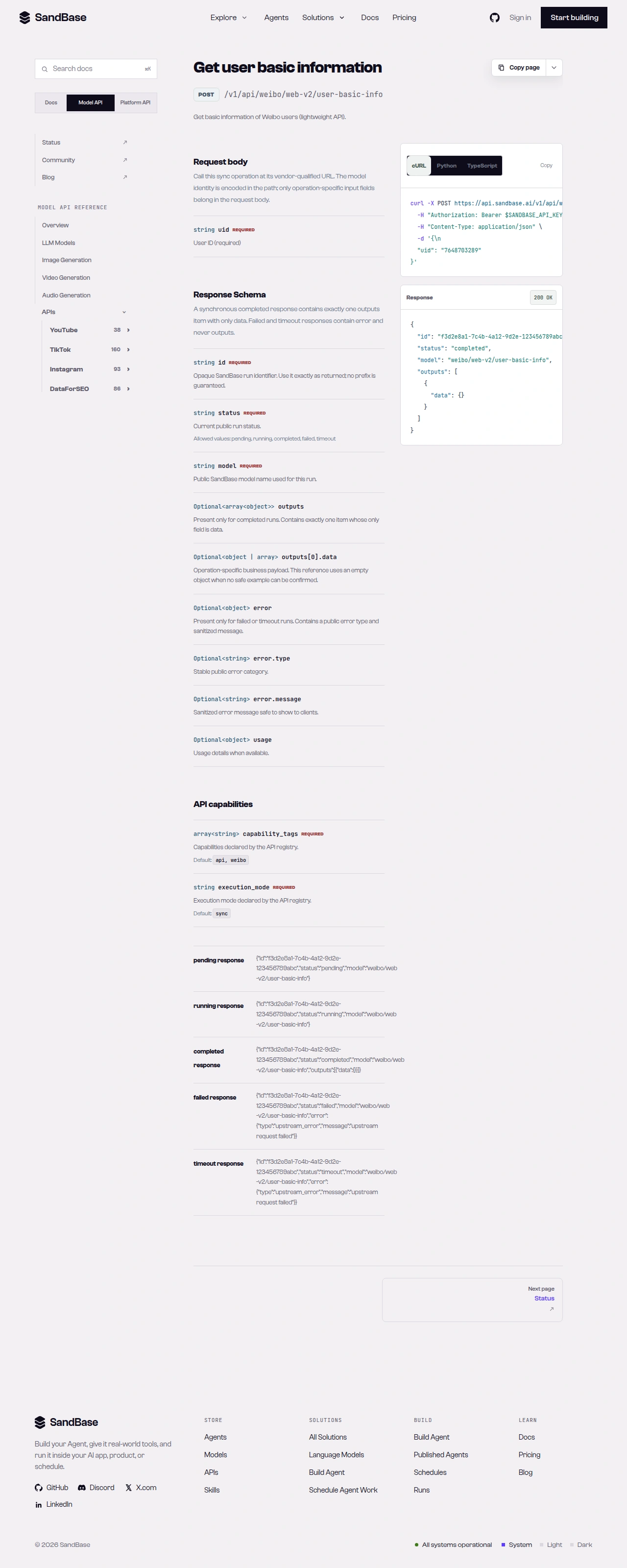 user-basic-info returns screen name and follower signals under a data object.
Putting it together
A minimal monitoring pass looks like this:
The code below reads every business field with .get(), since only the envelope is guaranteed and the illustrative fields may be absent or named differently in a live response:
board = call("web-v2/hot-search", {}).get("realtime", [])
report = []

for topic in board[:10]:
    hits = call("web-v2/realtime-search", {"query": topic.get("word"), "page": 1}).get("parsed_data", {})
    report.append({
        "topic": topic.get("word"),
        "popularity": topic.get("num"),
        "result_count": hits.get("result_count"),
    })
    # for author ids you extract from hits, call user-basic-info per the schema
Because every call shares the same envelope and the same call helper, adding retries or rate-limit backoff is a one-place change. When you need more than these reads, check the live Weibo listing for the endpoint that fits and confirm its parameters before wiring it in.
Handling the rough edges
- Mind the nesting.
user-basic-inforeturns its payload under adataobject, andrealtime-searchunderparsed_data. Read the exact path rather than assuming top-level fields. - Inspect
realtime-searchbefore iterating. Its layout is structured, not a flat list — map the fields from a real response, and page by incrementing thepagerequest parameter. - Branch on
status. Afailedortimeoutrun carrieserrorand nooutputs. Thecallhelper already enforces this. - Respect rate limits. As a client-side resilience measure, retry with backoff on transient errors such as HTTP 429.
- Public data only. No Weibo login of your own, no posting, and no private/follower-only content — though you do authenticate every call with a SandBase API key.
Why run monitoring at the API layer
You could refresh the hot-search page in a browser, but that does not give you structured, storable data. Running these calls on a schedule turns a live board into a measurable signal: popularity numbers you can trend, topics you can dedupe, and authors you can weight by follower count. Because the calls return named JSON fields, each pass drops cleanly into a table you can diff against the last one — new spikes, new voices, and shifts in what the platform is talking about. The workflow collects public conversation data; deriving sentiment is a separate analysis step you run on top of it.
Composing the workflow
The same uniform envelope keeps this composable. Swap the hot-search topic for any keyword, add a fourth read — a post’s comments, say — and it slots in behind the same call helper with the same status check and error handling. You can also fan the middle step out: for each of the top N board topics, run realtime-search and collect the counts into one table, so a single pass gives you a ranked snapshot of what is trending and how much conversation each topic carries. Because the reads share one shape, moving from a quick script to a scheduled job is mostly a matter of adding backoff and a place to store each pass — the read logic does not change.
FAQ
Do I need a Weibo login or OAuth?
No. You authenticate to SandBase with your SANDBASE_API_KEY, and these three reads need no Weibo account or OAuth on your side. It is still a SandBase API key you supply.
How do I page through realtime-search results?
Pass the pagination request parameter that realtime-search accepts on its next call rather than assuming a fixed page size. Check the endpoint reference for the exact parameter name and confirm it against a real response before you loop.
How often should I poll the hot-search board? Treat the calls as best-effort reads and space them out; on a transient error such as HTTP 429, back off and retry rather than hammering the endpoint. A scheduled pass every few minutes is usually enough to trend the board.
Next steps
You now have a repeatable hot-search monitoring workflow built on three public, read-only calls.
- Read the Weibo public data API hub
- Get a SandBase API key
- API references: hot-search, realtime-search, and user-basic-info