Xiaohongshu Product Research API Workflow | SandBase
Build a Xiaohongshu product-research workflow: search products, read a product, and pull its reviews — one SandBase key, no RED login.
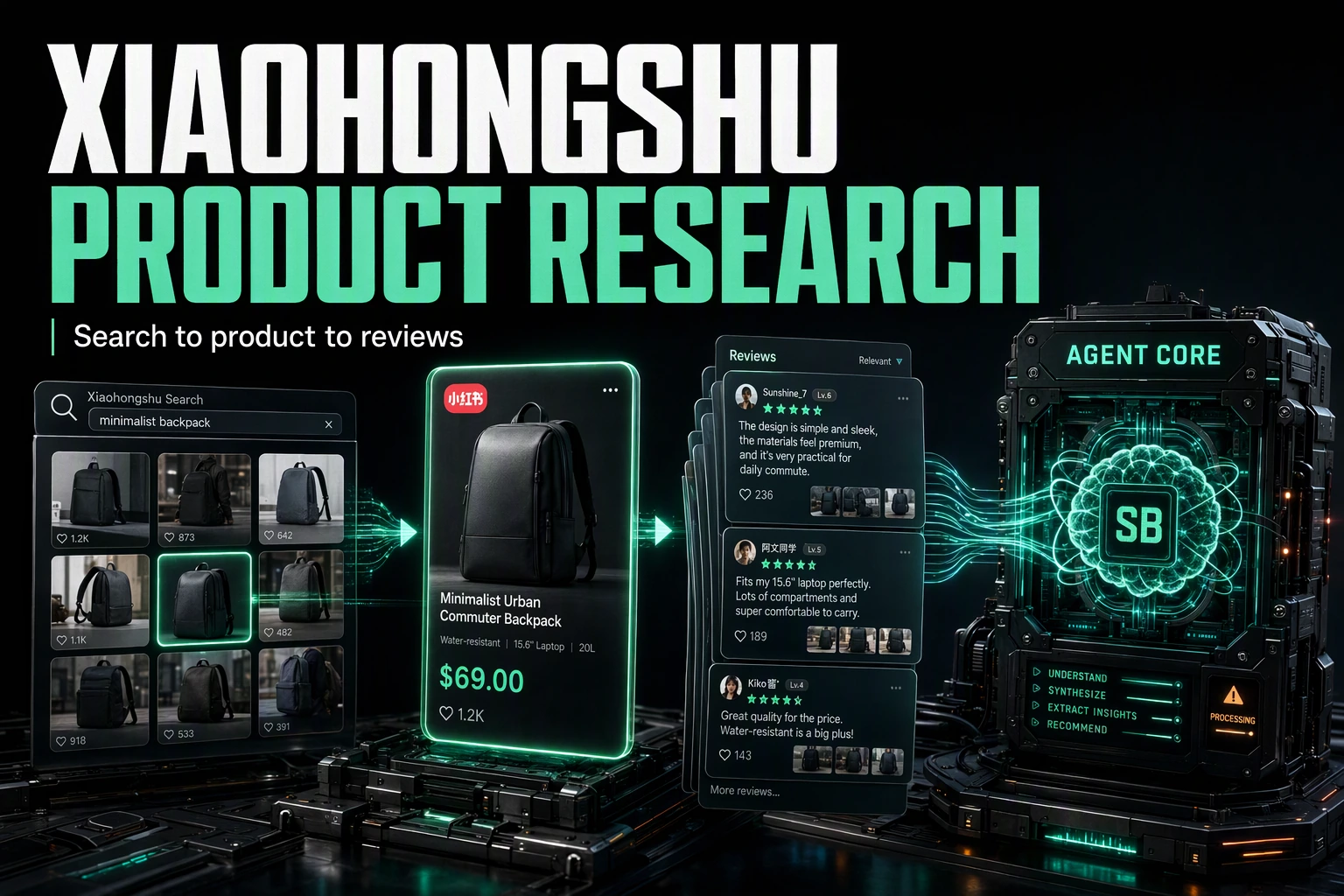
Product research on Xiaohongshu (RED) comes down to three moves: search for products in a category, open a product, and read what shoppers say about it. This tutorial wires those three moves into one Xiaohongshu product research API workflow using the SandBase Xiaohongshu API — you still need a SandBase key, but no RED login and no scraper. The endpoint reference only guarantees the response envelope (id, status, model, outputs[0].data); the business fields shown below are an illustrative structure, not a guaranteed schema, so confirm them against a live response.
If you want the full endpoint tour first, start with the Xiaohongshu public data API hub. This piece is the applied workflow.
Key takeaway
- Three steps:
search-products(discover) →product-detail(product) →product-reviews(reviews).- Every call is
POST /v1/api/xiaohongshu/<path>with oneSANDBASE_API_KEY; responses share the{ id, status, model, outputs }envelope.- Search takes a
keyword; the product endpoints take asku_idyou extract from search results.- Paging is a per-endpoint request parameter, not a token you echo back: search uses
page(from 1) plussearch_id;product-reviewsusessku_idwithpage(from 0);product-recommendationsusescursor_score.- Public, read-only data only; you still need a SandBase key, but no RED login or posting on your side.
The workflow at a glance
| Step | Endpoint | Input | You get |
|---|---|---|---|
| 1. Search products | xiaohongshu/app-v2/search-products | keyword (+ page, search_id) | a product-search layout |
| 2. Open the product | xiaohongshu/app-v2/product-detail | sku_id | structured product detail |
| 3. Read the reviews | xiaohongshu/app-v2/product-reviews | sku_id | review items for the product |
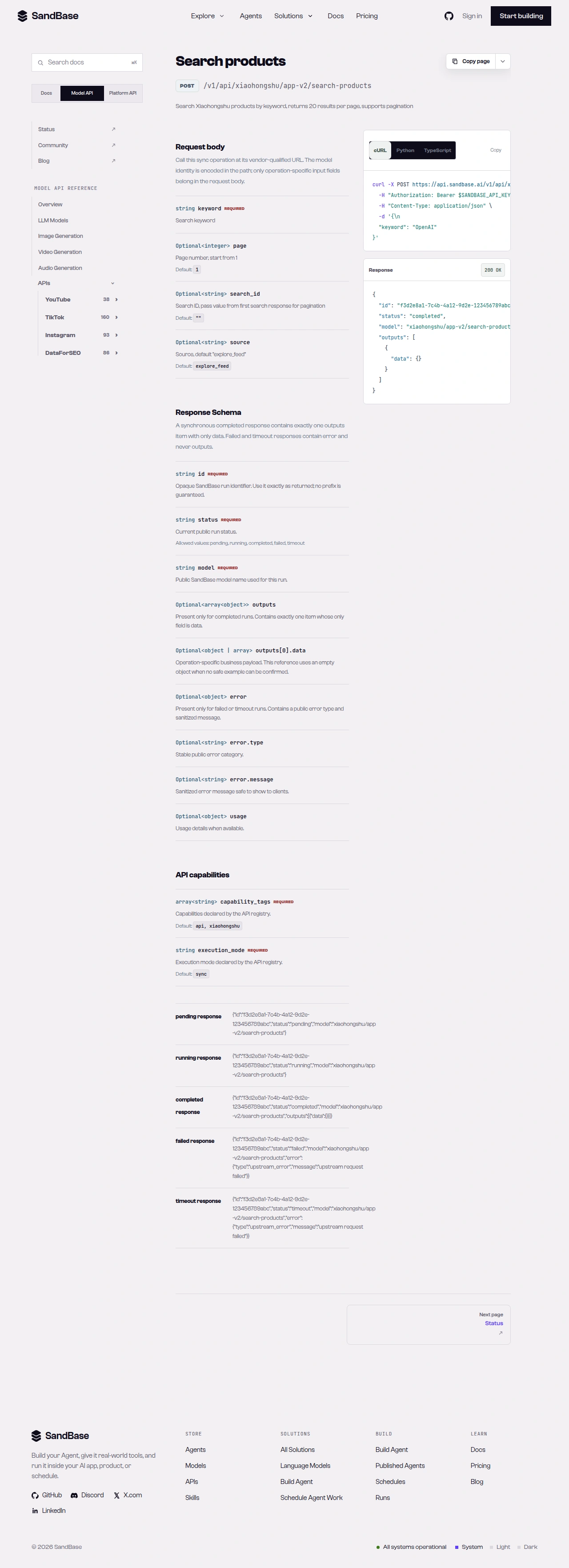 The endpoint API reference is the source of truth for each parameter name and response path.
Step 1 — Search for products
Start with a shared helper that branches on status, then search a category keyword:
import os
import requests

BASE = "https://api.sandbase.ai/v1/api/xiaohongshu"
HEADERS = {
    "Authorization": f"Bearer {os.environ['SANDBASE_API_KEY']}",
    "Content-Type": "application/json",
}


def call(path: str, payload: dict) -> dict:
    resp = requests.post(f"{BASE}/{path}", headers=HEADERS, json=payload, timeout=90)
    resp.raise_for_status()
    body = resp.json()
    if body.get("status") != "completed":
        raise RuntimeError(body.get("error", {}).get("message", "request did not complete"))
    return body["outputs"][0]["data"]


search = call("app-v2/search-products", {"keyword": "面膜", "page": 1})
# search may hold a structured product layout (container/module);
# inspect a real response, extract the sku_id you want, and read search_id if present
layout = search.get("data")
search_id = search.get("search_id")
The search-products response may wrap a structured layout under data (with container/module); the exact shape is illustrative, so inspect one real response before relying on it. Paging is a request parameter: send page (starting at 1) and, if the response returns a search_id, pass it back alongside page on the next request. Extract the sku_id for the products you care about before you iterate — the layout can be richer than a flat list.
Step 2 — Open the product
With a sku_id extracted from search, read the product detail:
detail = call("app-v2/product-detail", {"sku_id": sku_id})
# detail may carry an upstream { code, data, msg } envelope;
# use .get() defensively since these business fields are illustrative, not a guaranteed schema
if detail.get("code") == 0:
    product = detail.get("data")
product-detail typically returns an upstream { code, data, msg, success }-style envelope; treat those field names as an illustrative structure and confirm them against a live response. Use a valid sku_id extracted from search results — an unknown id tends to come back with a non-zero code. Branch on code == 0 before reading detail.get("data").
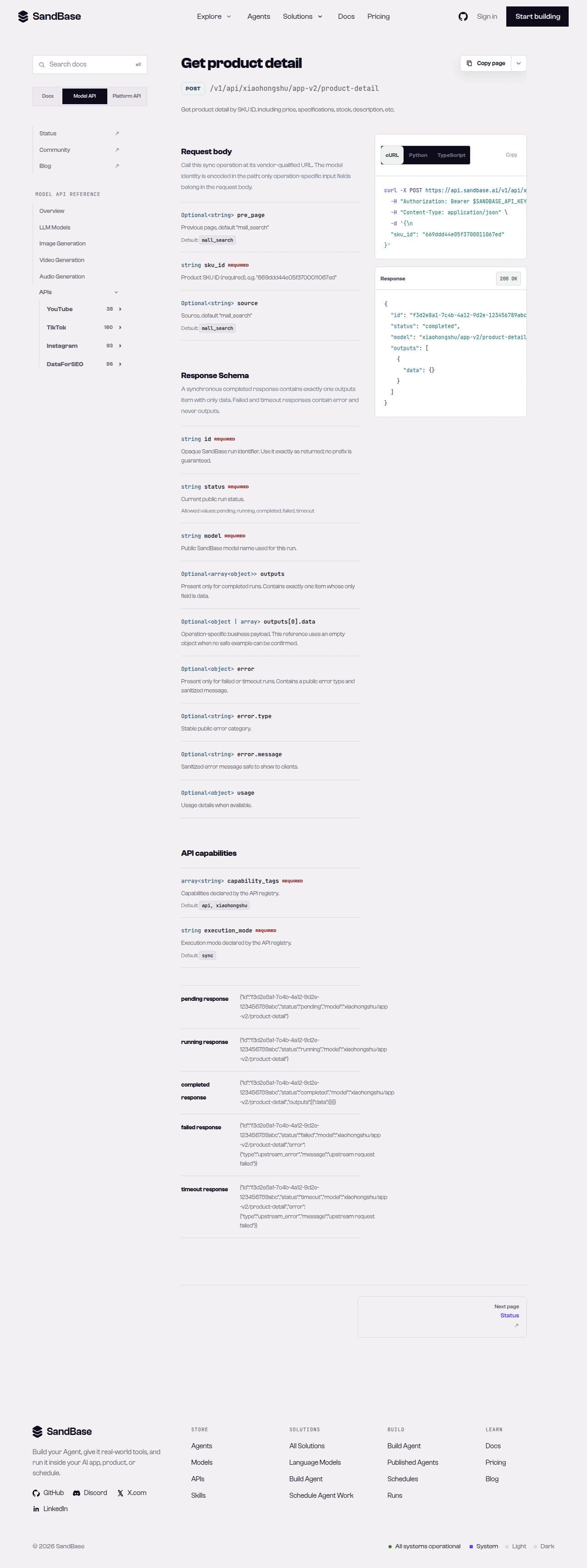 product-detail returns the product under the upstream data object; branch on code first.
Step 3 — Read the reviews
Pull reviews for the same sku_id to gauge sentiment:
reviews = call("app-v2/product-reviews", {"sku_id": sku_id, "page": 0})
# use .get() defensively — these business fields are illustrative, not a guaranteed schema
if reviews.get("code") == 0:
    items = reviews.get("data")
product-reviews also takes a sku_id and pages with page (which starts at 0 for this endpoint). It typically uses an upstream { code, data, msg }-style envelope; only the outer envelope (id, status, model, outputs[0].data) is guaranteed. The block below is an illustrative response shape — treat the field names and values as examples and confirm them against a live response:
{
  "id": "…",
  "status": "completed",
  "model": "xiaohongshu/app-v2/product-reviews",
  "outputs": [
    {
      "data": {
        "code": 0,
        "success": true,
        "data": { "…": "…" }
      }
    }
  ]
}
For an aggregate view, xiaohongshu/app-v2/product-review-overview returns a review summary (rating distribution, positive rate, review tags) for the same sku_id.
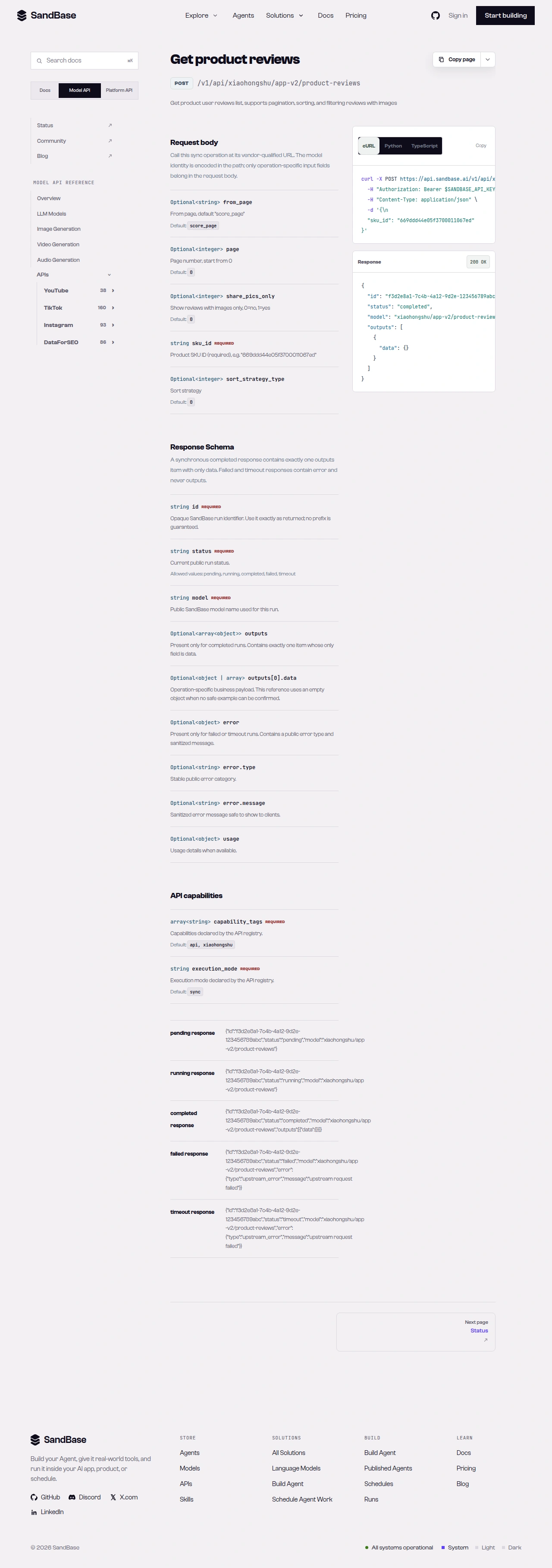 product-reviews returns review items under the upstream data object.
Putting it together
A minimal product-research pass looks like this:
search = call("app-v2/search-products", {"keyword": "面膜"})
# extract sku_ids from the search layout per the schema
report = []

for sku_id in extract_sku_ids(search):  # extract_sku_ids: your parser for the search layout
    detail = call("app-v2/product-detail", {"sku_id": sku_id})
    if detail.get("code") != 0:
        continue  # skip ids the product endpoint does not resolve
    overview = call("app-v2/product-review-overview", {"sku_id": sku_id})
    report.append({"sku_id": sku_id, "detail": detail.get("data"), "reviews": overview.get("data")})
extract_sku_ids is pseudocode — implement it against the actual search layout once you have inspected a real response. Because every call shares the same envelope and the same call helper, adding retries or rate-limit backoff is a one-place change. When you need more than these reads, check the live Xiaohongshu listing for the endpoint that fits and confirm its parameters before wiring it in.
Handling the rough edges
- Extract the
sku_idfrom the search layout.search-productsreturns a structuredcontainer/modulelayout, not a flat list — map the sku ids from a real response before calling the product endpoints. - Branch on the upstream
code. Product endpoints pass through a{ code, data, msg }envelope; a non-zerocodemeans the id did not resolve. Checkcode == 0before readingdata. - Branch on
statustoo. Afailedortimeoutrun carrieserrorand nooutputs. Thecallhelper already enforces this. - Respect rate limits. As a client-side resilience measure, retry with backoff on transient errors such as HTTP 429.
- Public data only. You still authenticate with a SandBase key, but there is no RED login, posting, or access to private/account-only content.
Why run this at the API layer
You could open Xiaohongshu in a browser and copy product data by hand, but that does not scale and it does not give you structured data. Running these calls on a schedule turns qualitative browsing into a measurable signal: products you can dedupe by sku_id, review overviews you can trend, and categories you can compare. Because the calls return named JSON fields behind one consistent envelope, each pass drops cleanly into a table you can diff against the last one — new products surfacing on a keyword, shifts in review sentiment, and changes in what a category is recommending. Turning review text into insight is a separate analysis step you run on top of the collected data.
Composing the workflow
The same uniform envelope keeps this composable. Swap the category keyword for any niche, add a fourth read — product-recommendations for a sku_id, which pages with a cursor_score request parameter, say — and it slots in behind the same call helper with the same status and code checks. You can also widen the funnel: run search-products across several category keywords in one pass, extract the sku ids, and rank them by review overview before you pull full reviews, so you spend calls only on the products worth a closer look. Because the reads share one shape, moving from a quick script to a scheduled job is mostly a matter of adding backoff and a place to store each pass.
FAQ
Do I need a Xiaohongshu (RED) login or OAuth?
No. You authenticate to SandBase with your SANDBASE_API_KEY, and searching products, reading a product, and pulling reviews need no RED account or OAuth on your side. You still supply a SandBase API key to make the calls.
How does pagination work across these endpoints?
Each endpoint takes its own request parameter — for example product-reviews accepts a page (starting at 0) that you increment per call, and you carry the search’s paging value back into the next search-products request. Check each endpoint reference for the exact parameter and confirm it against a real response.
Can I read private or account-only product data this way?
No. These are public, read-only reads — no private or account-gated data. And the endpoint reference guarantees only the { id, status, model, outputs } envelope (with the upstream { code, data, msg } inside); the business fields vary, so map them from a real response.
Next steps
You now have a repeatable product-research workflow built on public, read-only calls.