WorkBuddy Explained: What Tencent’s AI Workstation Actually Does
WorkBuddy is a desktop AI workstation for turning natural-language tasks into files, reports, analysis, and code. Here is where it fits—and where it does not.
Key takeaway
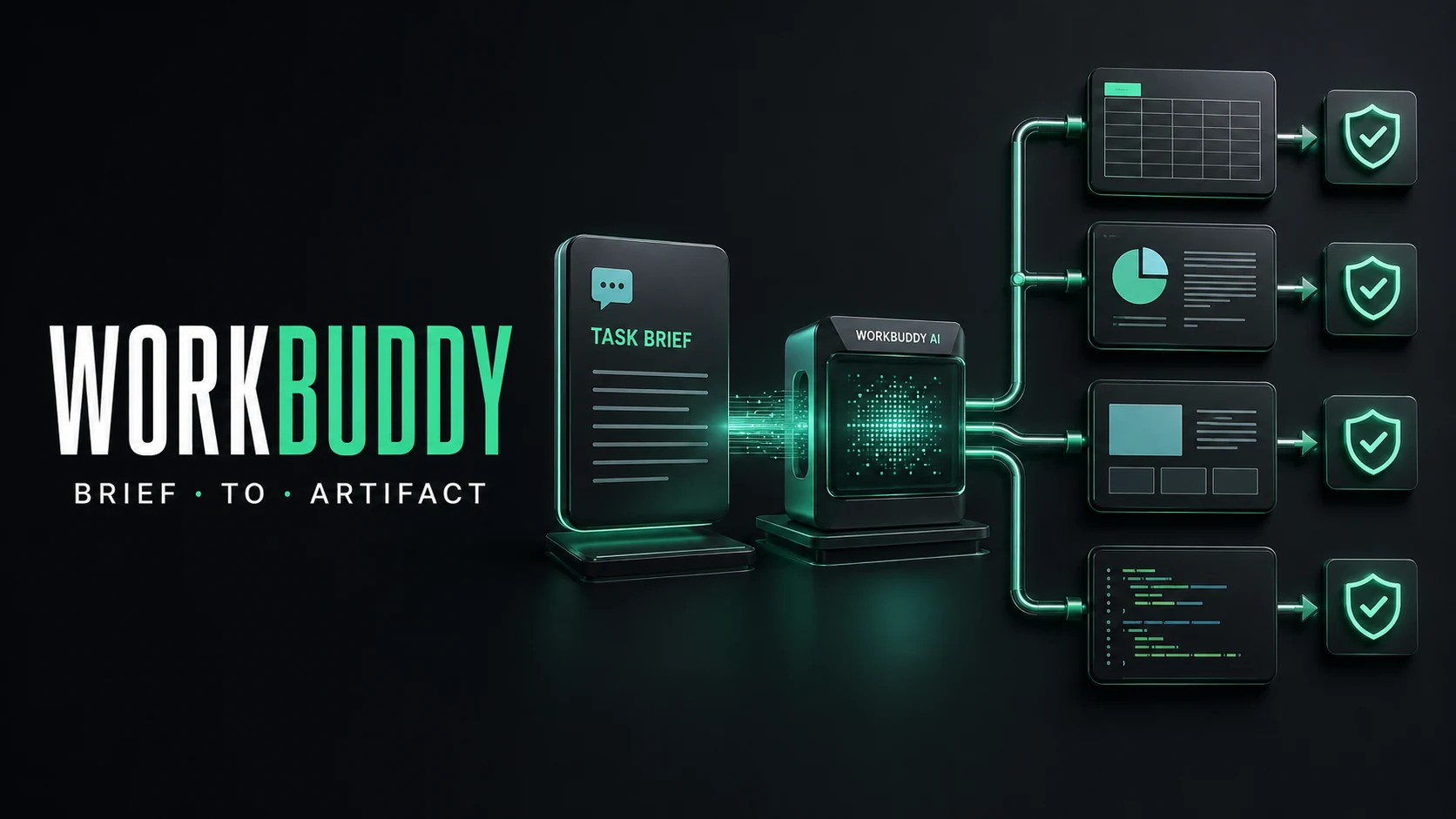
WorkBuddy is closer to a local-first task workstation than a chat window. It can plan work, call tools, operate on files, coordinate specialists, and return artifacts. The useful evaluation is whether the artifact can be checked and handed off—not whether the first reply sounds smart.
Tencent describes WorkBuddy as an all-scenario AI workstation. The official product page lists desktop access, major messaging surfaces, 100+ domain specialists, MCP connections, custom Skills, and workflows for content, data, software, and remote work. That is a broad promise, so the right way to understand it is by the work unit it completes.
From prompt to artifact
A normal assistant answers a question. WorkBuddy is designed to transform a request into a sequence:
brief -> plan -> inspect files/data -> call tools -> produce artifact -> reviewThe artifact might be a cleaned spreadsheet, a research report, a slide deck, a code change, or a recurring analysis. The model is one part of that system. The other parts are workspace access, tool permissions, specialist routing, and result review.
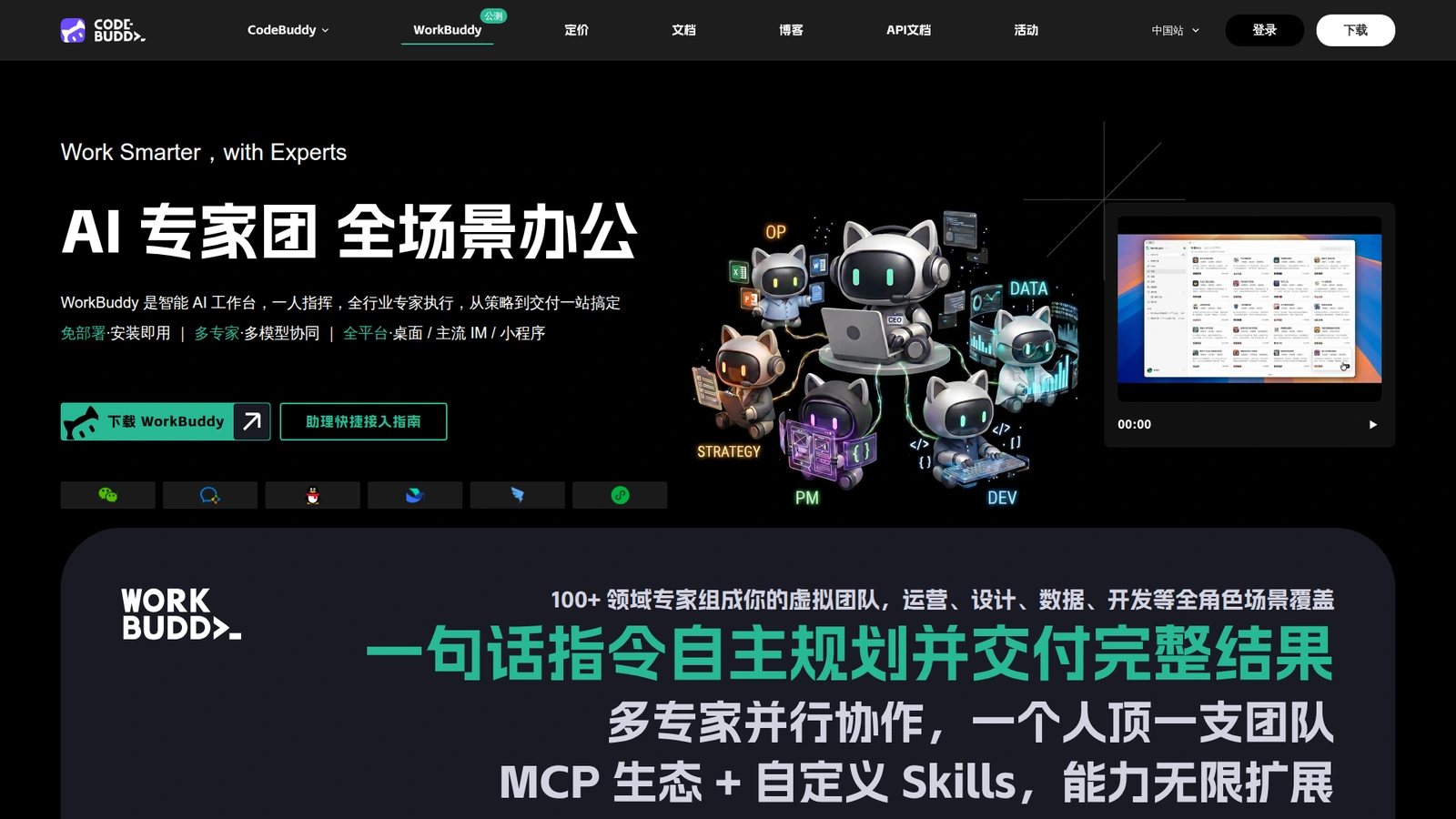 The official product page presents WorkBuddy as a broad AI workstation rather than a single chat feature.
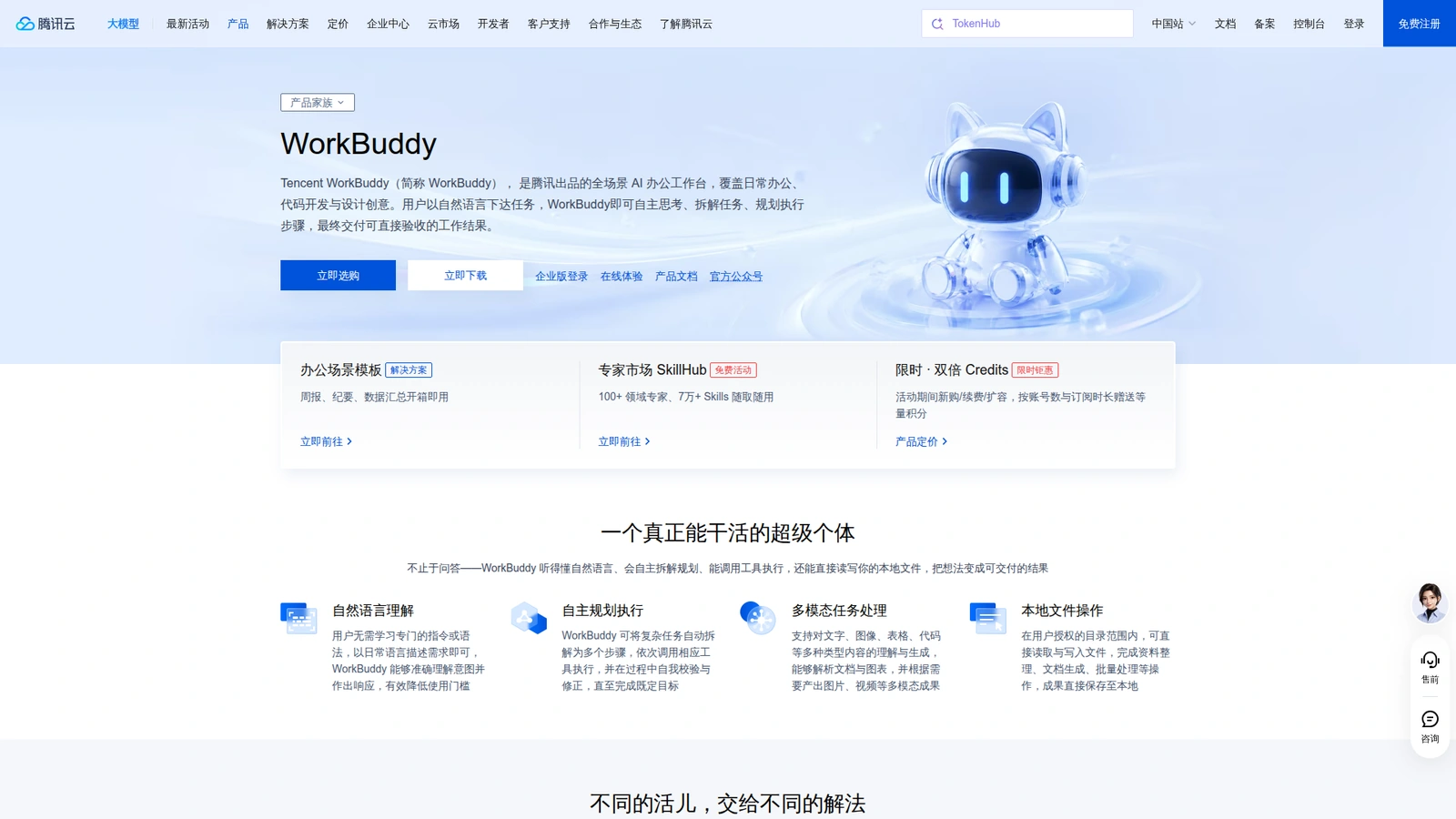 The cloud product page supports the workspace, file, and enterprise-workflow claims discussed here.
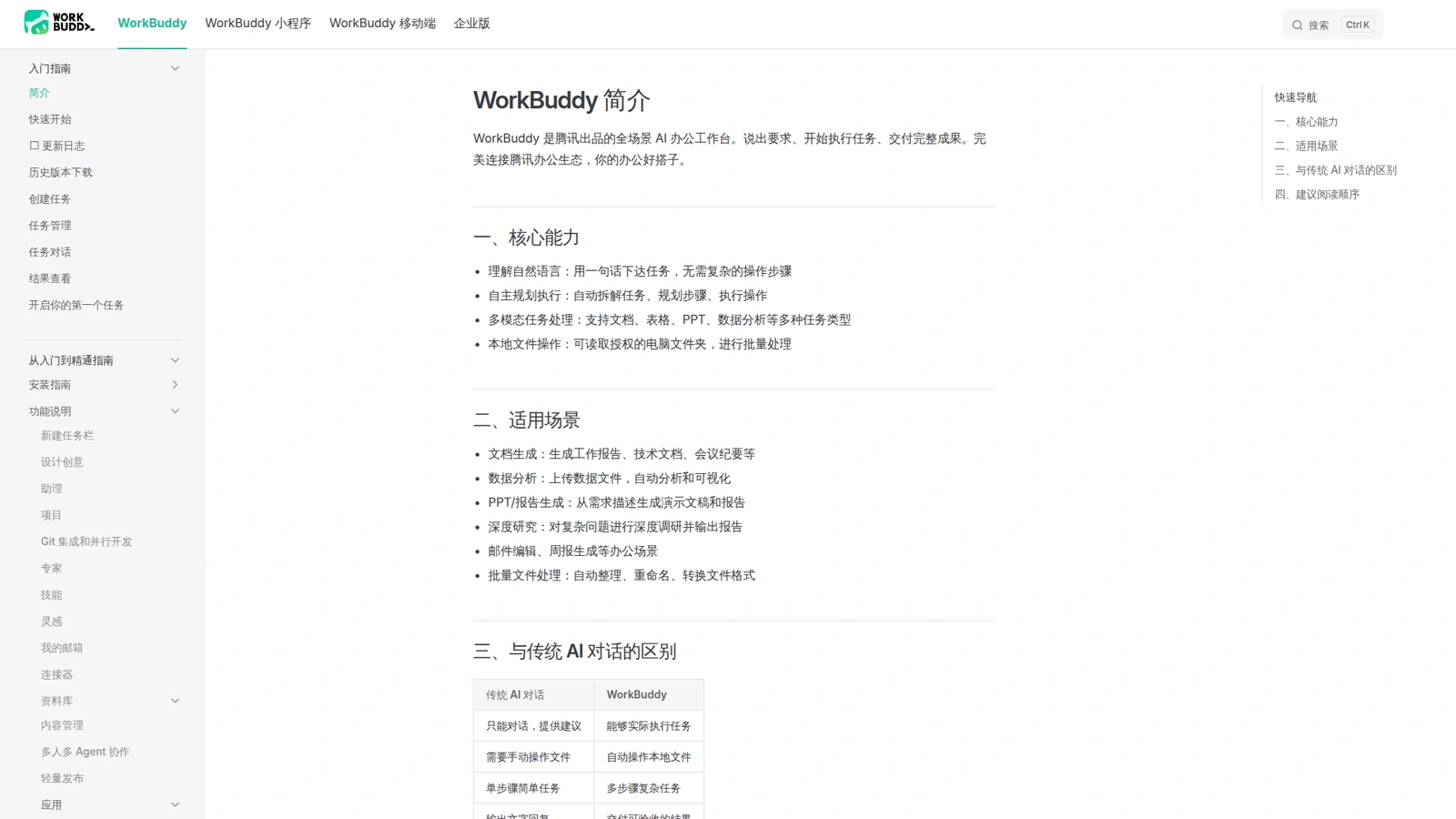 The documentation is the appropriate place to verify feature and edition boundaries before adoption.
What it is good at
WorkBuddy fits tasks with messy inputs and a concrete deliverable. Give it a folder of meeting notes and ask for a structured decision log. Give it a sales export and ask for a segmented report with anomalies and follow-up actions. Give it a repository and an acceptance checklist, then ask it to implement one bounded change and attach the test result.
Its “expert team” framing is useful when a task crosses roles. A report may need research, data cleaning, writing, and presentation. The important question is not whether there are 100 specialists on a page; it is whether the system exposes the handoffs, preserves source files, and lets a person approve the final artifact.
What it is not
WorkBuddy is not automatically a private enterprise deployment, an unrestricted desktop operator, or a replacement for a code IDE. Tencent’s product and cloud pages describe local file operations, project spaces, connectors, and enterprise management, but those capabilities depend on the edition and configuration.
Do not put confidential data into a personal workflow without checking retention, account ownership, connector scope, and export controls. Do not give a broad filesystem or shell permission to an agent merely because it can plan multiple steps.
The four layers behind the product claim
It helps to separate WorkBuddy into four layers instead of treating “AI workstation” as one feature.
The workspace layer determines which files, folders, projects, and conversations are visible. This is where a task gets its durable state. If the workspace is vague, the model may produce a good answer against the wrong input set.
The reasoning layer plans the task and decides which specialist or tool should act next. Planning is useful, but it is only a proposal until the host validates the action.
The capability layer contains Skills, MCP servers, connectors, and local operations. It is what turns a report request into a spreadsheet read, a file rename, a message send, or a code test.
The delivery layer packages the result for review. A strong workflow returns the artifact, its sources, assumptions, failed checks, and next action. A paragraph in a chat bubble is not the same thing as a deliverable.
This layered view also explains why two users can have very different experiences with the same WorkBuddy model. Their workspace, available Skills, connector scopes, and review rules may differ even when the prompt is identical.
Three workflows worth testing
Document operations
Give WorkBuddy a folder of meeting notes and a template for a decision log. Ask it to identify decisions, owners, deadlines, unresolved questions, and source filenames. The acceptance test is not “the prose reads well.” It is whether every extracted claim links back to a source and whether dates and owners survive a second review.
Data operations
Give it a frozen CSV export and a schema. Ask for cleaning rules, a summary table, outlier analysis, and a short recommendation. Require it to report missing values, duplicate rows, ambiguous columns, and the exact formulas or code used. Never accept an unexplained “cleaned” spreadsheet as a financial source of truth.
Software operations
Give it a repository, a small issue, and a test command. Ask it to inspect the project before editing, propose a plan, make one bounded change, run tests, and return a diff plus a failure explanation. If the task expands into deployment, credentials, or production data, stop the run and create a separate approval boundary.
A useful adoption scorecard
| Area | Pass condition | Warning sign |
|---|---|---|
| Context | Sources and files are named | The agent invents missing inputs |
| Planning | Steps and owners are visible | A giant opaque action sequence |
| Execution | Tool calls have validated arguments | Broad access “for convenience” |
| Verification | Checks run independently | The agent grades its own answer only |
| Delivery | Artifact opens from a clean copy | Result exists only in chat history |
| Governance | Logs and approvals are retained | No record of effective permissions |
Run this scorecard on three repeated tasks before buying into the “one person equals a team” framing. The product may still be useful when one category fails, but you should know which category failed.
Comparison: WorkBuddy or a chat assistant?
| Need | Chat assistant | WorkBuddy | Better starting point |
|---|---|---|---|
| Explain a concept | Strong | Strong | Either |
| Clean a folder of files | Manual upload and follow-up | Workspace-oriented workflow | WorkBuddy |
| Build a multi-step report | Prompt chaining | Planning and artifact delivery | WorkBuddy |
| Large codebase editing | Needs an IDE harness | Useful for task coordination | CodeBuddy or a coding agent |
| Sensitive enterprise process | Depends on vendor controls | Needs edition and connector review | Enterprise deployment review |
A safe first evaluation
Pick one task that has a known answer and a reversible output. Freeze the input folder, write five acceptance checks, and ask WorkBuddy to return both the artifact and a short execution log. Repeat the same task twice. Record time, tool calls, retries, human edits, and whether the result opens from a clean copy.
Do not evaluate only the happy path. Remove one input file, provide a malformed CSV, or make a connector unavailable. A useful agent should identify the missing dependency instead of silently filling the gap.
The hand-off test is decisive. Ask a teammate who did not run the task to open the output, inspect the source files, understand the assumptions, and reproduce the result from the saved workspace. If that person needs the original chat to explain a spreadsheet formula or a code change, the workflow has produced an answer but not a dependable artifact. WorkBuddy’s workstation framing is most valuable when it makes this evidence package easy to keep with the deliverable.
That is the adoption threshold: fewer hidden steps, clearer ownership, and an artifact another person can verify.
FAQ
Is WorkBuddy only for office work?
No. Tencent positions it across office productivity, data analysis, content, coding, design, and remote workflows. The right use depends on the available tools and workspace permissions.
Does WorkBuddy run everything locally?
The product supports local file operations and desktop workflows, but “local” is not a blanket guarantee that no data leaves the device. Check the edition, connector, model route, and retention policy for your account.
Can it replace CodeBuddy?
They overlap, but they are optimized for different surfaces. WorkBuddy is a broader task workstation; CodeBuddy is the developer-focused IDE and coding assistant. Use the latter when editor state, code navigation, and software-test loops are the main task.
What should I verify before adopting it?
Verify supported platforms, model access, connector permissions, file scope, retention, export behavior, audit logs, and whether a result can be reproduced from a clean workspace.
Sources: WorkBuddy official product page, Tencent Cloud WorkBuddy overview, and WorkBuddy documentation.