UiPath for Coding Agents: An Operator's Guide
Review UiPath for Coding Agents: how skills and the uip CLI build and operate automations, where approvals sit, and what enterprises must validate.
UiPath for Coding Agents: An Operator’s Guide
Coding agents are good at navigating files and command-line tools. Enterprise automation platforms are full of versioned packages, queues, credentials, folders, jobs, robots, audit records, and deployment rules. UiPath for Coding Agents connects those two worlds through a deliberately ordinary interface: open-source instructions plus the uip command-line client.
The result is not a new foundation model. Claude Code, Codex CLI, Cursor, Gemini-based tools, and other compatible agents remain responsible for reasoning. UiPath supplies domain skills, project formats, validation commands, platform APIs, and governance. That division is the product’s most important design choice—and the place where teams need to draw security boundaries carefully.
TL;DR
- UiPath for Coding Agents teaches an existing coding agent to build, test, deploy, operate, and troubleshoot UiPath assets through skills and the
uipCLI.- The agent chooses commands; the CLI and UiPath platform remain the execution and governance surfaces.
- As of August 2026, platform operations are generally available, while many individual skills are still Preview or In-development.
- Read-only commands can be streamlined, but create, update, delete, publish, and runtime actions should retain explicit approval and least-privilege identity.
- Treat generated automation like generated application code: review source artifacts, validate packages, test against safe environments, and promote through controlled pipelines.
What launched, and what changed since May
UiPath announced the platform-wide coding-agent integration on May 12, 2026, initially highlighting Claude Code and OpenAI Codex with more integrations planned. The current product pages also describe Cursor, GitHub Copilot, Gemini tooling, and agents that follow the open AGENTS.md format.
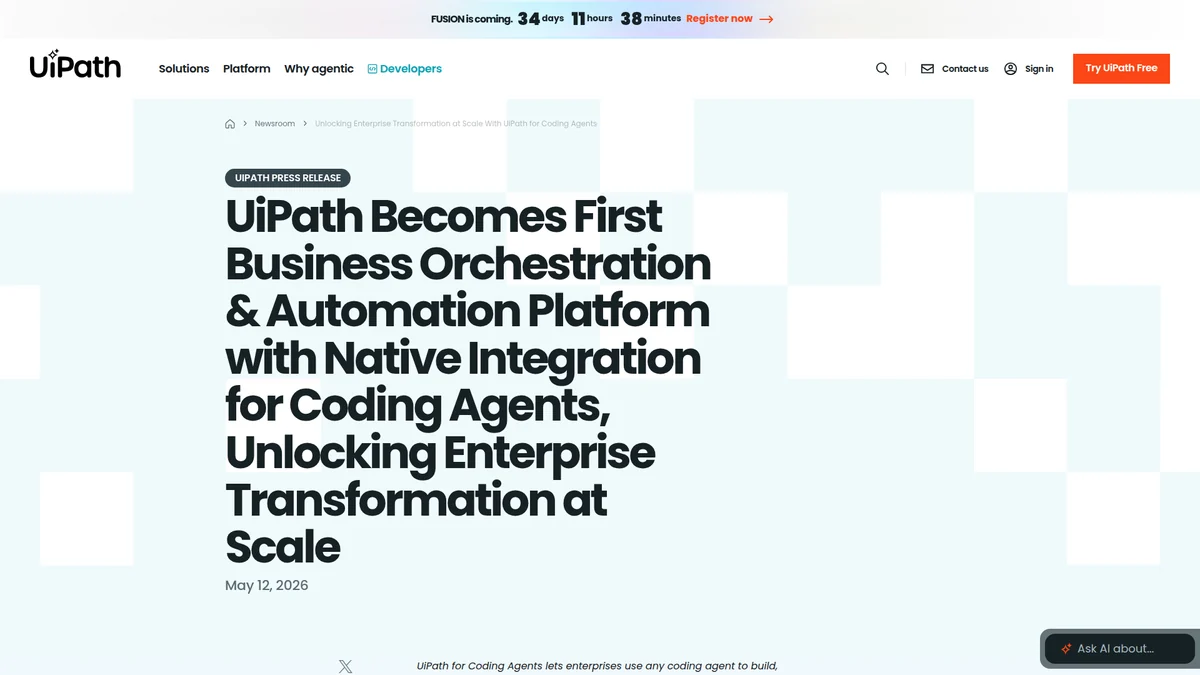 The May launch framed coding agents as a new front end for UiPath’s build, test, deploy, and governance lifecycle. Source: UiPath newsroom.
The August release moved “Operate with Coding Agents” to general availability. According to the official release notes, an installed UiPath skill can guide an agent across folders, jobs, queues, assets, audit logs, connections, access, infrastructure, deployment, and runtime operations.
That GA label applies to the operating capability, not automatically to every authoring skill. The public skills repository marks individual packages as Stable, Preview, or In-development. Teams should evaluate the status of the exact skill they depend on rather than treating the umbrella launch as one maturity level.
The three-part architecture
The UiPath overview describes three cooperating pieces:
| Component | Responsibility | Trust question |
|---|---|---|
| Coding agent | Interprets the request, reads files, selects steps and commands | What context and local tools can it reach? |
| UiPath skills | Supply task-specific instructions, formats, checks, and CLI workflows | Which version is installed, and what does it instruct? |
uip CLI + platform | Authenticate, validate, package, publish, deploy, and operate | Which identity, tenant, folder, and permissions are active? |
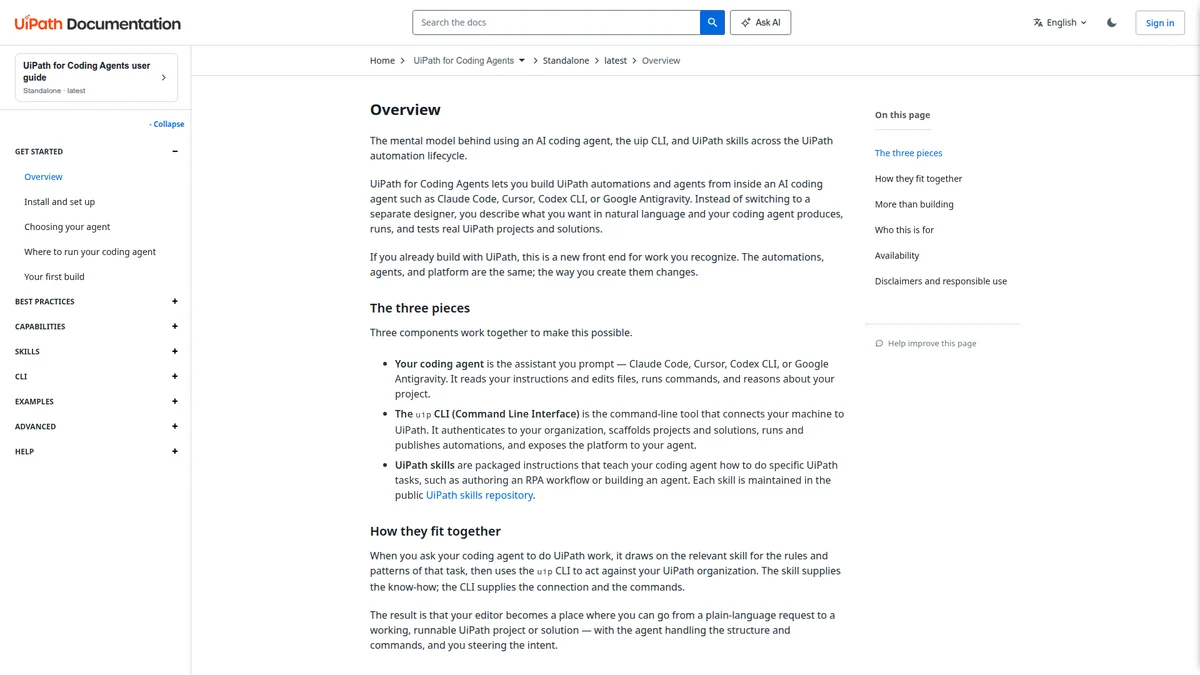 The coding agent is the planner and editor; skills provide curated knowledge;
 uip performs deterministic platform actions. Source: UiPath user guide.
This is a good boundary because skills are inspectable text and resources, while platform actions flow through a versioned CLI. A model does not need a hidden plugin with ambient authority. It needs enough domain knowledge to invoke a tool that can enforce authentication and return structured failures.
It also means the skill is not a permission boundary. A Markdown instruction saying “ask before publishing” can be ignored or misapplied by a model. The agent host, CLI session, and UiPath RBAC must enforce the real boundary.
What the skill catalog covers
The open-source UiPath/skills repository has expanded well beyond classic RPA. Authoring skills cover XAML and coded workflows, Maestro Flow and BPMN, agents, coded apps, API workflows, human-in-the-loop tasks, document understanding, cases, and solutions. Operational packages cover the platform, administration, testing, troubleshooting, review, and feedback.
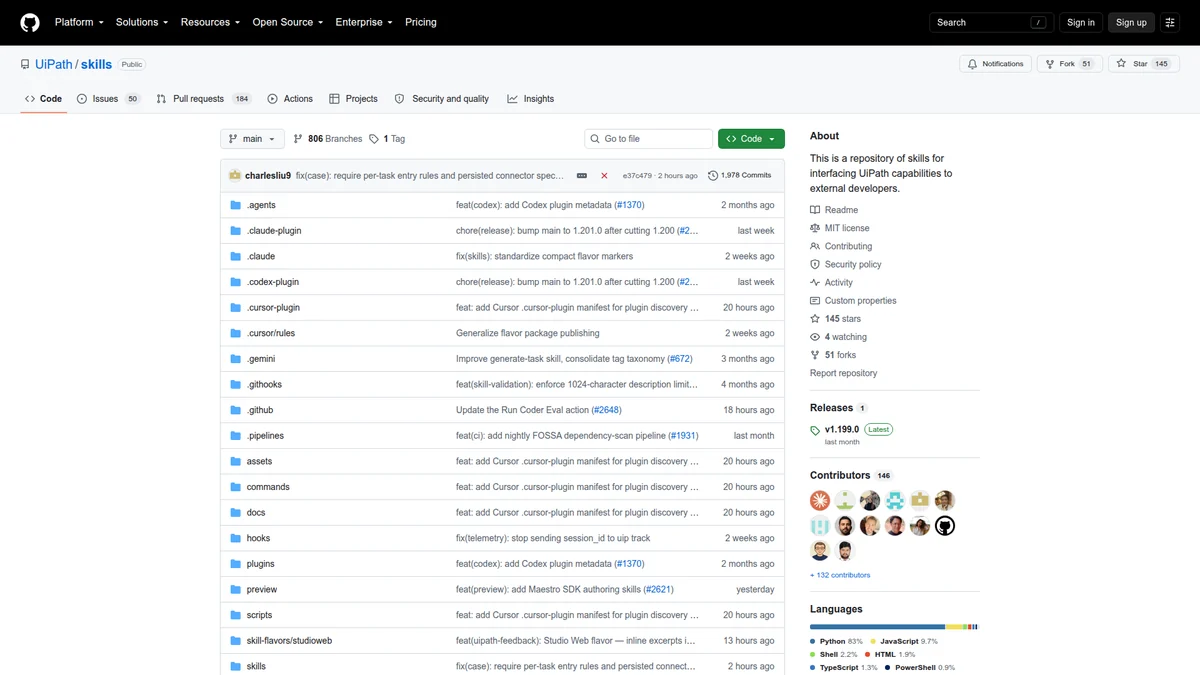 Each package carries instructions and supporting references for a particular lifecycle, with maturity tracked separately. Source: UiPath/skills.
This breadth is useful because a real automation rarely ends at one workflow file. It may include connectors, queues, assets, test cases, deployment packages, schedules, and human approvals. A planner skill can turn a Process Design Document into a Solution Design Document and an executable task list across specialist skills.
The downside is context selection. Loading the entire catalog into every session would dilute attention and increase token use. Install broadly if update management requires it, but activate only the skill relevant to the current task. The agent should not read administration instructions while merely editing an RPA expression.
A realistic build-to-operation flow
A responsible flow has distinct stages rather than one prompt that says “build and deploy this.”
process definition
  -> plan and explicit acceptance criteria
  -> scaffold project in a branch
  -> edit source artifacts
  -> local validation and tests
  -> human diff review
  -> package and publish to non-production
  -> integration test with test credentials
  -> approved promotion
  -> monitor jobs, queues, traces, and audit logs
At planning time, the agent should identify systems touched, data classifications, credential needs, expected volumes, retry semantics, and human escalation. A polished workflow that lacks these requirements is not production-ready.
During authoring, keep generated files in Git. Even visual automations have source representations that can be reviewed, validated, and compared. The agent should explain material choices—selector strategy, queue transaction boundaries, retry behavior, and exception paths—rather than merely report that generation succeeded.
Deployment should use the same promotion rules as other software: immutable package versions, environment-specific configuration, separation of duties, and an auditable approval. A developer’s interactive uip login session should not become an invisible production service account.
“Operate by natural language” needs a safety model
The August docs say the agent reads on its own judgment and confirms before anything that creates, updates, or deletes. That is a sensible user experience, but the words “reads” and “updates” hide important edge cases.
A read can expose queue payloads, customer data, process arguments, connection metadata, or audit identities. Read-only should mean no side effect, not harmless data. Scope the authenticated user to the intended tenant and folders, and redact sensitive CLI output before it becomes model context or a saved transcript.
Mutating operations should show a concrete preview:
- exact organization, tenant, and folder;
- resource type and identifier;
- before and after values where possible;
- package version and target environment;
- expected runtime or cost effect;
- rollback or compensating action.
Approval should bind to that preview. A generic “yes, continue” should not authorize a different command assembled later.
Skills are software dependencies
uip skills install detects supported agents and installs the packages in their expected locations. Automatic updates reduce stale instructions, but they also mean behavior can change without an application code diff.
For enterprise use, record the skills version or commit used by CI, review updates, and run a task-level evaluation before rollout. The repository is candid that it is under active development and tracks maturity in assets/skill-status.json. That file is more useful for risk decisions than a marketing-level compatibility claim.
The repo also exposes tests and a coder-eval workflow. A strong internal extension should follow the same pattern: give each skill bounded trigger conditions, required references, deterministic validation scripts, and completion criteria. Test whether the agent follows the workflow, not just whether SKILL.md parses.
Governance that matters in practice
UiPath brings existing RBAC, audit, policy, and runtime controls to agent-created automation. That does not make every generated asset governed by default in the way security teams often mean. Governance needs concrete configuration.
I would require at least:
- Separate identities for local exploration, CI publishing, and production operations.
- Folder-scoped permissions, with no default access to all tenants.
- A policy that blocks unapproved packages, activities, connectors, or high-risk actions.
- Secret references rather than credentials in project files or prompts.
- Mandatory test evidence and source review before promotion.
- Audit retention that includes both UiPath actions and the agent-side request/approval record.
The agent host must also restrict ordinary shell and file access. UiPath RBAC cannot stop a coding agent from reading an unrelated local .env file before it ever calls uip.
Troubleshooting without turning logs into a data leak
The troubleshooting skill can gather evidence across jobs, queues, logs, and traces, form hypotheses, and suggest a fix. This is one of the most credible uses because operational evidence is large and distributed.
Still, distinguish diagnosis from remediation. The first pass should be read-only and produce cited evidence: job IDs, timestamps, error codes, affected package versions, and a reproduction or likely boundary. Applying a fix, retrying transactions, or changing an asset belongs in a separately approved step.
Limit log windows and fields before sending them to a third-party model. Customer documents and business payloads often appear in exception messages. The fastest investigation is not worth violating data residency or retention rules.
When this approach is a good fit
UiPath for Coding Agents is compelling for organizations already operating UiPath that want terminal-first development and a common interface across automation types. It can reduce the time spent remembering project schemas and CLI syntax while keeping artifacts inside existing platform lifecycles.
It is less convincing as a reason to adopt UiPath from scratch for a small API automation that ordinary code and a scheduler already handle well. The platform adds licensing, administration, and deployment concepts. Those costs make sense when computer use, queues, enterprise connectors, human tasks, centralized governance, and operational support are real requirements.
The model resembles other skill-driven toolchains: instructions give a general coding agent domain fluency, while deterministic commands perform work. Our Open Multi-Agent review focused on coordinating workers; UiPath focuses on turning agent output into governed business automation artifacts and operations.
FAQ
Is UiPath providing the coding model?
Not necessarily. You can use a supported third-party coding agent. UiPath provides skills, CLI tooling, automation formats, platform execution, and governance.
Can a coding agent operate production UiPath resources?
Yes, subject to the authenticated session and platform permissions. Production writes should use narrow identities and command-specific approval.
Are all UiPath skills generally available?
No. The public catalog tracks Stable, Preview, and In-development packages separately. Check the status of each required skill.
Do I still need Studio or Studio Web?
Many workflows can be created and managed from the terminal, but visual inspection and existing designer workflows remain useful, especially for review and debugging.
Does approval eliminate the risk of an incorrect command?
No. Approval must show the exact target and change, and the underlying identity must still be least-privileged. Test rollback and failure behavior as well.
Bottom line
UiPath for Coding Agents is most interesting as an interface change, not an “AI builds everything” claim. A coding agent gains domain fluency through inspectable skills and expresses intent through a deterministic CLI; the platform continues to own packages, execution, identity, and audit.
That separation can be reliable if every boundary is real. Pin and evaluate skills, constrain the login session, keep source and tests reviewable, and make approvals specific. Otherwise natural-language operations merely place a friendly sentence in front of production credentials.