Amazon Opportunity Scanner: Read Price Bands and Review Concentration Before You Source
Use SandBase's Amazon Opportunity Scanner to map price bands, review concentration and credible product openings, then extend the workflow with the linked Amazon APIs.
The awkward part of Amazon product research is rarely finding listings. It is deciding whether a shelf has room for one more. A search page can show dozens of plausible products while hiding the structure that matters: where prices cluster, whether reviews are concentrated in a few incumbents, and whether the apparent gap is simply a weak query.
The Amazon Opportunity Scanner turns one market keyword into a compact live brief. It searches the Amazon marketplace, summarizes the observed price band, rating and review signals, and keeps the underlying product cards visible. It is built for sellers, sourcing teams and product operators who need a fast first pass before spending an afternoon in a spreadsheet.
Key takeaway
- One keyword starts one live Amazon marketplace API call charged to the signed-in SandBase account.
- The report combines summary metrics with the listings behind them: product title, image, price, rating, review count and listing link when available.
- Price range and review concentration are screening signals, not proof of demand, margin or a defensible opportunity.
- The closest matching public API is Amazon Search; the public UI does not expose the scanner’s private server-side route, and product-detail and best-seller endpoints are separate extensions.
- Use the scanner to reject weak ideas quickly, then validate the survivors with fees, landed cost, seasonality and first-party seller data.
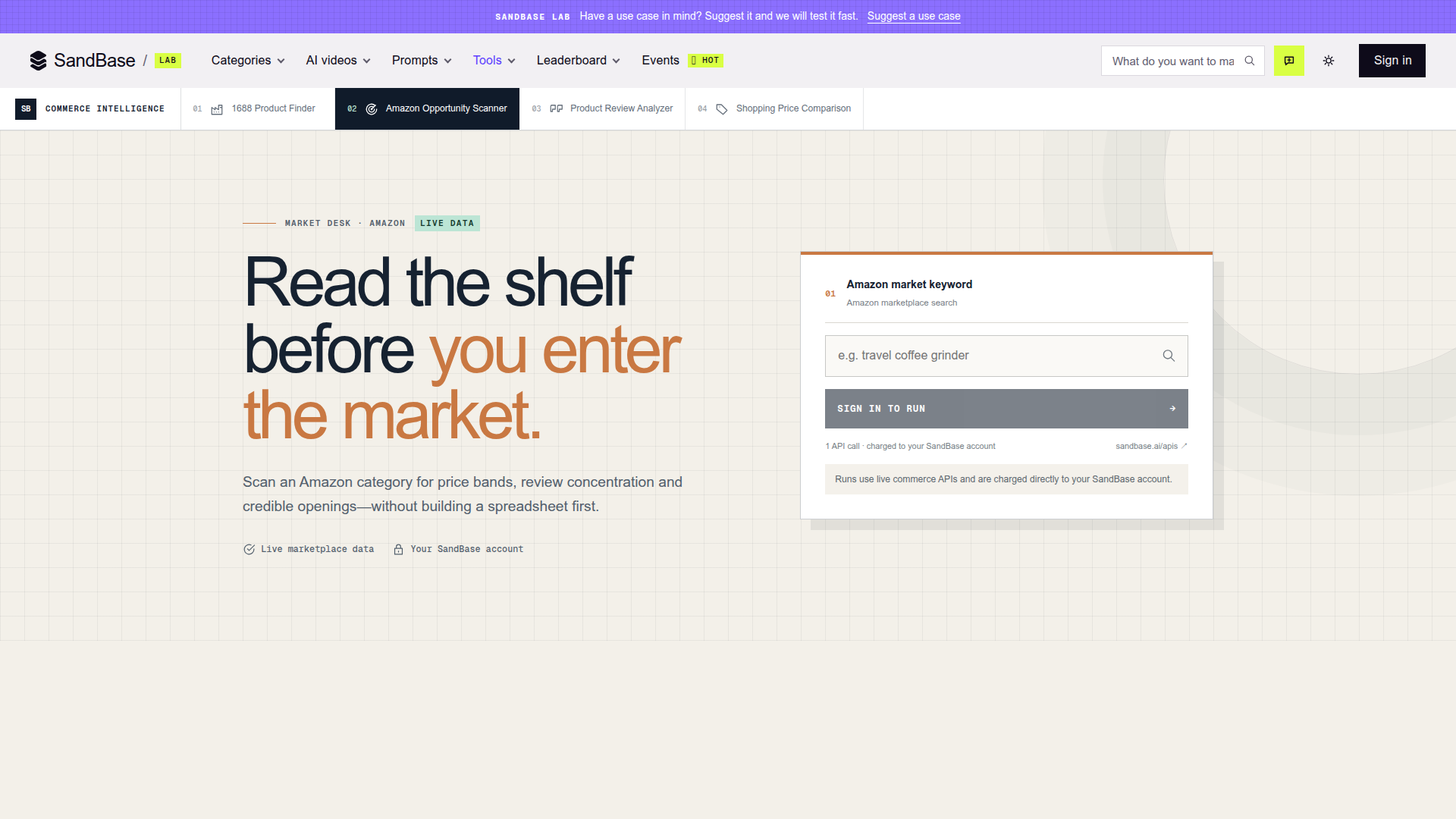
The public scanner entry screen, captured on 2026-10-31. The page states that a run uses live commerce data and one API call from the user’s SandBase account; running a scan requires sign-in.
What the scanner actually does
The interface deliberately asks for one thing: an Amazon market keyword. A query such as travel coffee grinder describes a shelf, not a specific ASIN. That distinction is the point. The first question is not “is this product good?” but “what does the competitive set look like?”
After a signed-in run, the report layout is designed around three layers:
| Layer | What appears in the report | Decision it supports |
|---|---|---|
| Market summary | Result count, median price, observed price span, median rating and review volume when present | Is the shelf broad, compressed or dominated by social proof? |
| Decision signals | Short notes derived from the returned set | Which patterns deserve a closer look? |
| Listing evidence | Ranked cards with title, image, price, rating, reviews and an outbound listing link when available | Can you trace a summary back to the products that produced it? |
The useful design choice is the last one. A median price without the shelf is a number you cannot interrogate. Keeping the product cards below the summary lets you spot mixed intent, bundles, accessories and premium outliers that would otherwise distort the conclusion.
This is also where the tool stops. It does not claim to calculate Amazon fees, landed cost, advertising cost, conversion rate or forecast sales. Those inputs decide whether an apparent opening becomes a business. The scanner shortens the reconnaissance phase; it does not replace a product P&L.
Why price bands beat a single “average price”
A single average can be pulled around by a few expensive bundles or a low-priced accessory that happened to match the keyword. The scanner surfaces both a midpoint signal and the observed range so the operator can ask a better question: is there a meaningful tier to enter?
Consider three common patterns:
- A compressed shelf. Most comparable items sit in a narrow band. Competing on a materially higher price will require a visible product or brand difference.
- A split shelf. Entry-level products and premium products form separate groups. The gap between them may be positioning space, or it may be a query mixing two different jobs.
- A noisy shelf. Accessories, replacement parts and bundles occupy the extremes. The right response is to tighten the keyword, not to declare an opportunity.
That third pattern deserves emphasis. Search data reflects the query you typed. If the listing set is incoherent, the summary will be coherent-looking arithmetic over the wrong market. Read the cards before trusting the metric.
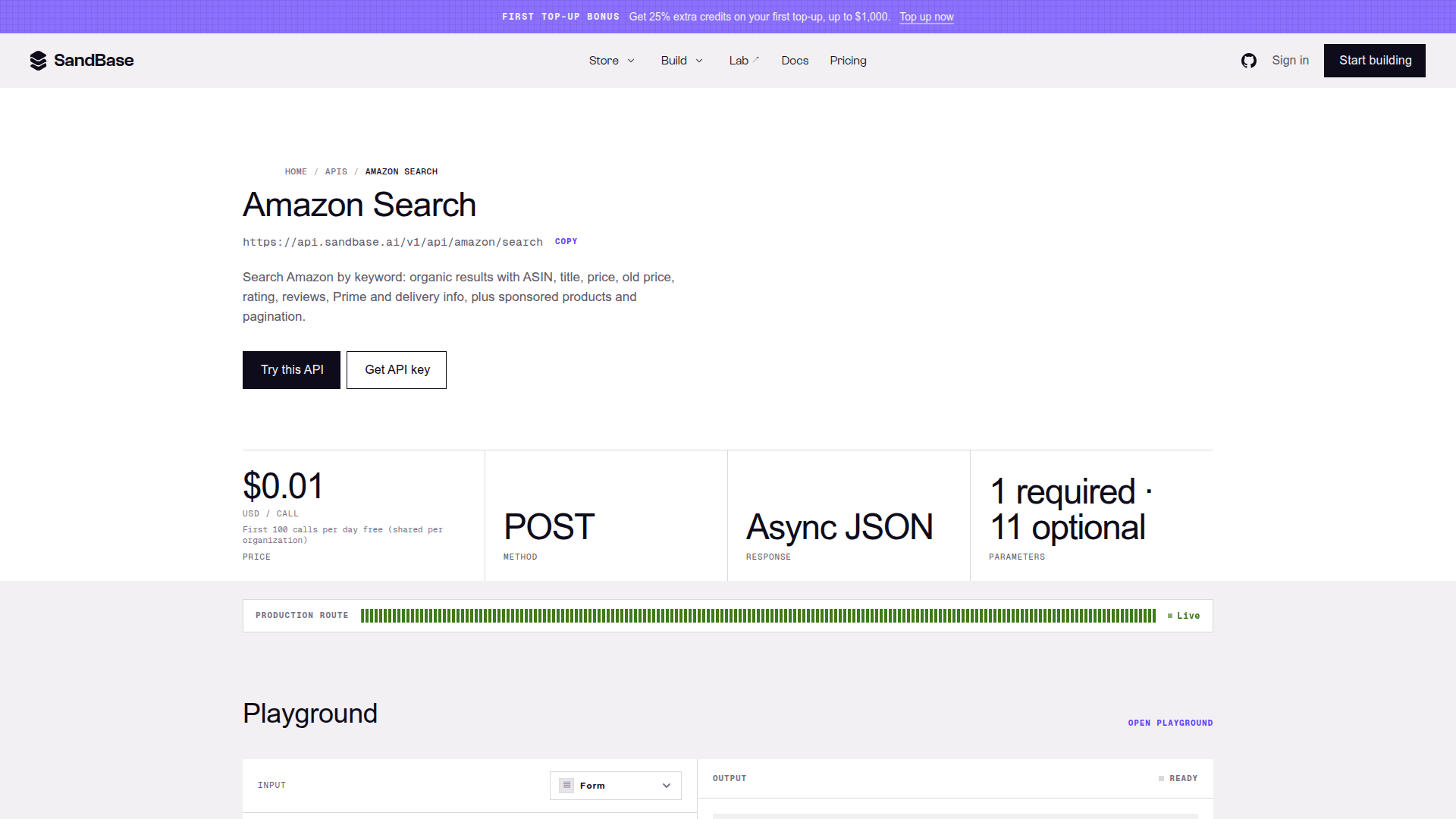
The Amazon Search API page, captured on 2026-10-31. This is the closest matching public keyword-search API for developers who want listing-level data outside the Lab interface; the scanner’s server-side route is not exposed by the public UI.
The first signal to inspect: review concentration
High review counts are not automatically bad news. They can confirm that buyers understand the category and purchase it online. The harder question is whether credible reviews are distributed across the shelf or accumulated around a few incumbents.
A market where the first few relevant products hold most of the visible review volume has a different entry cost from one where newer listings regularly earn attention. The scanner makes that imbalance easier to see by placing review counts beside prices and ratings rather than showing each listing in isolation.
Use the signal to choose the next investigation:
- If reviews are concentrated, inspect whether the leaders share a brand, patent, bundle or fulfillment advantage.
- If reviews are dispersed, compare product claims and recurring complaints; differentiation may matter more than brand incumbency.
- If many results have few reviews, check query quality and seasonality before reading the pattern as low competition.
- If ratings are uniformly high, treat small rating differences cautiously. Review count, review freshness and complaint themes may tell you more.
The scanner calls these credible openings, not guaranteed winners. That wording is right. Public listings reveal the shelf; they do not reveal every seller’s conversion rate, ad spend or inventory position.
Four workflows where it earns its keep
1. Reject weak sourcing ideas before requesting samples
A sourcing team often starts with a supplier catalog or a product seen on social media. Run the category keyword before contacting factories. If the shelf is packed with entrenched listings at prices below the likely landed cost, the team can stop early or change the specification.
The value is not a perfect market verdict. It is avoiding premature work: quotations, sample fees, packaging design and compliance checks for a category that fails the first shelf test. If the category passes, our 1688 Product Finder guide covers the next step: shortlisting wholesale suppliers by price, MOQ and sales signals.
2. Turn a broad idea into a narrower positioning brief
Start broad, inspect the cards, then rerun with the language buyers actually use for the promising subcategory. “Coffee grinder” may mix electric, manual, travel and replacement products. “Compact manual coffee grinder for travel” is a more useful competitive set.
Record the query with every exported observation. Without it, a price band has no reproducible meaning.
3. Prepare a supplier negotiation
The observed retail band gives a sourcing team a reality check before it discusses factory price, MOQ and packaging. It does not reveal a competitor’s cost, but it helps the buyer work backward from a plausible retail tier and leave room for fees, freight, returns and advertising.
For a broader retail benchmark, the cross-market price comparison workflow shows how Amazon listings can be compared with Google Shopping and TikTok Shop using deterministic product matching. The Amazon scan belongs at the market-validation end of that process, not as proof that a supplier quote is profitable.
4. Build a repeatable weekly category watch
The Lab is ideal for an individual check. A team that reviews the same 20 keywords every week should move to the API layer, store the query and timestamp, and compare like with like. Track changes in the observed listing set and price distribution; do not present a single search snapshot as a historical trend.
The Amazon API dependencies, linked
The public Amazon API catalog lists the reusable building blocks behind broader commerce research. For this scanner, Amazon Search is the closest public API by input and capability; this is a workflow mapping, not a claim about the private server implementation. The other endpoints below are sensible follow-on calls when the reader wants to deepen a surviving hypothesis.
| Role in the workflow | SandBase API | What it is for |
|---|---|---|
| Closest matching public API | Amazon Search | Keyword search with organic listings, sponsored items, ASIN, title, price, rating, reviews, Prime/delivery signals and pagination as documented on the endpoint page |
| Deeper listing check | Amazon Product | Inspect a known ASIN’s product page, variants, purchase options, availability and descriptive content |
| Alternative detail route | Amazon Product Details | Retrieve details for a known ASIN in a selected marketplace |
| Category baseline | Amazon Best Sellers | Read a category-path best-seller list with rank, price, rating and ASIN |
| Structured category sweep | Amazon Products By Category | Page through a numeric category node with configurable sorting |
The first row is the closest public equivalent based on the visible behavior: one keyword and one Amazon marketplace search call. It is not direct evidence of the private backend route. The remaining rows are extensions. That boundary matters because an article should not imply that one Lab run secretly performs five paid calls.
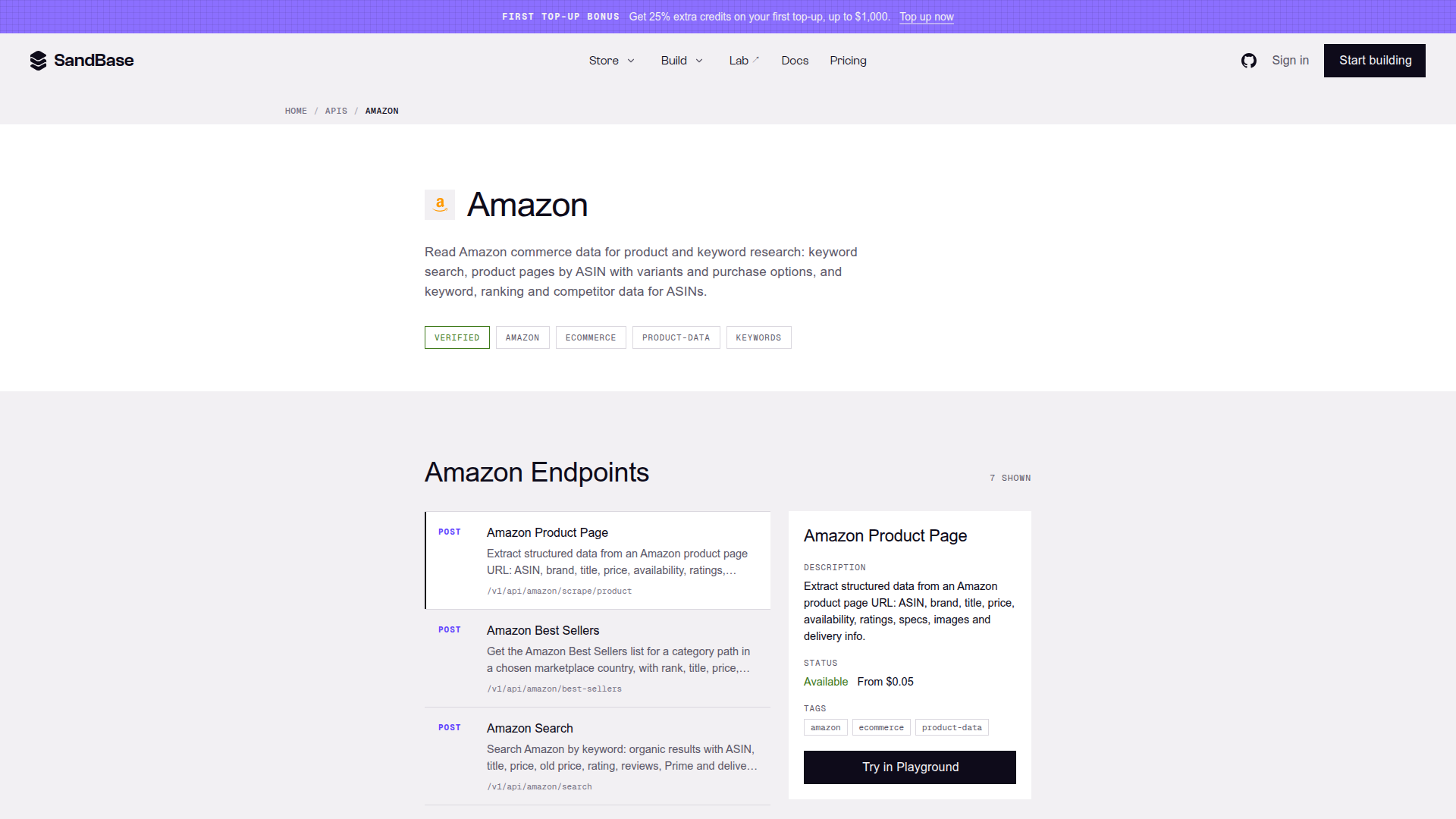
The Amazon API catalog, captured on 2026-10-31. It separates keyword search from ASIN-detail, best-seller and category workflows, which is why the endpoints should be composed deliberately rather than treated as interchangeable.
A practical validation sequence
For a new product idea, use the scanner in this order:
- Define the job, not the object. Write the phrase a buyer would search, including the use context when it changes the competitive set.
- Scan once and inspect every visible card. Remove obvious accessories, bundles and mismatched products mentally before interpreting the summary.
- Rewrite the query. Run a narrower synonym or use-case phrase. An “opportunity” that disappears after a small wording change is too fragile to fund.
- Open representative listings. Pick the price leader, review leader, a median-looking item and one apparent newcomer.
- Add economics. Estimate landed cost, marketplace fees, returns, promotional discounts and advertising. The scanner does not do this step for you.
- Check time. Repeat later with the same query if seasonality or promotion could explain the shelf.
The pause between steps two and three is the most valuable part. It prevents a polished summary from becoming false certainty. Search-driven research is always conditional on the phrase, marketplace and moment.
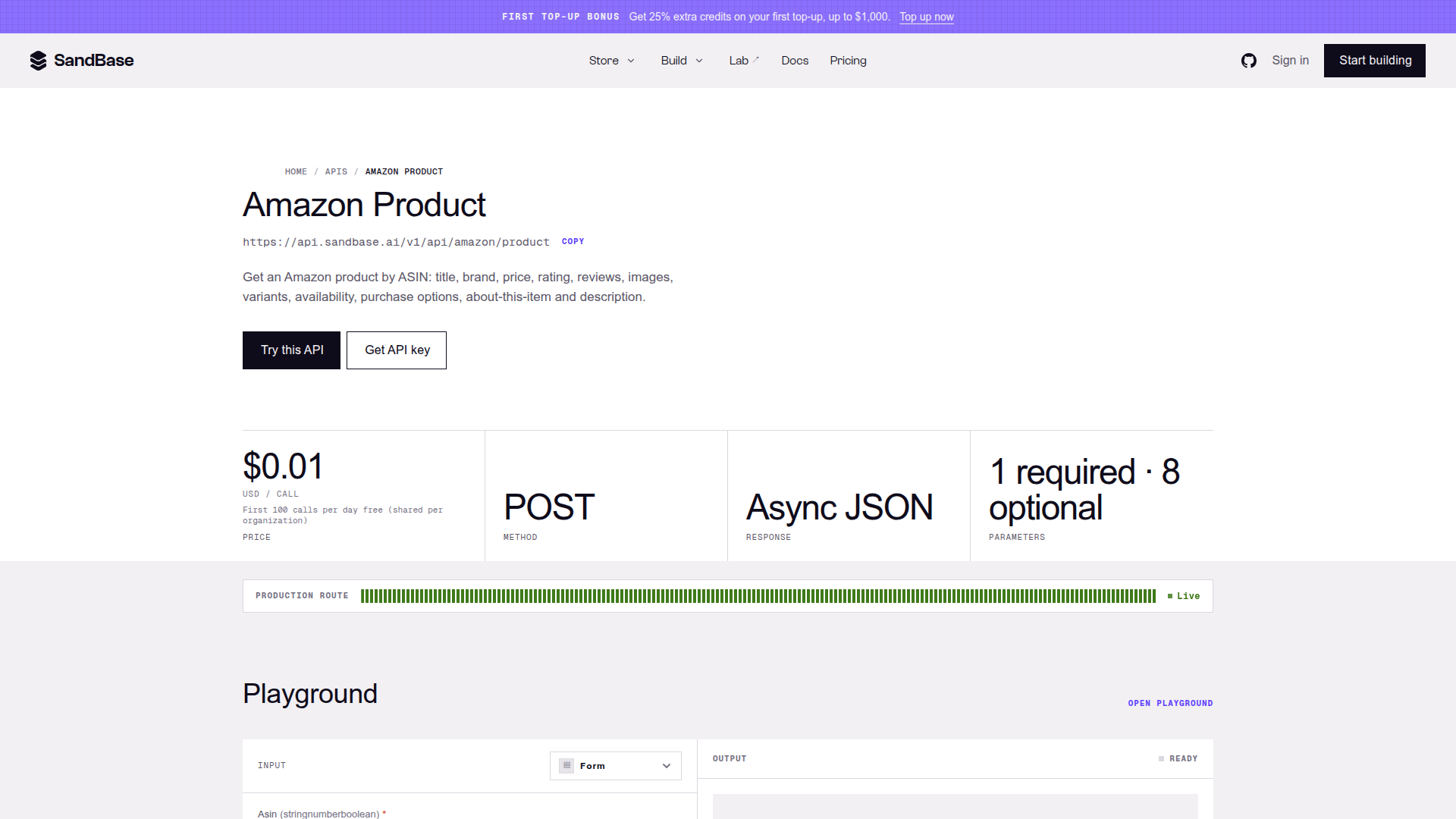
The Amazon Product endpoint page, captured on 2026-10-31. Use this after the keyword scan when a specific ASIN deserves inspection; it is an extension to the workflow, not another dependency claimed for every scanner run.
Where the scanner can mislead you
The most important limitation is sampling. A returned search set is not the entire Amazon market, and ranking can change with marketplace, time, availability and Amazon’s own search behavior. The visible price may also represent a variant, promotion or purchase option rather than a clean comparable unit.
There are four other failure modes worth flagging:
- Mixed intent: one keyword combines products, accessories and replacement parts.
- Variant distortion: size, count or bundle differences create an artificial price range.
- Review-age blindness: a large cumulative review count may belong to an old listing; the scanner’s summary does not by itself establish current momentum.
- Margin blindness: a comfortable retail price says nothing about landed cost or paid acquisition.
Scope of this guide: the public interface and API catalog were reviewed on 2026-10-31. A signed-in market result was not used as evidence here, so this article does not claim a fixed result count, stable business-payload schema or success rate for arbitrary queries.
Bottom line
The Amazon Opportunity Scanner is useful because it makes the first market-research pass smaller. One keyword produces a shelf-level view, and the underlying listings remain close enough to challenge the summary. That is a better starting point than copying twenty titles into a spreadsheet and calculating an average before checking whether the products are comparable.
Use it to eliminate weak ideas, refine the language of a category and decide which ASINs deserve deeper work. Then move to the linked Amazon APIs when the workflow needs repeatability or product-level inspection. The honest promise is not “find a winning product.” It is “spend your next hour on a more credible question.”