M6 MacBook Pro Rumors: Buy for Local AI, or Use the Cloud?
The M6 chip is official, but an M6 MacBook Pro is still unconfirmed. Here is how AI developers should decide between waiting, buying, and using SandBase for cloud fallback.
The awkward part of buying a Mac for AI work is that the chip announcement and the laptop decision no longer arrive together. Apple has already shipped M6 in the Mac mini. Bloomberg reporting says a base M6 MacBook Pro may follow, while Apple’s own Mac pages still list M5, M5 Pro, and M5 Max notebooks. If you build with local models, that gap creates a real decision: wait for a laptop that Apple has not announced, buy the machine available now, or stop treating one laptop as the ceiling of your AI stack.
Key takeaway
- Apple announced M6 on August 25, 2026, but only for Mac mini; Apple has not announced an M6 MacBook Pro as of October 27.
- Bloomberg reports that a base 14-inch M6 MacBook Pro could arrive in 2026. Treat the date, price, memory options, display, and exact laptop performance as unconfirmed.
- For local LLM work, memory capacity and bandwidth matter more than the generation label printed on the chip.
- Buy current hardware when offline work, private data, and predictable local latency are hard requirements. Wait if a portable base-model Mac is specifically what you need and your present machine is still adequate.
- A hybrid workflow is usually the safer engineering choice: run small, repetitive, or sensitive tasks locally, then send workloads that exceed the laptop’s memory or quality ceiling to a cloud model through SandBase.
What Apple has actually announced
Apple’s August 25 release is the firm ground. The company introduced M6 in the Mac mini, describing a 12-core CPU, 12-core GPU with a Neural Accelerator in every GPU core, a dual 16-core Neural Engine, support for up to 32GB of unified memory, and up to 170GB/s of memory bandwidth. Apple also said its M6 Mac mini delivered up to 4.8 times the LLM prompt-processing performance of an M4 Mac mini in LM Studio. That comparison came from Apple testing in July 2026, so it is a vendor benchmark on one desktop configuration—not a result for an unannounced notebook.
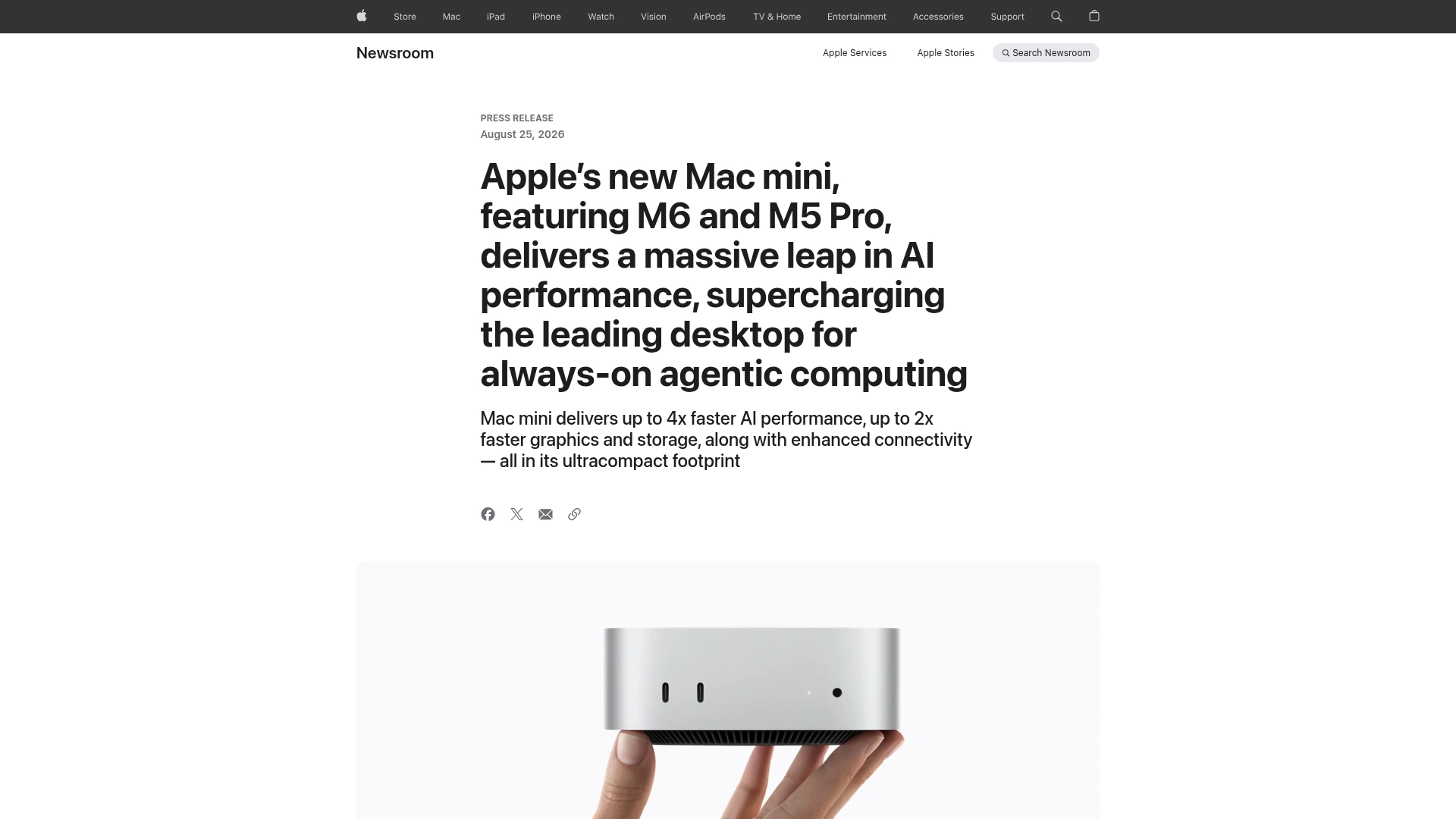
Apple’s August 25 Newsroom page confirms M6, its AI positioning, and the Mac mini launch. It does not announce an M6 MacBook Pro.
The distinction is easy to lose in launch-week headlines. A shipping M6 desktop proves that the silicon exists and gives us official architecture numbers. It does not prove the thermal profile, battery life, memory configurations, ports, price, or performance of a future laptop.
The current notebook baseline is still substantial. Apple’s 2026 16-inch MacBook Pro specification lists M5 Pro with 307GB/s memory bandwidth and M5 Max configurations at 460GB/s or 614GB/s. M5 Pro can be configured with up to 64GB of unified memory; M5 Max reaches 128GB. Those figures explain why “M6 is newer” is not enough to settle an AI workstation purchase. The base M6 in Mac mini tops out at 32GB and 170GB/s. A current M5 Max notebook can offer four times that memory capacity and much higher bandwidth.
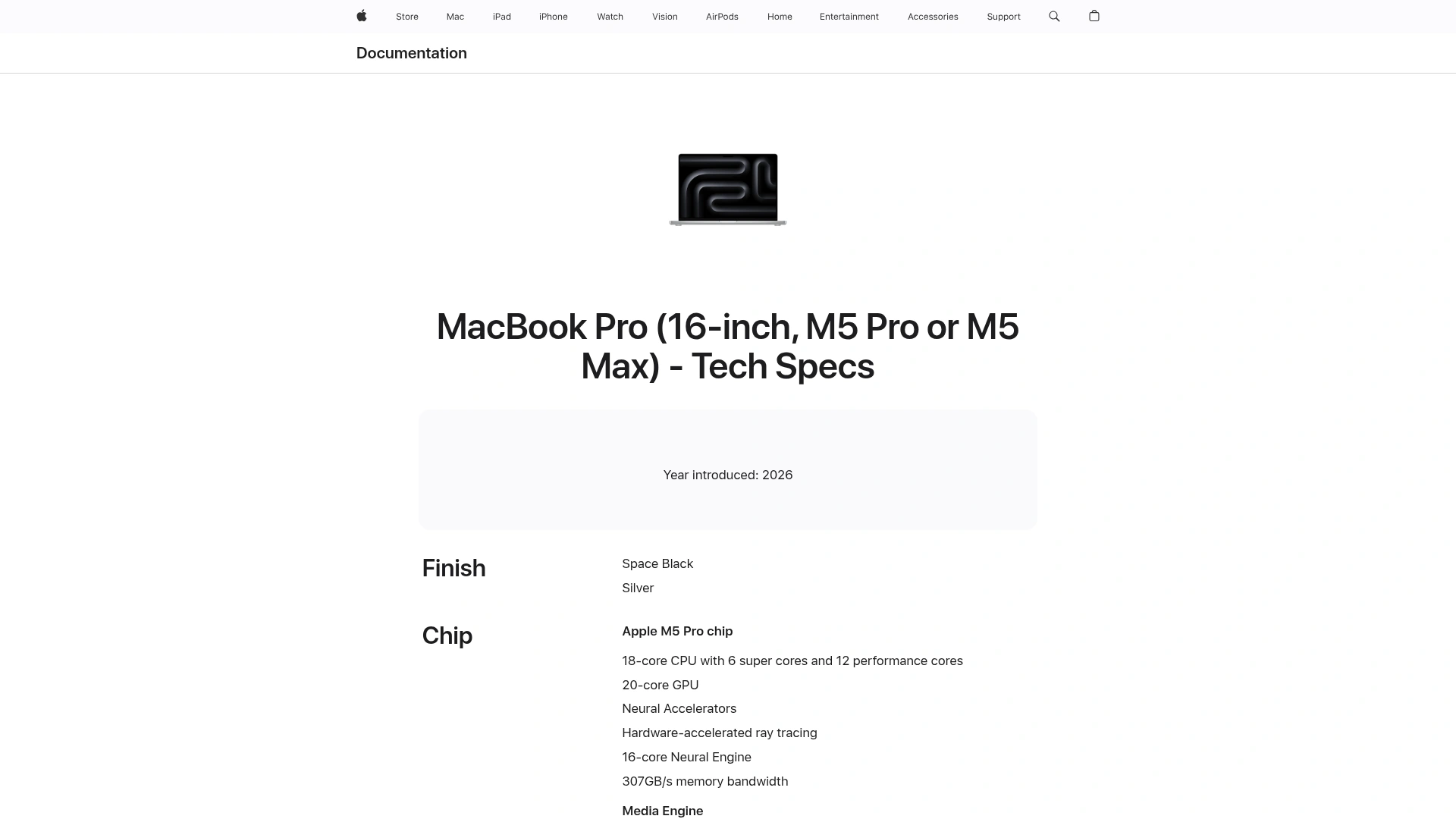
Apple’s current 16-inch MacBook Pro specification is the known comparison point: M5 Pro and M5 Max, not M6, with published memory and bandwidth options.
That is the first useful buying rule: compare the configuration your workload can use, not the number after the letter M.
Confirmed versus reported
| Claim | Status on October 27, 2026 | Evidence and practical meaning |
|---|---|---|
| M6 exists and ships in Mac mini | Confirmed | Apple announced it on August 25 and made the new Mac mini available on September 22. |
| M6 has a 12-core CPU, 12-core GPU, dual 16-core Neural Engine, and up to 170GB/s bandwidth | Confirmed for M6 Mac mini | These are Apple’s published M6 specifications; laptop implementation may differ. |
| A base 14-inch M6 MacBook Pro is coming in 2026 | Reported, not confirmed | Bloomberg reported the plan, citing people familiar with it. Apple has not announced the product. |
| The M6 MacBook Pro will have OLED or a touchscreen | Unconfirmed and possibly conflated | Current reporting separates a base M6 refresh from a higher-end OLED redesign. Do not buy or wait on this assumption. |
| There will be M6 Pro and M6 Max laptops | Unconfirmed; reporting points the other way | Bloomberg reported that Apple may skip high-end M6 variants in favor of later M7-class chips. |
| Price, release date, battery life, and memory tiers | Unknown | No Apple product page or technical specification exists for an M6 MacBook Pro as of this article’s update. |
This table is deliberately conservative. The article can be updated after an Apple announcement; it should not pretend that a report is a specification sheet one day early.
What M6 changes for local AI—and what it does not
The M6 architecture matters because modern local inference on Apple silicon is not confined to the Neural Engine. MLX and other runtimes can use the GPU, and Apple’s unified memory lets the CPU and GPU access the same pool without copying model tensors between separate system RAM and VRAM. Apple describes this directly in its MLX documentation and WWDC session.
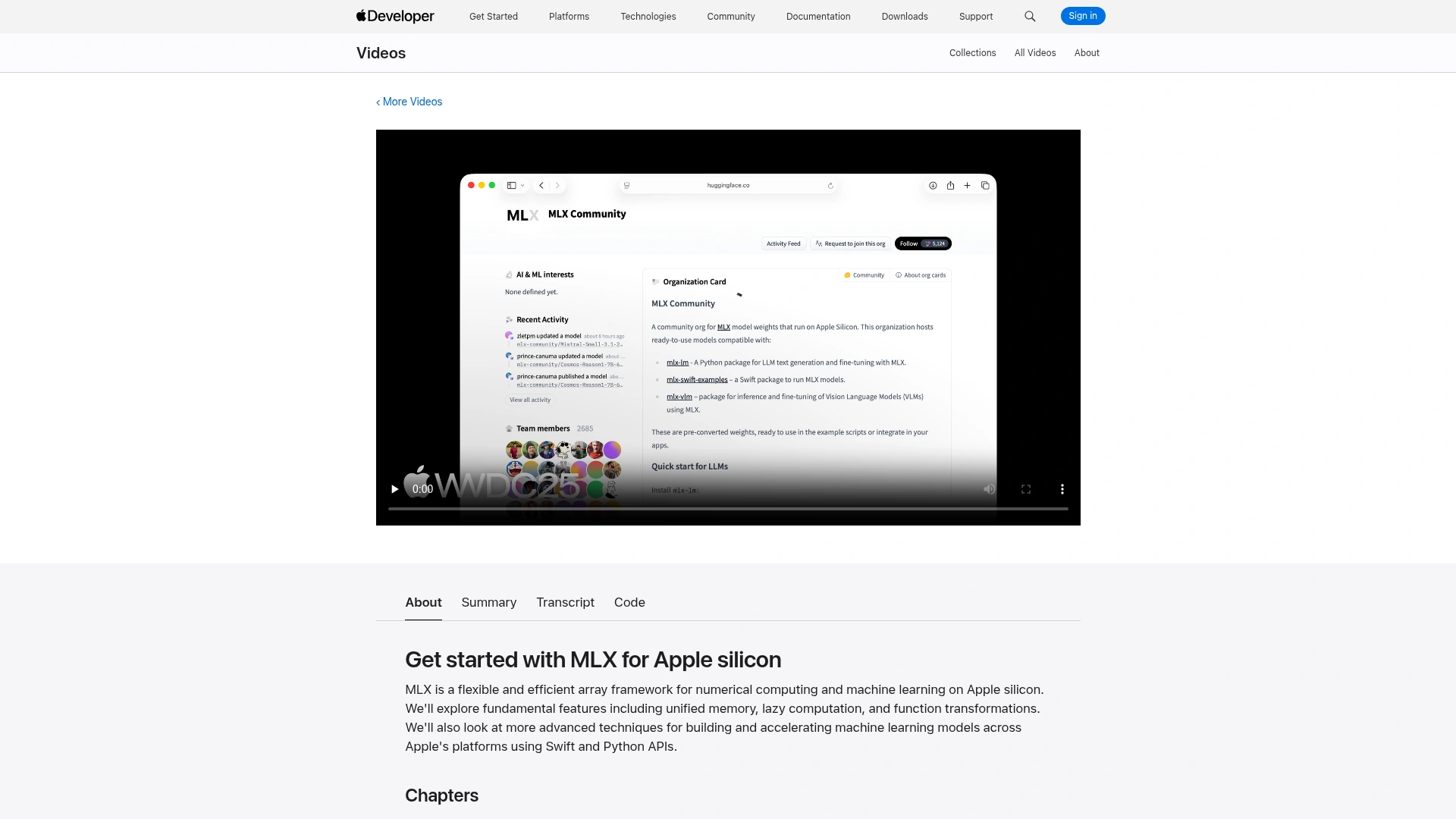
Apple’s MLX session documents the software layer behind local model work: unified memory, lazy computation, and CPU/GPU execution on Apple silicon.
That shared pool is why a 64GB or 128GB Mac can run quantized models that would not fit on a laptop GPU with a much smaller VRAM allocation. But unified memory is still finite. macOS, your editor, browser tabs, build tools, and the model all compete for it. Context length also consumes memory through the KV cache, and agent workflows often keep multiple processes alive.
The M6 GPU accelerators and higher bandwidth should improve supported workloads. They do not make a 32GB configuration behave like a 128GB machine. Nor do they guarantee that every runtime will benefit equally on launch day. Kernels, quantization formats, Metal support, and MLX releases determine whether theoretical hardware improvements become wall-clock gains.
This is the part that matters more than the keynote graph: local AI capacity is a system property. Chip, memory capacity, bandwidth, cooling, runtime, model format, and context all sit in the path. A new chip can speed up a workload that already fits. It cannot rescue one that does not fit.
The three choices for an AI developer
1. Buy a current M5 Pro or M5 Max MacBook Pro
Buy now if the machine is blocking paid work, and choose memory before SSD or cosmetic options. Current M5 Pro and M5 Max laptops have published configurations, known ports, and known memory ceilings. For sustained local inference, the higher-bandwidth Pro and Max parts may be more relevant than a base M6, even though the latter is newer.
This route makes sense when source code, documents, customer material, or media must remain on-device; when you need usable inference without a network connection; or when repeated local runs make variable cloud latency unacceptable. It also makes sense if you need more than 32GB today. Waiting for a rumored base model does not create capacity your workload already lacks.
The trade-off is straightforward: you may buy just before a refresh, and current high-memory configurations are expensive. Local models also freeze at the quality of the weights you downloaded. Hardware ownership removes per-token billing, but it does not remove maintenance, electricity, testing, or the opportunity cost of slower generation.
2. Wait for the base M6 MacBook Pro
Waiting is rational if portability is essential, a base 14-inch model fits your budget, and your current computer is good enough for another release cycle. M6 is already a real chip, so the rumor is more plausible than a speculative architecture leak. Still, only Apple’s announcement can settle the notebook’s memory options, battery behavior, thermals, price, and availability.
Do not wait because you assume OLED, touch input, M6 Pro, or M6 Max. Current reports do not support bundling all of those ideas into one product. If the expected machine arrives with 16GB or 24GB standard memory and a 32GB ceiling, it may be an excellent development laptop but a poor fit for the local model size you had in mind.
3. Keep the laptop modest and use cloud fallback
This is the least dramatic option and, for many teams, the soundest. Put privacy-sensitive preprocessing, embeddings, classification, small code edits, and offline utilities on the Mac. Route long-context analysis, high-accuracy reasoning, large multimodal jobs, or burst traffic to a cloud model. A model such as GPT-6.1 Sol on SandBase becomes a capacity valve rather than a replacement for the laptop.
SandBase is not part of the Apple hardware or MLX stack. Its role is the cloud side of the boundary: one place to access external model providers and switch the model used for a task. The Mac still runs the local code and local model; SandBase handles the requests you deliberately send to a remote model. That separation should be explicit in architecture diagrams and privacy reviews.
A practical hybrid architecture
The useful design is a policy, not an all-local or all-cloud slogan.
| Workload | Default location | Why | Escalation trigger |
|---|---|---|---|
| Secret scanning, local file indexing, redaction | Local Mac | Raw data can stay on-device | Escalate only the redacted excerpt if quality is insufficient |
| Short classification and repetitive transforms | Local Mac | Predictable cost and low latency | Escalate after validation failure or low confidence |
| Repository-wide reasoning | Cloud model | Context and reasoning demands can exceed laptop capacity | Fall back to a smaller local slice when offline |
| Large image, video, or multimodal generation | Cloud API | Specialized accelerators and models are difficult to reproduce locally | Keep previews or metadata local |
| Interactive coding loop | Hybrid | Local tools provide fast context; cloud model handles hard turns | Route by file count, context size, or failed local attempt |
Four implementation rules keep that boundary honest:
- Redact before routing. Remove credentials, customer identifiers, and irrelevant proprietary text locally. A cloud fallback is still a data transfer.
- Route on measurable limits. Use prompt size, available memory, task class, validation failure, or latency budget. “The local answer feels weak” is not an operational policy.
- Keep outputs testable. Compile code, validate JSON, run unit tests, or check citations after either local or cloud inference. A faster chip does not turn probabilistic output into truth.
- Log the route, not the secret. Record which model handled the task, elapsed time, and validation result without copying sensitive prompts into telemetry.
For a sharper example of where local enthusiasm collides with hardware limits, see our analysis of DeepSeek DeepInfer’s actual deployment requirements. The same lesson applies at laptop scale: software availability is not the same as a workload fitting your machine.
The purchase checklist that survives launch day
Ignore the product name for ten minutes and answer these questions:
- What is the largest model and context you must run locally, after quantization?
- How much memory remains after macOS, the IDE, browser, containers, and build processes?
- Does the task require offline operation, or merely benefit from it?
- Which inputs are prohibited from leaving the device?
- What is the cost of waiting: delayed work, rental compute, or no cost at all?
- Can the application retry or route to a cloud model when local validation fails?
- Have you measured your existing workflow, or are you optimizing for a demo you watched?
If “must stay local” and “needs more than 32GB” are both true, the officially documented M5 Pro/Max configurations are more actionable today than a base M6 rumor. If the workload fits under 32GB and benefits from M6’s GPU accelerators, waiting a short time for official notebook specifications may be sensible. If model quality and context dominate portability, a hybrid setup lets you buy the laptop for software development rather than trying to turn it into a mobile data center.
FAQ
Has Apple announced an M6 MacBook Pro?
No. As of October 27, 2026, Apple has announced M6 in Mac mini, but its Newsroom and current MacBook Pro specifications do not contain an M6 laptop announcement. Bloomberg has reported that a base 14-inch model may arrive in 2026.
Should I wait for M6 to run local LLMs?
Wait if you specifically want a portable base-model M6 Mac and your current machine is not blocking work. Buy a current higher-memory configuration if model capacity is the constraint. Memory size and bandwidth can matter more than chip generation for local LLMs.
Will an M6 MacBook Pro have OLED and touch input?
Apple has not confirmed either feature for an M6 MacBook Pro. Reports about the base M6 refresh and a higher-end OLED redesign should not be treated as one confirmed device.
Does SandBase make local inference faster?
No. SandBase does not accelerate MLX or models running on your Mac. It provides access to cloud models and APIs, which can serve as an intentional fallback when a task exceeds local memory, context, latency, or quality limits.
Is local AI always cheaper than cloud inference?
No. Local inference replaces variable API cost with hardware, electricity, maintenance, and developer time. It can be economical for high, steady utilization or mandatory privacy. Cloud inference can be cheaper for occasional peaks, specialized models, or workloads that would require an expensive high-memory machine.
Bottom line
The M6 MacBook Pro story is useful precisely because it exposes a bad assumption: one laptop does not need to do every AI job. M6 is real; the M6 MacBook Pro is not yet official. Buy on published memory and workload requirements, not an expected badge.
For most developers, the durable setup is local-first rather than local-only. Keep sensitive and latency-critical work on the Mac, validate everything, and use a remote model when the job crosses a documented threshold. SandBase can provide that cloud escape hatch without changing the honest part of the design: remote inference is remote, and no chip announcement makes that boundary disappear.
Sources
- Apple Newsroom: M6 Mac mini announcement, August 25, 2026
- Apple Newsroom: M6 and M5 Ultra chip announcement, August 25, 2026
- Apple Support: MacBook Pro (16-inch, M5 Pro or M5 Max) technical specifications
- Apple Developer: Get started with MLX for Apple silicon
- MLX unified memory documentation
- Bloomberg: Apple plans for base M6 and later high-end chips, June 25, 2026