Claude Code: The Terminal Coding Agent (2026 Guide)
Claude Code is Anthropic's terminal-native coding agent. This guide covers how it works, real usage patterns, costs, and when to use it in 2026.
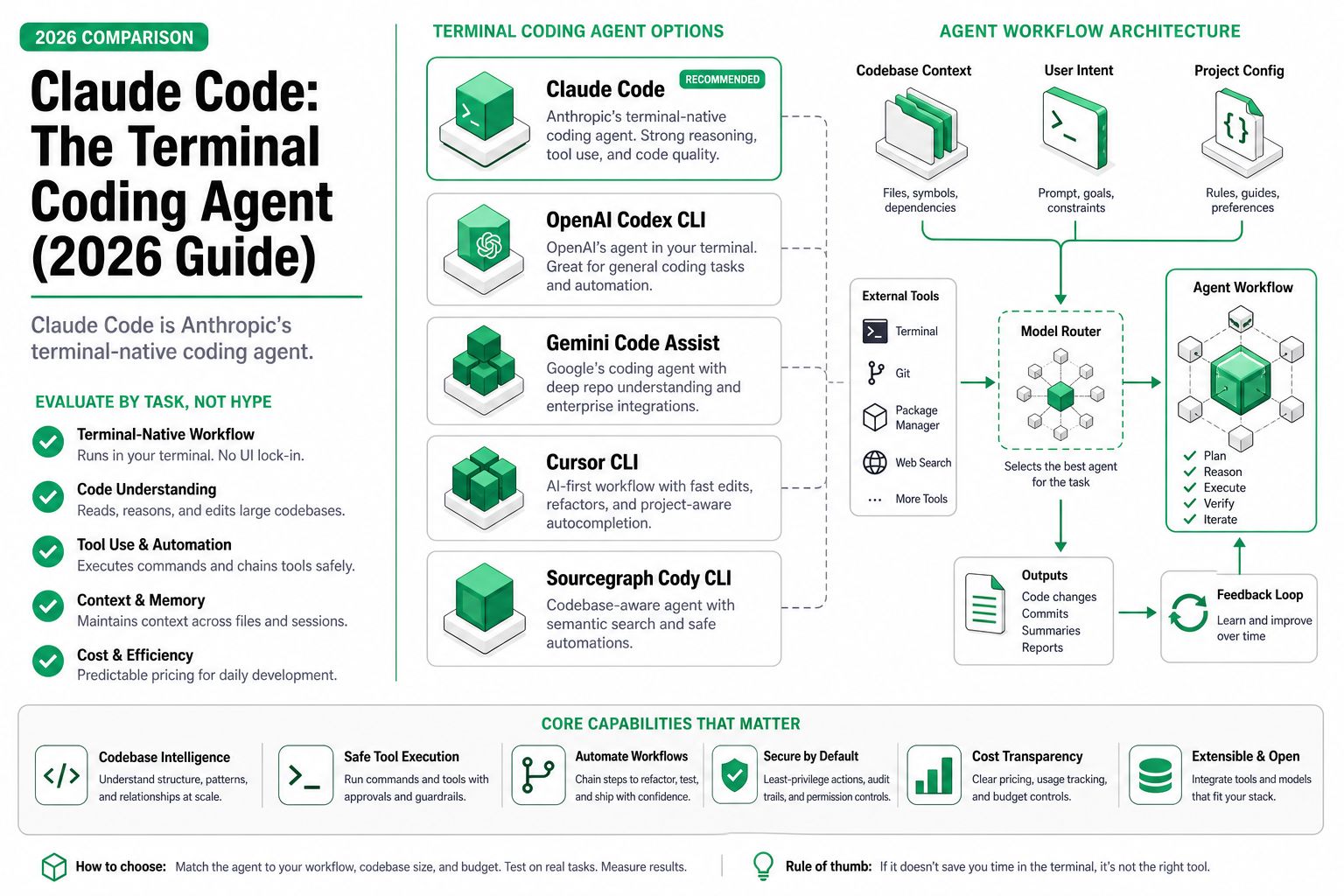
TL;DR — Claude Code runs in your terminal with no IDE required, reads your full repository structure, and makes multi-file changes autonomously. In my testing: a 47-file refactor completed in 8 minutes that would have taken me a full afternoon. Cost: roughly $0.50–$3.00 per substantial session on Sonnet, $5–$15 on Opus for heavy work. Best for: large codebase navigation and multi-file edits. Not for: quick single-line fixes where an autocomplete tool is faster.
The Refactor That Sold Me
I had a 12,000-line TypeScript service where every API handler used a custom error class that needed migrating to a new pattern. Forty-seven files. The old approach: open each file, find the imports, trace the throw sites, update the catch blocks, run tests, repeat. I’d budgeted a full afternoon.
Instead, I typed one command in my terminal:
claude "Migrate all ApiError usage to the new ServiceError pattern. Update imports, throw sites, and catch blocks across the codebase. Run tests after each batch."Eight minutes later, every file was updated. Tests passed. The diff was clean — no orphaned imports, no missed catch blocks in test fixtures. I reviewed the changes in about five minutes because the structure was consistent.
That’s the pitch for Claude Code in one scenario. But the honest picture is more nuanced than “magic terminal agent fixes everything.” After four months of daily use, I know where it shines and where it burns money for no good reason.
What Claude Code Actually Does
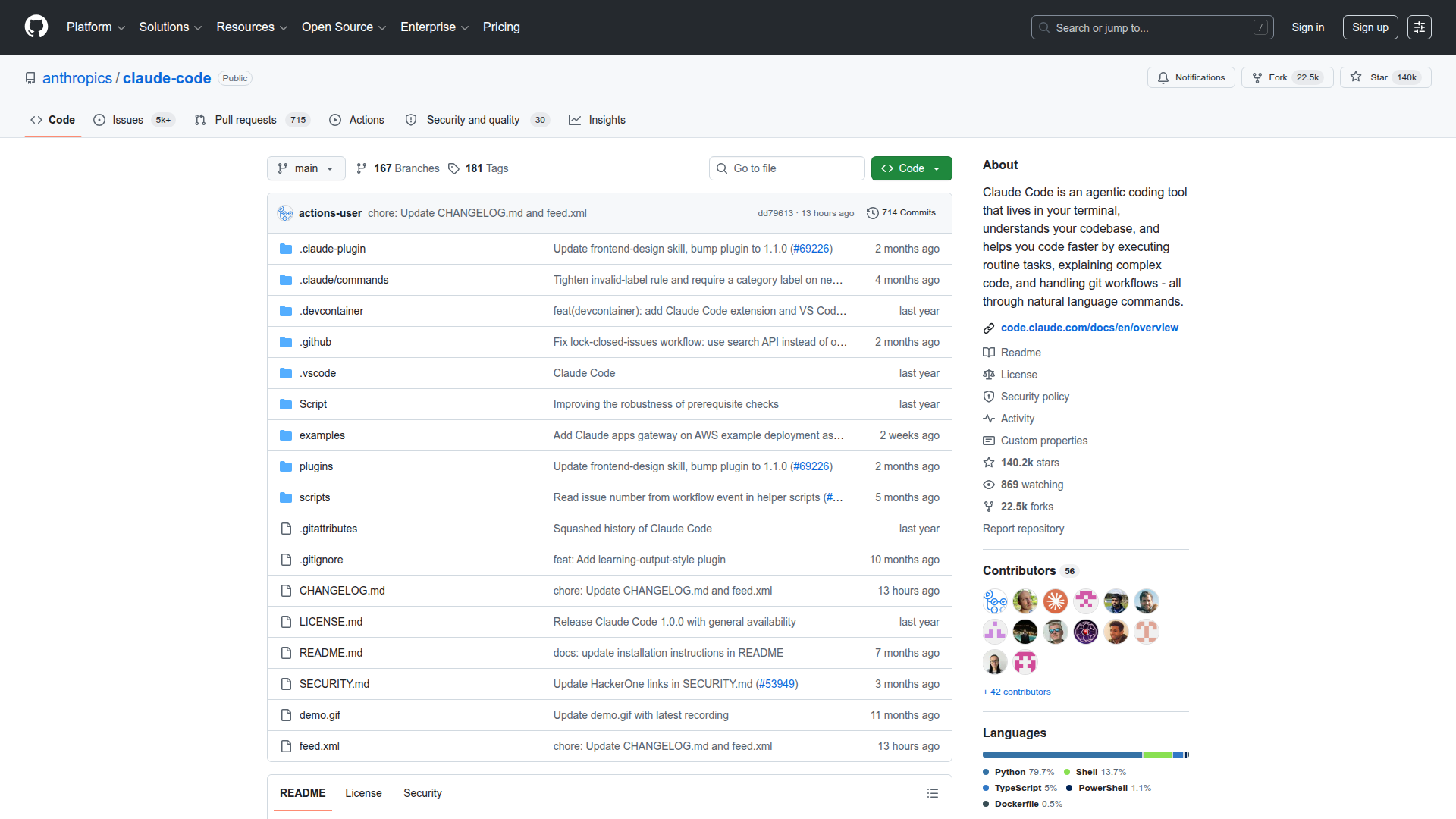 anthropics/claude-code on GitHub — 140K+ stars makes it one of the fastest-growing dev tools in 2025-2026.
Claude Code isn’t a chat window pretending to write code. It’s an autonomous agent with direct filesystem access that runs in your terminal. Here’s what that means in practice:
It reads your project for real. When you start a session in a repo, Claude Code indexes your file tree, reads relevant files on demand, and builds a working model of how your code connects. It knows that UserService gets called from three route handlers and two test files — not because you told it, but because it read them.
It operates in an agentic loop. You describe what you want. The agent plans a sequence of steps, executes them (reading files, writing changes, running commands), observes the results, and adjusts. If tests fail after an edit, it reads the error, diagnoses the issue, and fixes it — without you intervening.
It uses your actual tools. Claude Code runs shell commands in your environment. Your test runner, your linter, your build system. It doesn’t simulate — it executes npm test or cargo build and reads the real output.
It’s stateful within a session. Context accumulates. After reading 30 files and making 12 edits, it still knows why it made the first change and how it relates to the twelfth. This is the long-context advantage — Claude’s 200K token window means a medium-sized codebase fits in working memory.
The architecture is straightforward: your terminal sends prompts to Anthropic’s API, the model responds with tool calls (read file, write file, run command, search), those execute locally, results go back to the model, loop continues until the task is done or it asks for clarification.
The Hook System
Since early 2026, Claude Code exposes 29 programmable hook events across the session lifecycle. You can trigger custom scripts when files change, when the agent calls a tool, or when a sub-agent completes work. This turns it from a one-shot tool into something you can integrate into CI pipelines or custom workflows.
# Example: auto-format on every file write
claude --hook "on_file_write: npx prettier --write {file}"
Agent Teams
For larger tasks, Claude Code can spawn coordinated sub-agents: a planner that breaks down the task, workers that execute in parallel, and a reviewer that checks consistency. In practice, I’ve seen this cut complex refactors from 15 minutes to 4 — but it multiplies token cost proportionally.
When It Works vs When It Doesn’t
Four months of daily use. Here’s the honest split.
Where Claude Code dominates
| Scenario | Why it works |
|---|---|
| Multi-file refactors | Tracks every reference, including tests and config |
| Codebase exploration | ”Explain how auth flows through this app” — reads 20 files and gives you a map |
| Bug hunting across layers | Reads the error, traces the stack, finds the root cause in a different file |
| Repetitive migrations | Same pattern × 50 files = the ideal agent task |
| Test generation | Reads the implementation, writes tests that actually exercise edge cases |
Where it doesn’t justify the cost
| Scenario | Why not |
|---|---|
| Single-line fixes | Your editor’s autocomplete is faster and free |
| Greenfield architecture | It needs existing code to reason about; blank slates confuse it |
| Highly interactive UI work | It can’t see your browser; visual feedback loops break |
| Massive monorepos (500K+ lines) | Context window fills before it maps enough of the codebase; scope narrows |
| Quick scripts you could write in 2 minutes | Startup overhead + cost > just typing it |
A real limitation I hit
On a monorepo with 800+ files, Claude Code spent $4.20 in tokens just understanding the project structure before making any changes. The edit itself cost another $2.80. For that same task, scoping the problem to a specific subdirectory first (claude --directory src/payments "fix the retry logic") brought total cost under $1.50 and produced the same result. The lesson: Claude Code is smart but not cheap. Directing its attention pays off.
Scope of testing: my experience is primarily with TypeScript, Python, and Go codebases ranging from 5K to 80K lines. Performance on languages with less training representation (Elixir, Haskell, niche frameworks) may differ — I haven’t stress-tested those paths enough to make claims.
Setup & First Run
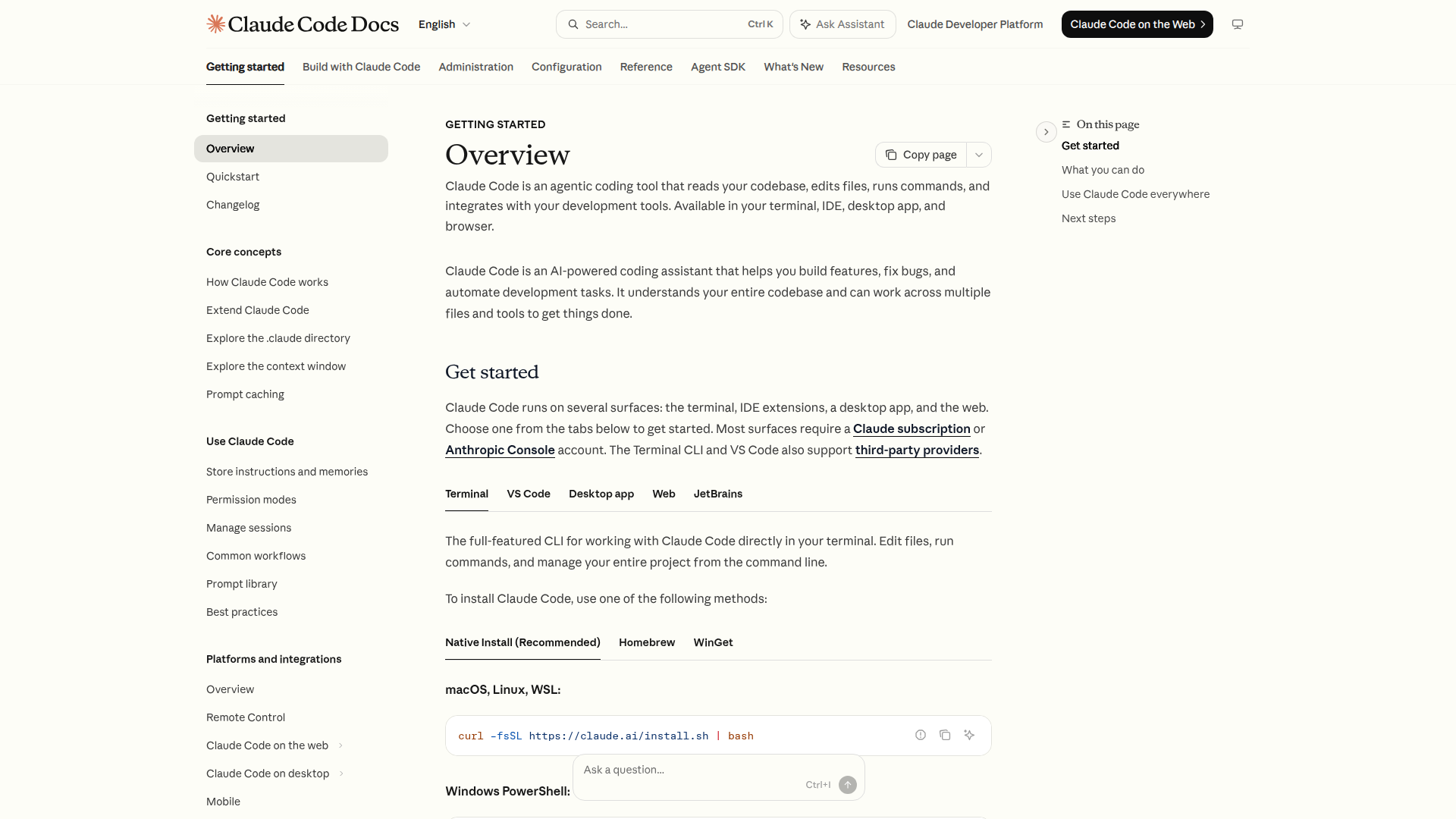 Official Claude Code docs — runs on Terminal, VS Code, Desktop app, Web, and JetBrains.
Getting started takes under two minutes.
1. Install:
npm install -g @anthropic-ai/claude-code2. Authenticate:
claude auth
# Opens browser → sign in with your Anthropic account
# Or set ANTHROPIC_API_KEY directly
3. Run in your project:
cd your-project
claude "Explain the architecture of this codebase"
That’s it. No config files, no IDE plugins, no workspace setup. The agent reads your directory and starts working.
Optional but useful flags:
# Use a specific model
claude --model opus "Refactor the payment module"

# Limit to a subdirectory
claude --directory src/api "Add input validation to all POST handlers"

# Non-interactive mode (for CI/scripts)
claude --yes "Run tests and fix any failures"
First-run tips from experience
- Start with a read-only question (“explain this codebase”) to see how it maps your project before letting it edit
- Commit your work before any edit session — the agent is good but not infallible
- If a task involves more than ~20 files, break it into batches or scope with
--directory
Cost: What You’ll Actually Spend
Pricing pages tell you per-token rates. Here’s what real sessions cost:
| Task type | Model | Typical cost | Time |
|---|---|---|---|
| ”Explain this module” (read-only) | Sonnet | $0.08–$0.20 | 30s–2min |
| Fix a bug (3-5 files) | Sonnet | $0.30–$0.80 | 2–5min |
| Multi-file refactor (20-50 files) | Sonnet | $1.50–$3.50 | 5–12min |
| Deep refactor with tests | Opus | $5–$15 | 8–20min |
| Architecture exploration (large repo) | Opus | $3–$8 | 3–10min |
Monthly reality for a heavy user: $80–$200/month if you use it as your primary coding workflow on Sonnet, $300+ if you lean on Opus regularly. Anthropic’s Max plan ($100/month or $200/month tiers) caps costs for individual developers — worth it if you hit the ceiling frequently.
The cost-efficiency move: use Sonnet for most work, switch to Opus only for tasks that require deep multi-step reasoning across many files. The quality difference on simple tasks is minimal; on complex tasks it’s substantial.
vs Cursor, Codex CLI, Windsurf, Devin
I’m not going to rehash a full comparison here — we already published a detailed breakdown in Claude Code vs Codex vs OpenClaw (2026). The short version:
| Claude Code | Cursor AI | Codex CLI | Windsurf | Devin | |
|---|---|---|---|---|---|
| Interface | Terminal | IDE (VS Code fork) | Terminal | IDE | Web + async |
| IDE required | No | Yes | No | Yes | No |
| Autonomy | High | Medium (inline suggestions + chat) | High | Medium-High | Very High (fully async) |
| Best for | Multi-file terminal workflows | In-editor coding with AI assist | Fast autonomous tasks | IDE users wanting AI depth | Fully delegated tasks |
| Context handling | Full repo (200K tokens) | File-level + embeddings | Repo-aware | Project-wide | Full repo |
| Cost model | Pay per token / subscription | $20/mo subscription | Pay per token | $15–50/mo subscription | $500/mo |
The core distinction: Claude Code and Codex CLI are terminal-native agents — they fit into shell-centric workflows without touching your editor. Cursor and Windsurf are IDE-integrated — better if you live in VS Code. Devin is fully async — hand off a task and come back later.
My take: if you work primarily in the terminal, SSH into servers, or want your coding agent decoupled from any specific editor, Claude Code is the strongest option in mid-2026. If you want AI woven into your editing experience with inline suggestions, Cursor makes more sense.
For the full comparison with benchmarks and pricing breakdown: Claude Code vs Codex vs OpenClaw →
Patterns That Work (and Anti-Patterns)
After hundreds of sessions, here’s what I’ve learned:
Pattern: Scope first, then execute. Start with “read src/payments and explain the error handling pattern” before “refactor all error handling.” The agent makes better decisions when it’s oriented.
Pattern: Iterative refinement. “Make the change, run tests, fix failures” in a single prompt works better than giving all instructions upfront. The agentic loop handles iteration naturally.
Pattern: Commit boundaries. One logical change per session. Don’t ask it to “refactor auth AND add pagination AND fix that bug.” Each is a separate session with its own commit.
Anti-pattern: Vague instructions on large codebases. “Improve the code quality” on a 500-file repo will burn tokens and produce unfocused changes. Be specific about what “improve” means.
Anti-pattern: Using Opus for simple tasks. Sonnet handles straightforward edits just as well for 1/10th the cost. Save Opus for the multi-step reasoning problems.
Anti-pattern: Fighting the agent. If it asks a clarifying question, answer it. If it proposes an approach you disagree with, redirect early. Don’t let it execute a plan you don’t want and then undo everything.
FAQ
Can Claude Code work with private repositories? Yes. It runs locally in your terminal and reads files from your filesystem. Code doesn’t leave your machine except as context sent to Anthropic’s API. If data residency is a concern, Anthropic offers enterprise plans with zero-retention guarantees.
Does it replace my IDE? No. It replaces (or supplements) the tasks you’d do in an IDE: refactoring, debugging, test writing. You still want your editor for reading code, navigating, and reviewing diffs. Many devs run Claude Code in a terminal pane alongside VS Code or Neovim.
How does it compare to GitHub Copilot? Different category. Copilot is autocomplete — it predicts the next few lines as you type. Claude Code is an agent — you describe a task and it executes multiple steps autonomously. They complement each other.
Can I use it in CI/CD?
Yes. The --yes flag runs non-interactively, and hooks let you integrate it into pipelines. Teams use it for automated test fixing, migration scripts, and code review. Cost per run needs monitoring.
What models does it use?
Claude Sonnet 4 by default, Claude Opus 4 (or Opus 4.7) with the --model opus flag. Anthropic updates the default model as new versions ship.